Add an Oracle data source
Updated at:
This topic describes how to add an Oracle data source in DataV.
Prerequisites
The Oracle data source is ready to be added.Procedure
Log on to the DataV console.
On the My Data tab, click Data Source and click Add Data.
- Select Oracle from the Type drop-down list.
- Enter database information.
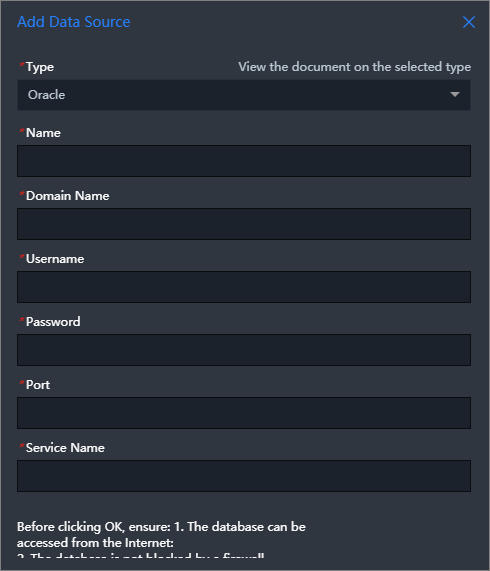
Parameter Description Name The name of the data source. Enter a custom name. Domain The domain name or IP address that is used to connect to the database. Important The DataV server can use the domain name or IP address to access your database over the Internet or an internal network in some regions of Alibaba Cloud.User Name The username that is used to connect to the database. Password The password that is used to connect to the database. Port Number The port that is used to connect to the database. Service Name The service name of the selected database. After you enter the database information, DataV automatically tests whether the database can be connected.
- After the database passes the connectivity test, click OK.
Is this page helpful?