Resource Plan FAQ
Common questions about resource plan purchasing, billing, validity, and usage in Direct Mail.
Does the daily quota increase after I purchase a resource plan?
How email volume is deducted from a resource plan
Set a quota alert for a resource plan
Does the daily quota increase after I purchase a resource plan?
No. Your daily quota is determined by historical sending metrics such as invalid address rate, delivery rate, and spam reports. It is unrelated to the number or size of resource plans you purchase.
The daily quota is adjusted weekly based on the previous week's sending data — it may increase, decrease, or stay the same. After you activate Direct Mail, fully use your initial 2,000-email daily quota and maintain high email quality to earn quota increases.
Direct Mail starts with a low daily quota and gradually increases it. This warm-up period for new domains, sender addresses, and IPs helps maintain a high delivery rate.
Purchase a resource plan
Direct Mail resource plans are subscription-based and more cost-effective than pay-as-you-go. Larger plans offer greater discounts.
Choose a plan size based on your email volume needs.
Pricing details: Billing methods.
How to buy: Purchase guide.
Resource plan validity period
The validity period for all resource plans is 6 months.
Each resource plan's validity period is independent and non-cumulative.
Unused traffic is not eligible for a refund or cancellation after the plan is used or expires.
The system sends expiration reminders via text message, email, and internal message. Use your resource plan before it expires.
How email volume is deducted from a resource plan
Within the validity period, email volume is deducted from resource plans first, starting with the plan that expires soonest. After all plans are depleted, billing switches to pay-as-you-go automatically.
The free quota is separate from resource plans and pay-as-you-go billing. Charges apply after the free quota is exhausted.
Check resource plan usage
1. Log on to the Alibaba Cloud Management Console and go to the Billing Management Center.
2. In the navigation pane on the left, click Resource Instances.
3. Select the Direct Mail product to view details about your purchased resource plans.
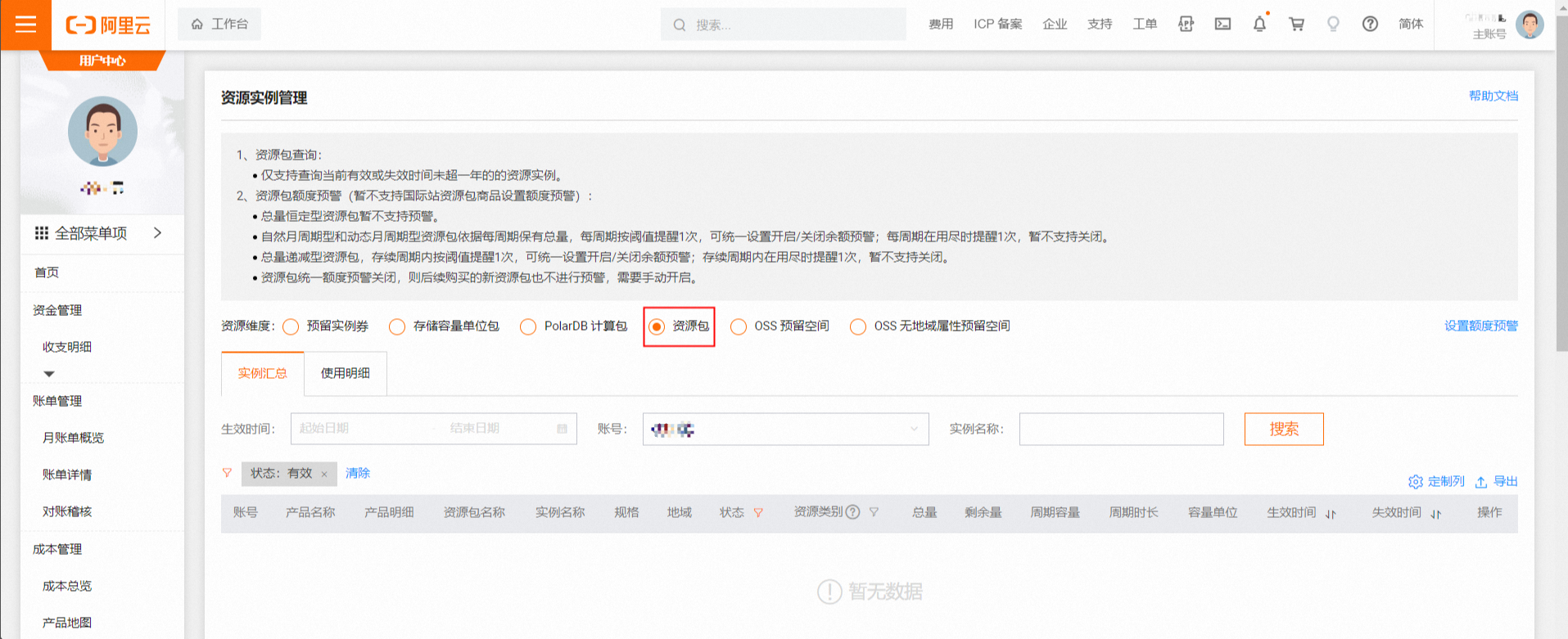
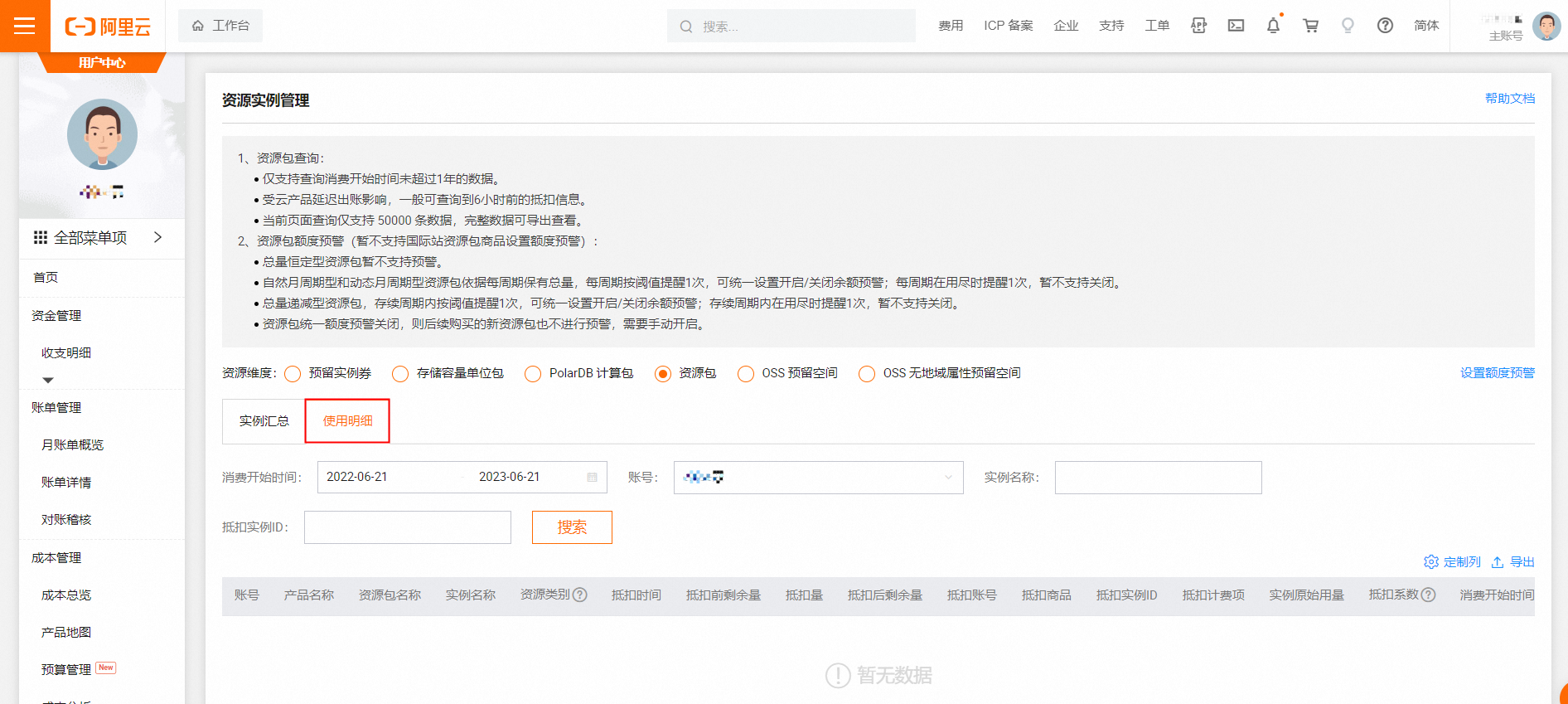
4. Find the resource plan that you want to check and click Usage Details.
Set a quota alert for a resource plan
1. In the Direct Mail console, go to Overview > Usage Details > Set Quota Alert.
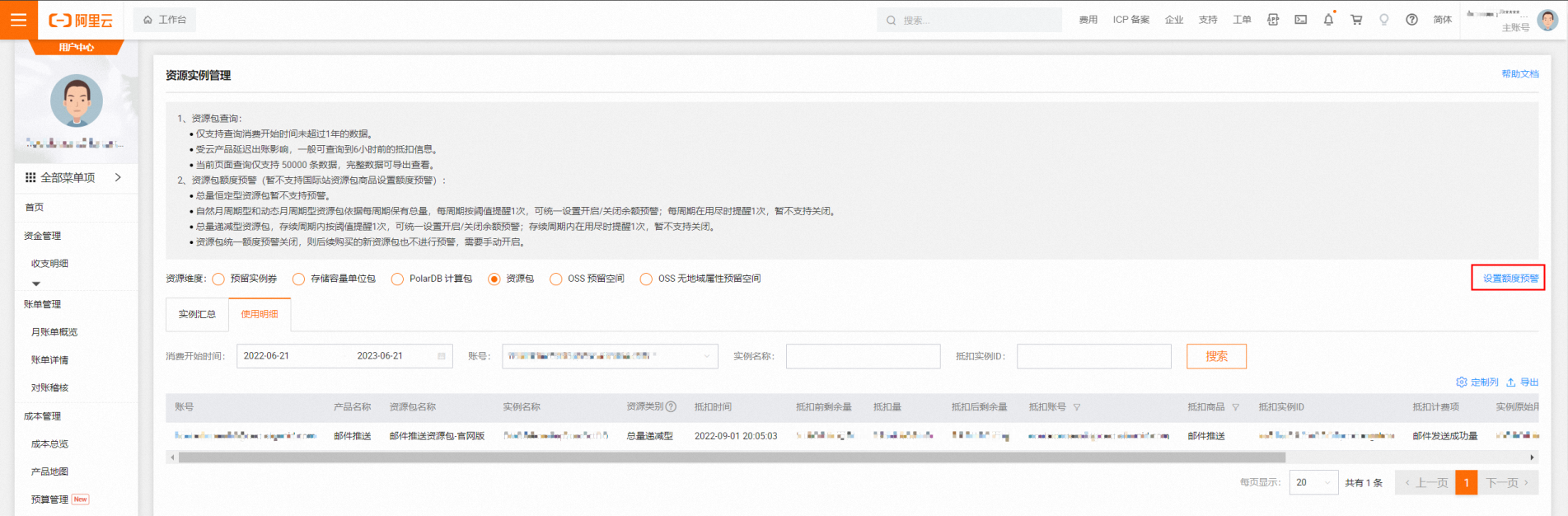
2. Select a preset percentage. Custom values are not supported. You can set alerts for multiple plans in batch or individually.