View backup set download progress
Updated at:
You can view the download progress of backup sets in Database Backup Service (DBS).
Procedure
-
Log in to DMS 5.0.
-
In the top navigation bar, choose .
NoteIf you use the DMS console in simple mode, move the pointer over the
 icon in the upper-left corner of the DMS console and choose .
 -
Find the backup schedule that you want to manage and click the schedule ID or Manage in the Actions column.
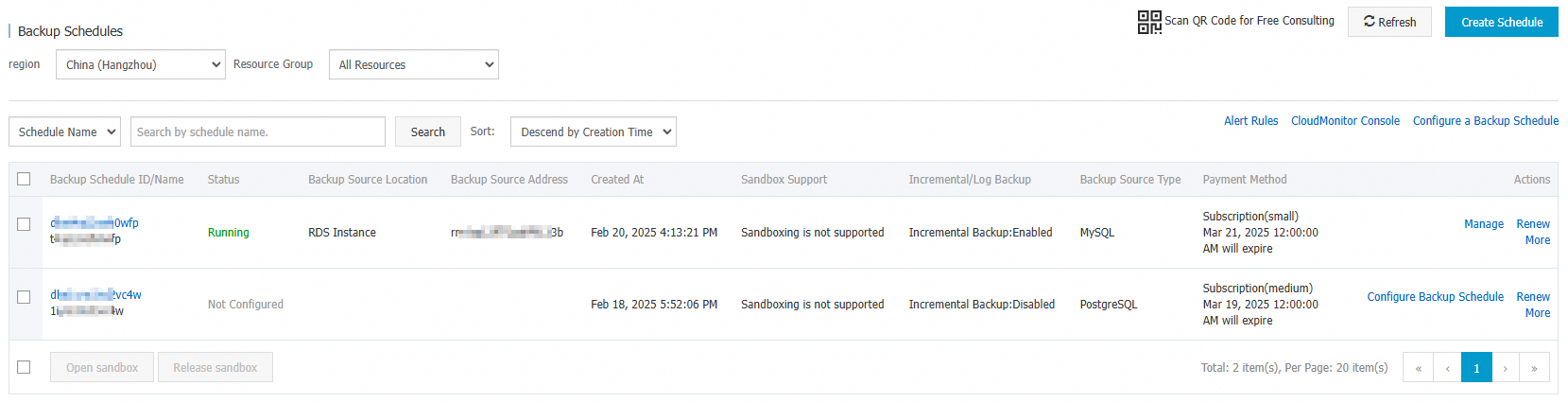
-
Click Backup Set Download.
The backup set download list shows details about each task, including Backup Set Type, Backup Size, Backup Set Format, Backup Source Type, Download Type, Creation Time, and Status. When a task's status is Completed, click Download in the Actions column to save the backup file, or click Delete to remove the task.
Is this page helpful?