Local communication development practice
You can use local communication to control and query a device when the app and the device are on the same local area network (LAN) but do not have an internet connection. Alibaba Cloud IoT provides a solution for this scenario.
Background information
The Link Kit software development kit (SDK) for devices includes a built-in local communication feature (ALCS). This feature allows devices with the Link Kit SDK to communicate locally. Terminals that integrate the ALCS client feature, such as Android apps, iOS apps, and edge gateways, can then interact with chip-based products.
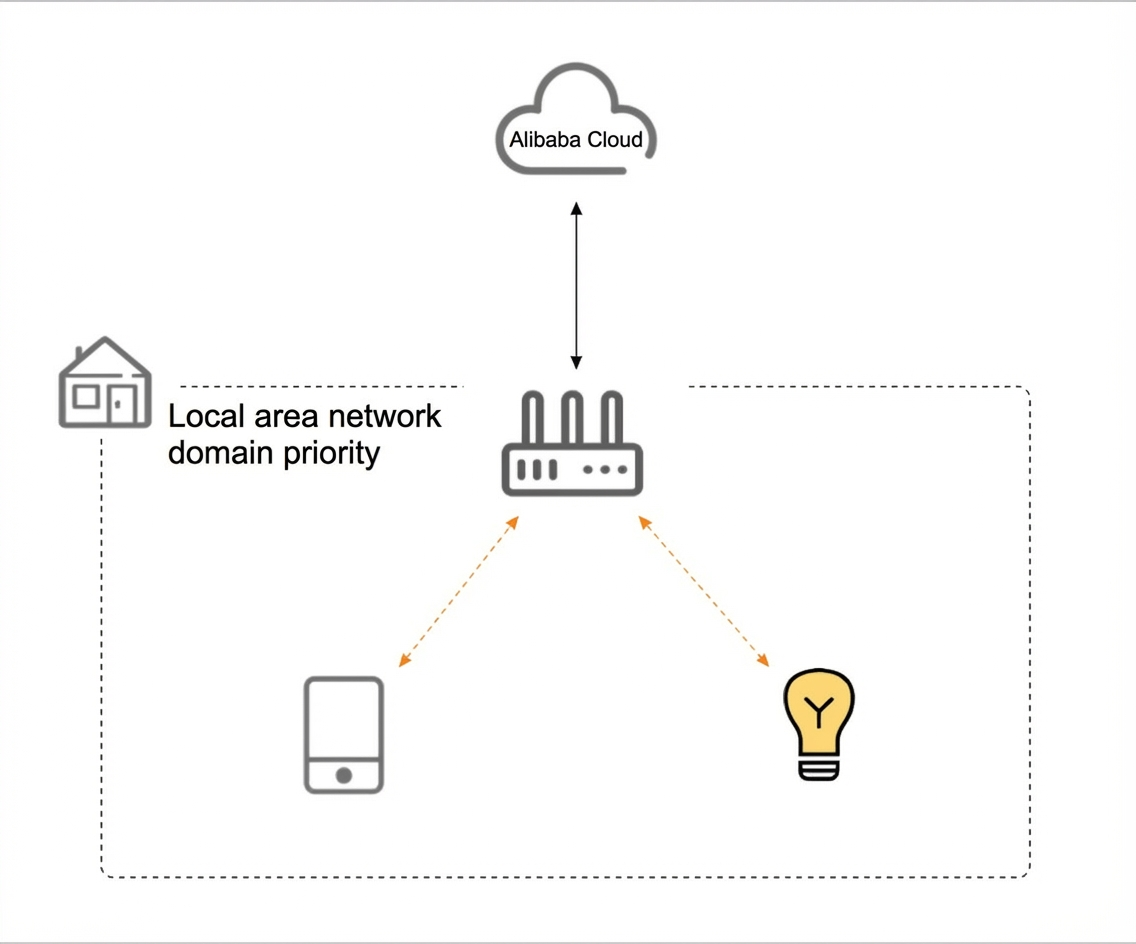
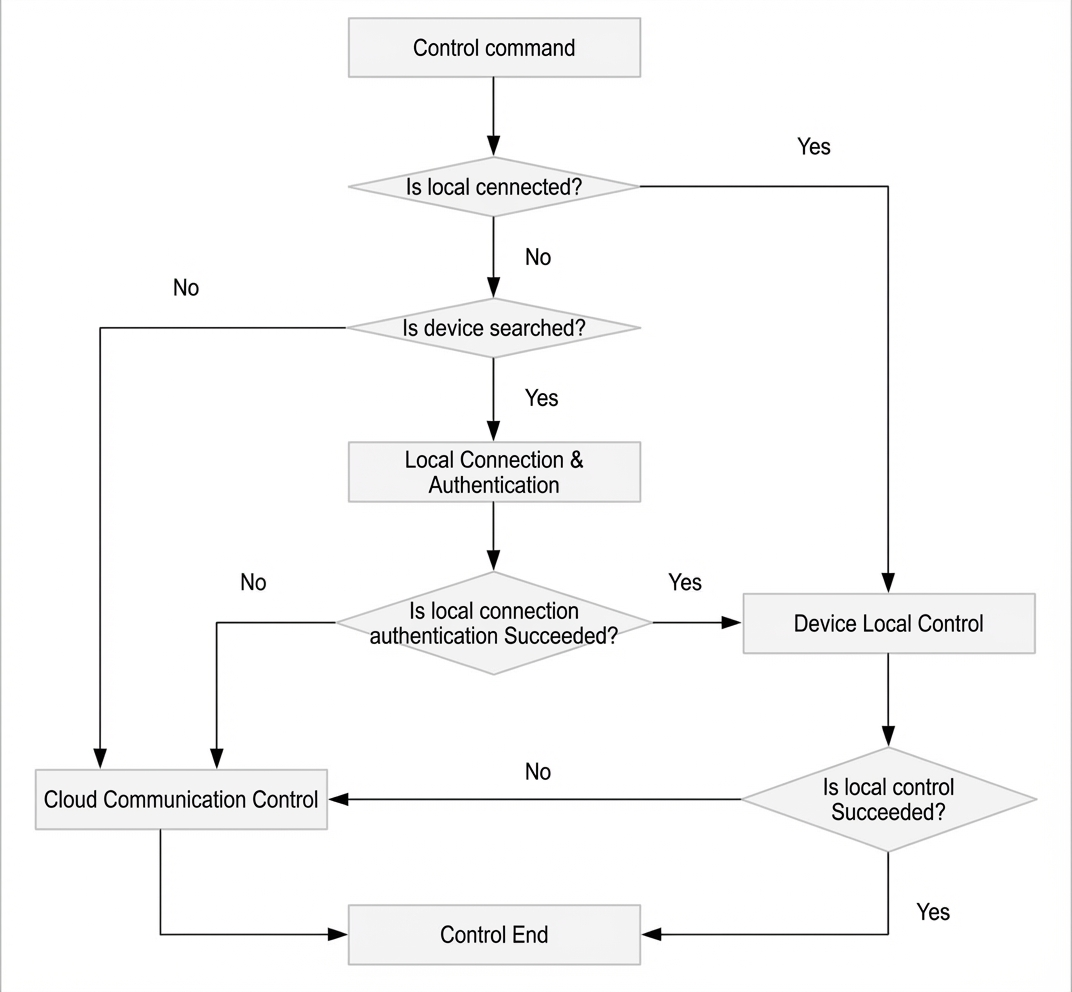
When an app connects and authenticates for the first time, it communicates with the cloud to obtain authentication data. After a successful connection, the app caches this data locally. For subsequent authentications, the app uses the cached data first.
Procedure
- Develop the app.
The app flow works as follows.
- iOS
For iOS development, add a dependency on IMSThingCapability.framework.
pod 'IMSThingCapability' - Android
For Android development, add a dependency on the public-tmp-ext-boneplugin SDK package.

- iOS
- Implement the device-side logic.
The following describes the interface.
- When this event is triggered, the received payload is a list of device attributes from the local communication request, in JSON format. For example:
["property1","property2","property3"]. - When you reply to the local communication request, format the response message as follows:
{"property1":...,"property2":...,"property3":...}.
The following is an example.
`property1` is an integer, `property2` is a string, and `property3` is a composite type that contains an integer `item1` and a string `item2`.
{"property1":23,"property2":"hello,world","property3":{"item1":23,"item2":"hello"}}For a code example, see the implementation of the user_property_get_event_handler callback function in the SDK example.
- When this event is triggered, the received payload is a list of device attributes from the local communication request, in JSON format. For example: