Use cross-zone gateways
You can use cross-zone gateways to orchestrate tasks in different zones into a single topology.
Cross-zone gateways are available only after you enable the LDC sharing feature.
Procedure
Create tasks.
Create two or more simple tasks or cluster tasks as subprocesses for the topology to be created. In this example, simple tasks are created. For more information about the configuration procedure, see Create a scheduling task. To use cross-zone gateways, turn on Across the zone gateway.

Use cross-zone gateways.
You can add cross-zone gateways when you create or modify a topology. In this example, a topology is created. For more information about the procedure, see Create a topology job. To use cross-zone gateways, perform the following steps:
Add cross-zone gateways.
In the topology editing area, click the
 icon. In the panel that appears, add a pair of cross-zone gateways and click OK.
Click the start gateway. In the dialog box that appears, specify the zones where tasks are to be executed, and click OK.
If you want to execute tasks in all zones of a specific type, select the zone type. For example, if you want to execute tasks in all zones identified by RZone, select RZone from the Zone Name drop-down list.
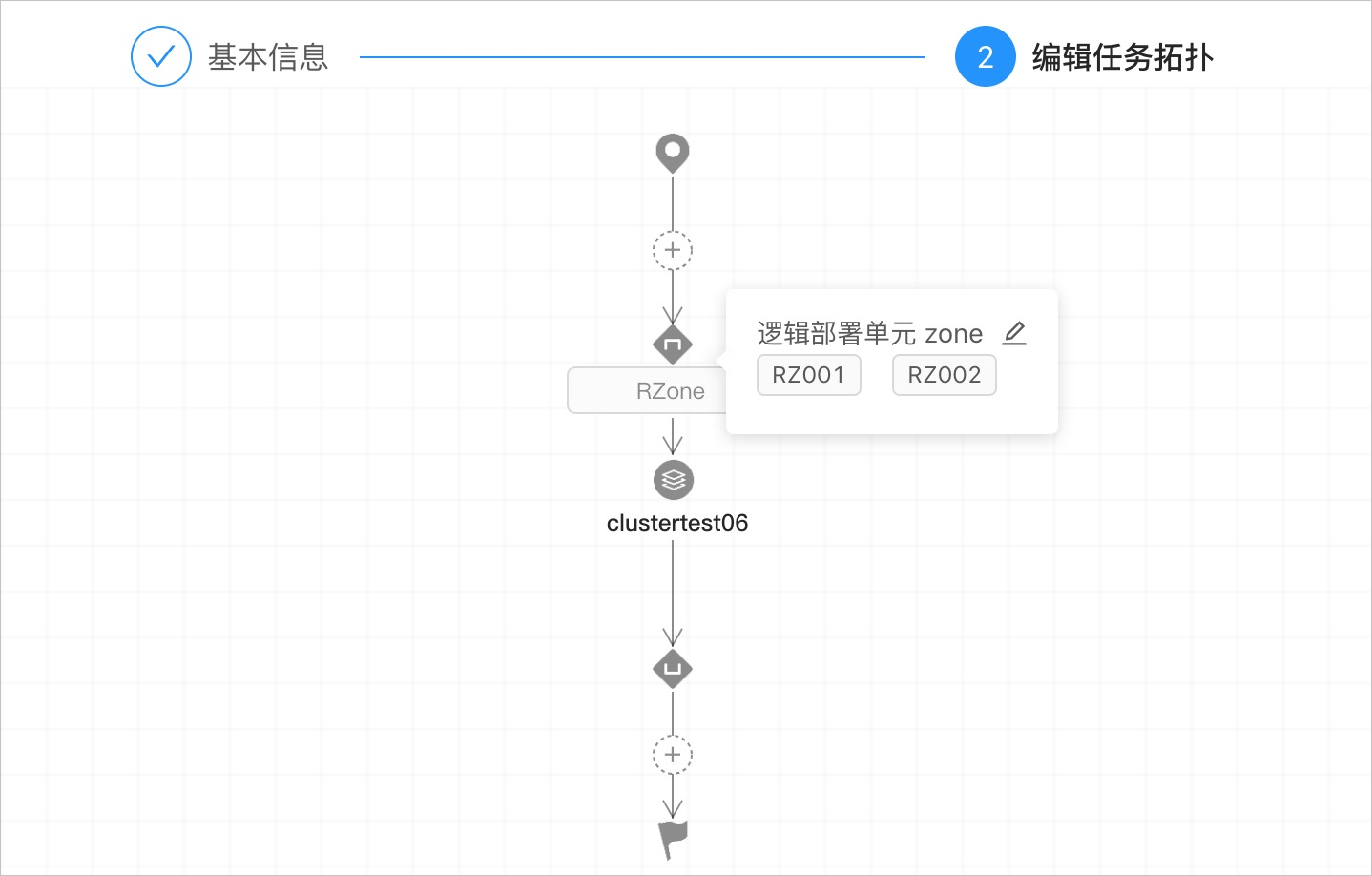
You can also select specific zones. For example, you can select RZ001 and RZ002 from the Zone Name drop-down list, as shown in the following figure.

Click the
+icon between the cross-zone gateways. In the right-side dialog box, add the target task.You can add only one task or topology sub-process to a pair of cross-zone gateways. If the task orchestration process is complex and multiple nodes need to be orchestrated, we recommend that you use topology sub-processes to constitute a complex process, add the process to the cross-zone gateways, and then specify the target zones where the process is to be executed.
Tasks are executed on the cross-zone gateways. The cross-zone gateways specify the zones where the tasks are executed. As shown in the following figure, clustertest06 will be executed in RZ001 and RZ002.
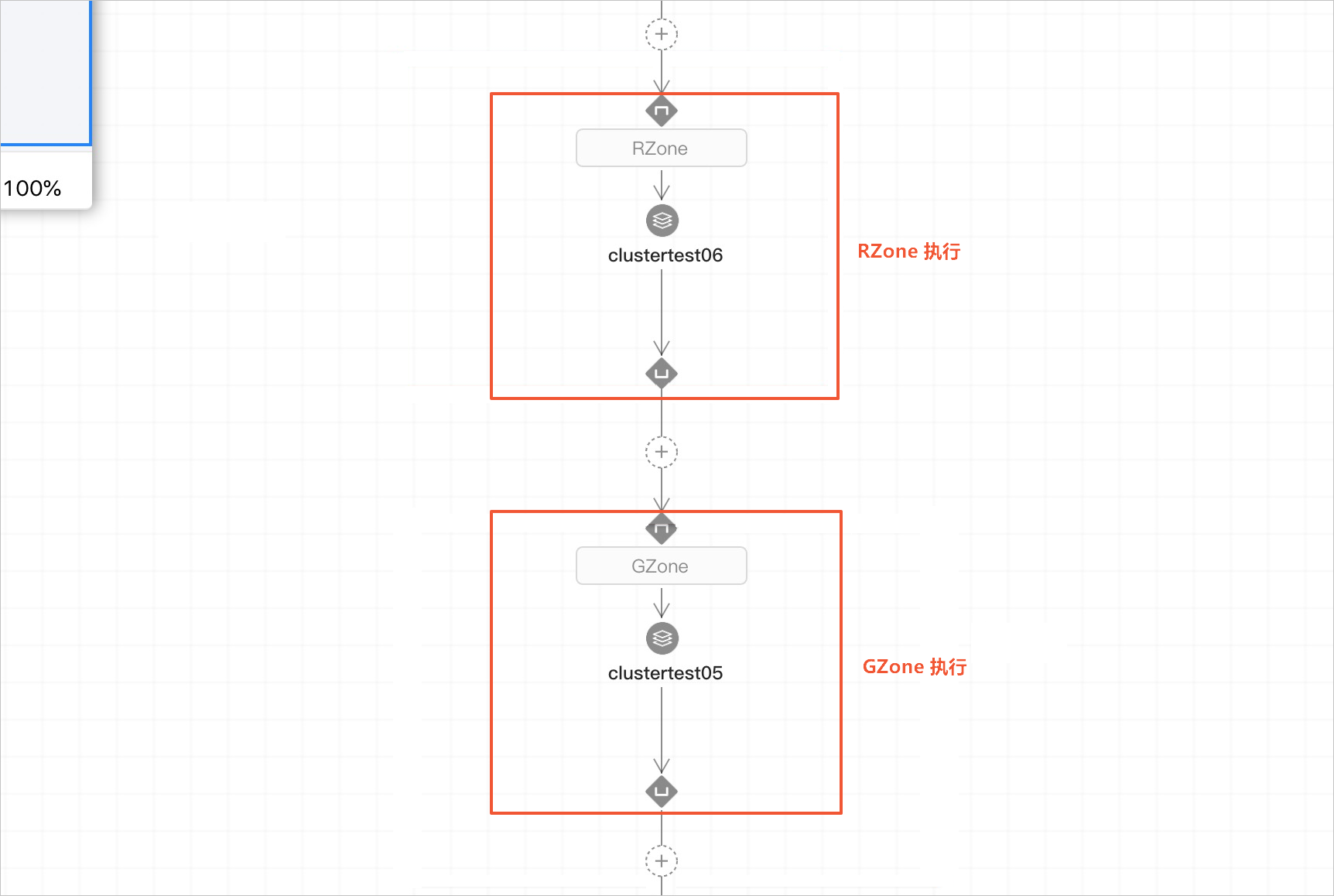
You can add multiple cross-zone gateways to a cross-zone topology to orchestrate tasks in different zones into the same topology. As shown in the following figure, clustertest06 will be executed in RZone and clustertest05 will be executed in GZone.

Click Submit.
On the Version Management tab, publish the topology of the current version.
Click Trigger Now in the upper-right corner to trigger this topology.
You can view the instances generated for the topology on the Scheduling Record tab.