Overview
This tutorial uses a cluster instance to demonstrate the low storage cost and real-time analytics capabilities of OceanBase. For more information about its features, see Overview of OceanBase Database.
Features
Low storage cost
Data compression is a key method for reducing the storage space required for large amounts of data. OceanBase uses a Log-Structured Merge-Tree (LSM-Tree) storage architecture and adaptive compression technology. This solves the challenge that traditional databases face when balancing performance and compression ratio. For the same workload, OceanBase uses only 1/4 to 1/3 of the storage required by MySQL or Oracle. This can reduce storage costs by 70% to 90%. For more information, see Overview of storage architecture.
Real-time analytics
OceanBase is based on a distributed architecture. It provides high-performance transaction processing while handling analytics scenarios such as real-time analytics and batch processing. A single engine supports both Online Analytical Processing (OLAP) and Online Transaction Processing (OLTP) workloads. This approach maintains data consistency, minimizes data redundancy, and helps businesses significantly reduce total costs. OceanBase is the only self-developed database in the world to rank first in both Transaction Processing Performance Council Benchmark C (TPC-C) and TPC Benchmark H (TPC-H) tests.
Tutorial tasks
This tutorial shows you how to create a table and insert data using an OceanBase cluster instance. These steps demonstrate the high-compression storage and real-time analytics capabilities of OceanBase. The procedure is as follows: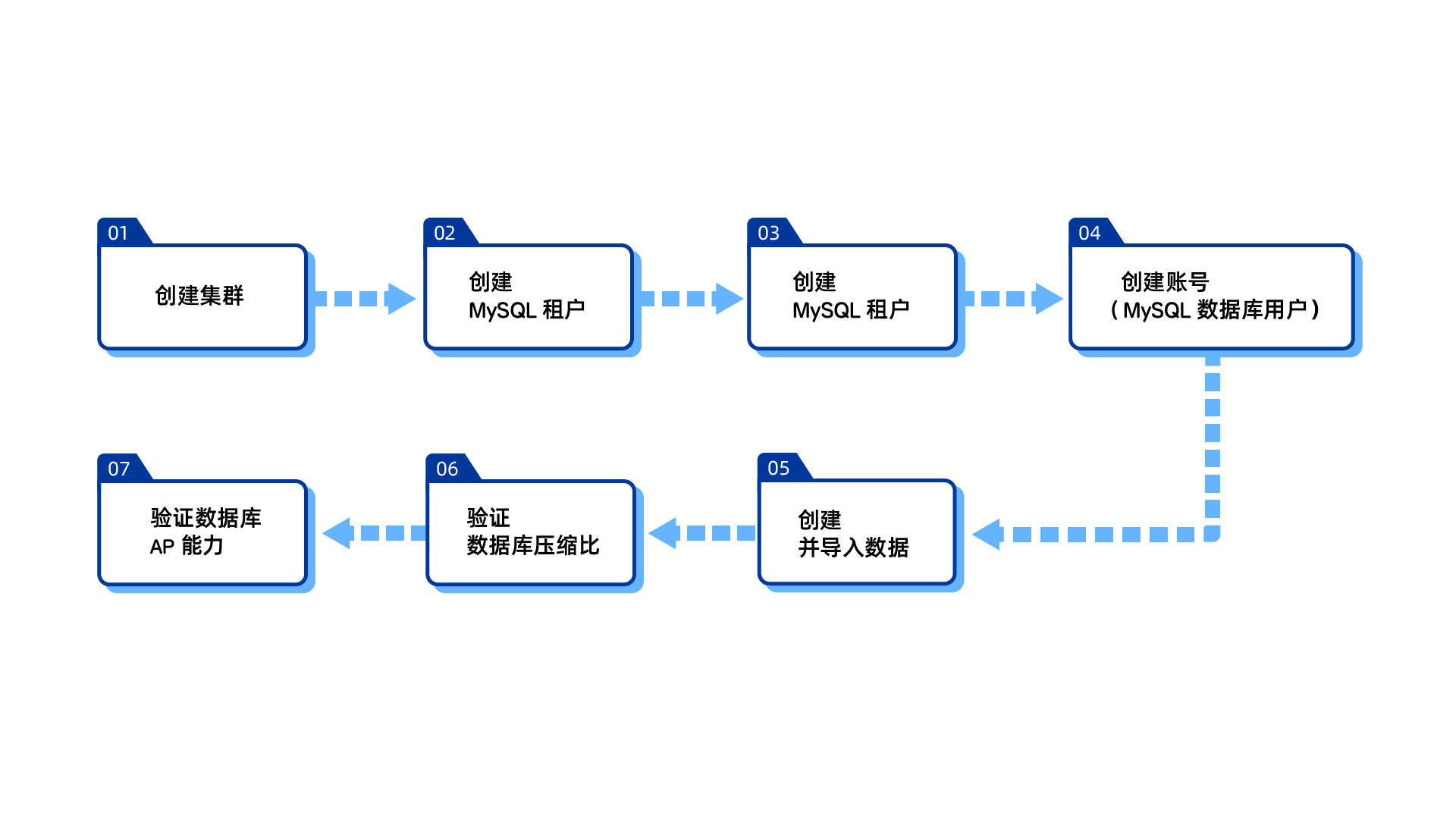
Order | Procedure | Details |
1 | If you are new to OceanBase, apply for a free trial to activate a 4-core, 16 GB cluster instance. For instructions, see Free trial guide for cluster instances. Alternatively, use an existing cluster for the next steps. | |
2 | Create a MySQL-mode tenant named `tutorial_mysql`. | |
3 | In the `tutorial_mysql` tenant, create a database named `tutorial_database`. | |
4 | An account in an OceanBase MySQL tenant functions as a MySQL database user. Create a superuser account named `admin_user` for the `tutorial_database` database. | |
5 | Create an `order` table and use hash partitioning to divide the table into 16 partitions. | |
6 | Generate 20,000 rows of data in the `order` table. Then, check the resources used by the tenant to validate the database compression ratio. | |
7 | Generate 20,000 × 20,000 rows of data in the `order` table. Compare the execution time against the time taken with 8-degree parallel execution enabled to validate the database's analytical processing (AP) capabilities. |