Using the mailbox quarantine
Function overview
The Alibaba Mail quarantine is a temporary container for emails that is positioned between your inbox and the spam folder. It uses smart filters and user input to isolate potential threats, such as spam, viruses, and phishing emails. This feature automatically blocks emails before they reach your inbox. This allows you or an administrator to review and manage these quarantined emails. This process ensures that only verified, legitimate emails enter your inbox, while suspicious emails are handled safely. This improves your mailbox security and user experience.
Detailed explanation
Temporary container
The quarantine is not a final destination for emails. It is a temporary holding area where emails are stored for up to 30 days. This makes it different from the spam folder, which directly receives junk mail.
Security barrier
The mail system uses advanced anti-spam, anti-virus, and anti-phishing technologies to analyze email content, sender information, and attachments in real time. It automatically moves suspicious or unwanted emails to the quarantine. This reduces the need for you to manually filter emails and effectively blocks malicious emails from reaching your inbox. This lowers the risk of you accidentally triggering hidden threats in malicious emails.
Email review and management
You or an administrator can view, filter, and search for quarantined emails. You can determine their nature based on the sender, subject, and other information. For emails that were incorrectly quarantined, you can release them to your inbox. This prevents legitimate emails from being mistakenly deleted. For confirmed spam, virus, or phishing emails, you can choose to delete them permanently. This prevents them from causing further harm and ensures that malicious emails are effectively blocked.
Feature operations

Click Quarantine in the upper-right corner of your mailbox and select an account.
My Account: The currently logged-on account.
Authorized Account: An account that you are authorized to manage. The account owner must grant you authorization in their quarantine settings.
1. Quarantined emails
Email data is retained for 30 days.
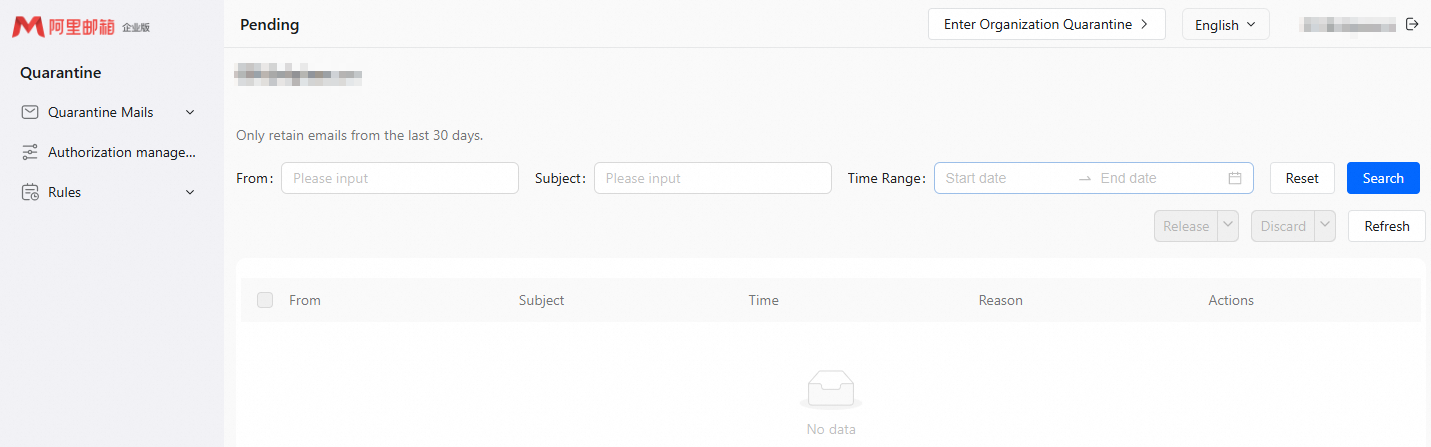
Enter the filter criteria and click Query.
Filter criteria
Sender, Subject, Time Range
Returned data
Sender, Subject, Time, Reason for Blocking, Operation
Click an email subject to preview its content.
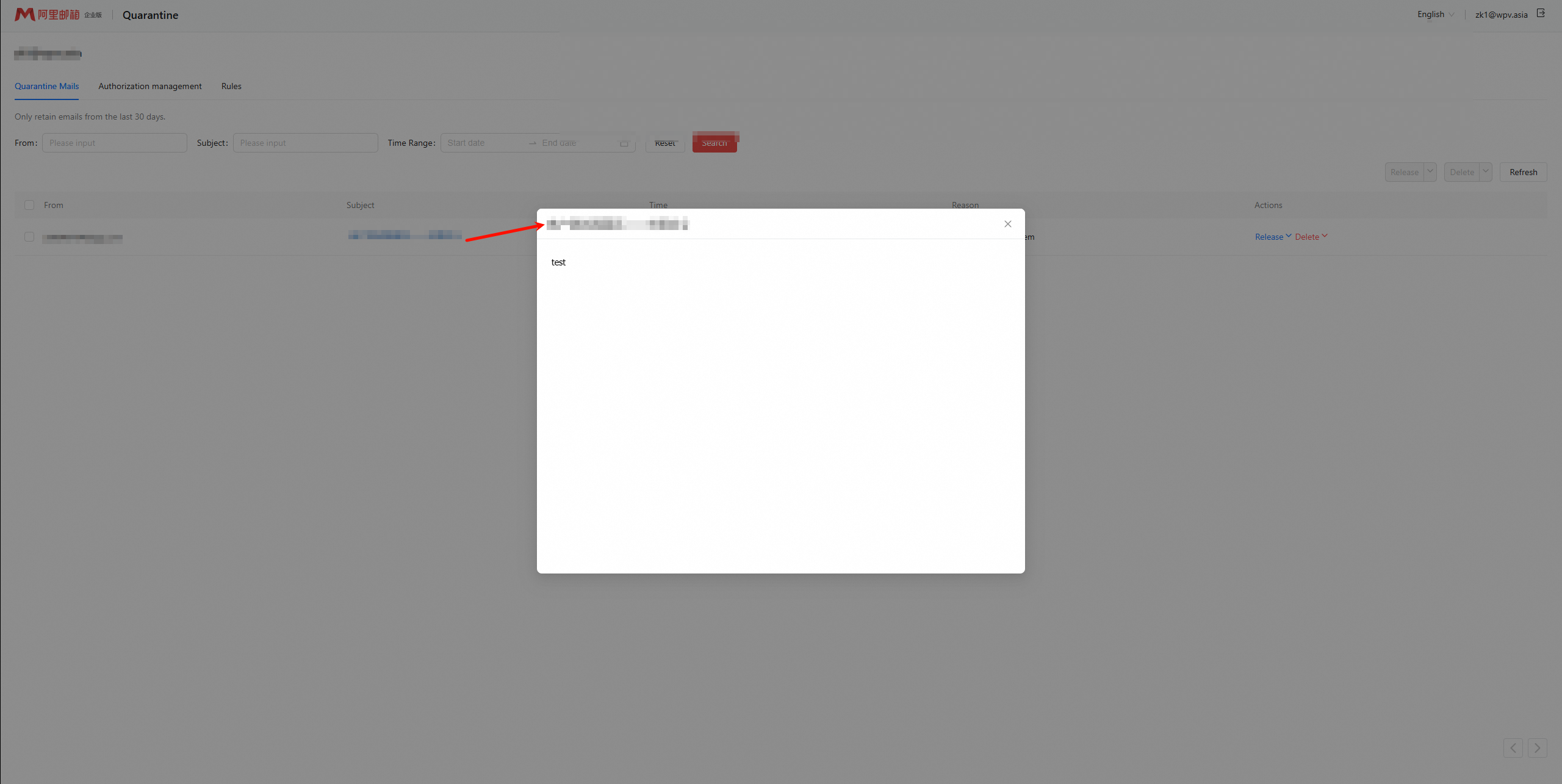
You can determine whether the emails in the search results are the ones you need by checking information such as the sender.
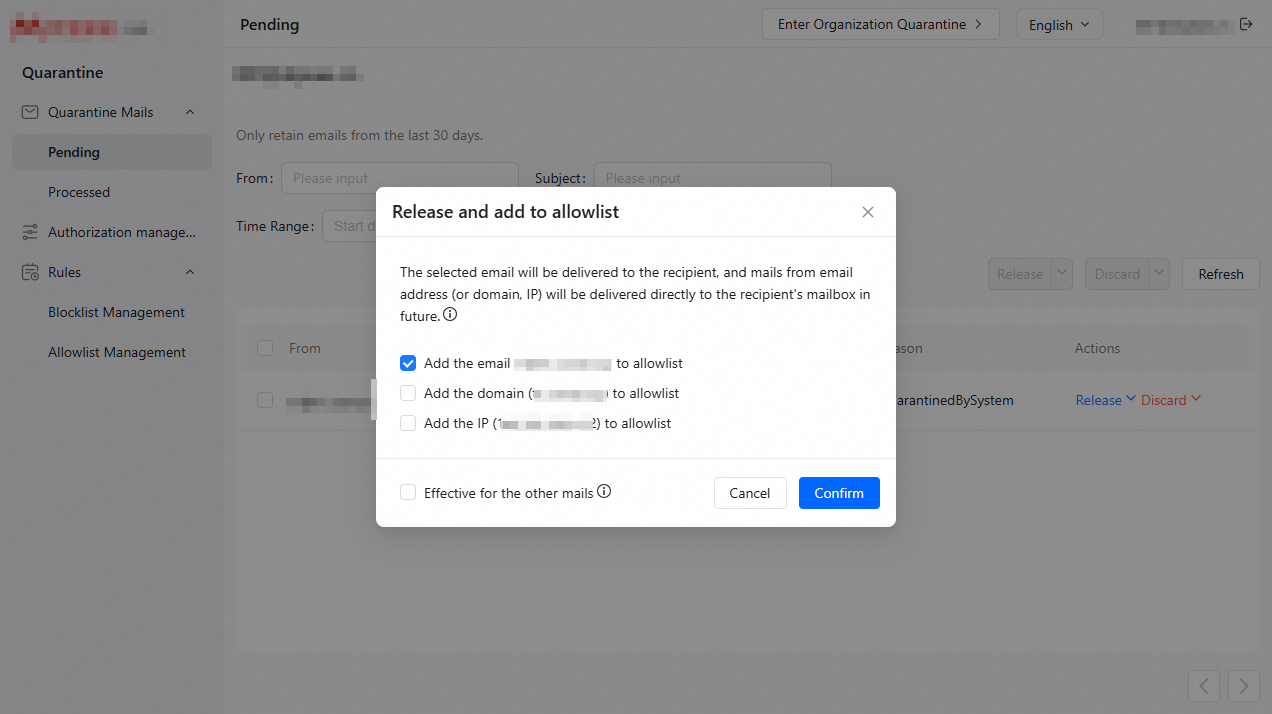
If the email is legitimate, select the checkbox next to it and click Release or Release and Add to Whitelist.

Release and Add to Whitelist
The selected email is delivered to the recipient. Future emails from the whitelisted address, domain name, or IP address will be delivered directly to the recipient.
You can manage the whitelist in the quarantine rules.
You can choose to apply this rule to existing quarantined emails. This task may take some time to complete. You can refresh the list later to view the results.
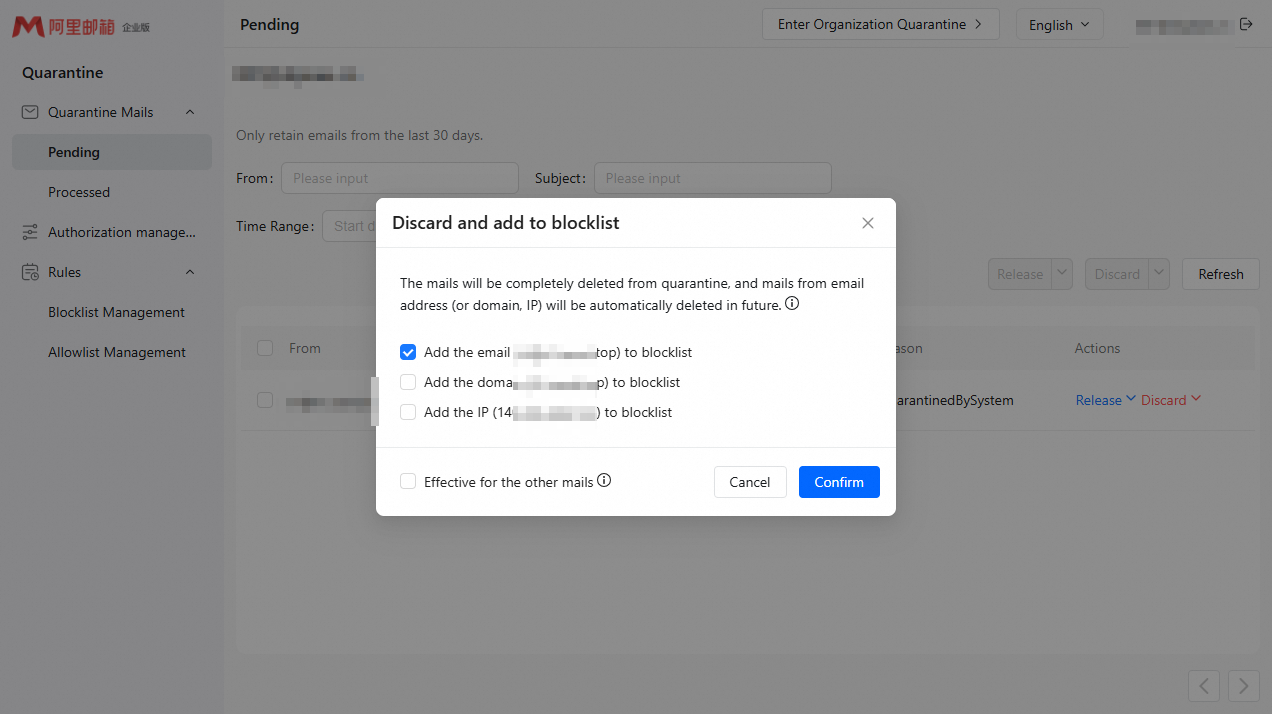
If you are sure that an email is spam, select the checkbox next to it and click Delete or Delete and Add to Blacklist.
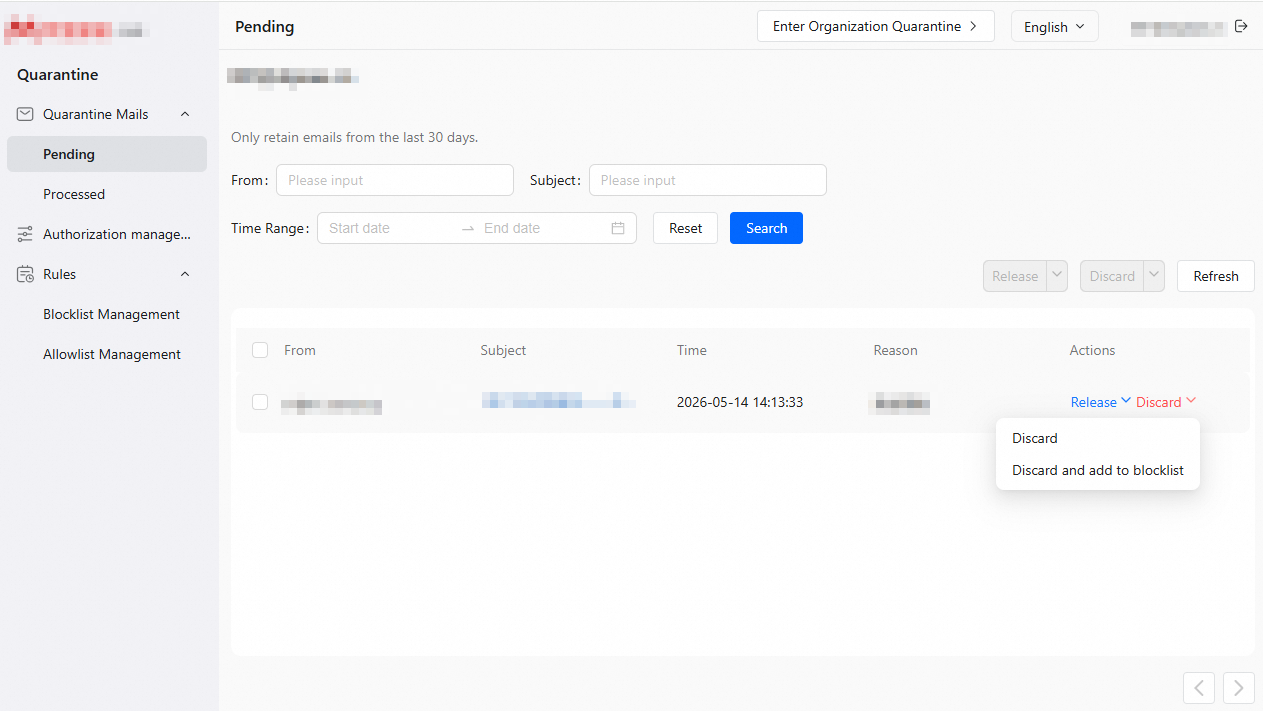
Delete and Add to Blacklist
The email is permanently deleted from the quarantine. Future emails from the blacklisted address, domain name, or IP address will be automatically deleted.
After deletion, the email is no longer visible to other users who can access the quarantine and will not be delivered to the recipient. You can manage the blacklist in the quarantine rules.
You can choose to apply this rule to existing quarantined emails. This task may take some time to complete. You can refresh the list later to view the results.
2. Authorization management
You can grant joint management permissions to up to 10 accounts.
How do I grant other users access to the fencing zone in my account?
To authorize another account to manage your quarantine, click Add Authorization.
Enter the account of the user who needs permission to manage this quarantine and click OK.
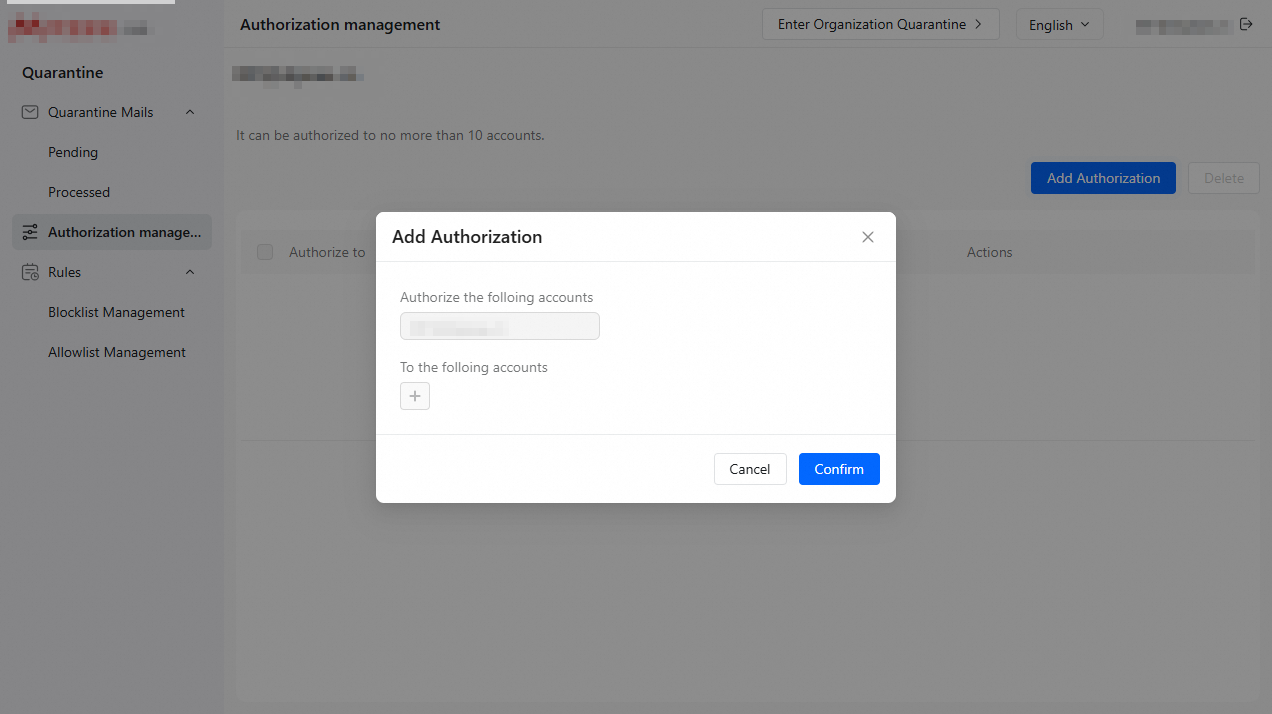
After the authorization is successful, the authorized account option appears when the authorized user accesses the quarantine.
Note:
The authorized user must exist. Otherwise, the error message "User does not exist (error code: rpc:user.notFound)" is displayed when you try to add them.
Revoke authorization for another person to manage your quarantine
If you no longer need certain users for management, select their accounts and click Delete.
3. Quarantine rules
Quarantine rules are part of the anti-spam system. If a sender is on the quarantine blacklist, the anti-spam rule automatically deletes the email. This rule takes precedence over other email filtering rules.
The quarantine blacklists and whitelists are separate from the domain management blacklists and whitelists. These lists are independent of each other. For example, if an email is whitelisted in the quarantine, it is delivered directly to the inbox, even if it is on the domain management blacklist.
Blacklist
Emails from a blacklisted address, domain name, or IP address are automatically deleted. After deletion, the email is no longer visible to other users who can access the quarantine and will not be delivered to the recipient.
Click Add to Blacklist. In the window that appears, select Email Address, Domain, IP, or IP Segment. Enter the corresponding information and click OK.
To delete an entry from the blacklist, search for it using the filter criteria. Then, select the checkbox next to the entry that you want to permanently delete and click Delete.
Filter criteria
Enter the content to query.
Returned data
Email Address/Domain Name/IP, Operation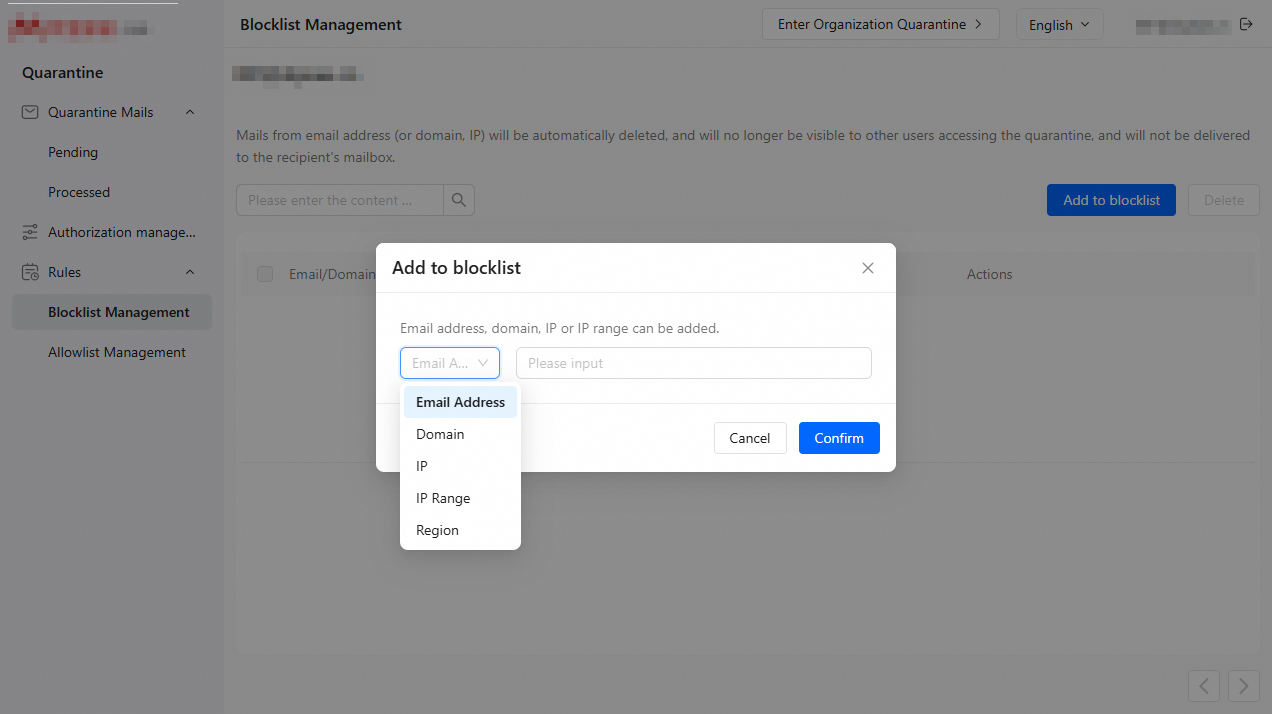
Whitelist
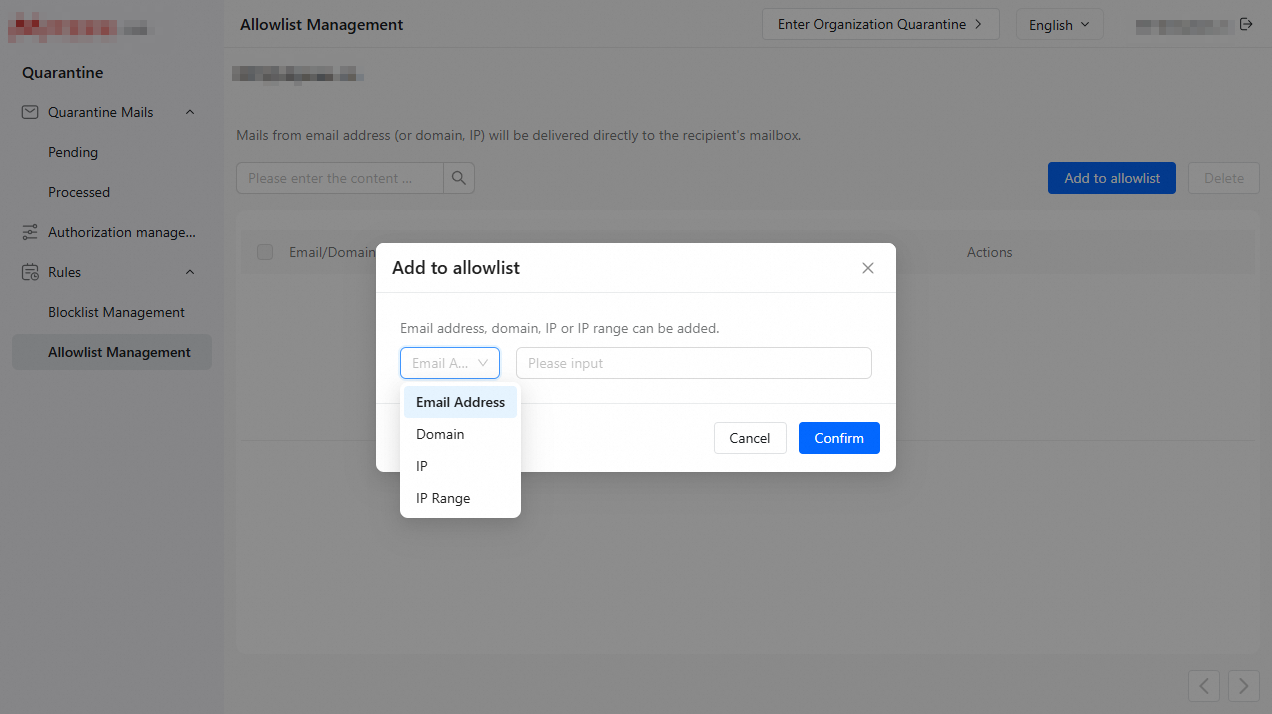
Emails from a whitelisted address, domain name, or IP address are delivered directly to the recipient.
4. Quarantine log query
Go to Settings > Account and Security > Log Search > Email Sending and Receiving Logs > Quarantine Receiving Log to query information about emails received in the quarantine.

Go to Settings > Account and Security > Log Search > Operation Logs > Quarantine to query information about operations performed in the quarantine.

For administrator-related operations:
For more information, see How administrators can use the mailbox quarantine.