1. Overview
The stability module can capture the ANRs that occur in the main process and child processes. By calculating the number of ANR occurrences, the error trend, error distribution, and error list of the app at the selected time are displayed for developers, and the main causes of ANR occurrences can be quickly analyzed.
2. Noun Interpretation
ANR indicates that a pop-up box appears when you use an Android app, indicating that the app does not respond. This ANR: is counted as an ANR.
3. Function introduction
3.1 Error trend
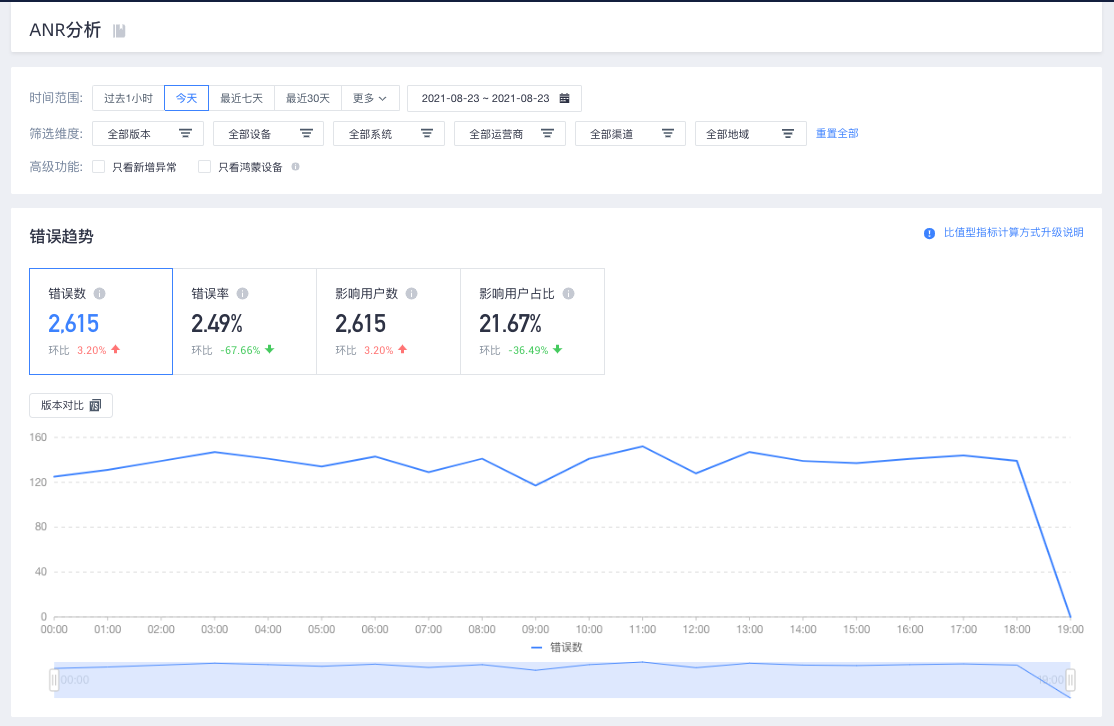
In the chart that shows the trends of the number of errors, error rate, number of affected users, and proportion of affected users within a specific filter condition and time range, you can select application versions for comparison.
1. Time range
Query data in the last 90 days
2. Dimension filtering
Filter by application version, device model, operating system, carrier, channel, and region
3. Advanced features
Exception: The error ID is uniquely identified by the error summary.
Only the HarmonyOS device: The device that has an error or exception is HarmonyOS but does not support HarmonyOS system-level errors.
3.2 Error distribution
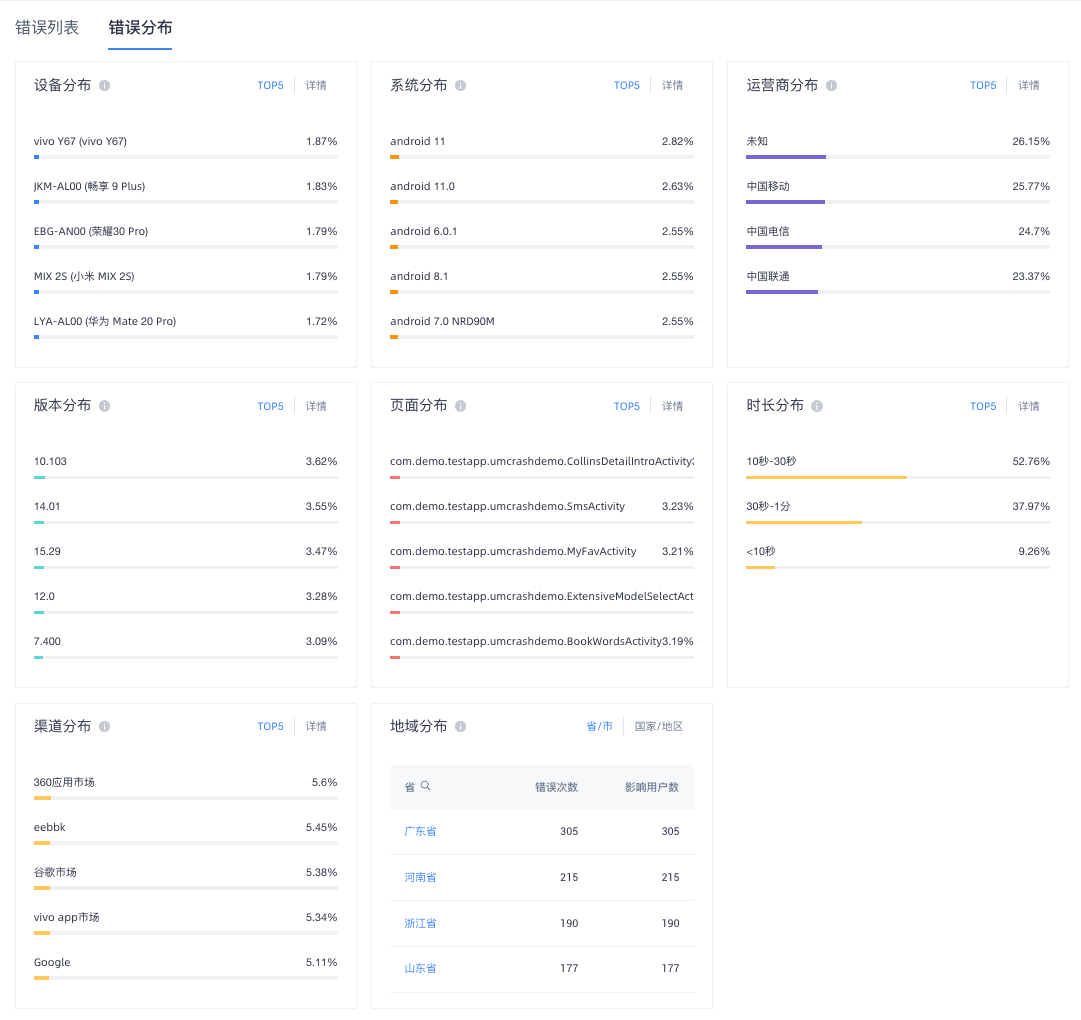
In the time range and filter dimension conditions, by application version, device model, operating system, carrier, channel, region, crash page, run time eight dimensions of distribution chart.
Top 5: Top 5 ANRs
Details: In this dimension, the number of ANR responses and the number of affected users that correspond to each attribute value are displayed. You can filter specific attributes in the table header.
3.3 Error List
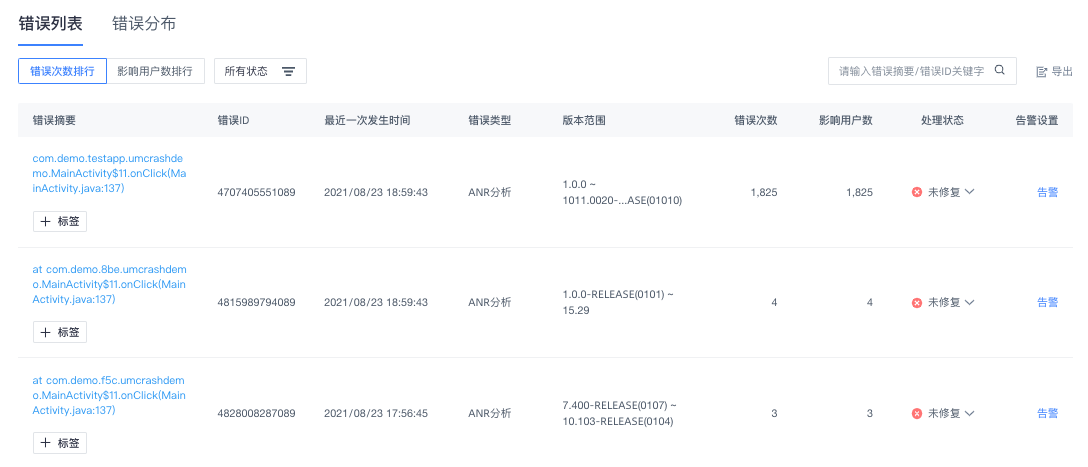
In the time range and filter dimension conditions, all error log are aggregated by error summary.
Error ranking: By default, errors are displayed in descending order of ANR times. This helps you quickly find the errors that have the most ANR times and have the most serious impact. You can also choose to rank by the number of affected people to find the error with the largest area of impact.
Error ID: is the unique identifier of the error summary.
Version Range: The version range in which the crash occurred under the current filter conditions.
Processing Status: The processing status of the error. You can set the processing status to Not Fixed, Processing, Ignored, and Fixed.
Alert settings: You can configure alerts for a single ANR. Alerts added in this location can be modified and set in the monitoring alert
Label: You can add labels to error summaries.
Export: You can export a maximum of 1000 errors at a time.
3.4 Error details
The error summary of the same error log together, display its details, help you quickly locate the problem, solve the problem.