Use Alibaba Cloud Elasticsearch on the Alibaba Cloud app
You can use the Alibaba Cloud app on mobile devices, such as iOS and Android, to log on to the Elasticsearch console. This lets you quickly and easily monitor and manage your Elasticsearch clusters. You can view instance information, monitoring metrics, and active Operations and Maintenance (O&M) events at any time to keep your clusters healthy and stable. For urgent O&M tasks or access requests, you can quickly restart instances or configure whitelists. This flexibility helps ensure business continuity and security.
Prerequisites
Install the Alibaba Cloud app on your mobile device, and then register and log on. For more information, see Log on to the Alibaba Cloud app.
Purchase
To make a purchase in the app, follow these steps:
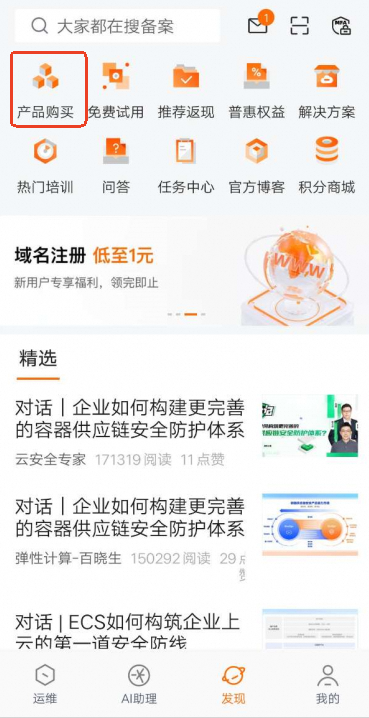
Open the Alibaba Cloud app and select the Discover tab.
Click Purchase.
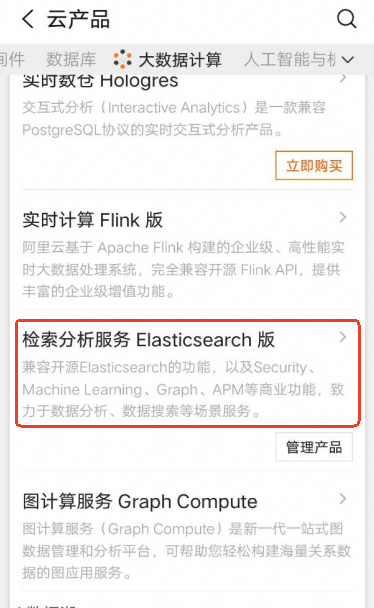
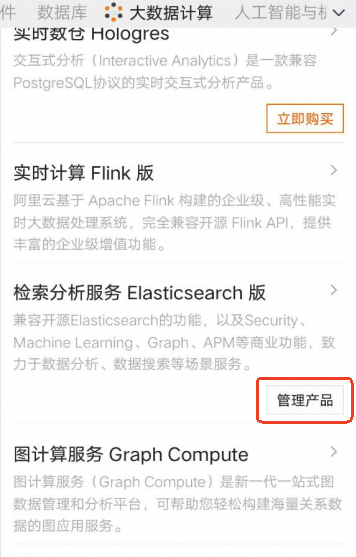
On the top tab bar, click the Big Data Computing tab, and then in the product list, click Elasticsearch.
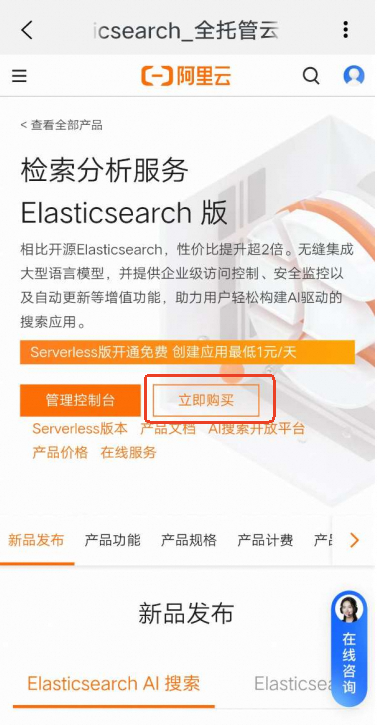
On the product purchase page, click Buy Now.
Enter the required information and submit the order.
Creating an instance on a mobile device can be difficult due to the small screen size. We recommend that you create an instance on a computer. For more information, see Quick Start.
Logon
You can access the Elasticsearch management console from the O&M page by searching for Elasticsearch, or from the Discover page in the Product Purchase section. From the console, you can query and manage your purchased instances.
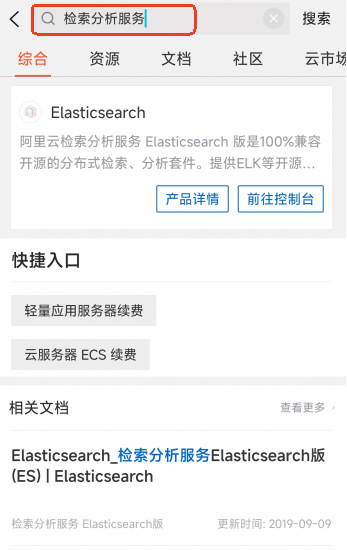
Direct access via the search box
Open the Alibaba Cloud app and select the Console tab.
In the top area search box, enter Retrieval Analysis Service.
You can quickly navigate to Elasticsearch from the search results.
Go to Product Purchase to begin.
Open the Alibaba Cloud app and select the Discover tab.
At the top of the page, click Purchase.
In the top tab bar, click the Big Data tab. In the product list, click Alibaba Cloud Elasticsearch and then click Manage.
Instance information
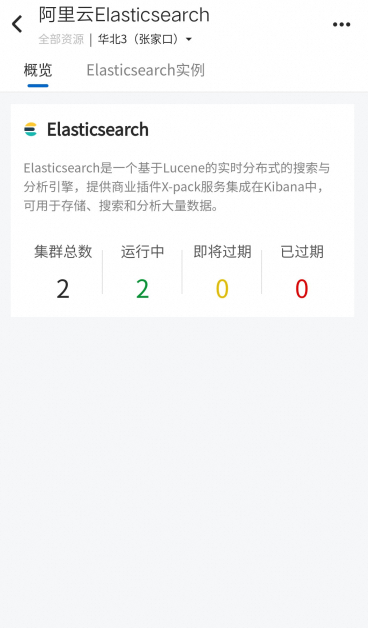
On the management page, you can view the total number of clusters and the number of running clusters in your account.

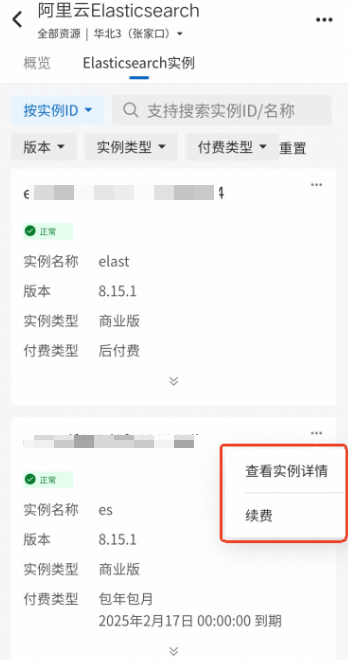
Click an Elasticsearch instance to view its details or renew it.
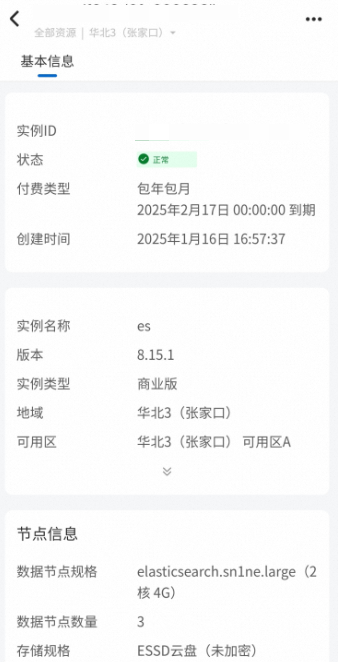
Management Console
The Alibaba Cloud app provides a link to the desktop version of the Management Console. To access it, perform the following steps:
Open the Alibaba Cloud app and select the Discover tab.
Click Purchase.
In the top tab bar, click the Big Data tab. In the product list, click Alibaba Cloud Elasticsearch.
Click Management Console.
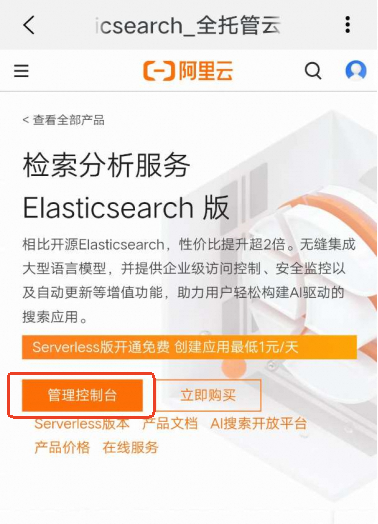
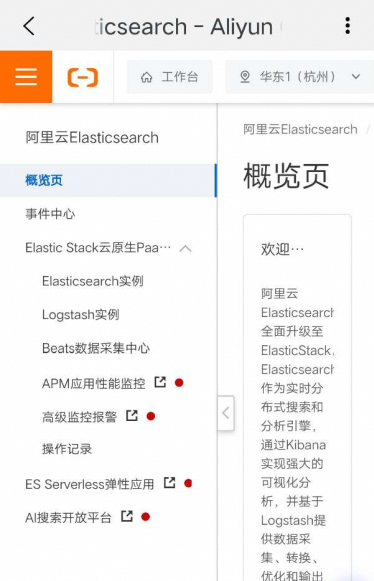
Cloud Monitor feature
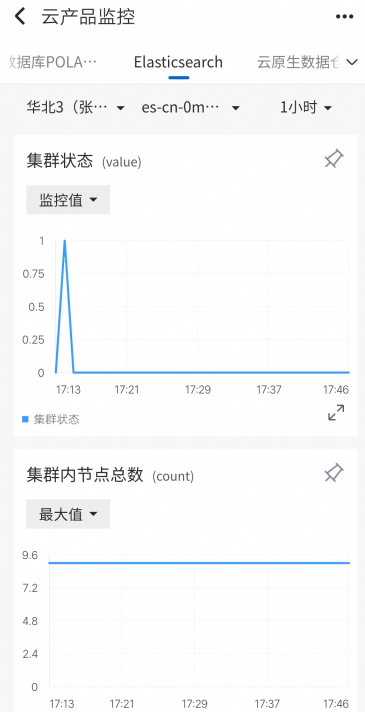
You can use the Cloud Monitor feature in the Alibaba Cloud app to monitor your clusters in real time.
Open the Alibaba Cloud app and select the Console tab.
On the top navigation bar, find and click Elasticsearch to view cluster monitoring information.