Video FFMpeg使用指南 (v1.5)
1. Overview
The PPU SDK is compatible with the NVIDIA Video Codec SDK, allowing you to use FFmpeg plugins such as cuvid, nvenc, and libnpp for hardware acceleration without any code modifications. Verified FFmpeg versions include:
FFmpeg 7.0.1 | Corresponds to nv-codec-headers 12.2.72.0. Requires Video Codec SDK 12.2 or later. | The latest official version of FFmpeg, with significant optimizations for parallelization performance in transcoding. |
FFmpeg 6.1.2 | Depends on nv-codec-headers 12.1.14.0. Requires Video Codec SDK 12.1 or later. | Frameworks like PyAV depend on this version, making it the most widely used. |
2. Build from source
FFmpeg: https://github.com/FFmpeg/FFmpeg
nv-codec-headers: https://github.com/FFmpeg/nv-codec-headers
Ensure that the FFmpeg version matches the corresponding nv-codec-headers version.
The following sections provide build instructions for FFmpeg 7.0 and FFmpeg 6.1. Before you build, ensure that you have installed the PPU SDK and configured its environment by running envsetup.sh.
2.1. Prepare FFmpeg source code
setup_ffmpeg.sh:
## Clone nv-codec-headers version 12.2 to match FFmpeg 7.0
git clone --branch n12.2.72.0 --depth 1 https://github.com/FFmpeg/nv-codec-headers
cp nv-codec-headers/ffnvcodec.pc.in nv-codec-headers/ffnvcodec.pc

## Download FFmpeg
wget https://ffmpeg.org/releases/ffmpeg-7.0.1.tar.gz --no-check-certificate
tar -xzvf ffmpeg-7.0.1.tar.gz
Replace the existing dynlink_loader.h file in the nv-codec-headers/include/ffnvcodec/ directory with the attached dynlink_loader.h.
Note: The attached dynlink_loader.h file removes unsupported and unnecessary interface functions, such as:
    // tcuGLGetDevices_v2 *cuGLGetDevices;
    // tcuGraphicsGLRegisterImage *cuGraphicsGLRegisterImage;
    // tcuGraphicsUnregisterResource *cuGraphicsUnregisterResource;
    // tcuGraphicsMapResources *cuGraphicsMapResources;
    // tcuGraphicsUnmapResources *cuGraphicsUnmapResources;
    // tcuGraphicsSubResourceGetMappedArray *cuGraphicsSubResourceGetMappedArray;
    // tcuGraphicsResourceGetMappedPointer *cuGraphicsResourceGetMappedPointer;

    ... ...

    // tcuArrayCreate *cuArrayCreate;
    // tcuArray3DCreate *cuArray3DCreate;
    // tcuArrayDestroy *cuArrayDestroy;

    // tcuEGLStreamProducerConnect *cuEGLStreamProducerConnect;
    // tcuEGLStreamProducerDisconnect *cuEGLStreamProducerDisconnect;
    // tcuEGLStreamConsumerDisconnect *cuEGLStreamConsumerDisconnect;
    // tcuEGLStreamProducerPresentFrame *cuEGLStreamProducerPresentFrame;
    // tcuEGLStreamProducerReturnFrame *cuEGLStreamProducerReturnFrame;
... ...
// LOAD_SYMBOL(cuDevicePrimaryCtxRelease, tcuDevicePrimaryCtxRelease, "cuDevicePrimaryCtxRelease");
LOAD_SYMBOL(cuDevicePrimaryCtxRelease, tcuDevicePrimaryCtxRelease, "cuDevicePrimaryCtxRelease_v2");
// LOAD_SYMBOL(cuDevicePrimaryCtxSetFlags, tcuDevicePrimaryCtxSetFlags, "cuDevicePrimaryCtxSetFlags");
LOAD_SYMBOL(cuDevicePrimaryCtxSetFlags, tcuDevicePrimaryCtxSetFlags, "cuDevicePrimaryCtxSetFlags_v2");
... ...
// LOAD_SYMBOL(cuDevicePrimaryCtxReset, tcuDevicePrimaryCtxReset, "cuDevicePrimaryCtxReset");
LOAD_SYMBOL(cuDevicePrimaryCtxReset, tcuDevicePrimaryCtxReset, "cuDevicePrimaryCtxReset_v2");
... ...
// LOAD_SYMBOL(cuLinkCreate, tcuLinkCreate, "cuLinkCreate");
LOAD_SYMBOL(cuLinkCreate, tcuLinkCreate, "cuLinkCreate_v2");
// LOAD_SYMBOL(cuLinkAddData, tcuLinkAddData, "cuLinkAddData");
LOAD_SYMBOL(cuLinkAddData, tcuLinkAddData, "cuLinkAddData_v2");
... ...
// LOAD_SYMBOL(cuModuleGetGlobal, tcuModuleGetGlobal, "cuModuleGetGlobal");
LOAD_SYMBOL(cuModuleGetGlobal, tcuModuleGetGlobal, "cuModuleGetGlobal_v2");
... ...
// LOAD_SYMBOL(cuGLGetDevices, tcuGLGetDevices_v2, "cuGLGetDevices_v2");
// LOAD_SYMBOL(cuGraphicsGLRegisterImage, tcuGraphicsGLRegisterImage, "cuGraphicsGLRegisterImage");
// LOAD_SYMBOL(cuGraphicsUnregisterResource, tcuGraphicsUnregisterResource, "cuGraphicsUnregisterResource");
// LOAD_SYMBOL(cuGraphicsMapResources, tcuGraphicsMapResources, "cuGraphicsMapResources");
// LOAD_SYMBOL(cuGraphicsUnmapResources, tcuGraphicsUnmapResources, "cuGraphicsUnmapResources");
// LOAD_SYMBOL(cuGraphicsSubResourceGetMappedArray, tcuGraphicsSubResourceGetMappedArray, "cuGraphicsSubResourceGetMappedArray");
// LOAD_SYMBOL(cuGraphicsResourceGetMappedPointer, tcuGraphicsResourceGetMappedPointer, "cuGraphicsResourceGetMappedPointer_v2");
... ...
// LOAD_SYMBOL(cuArrayCreate, tcuArrayCreate, "cuArrayCreate_v2");
// LOAD_SYMBOL(cuArray3DCreate, tcuArray3DCreate, "cuArray3DCreate_v2");
// LOAD_SYMBOL(cuArrayDestroy, tcuArrayDestroy, "cuArrayDestroy");
// LOAD_SYMBOL_OPT(cuEGLStreamProducerConnect, tcuEGLStreamProducerConnect, "cuEGLStreamProducerConnect");
// LOAD_SYMBOL_OPT(cuEGLStreamProducerDisconnect, tcuEGLStreamProducerDisconnect, "cuEGLStreamProducerDisconnect");
// LOAD_SYMBOL_OPT(cuEGLStreamConsumerDisconnect, tcuEGLStreamConsumerDisconnect, "cuEGLStreamConsumerDisconnect");
// LOAD_SYMBOL_OPT(cuEGLStreamProducerPresentFrame, tcuEGLStreamProducerPresentFrame, "cuEGLStreamProducerPresentFrame");
// LOAD_SYMBOL_OPT(cuEGLStreamProducerReturnFrame, tcuEGLStreamProducerReturnFrame, "cuEGLStreamProducerReturnFrame");2.2. Build FFmpeg
build_ffmpeg.sh:
mkdir output
cd ffmpeg-7.0.1
export PKG_CONFIG_PATH=$(pwd)/../nv-codec-headers:$PKG_CONFIG_PATH
./configure --enable-shared \
    --enable-nonfree --enable-gpl \
    --enable-cuvid --enable-nvenc --enable-libnpp \
    --extra-cflags="-I$(pwd)/../nv-codec-headers/include -I$CUDA_HOME/include" \
    --extra-ldflags="-L$CUDA_HOME/lib64" \
    --prefix=$(pwd)/../output

make -j16 && make installThe --prefix option specifies the installation directory. If you do not set this option, the files are installed to the /usr/local directory by default.
After the build and installation are complete, bin, include, lib, and share directories are created in the installation directory. The lib directory contains a pkgconfig directory. You can check the version by running pkg-config --modversion libavcodec.
3. Run examples
cd ../output
export LD_LIBRARY_PATH=lib:$LD_LIBRARY_PATH

# Test FFmpeg decoding with cuvid
bin/ffmpeg -vcodec h264_cuvid -i 640x360_y8c8.h264 -frames 10 -y out-dec-h264.yuv

# Test FFmpeg transcoding with cuvid and nvenc
bin/ffmpeg -hwaccel_output_format cuda -vcodec h264_cuvid -i 640x360_y8c8.h264 -vcodec hevc_nvenc -r 30.0 -b:v 15000000 -preset p4 output.hevc

# Test FFmpeg transcoding with cuvid and nvenc, with resizing supported by npp
bin/ffmpeg -hwaccel_output_format cuda -vcodec h264_cuvid -i input.h264 -vcodec hevc_nvenc -frames 300 -preset p7 -acodec copy -y output.h265
4. FAQ
Q. What hardware acceleration capabilities does FFmpeg currently support on the PPU?
A. It supports hardware decoding for h264_cuvid, hevc_cuvid, av1_cuvid, and vp9_cuvid. A patch for AVS2 support is available upon request. It also supports hardware encoding for h264_nvenc, hevc_nvenc, and av1_nvenc, as well as npp-accelerated transpose, color conversion, and scale operations.
5. Appendix A: Build FFmpeg 6.1
FFmpeg 7.0 introduces significant architectural changes that optimize parallelization for transcoding and multi-streaming, leading to noticeable performance improvements. However, if you need to use FFmpeg 6.1 for compatibility reasons, you must download and install the older version.
## Clone nv-codec-headers version 12.1 to match FFmpeg 6.1
git clone --branch n12.1.14.0 --depth 1 https://github.com/FFmpeg/nv-codec-headers
cp nv-codec-headers/ffnvcodec.pc.in nv-codec-headers/ffnvcodec.pc

## Download FFmpeg
wget https://ffmpeg.org/releases/ffmpeg-6.1.2.tar.gz --no-check-certificate
tar -xzvf ffmpeg-6.1.2.tar.gzReplace the dynlink_loader.h file in the nv-codec-headers/include/ffnvcodec/ directory with the attached version. The subsequent build and run commands are the same as those for FFmpeg 7.0.
mkdir output
cd ffmpeg-6.1.2
export PKG_CONFIG_PATH=$(pwd)/../nv-codec-headers:$PKG_CONFIG_PATH
./configure --enable-shared \
    --enable-nonfree --enable-gpl \
    --enable-cuvid --enable-nvenc --enable-libnpp \
    --extra-cflags="-I$(pwd)/../nv-codec-headers/include -I$CUDA_HOME/include" \
    --extra-ldflags="-L$CUDA_HOME/lib64" \
    --prefix=$(pwd)/../output

make -j16 && make install
6. Appendix B: FFmpeg ecosystem
6.1. ffmpeg-python
Official website: https://github.com/kkroening/ffmpeg-python
ffmpeg-python is a wrapper that combines your input parameters and calls the FFmpeg executable. Therefore, your runtime environment must have FFmpeg installed, or the FFmpeg bin and lib directories must be configured in your system path.
Because the PPU Video Codec only supports cuvid for decoding, simply setting hwaccel='cuda' is not sufficient. You must also specify a cuvid decoder, as shown in the following example.
Example:
import ffmpeg
import sys

probe = ffmpeg.probe('input.mp4')
video_stream = next((stream for stream in probe['streams'] if stream['codec_type'] == 'video'), None)

if video_stream is None or video_stream['codec_name'] is None:
    sys.exit()

if video_stream['codec_name'] in ['h264', 'hevc', 'av1', 'vp9']:
    out, _ = (
        ffmpeg.input('input.mp4', vcodec = video_stream['codec_name']+'_cuvid')
        .output('output.rgb', format='rawvideo', pix_fmt='rgb24')
        .run()
    )
else:
    out, _ = (
        ffmpeg.input('input.mp4')
        .output('output.rgb', format='rawvideo', pix_fmt='rgb24')
        .run()
ffmpeg-python is a command-line wrapper for FFmpeg. In addition to files, it can process data via pipe: (stdin and stdout). In this scenario, data resides on the CPU while codec operations run on the GPU, which results in unavoidable data copy overhead. This usage pattern is therefore not recommended.
6.2. PyAV
Torchvision supports three backends: pyav, video_reader, and cuda, with pyav being the default. Among these, video_reader is a CPU-only codec, while cuda uses a GPU for decoding. PyAV calls FFmpeg to perform codec operations. Therefore, PyAV relies on the hardware acceleration capabilities of your FFmpeg build, and you must build and install a version of FFmpeg with hardware acceleration enabled.
As of this writing, PyAV does not support FFmpeg 7.0. You must build FFmpeg 6.1 as described in Appendix A.
PyAV official website: https://github.com/PyAV-Org/PyAV
Call path 1: PyTorch->Torchvision->PyAV->FFmpeg:
Hardware decoding support (requires modifying Torchvision source code in torchvision/io/video_reader.py):
--- a/torchvision/io/video_reader.py
+++ b/torchvision/io/video_reader.py
@@ -280,6 +280,13 @@ class VideoReader:
         if self.backend == "pyav":
             stream_type = stream.split(":")[0]
             stream_id = 0 if len(stream.split(":")) == 1 else int(stream.split(":")[1])
+            video_stream = self.container.streams.video[stream_id]
+            # Setting up the codec with cuvid
+            if video_stream.codec.name in ('h264', 'hevc', 'av1', 'vp9'):
+                codec_name = f'{video_stream.codec.name}_cuvid'
+            else:
+                codec_name = video_stream.codec.name  # Fallback to software decoding
+            video_stream.codec_context = av.codec.CodecContext.create(codec_name, 'r')
             self.pyav_stream = {stream_type: stream_id}
             self._c = self.container.decode(**self.pyav_stream)
By default, PyAV outputs data in TCHW format.
Hardware encoding support (does not require modifying Torchvision code, but you must specify the nvenc name when calling):
from torchvision.io import write_video
write_video(save_path, frames, fps=fps, video_codec="h264_nvenc")  # You must specify the codec here. We currently support h264_nvenc, av1_nvenc, and hevc_nvenc.
Call path 2: PyTorch->Torchaudio->PyAV->FFmpeg:
Torchaudio also supports PyAV as a backend to enable hardware decoding. This does not require modifying Torchaudio source code, but you must explicitly specify the cuvid name:
import torch
import torchaudio

from torchaudio.io import StreamReader
from torchaudio.utils import ffmpeg_utils

s = StreamReader(src)
s.add_video_stream(int(s.get_src_stream_info(0).frame_rate), decoder="h264_cuvid") # You must specify cuvid here. We currently support h264_cuvid, av1_cuvid, hevc_cuvid, and vp9_cuvid.
s.fill_buffer()
(video,) = s.pop_chunks()
Note: You can get the current backend by calling torchvision.get_video_backend() and set the default backend for Torchvision by calling torchvision.set_video_backend("pyav"). However, the default Torchvision installation does not support the "cuda" backend; you must build and install Torchvision from source to enable it.
6.3. torchcodec
Official documentation: https://ai-gerrit.eng.t-head.cn/c/acvid/+/67622
Project repository: https://github.com/pytorch/torchcodec
Integration path: PyTorch->torchcodec->FFmpeg
The official torchcodec project is still in development. After a stable version is released, it will be added to the SAIL pip source.
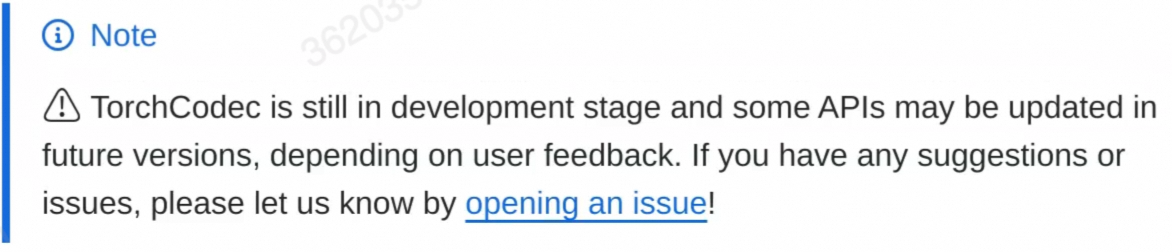
torchcodec recently released version 0.2.1. The SAIL SDK supports hardware video decoding acceleration for versions 0.2.1, 0.2.0, and 0.1.1.
Dependencies between torchcodec and PyTorch:
torchcodec | torch | Python |
main / nightly | main / nightly | >=3.9, <=3.13 |
0.2.1 | 2.6 | >=3.9, <=3.13 |
0.2.0 | 2.6 | >=3.9, <=3.13 |
0.1.1 | 2.5 | >=3.9, <=3.12 |
Installation:
Install dependencies: FFmpeg (both FFmpeg 6.1 and 7.0 are supported).
Build and install from source code:
# branch name: release/0.2.1 release/0.2.0 release/0.1.1
git clone --branch <branch_name> https://github.com/pytorch/torchcodec.git
cd torchcodec/
git apply torchcodec_<version>.diff
ENABLE_CUDA=1 I_CONFIRM_THIS_IS_NOT_A_LICENSE_VIOLATION=1 pip install . --no-build-isolation
The torchcodec source code requires two changes to run on the PPU:
Use
cuvidfor decoding. The SAIL SDK supportscuviddecoding but does not currently supportnvdec.For CUDA acceleration, change
sw_scaletoscale_nppto enable npp acceleration (only required for version 0.1.1).
Usage example:
python sample_torchcodec.pyimport torch
print(f"{torch.__version__=}")
print(f"{torch.cuda.is_available()=}")
print(f"{torch.cuda.get_device_properties(0)=}")
import torchcodec
from torchcodec.decoders import VideoDecoder
decoder = VideoDecoder("sample.mp4", device="cuda")
frame = decoder[0]6.4. imageio-ffmpeg
imageio-ffmpeg is a plugin for imageio that provides a wrapper for FFmpeg. Like ffmpeg-python, it works by combining input parameters and calling the FFmpeg executable. This requires FFmpeg to be installed in your runtime environment, or for its bin and lib directories to be included in your system path. This library is not recommended. The official documentation states: You should probably use PyAV instead; it is faster and offers more features.
imageio-ffmpeg: https://github.com/imageio/imageio-ffmpeg
Usage example:
import imageio

video_reader = imageio.get_reader('input.mp4', 'ffmpeg', ffmpeg_params=['-c:v', 'h264_cuvid'])
frame_list = []
for i, frame in enumerate(video_reader):
    frame_list.append(frame)
imageio.mimsave('out.mp4', frame_list)
6.5. Decord
The default installation of Decord is a CPU-only version and does not support hardware acceleration. You must build and install it from source.
Decord depends on FFmpeg but only uses its demuxing capabilities. You do not need to build a special version of FFmpeg with hardware acceleration support.
An issue in older versions of FFmpeg can cause a deadlock in Decord. This issue was resolved in FFmpeg 7.0. Therefore, you must build and install FFmpeg 7.0 or a later version.
Download Decord:
git clone -b v0.6.0 --depth 1 --recursive https://github.com/dmlc/decord
cd decord
git apply decord_ffmpeg7.patch
The patch mainly updates Decord's dependency on FFmpeg from version 4.2 to 7.0 or later:
decord_ffmpeg7.patch:
+++ b/src/video/nvcodec/cuda_threaded_decoder.cc
@@ -17,7 +17,7 @@ namespace decord {
 namespace cuda {
 using namespace runtime;

-CUThreadedDecoder::CUThreadedDecoder(int device_id, AVCodecParameters *codecpar, AVInputFormat *iformat)
+CUThreadedDecoder::CUThreadedDecoder(int device_id, AVCodecParameters *codecpar, const AVInputFormat *iformat)
     : device_id_(device_id), stream_({device_id, false}), device_{}, ctx_{}, parser_{}, decoder_{},
     pkt_queue_{}, frame_queue_{},
     run_(false), frame_count_(0), draining_(false),
@@ -70,7 +70,7 @@ CUThreadedDecoder::CUThreadedDecoder(int device_id, AVCodecParameters *codecpar,
     }
 }

-void CUThreadedDecoder::InitBitStreamFilter(AVCodecParameters *codecpar, AVInputFormat *iformat) {
+void CUThreadedDecoder::InitBitStreamFilter(AVCodecParameters *codecpar, const AVInputFormat *iformat) {
     const char* bsf_name = nullptr;
     if (AV_CODEC_ID_H264 == codecpar->codec_id) {
         // H.264
diff --git a/src/video/nvcodec/cuda_threaded_decoder.h b/src/video/nvcodec/cuda_threaded_decoder.h
index d7e6fcd..61958a1 100644
--- a/src/video/nvcodec/cuda_threaded_decoder.h
+++ b/src/video/nvcodec/cuda_threaded_decoder.h
@@ -46,7 +46,7 @@ class CUThreadedDecoder final : public ThreadedDecoderInterface {
     using FrameOrderQueuePtr = std::unique_ptr<FrameOrderQueue>;

     public:
-        CUThreadedDecoder(int device_id, AVCodecParameters *codecpar, AVInputFormat *iformat);
+        CUThreadedDecoder(int device_id, AVCodecParameters *codecpar, const AVInputFormat *iformat);
         void SetCodecContext(AVCodecContext *dec_ctx, int width = -1, int height = -1, int rotation = 0);
         bool Initialized() const;
         void Start();
@@ -70,7 +70,7 @@ class CUThreadedDecoder final : public ThreadedDecoderInterface {
         void LaunchThreadImpl();
         void RecordInternalError(std::string message);
         void CheckErrorStatus();
-        void InitBitStreamFilter(AVCodecParameters *codecpar, AVInputFormat *iformat);
+        void InitBitStreamFilter(AVCodecParameters *codecpar, const AVInputFormat *iformat);

         int device_id_;
         CUStream stream_;
diff --git a/src/video/video_reader.cc b/src/video/video_reader.cc
index af4858d..99c9635 100644
--- a/src/video/video_reader.cc
+++ b/src/video/video_reader.cc
@@ -145,7 +145,7 @@ VideoReader::~VideoReader(){

 void VideoReader::SetVideoStream(int stream_nb) {
     if (!fmt_ctx_) return;
-    AVCodec *dec;
+    const AVCodec *dec;
     int st_nb = av_find_best_stream(fmt_ctx_.get(), AVMEDIA_TYPE_VIDEO, stream_nb, -1, &dec, 0);
     // LOG(INFO) << "find best stream: " << st_nb;
     CHECK_GE(st_nb, 0) << "ERROR cannot find video stream with wanted index: " << stream_nb;
Build Decord:
mkdir build && cd build
cmake .. -DUSE_CUDA=ON -DCMAKE_BUILD_TYPE=Release
make
Install Decord:
cd ../python
python3 setup.py install --user
Usage example:
import decord
import torch
from decord import gpu, cpu

video_path="input.mp4"
vr = decord.VideoReader(video_path, ctx=gpu(0))
nframes = 40
total_frames = 500
idx = torch.linspace(0, total_frames - 1, nframes).round().long().tolist()
video = vr.get_batch(idx).asnumpy()