PPU runtime environment check
Asight Systems provides a PPU environment check. Use the following command:
asys status [<--ppu-env>] [app] [app args]This command provides two check modes: static environment check and runtime environment check.
1. Static environment check
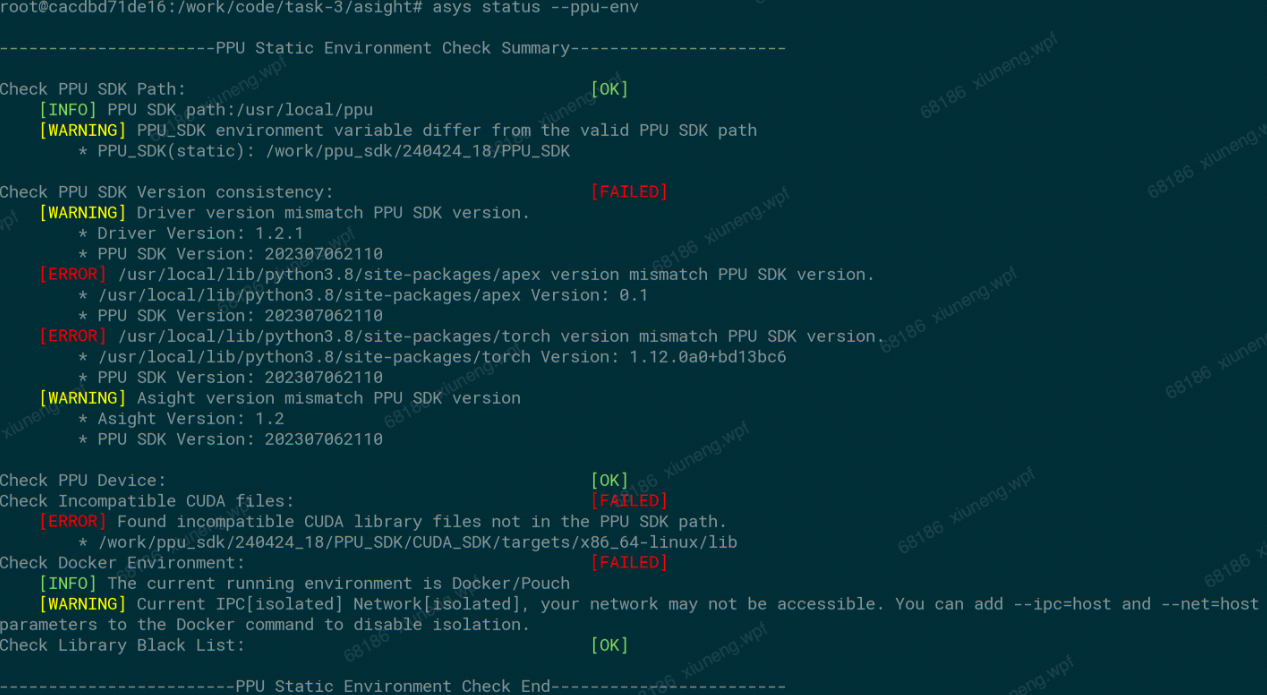
asys status --ppu-envThe static environment check does not require a target application and runs independently. It only checks the environment from which the asys status command is run.
Sample output:
2. Runtime environment check
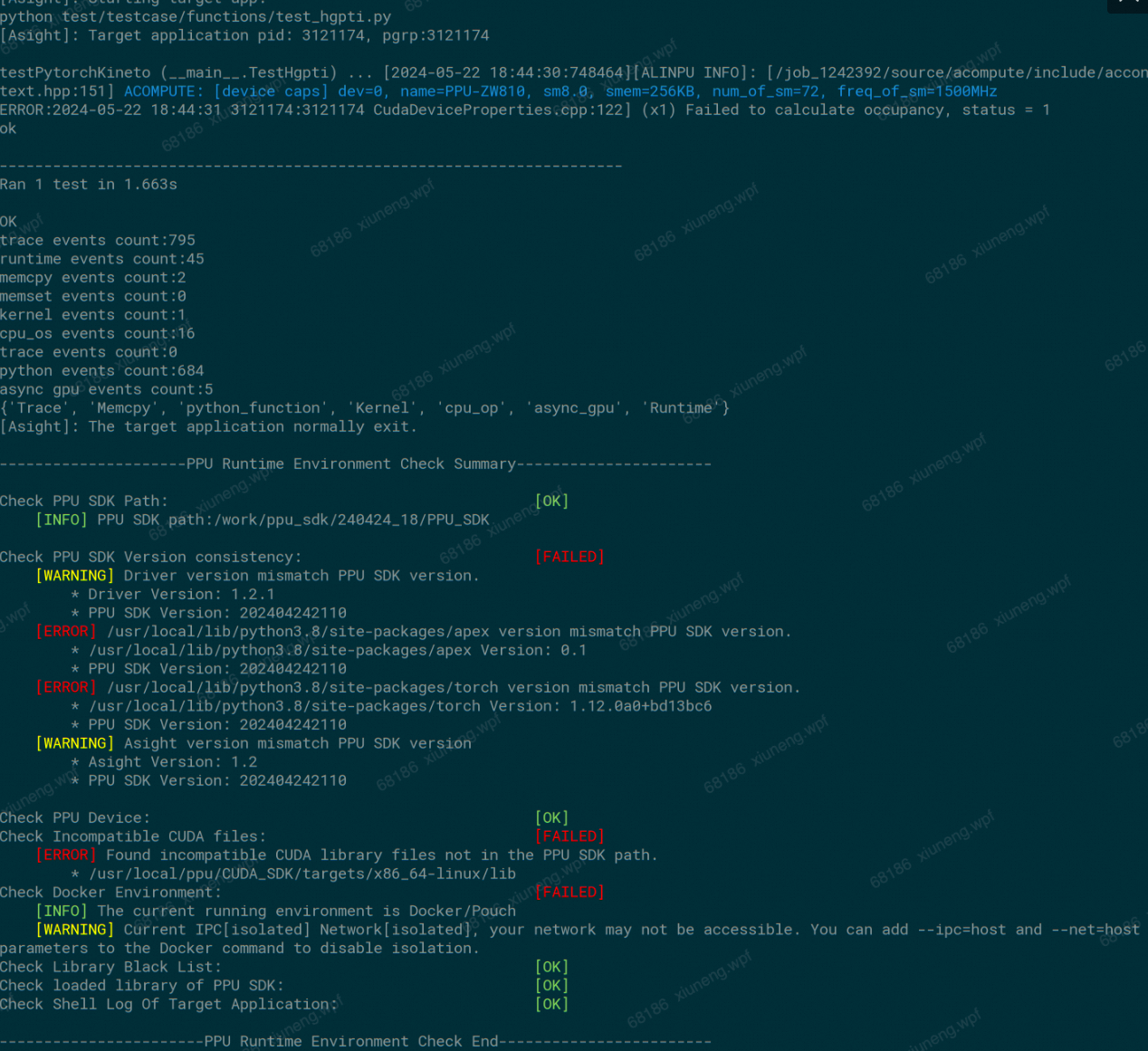
asys status --ppu-env <app> <app args>A runtime environment check requires a target application. The asys status command launches this application and injects a check library into its process to collect environment information. This check detects PPU program exceptions caused by runtime modifications, such as those made by a model program launched from a shell script.
Sample output for a runtime environment check:
3. Check items
The PPU environment check tool includes the following eight checks:
PPU SDK validity and path check (static, runtime).
PPU SDK software stack version matching check (static, runtime).
PPU device validity check (static, runtime).
CUDA residual file check (static, runtime).
Docker environment check (static, runtime).
Blacklisted library file check (static, runtime).
PPU SDK library file validity check in the target application's loaded libraries (runtime).
Target application's shell log check (runtime).