How to use Baidu Tongji
Updated at:
Copy as MD
This topic describes how to use Baidu Tongji.
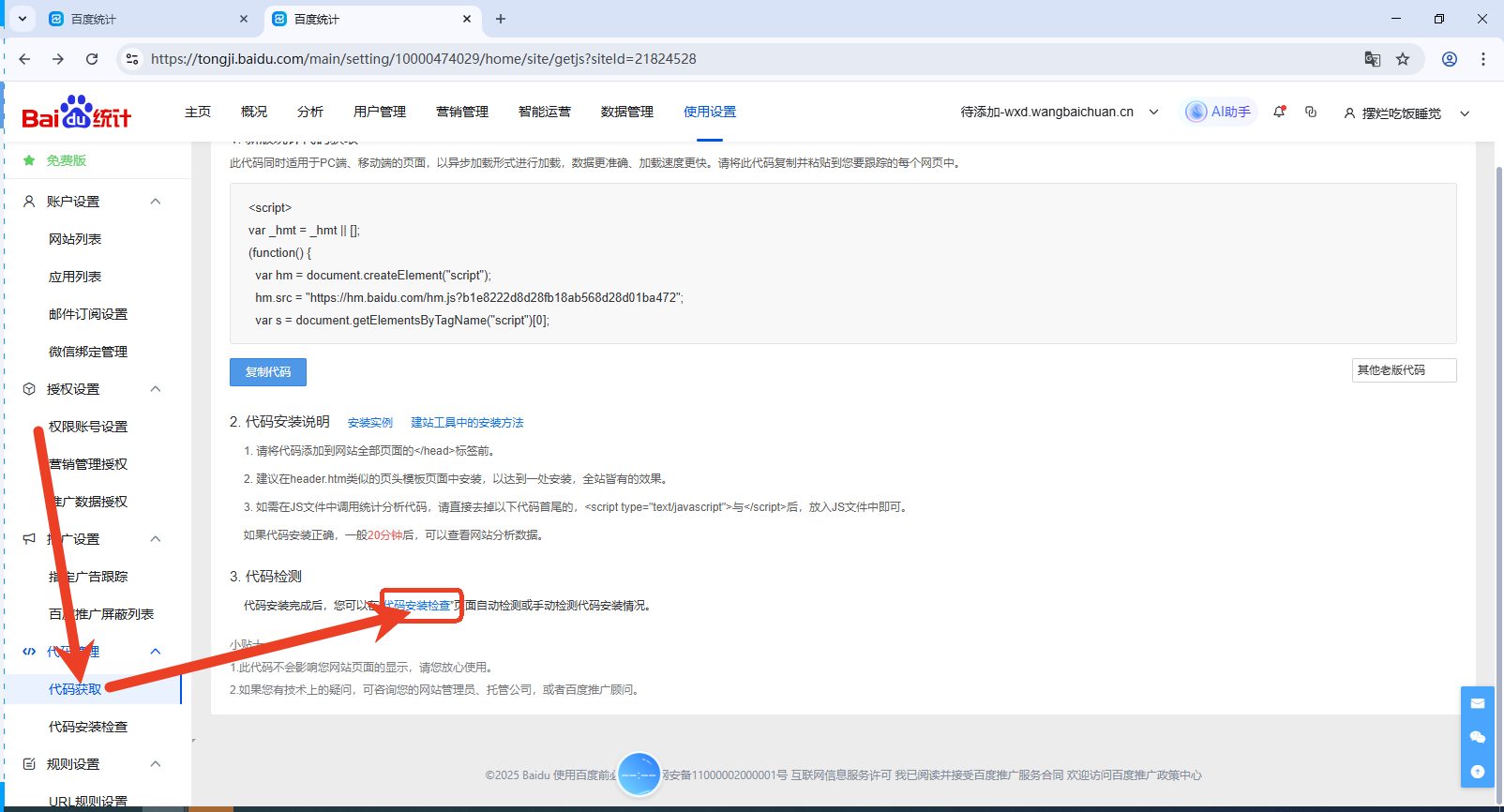
1. Log on to Baidu Tongji at https://tongji.baidu.com/ and obtain the code.

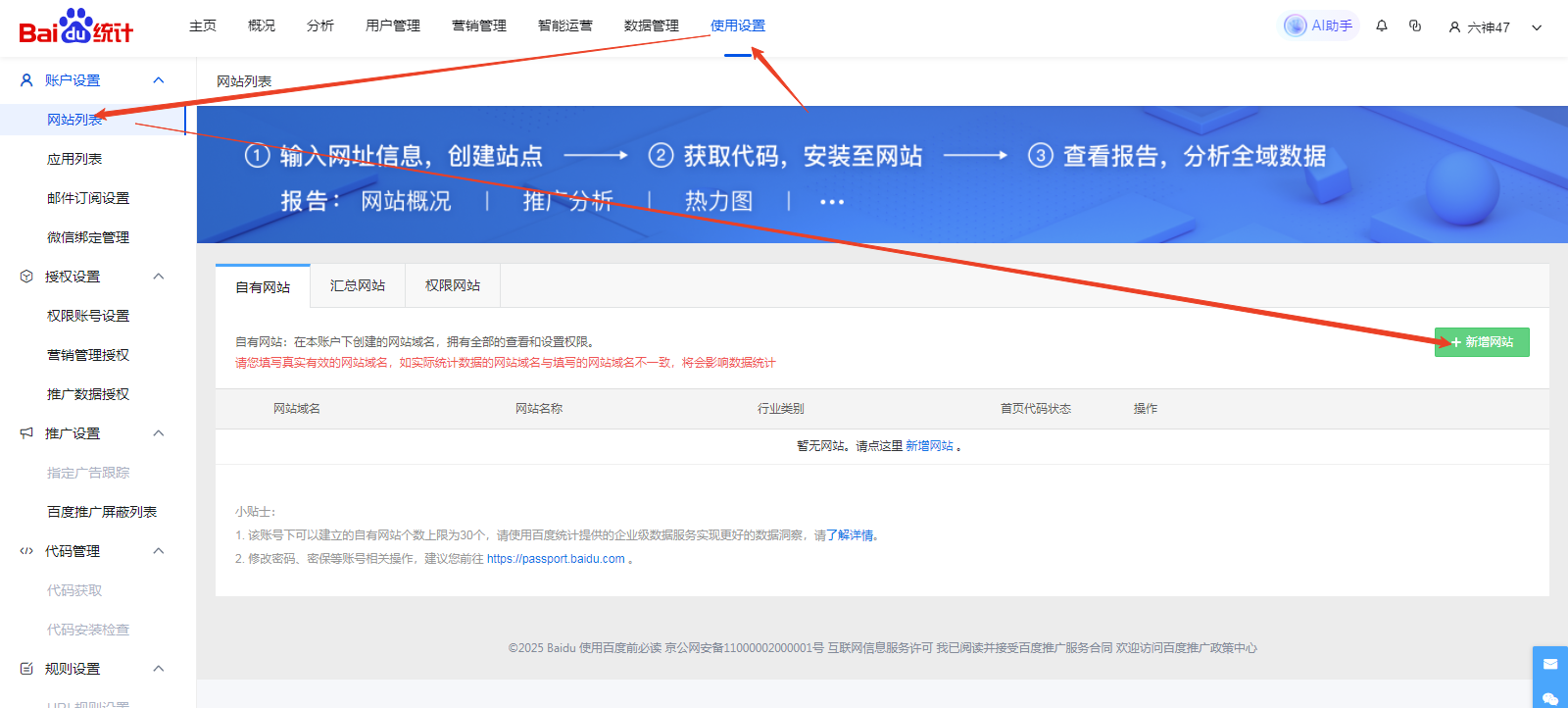
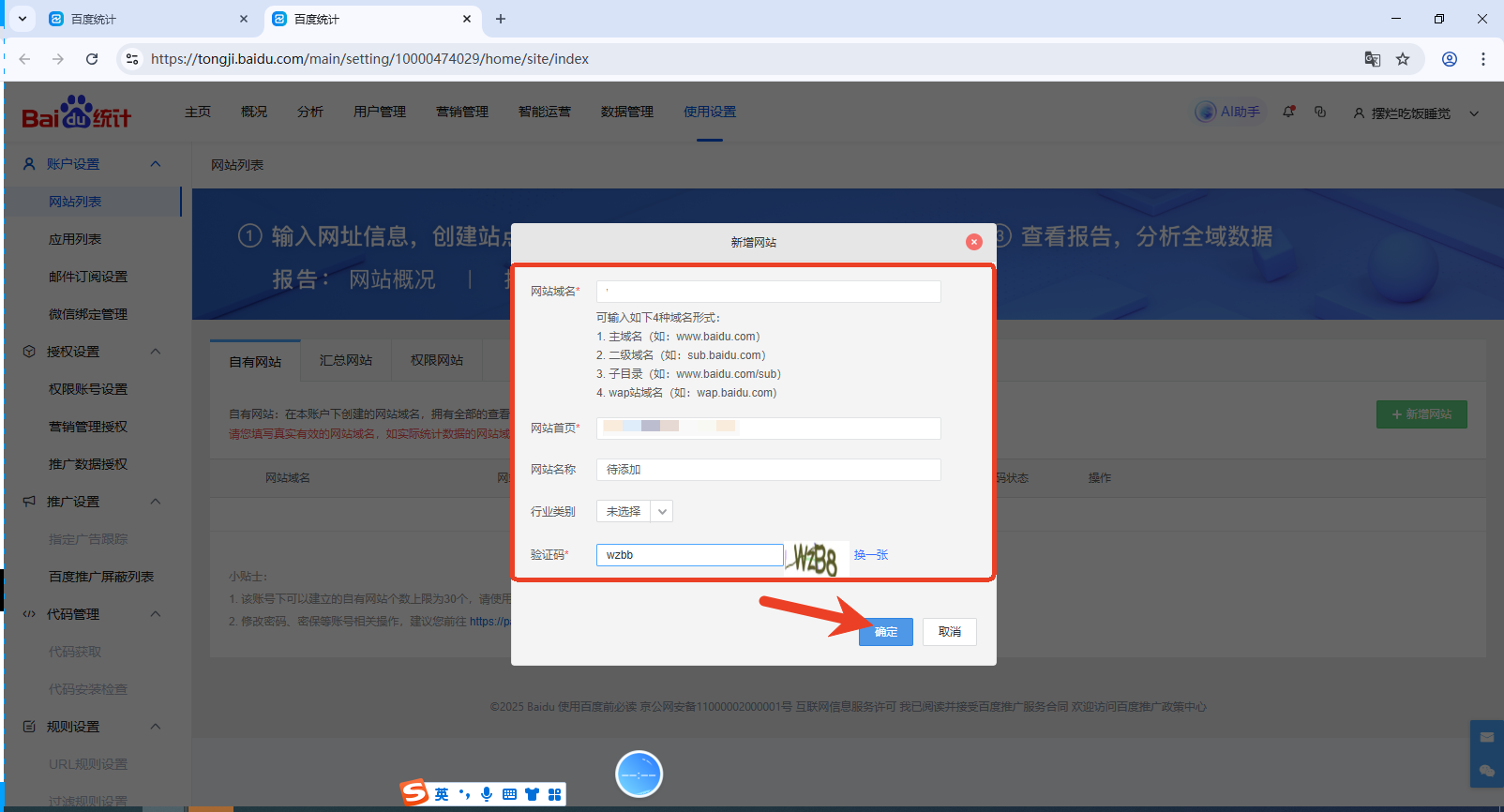

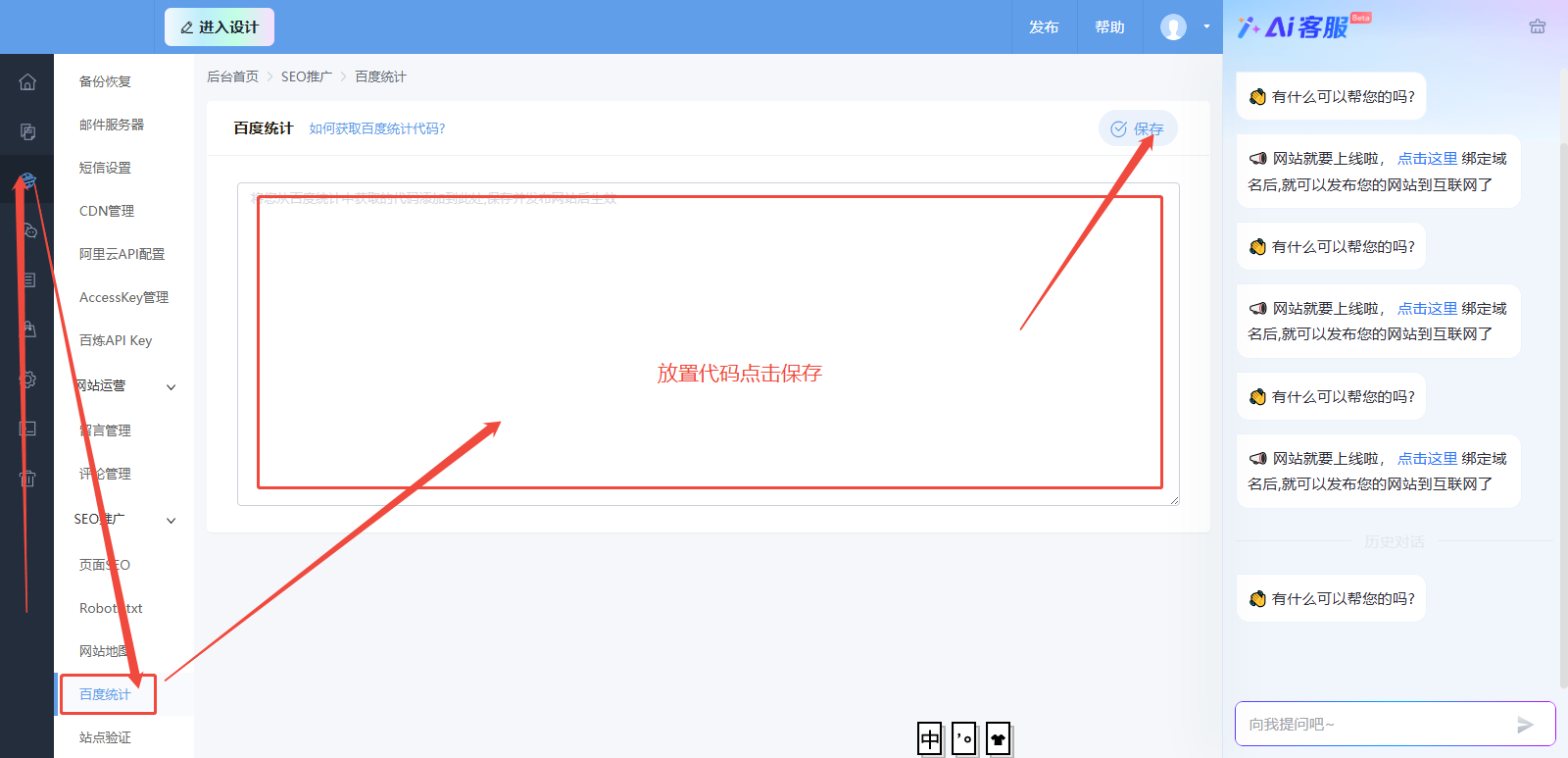
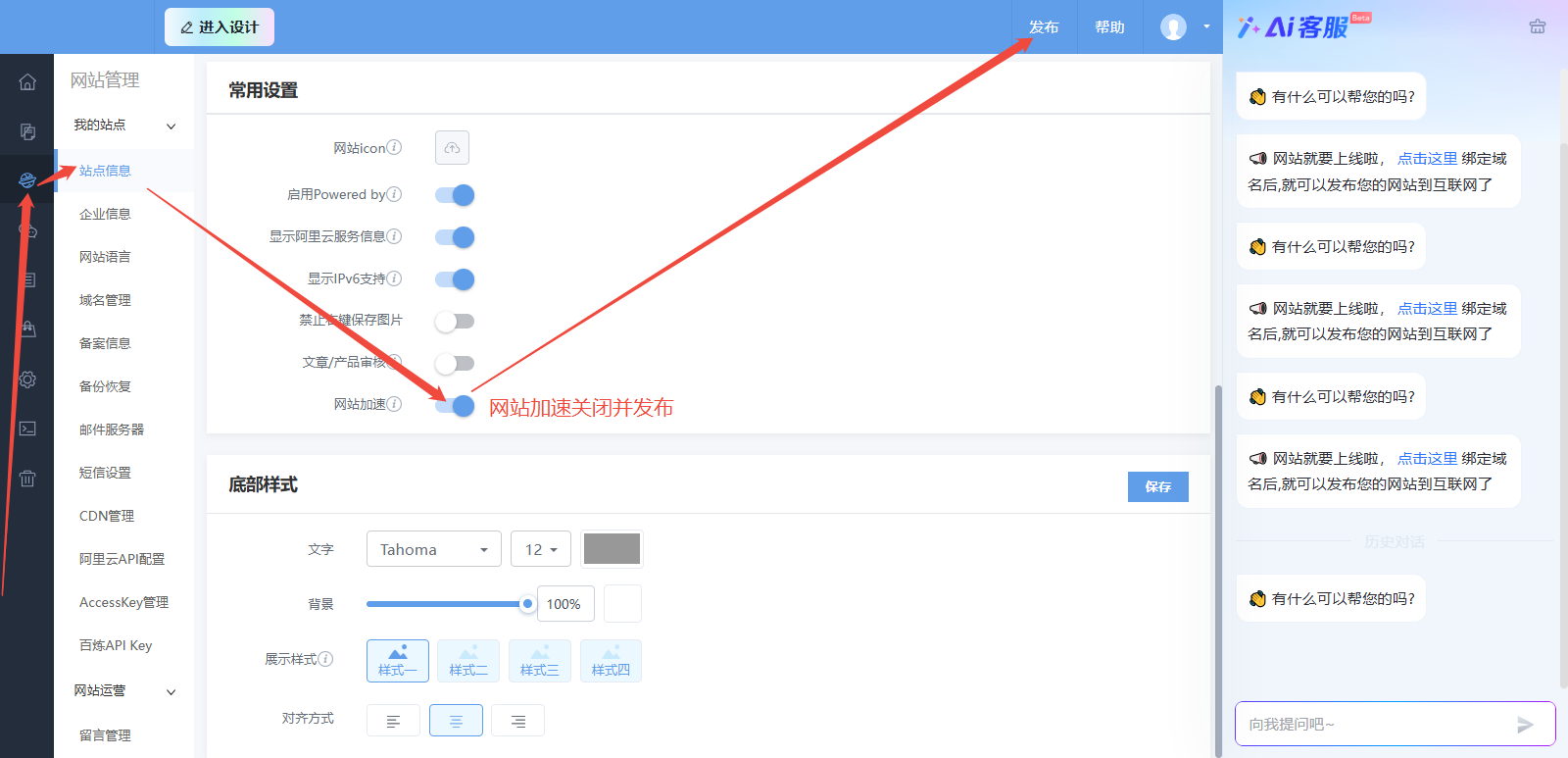
2. On your website's backend home page, choose Website Management > Baidu Tongji. Paste the code and save it. Then, choose Website Management > Site Information, disable website acceleration, and publish the site. (The Baidu Tongji code becomes active about 2 hours after you publish the site. You can click Code Check to verify its status.)
Note: To provide more accurate promotion data, Baidu Tongji upgraded its policy on December 24, 2020. After this upgrade, promotion traffic data from real-time visitors is delayed by about 10 minutes.
Is this page helpful?