Add a product category
Updated at:
Copy as MD
Add a product category
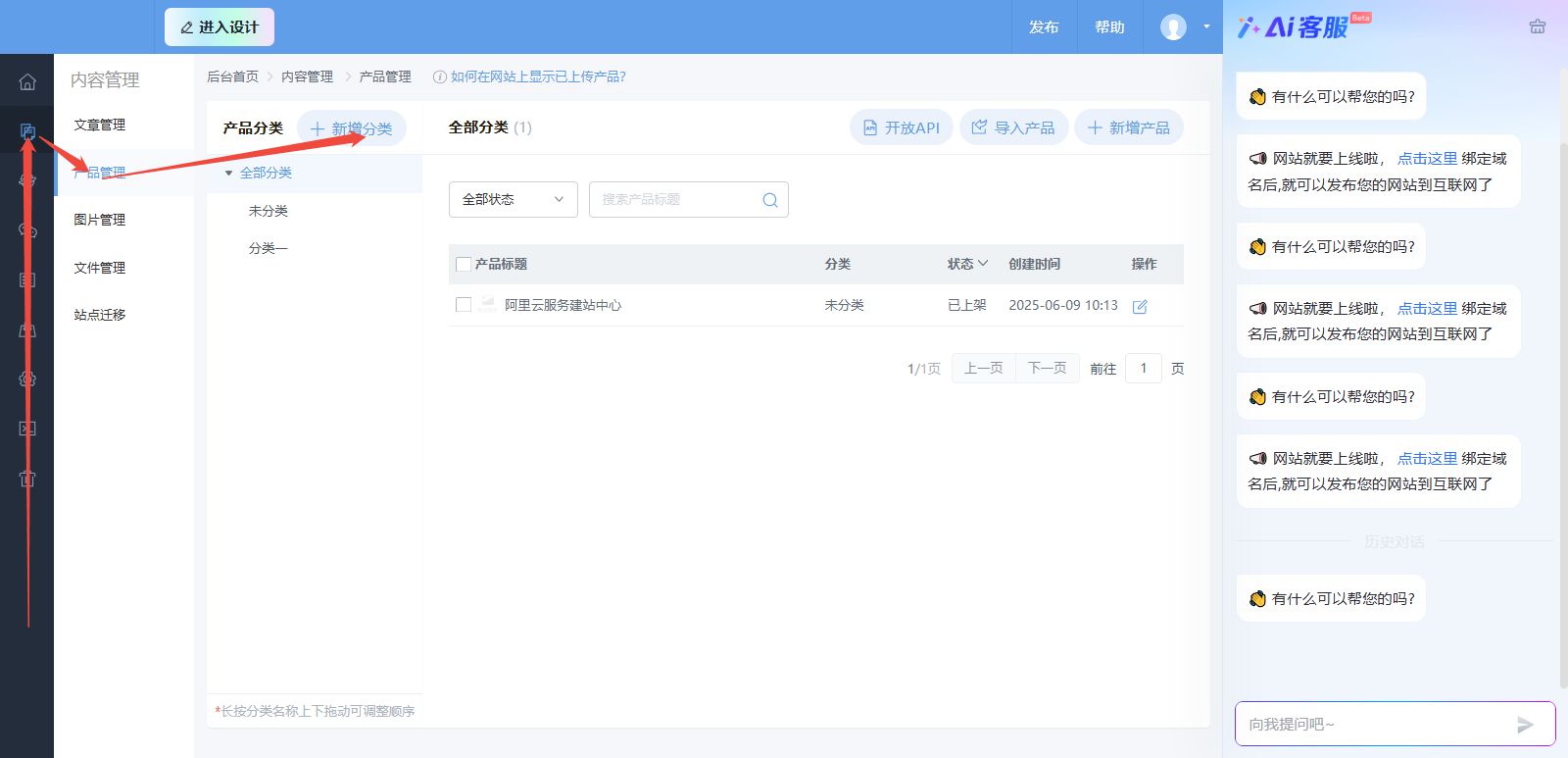
1. In Content Management, go to Product Management and click Add Category. Then, upload products to the newly created category.
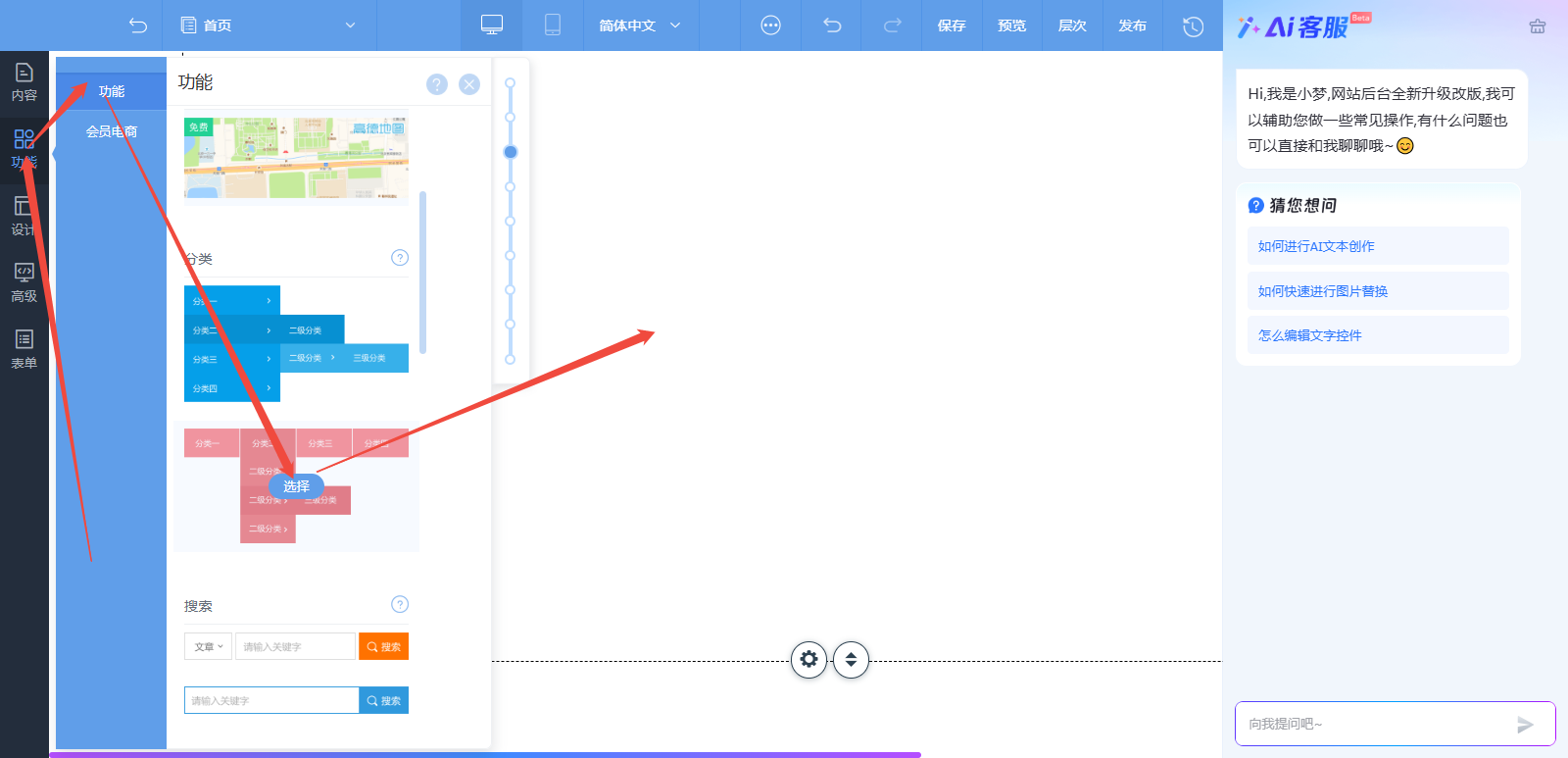
2. On the design page, open the Features panel on the left and add the Category control. Click the control to open its Settings, and then set the Select a Dataset or Field option to the correct category.
Is this page helpful?