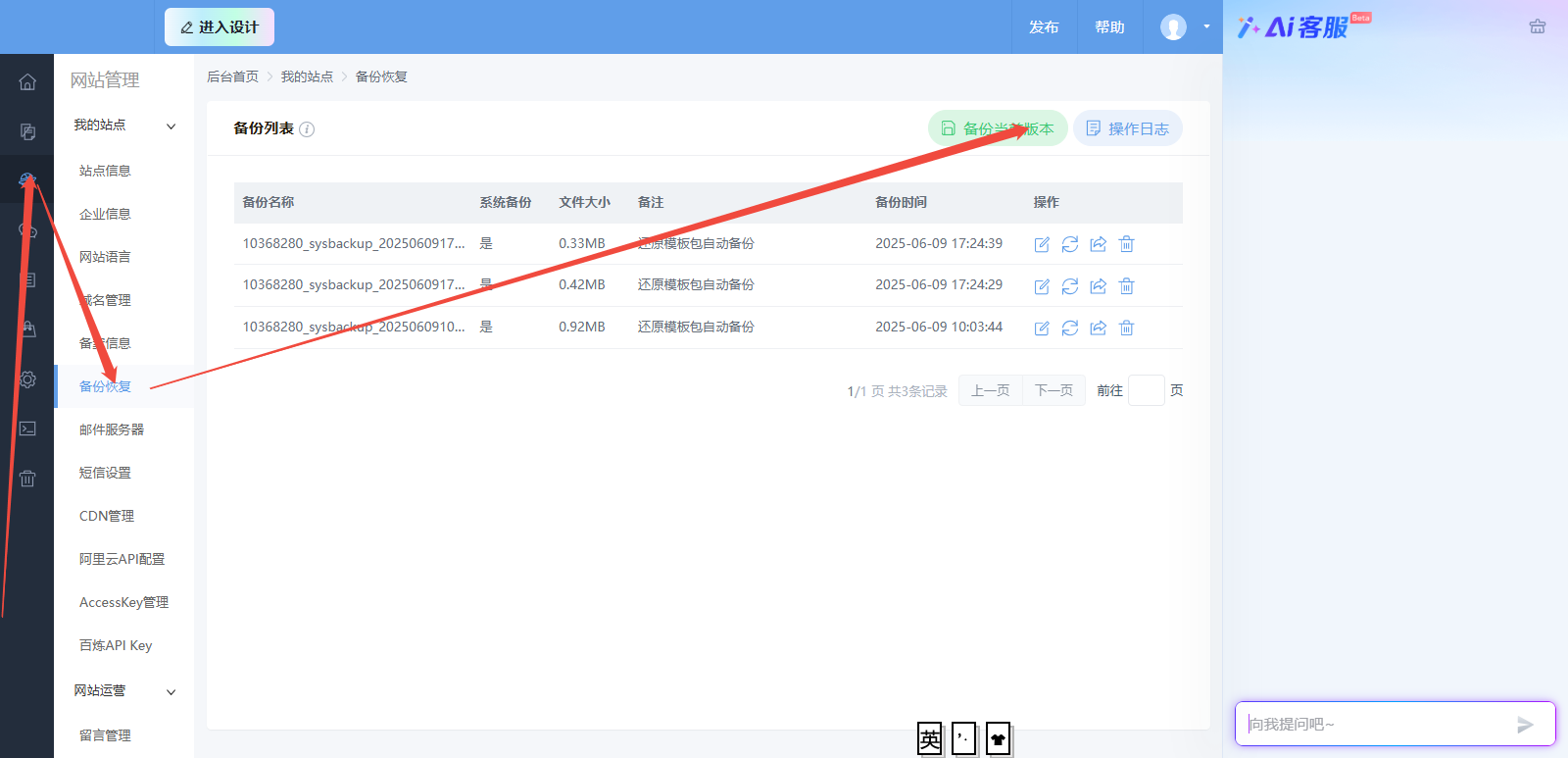
How to change a template
How to change a template
Note:
Switching templates is free. When you switch to a new template, it replaces your current design, and you will need to redesign all of your content.
The Cloud Enterprise Website service provides a custom-designed website and does not include an option to switch templates. To modify your website content, click Modify Website https://help.aliyun.com/document_detail/145139.html.
To select a template, follow these steps:
1. On the home page of the website console, in the navigation pane on the left, click Website Management > Site Information > Change Template.
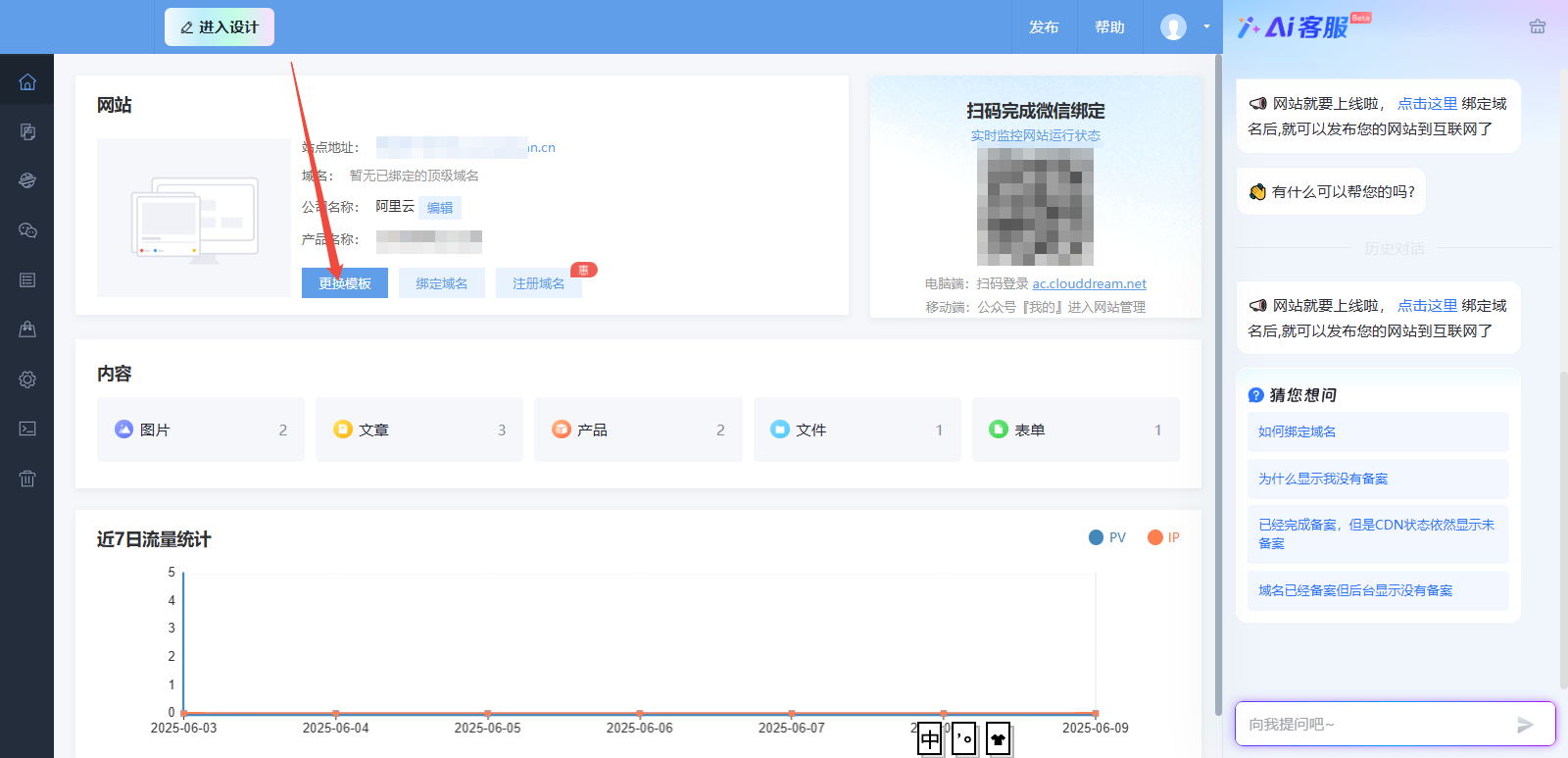
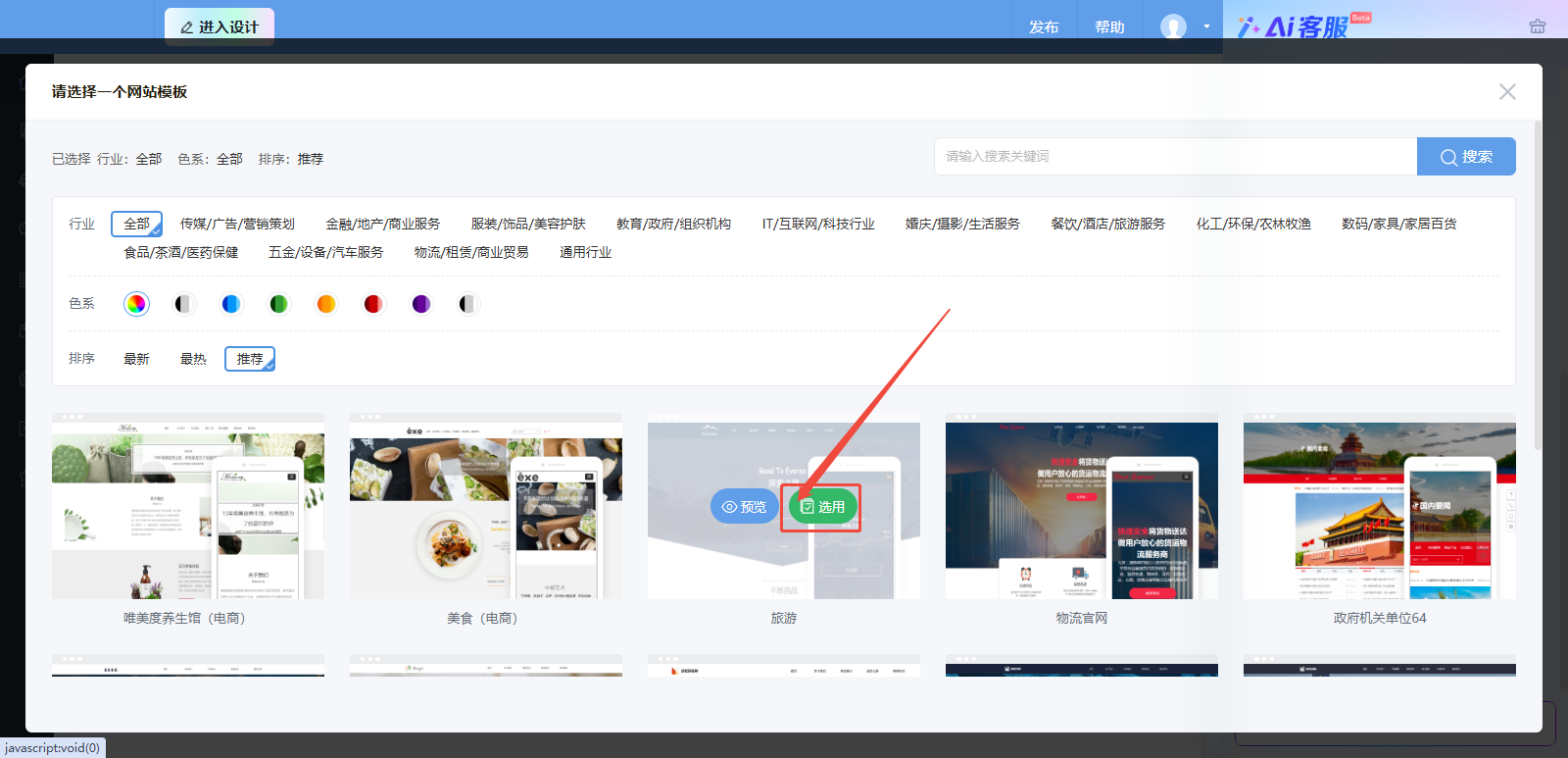
2. You can preview the template before applying it, or you can apply it directly.
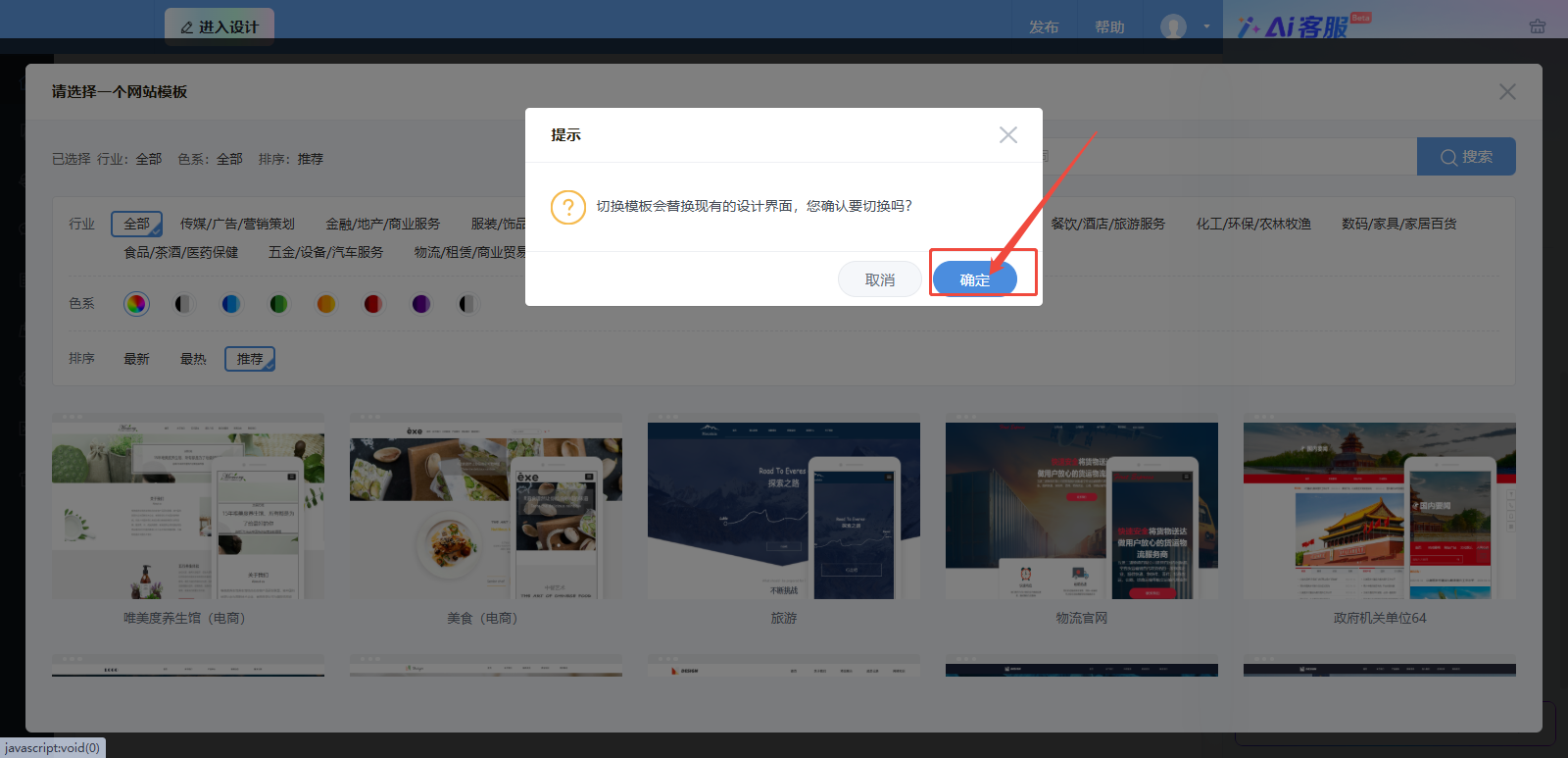
3. Click OK to apply the template. Then, choose whether to open the designer to customize your website.
You can add, delete, modify, and configure controls in the template as needed. When using images, ensure that you respect their copyrights.
For more information, see the Designer Control Guide.
Before you try a new template on a site that already has content, we recommend that you back up your site. This lets you restore the previous version if you are not satisfied with the new template.