How to use a Google sitemap
Updated at:
Copy as MD
How to use a Google sitemap
1. Before you configure the sitemap, you must complete the Google site verification process.
2. In a browser, enter domain name/sitemap.xml and copy the content to a local file.
<urlset>
Change to:
<urlset xmlns="http://www.google.com/schemas/sitemap/0.9">
Save this file as an XML file.
3. Log on to your website backend. Click Website Management → Sitemap and manually upload the XML file.

4. Go to https://search.google.com/search-console/about. Click Start now, log on to your account, and verify your site. After verification is complete, you can access the Google Search Console.
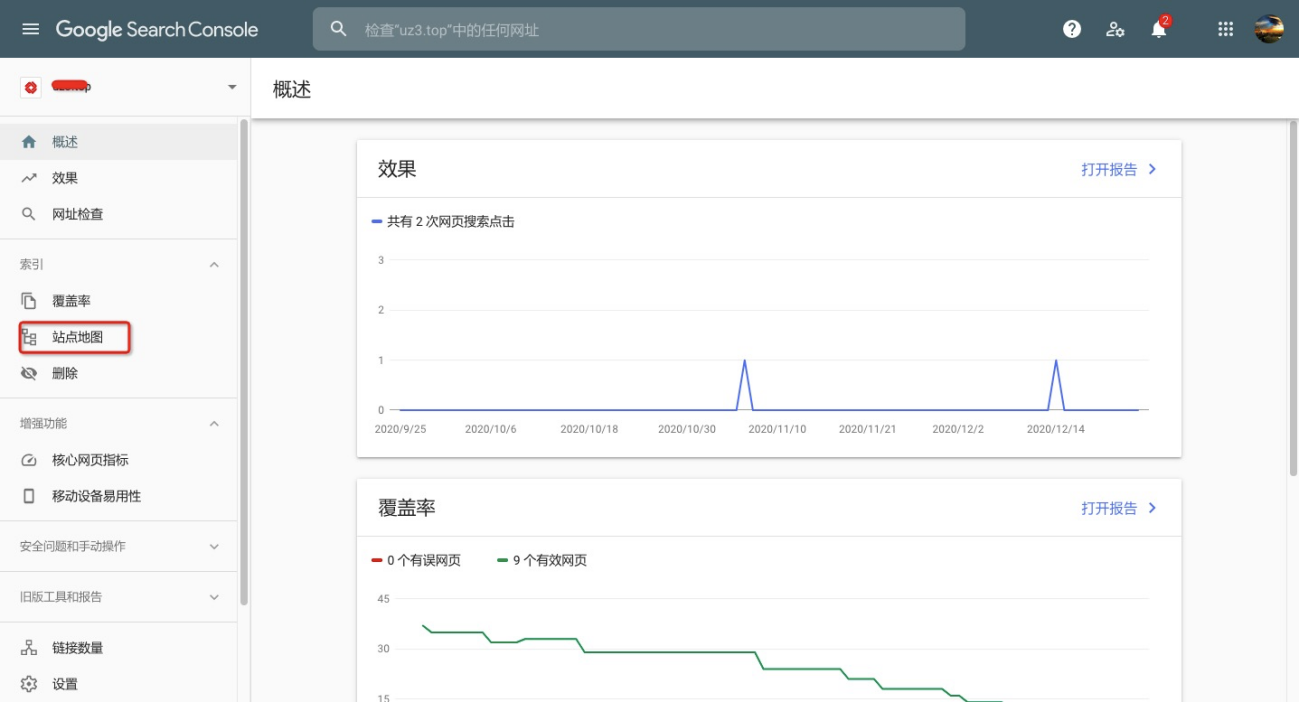
5. In the Google Search Console, click Sitemaps.
Format: domain name/sitemap.xml

Is this page helpful?