Blocked access from WeChat
Blocked access from WeChat
If WeChat blocks access to your domain name and displays the page shown in the following screenshot, click Request to Resume Access. Create a text file with the content and file name as instructed. Log on to your site's back-end system and upload the text file. Finally, click File deployed, authenticate now.
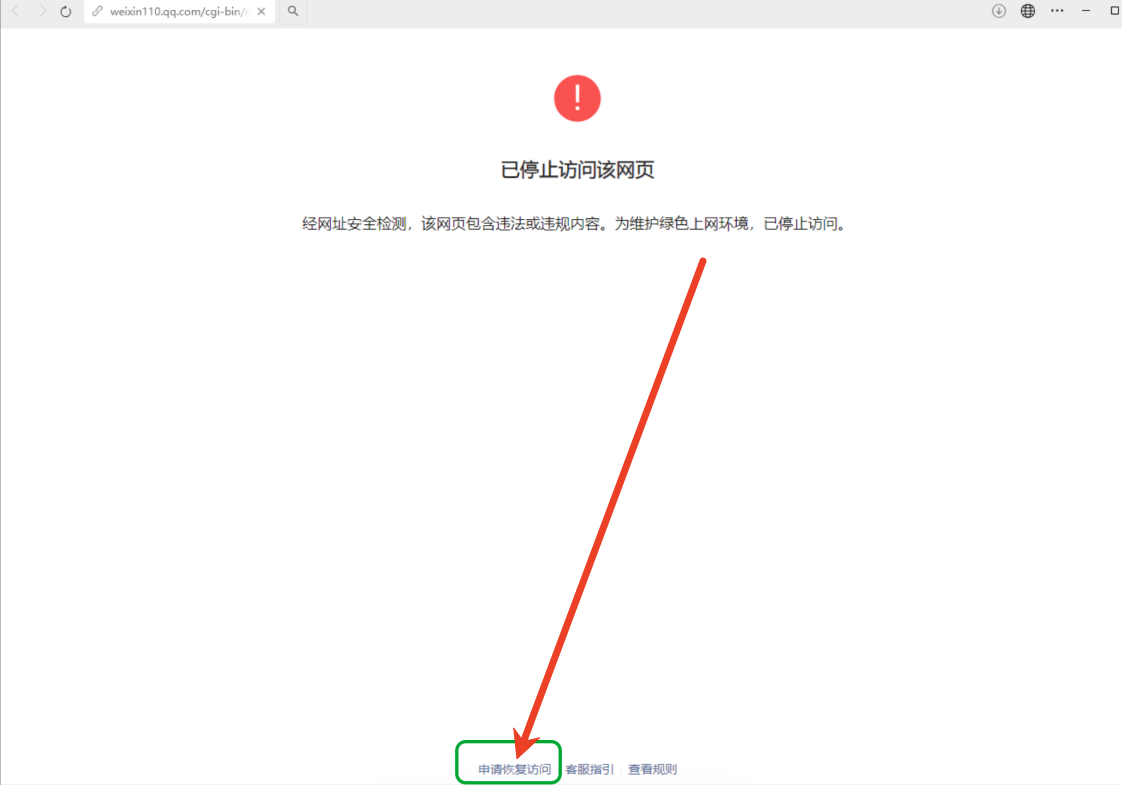
Create a new text file on your local computer. Name the file and add the required content as instructed.

Log on to your site's back-end system. Go to Site Management > Site Authentication and upload the text file that you created. After the upload is complete, publish your site.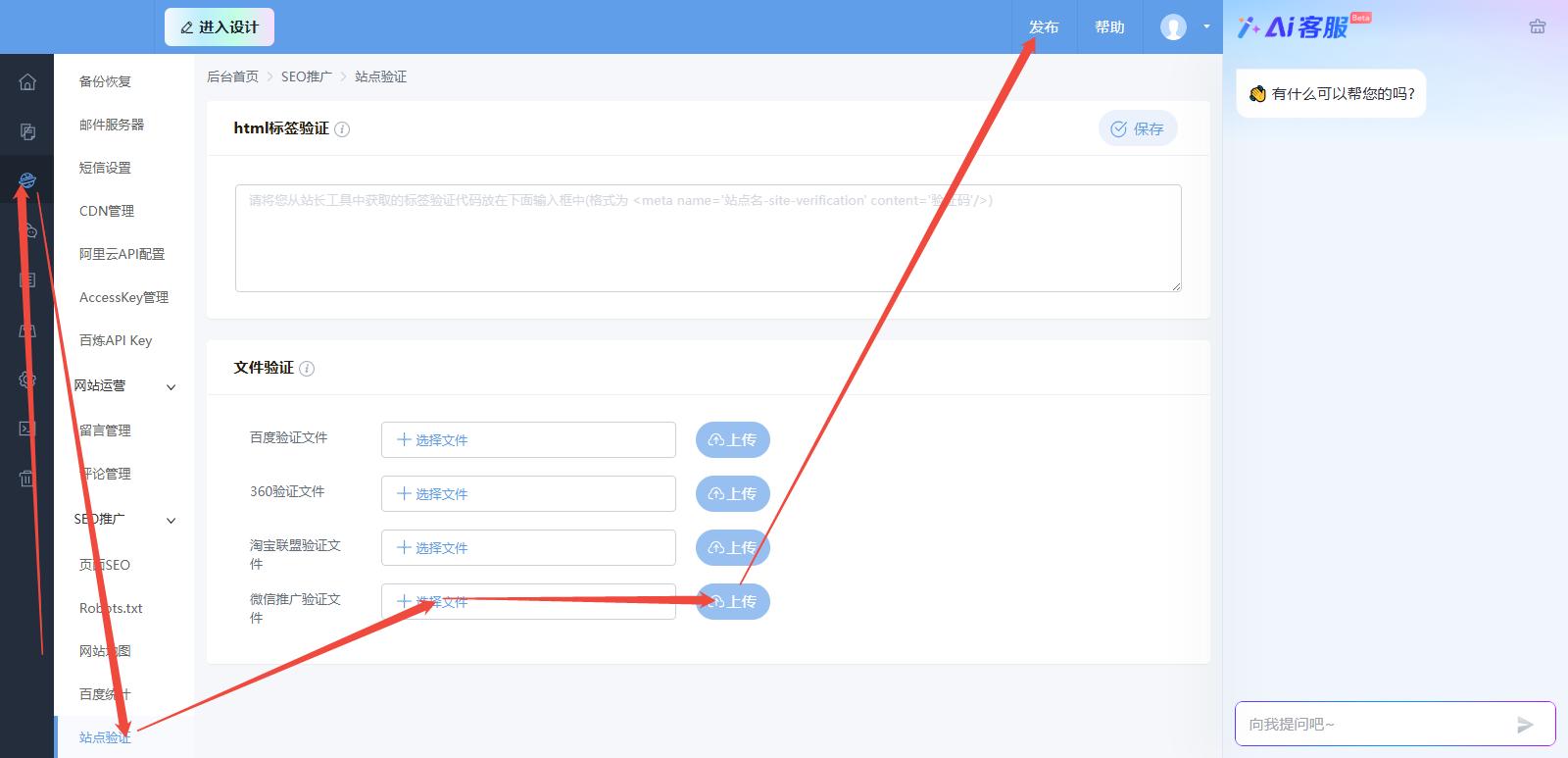
After you submit the request, wait for it to be reviewed. If your access is still blocked, you can file another appeal at https://urlsec.qq.com/complain.html.