How to set the sender address in Alibaba Mail
Updated at:
If you configured a mailbox alias or domain alias in Alibaba Mail, your account has multiple sender addresses. Use one of the following methods to send emails from a specific address.
Procedure
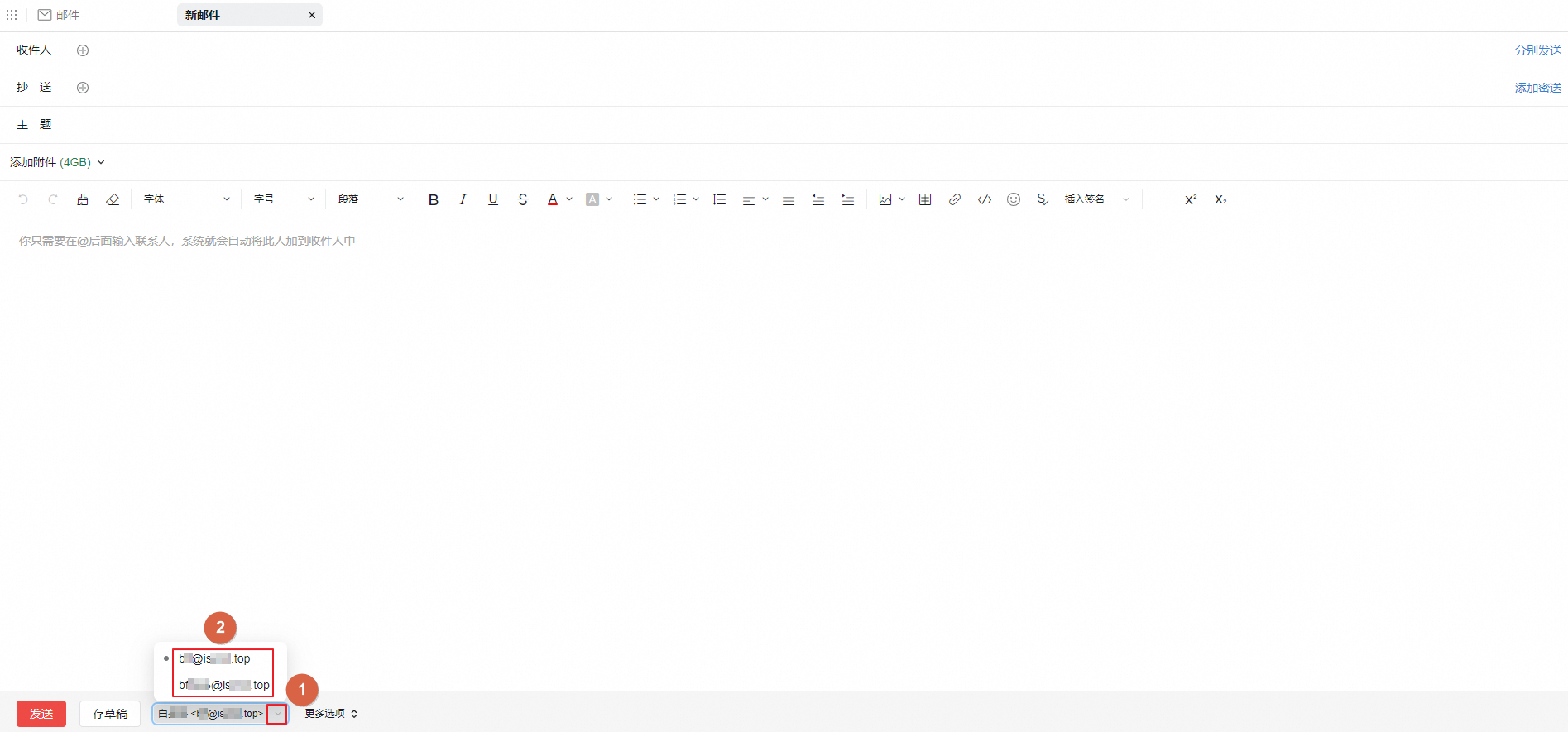
Method 1: Select a sender address when composing an email
-
Log in to the Alibaba Mail web client and click Compose.
-
On the New Mail page, click your email address and select the sender address you want.
Method 2: Set a default sender address
Note
After you save this setting, all emails use the selected sender address by default. To change the sender address for a specific email, use Method 1.
-
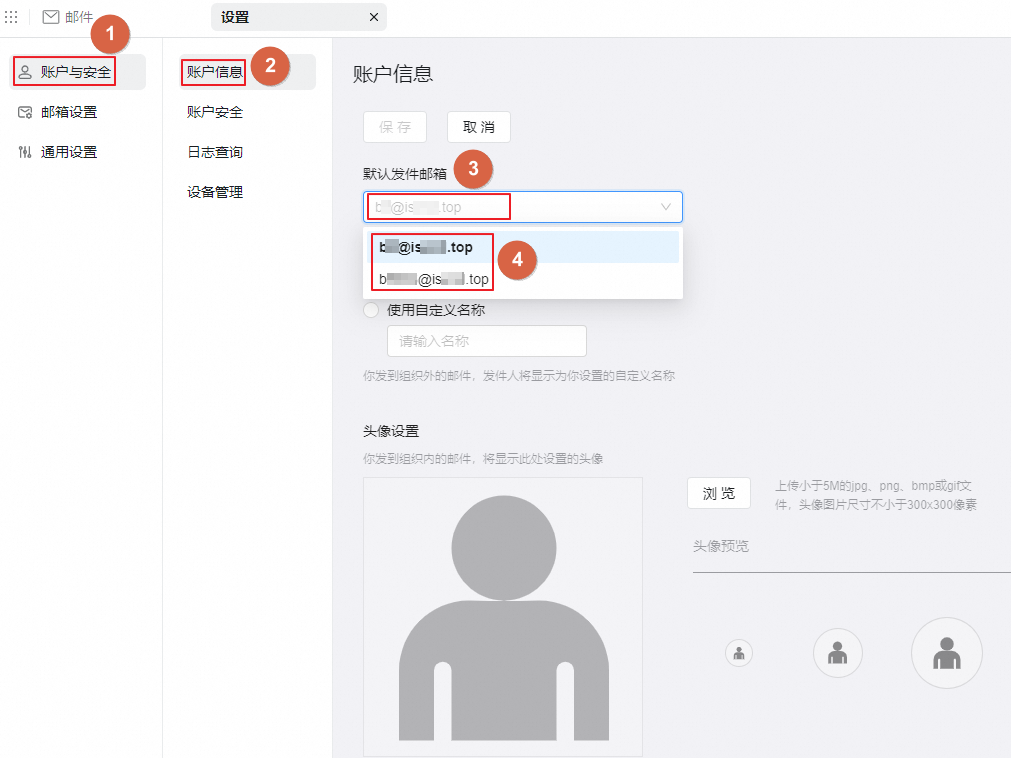
Log in to the Alibaba Mail web client and click the Settings icon in the upper-right corner.
-
On the Settings page, choose .
-
On the Account Information page, select a sender address as the default and click Save.
Is this page helpful?