Upgrade Alibaba Mail
This topic describes the rules and procedure for upgrading Alibaba Mail.
Upgrade rules
-
You can upgrade only from a lower edition to a higher edition. Upgrades are irreversible. You cannot downgrade a paid Enterprise Mail edition to the Enterprise Mail Free Edition. To use the Enterprise Mail Free Edition, you must apply for it with a different Alibaba Cloud account.
-
During the upgrade, you may be prompted to sign in again. This does not affect your service or mailbox data.
-
After the upgrade, you do not need to reconfigure domain name resolution.
-
When you upgrade, you can increase or decrease the number of accounts. The number of users must be an integer.
-
The Enterprise Mail Free Edition can be upgraded only to Enterprise Mail Standard Edition (Unlimited Capacity). To upgrade the Free Edition to Enterprise Mail Premium Edition, you must first upgrade to the Standard Edition.
-
Direct upgrades are not supported between the Localized Edition (Xinchuang Edition) and the Standard Edition or AI Premium Edition. To use the Localized Edition, purchase a new Localized Edition mailbox and migrate the email data from the original mailbox to the new mailbox yourself.
-
If you increase the number of users, after the upgrade, sign in to the webmail client and go to the domain admin page to assign the new accounts.
-
You must meet the minimum user requirement for the target edition. For example, you cannot upgrade from a 3 GB edition with 5 users to a 10 GB edition with 3 users. You can upgrade only to the 10 GB edition with 5 users.
-
If you reduce the number of accounts, the new number of accounts and storage capacity cannot be less than the currently allocated amounts.
-
After you select a subscription duration and complete the payment, the new expiration date is calculated by adding the subscription duration to the payment date.
-
After the upgrade, some cached data may remain. We recommend that you clear your browser cache and sign in again. For example, if the error message "Sorry, an unexpected error has occurred." appears when you sign in to the domain admin console after the upgrade, clear your browser cache and sign in again to resolve the issue.
Procedure
-
Sign in to the Alibaba Cloud console and click Upgrade next to Enterprise Mail Free Edition.
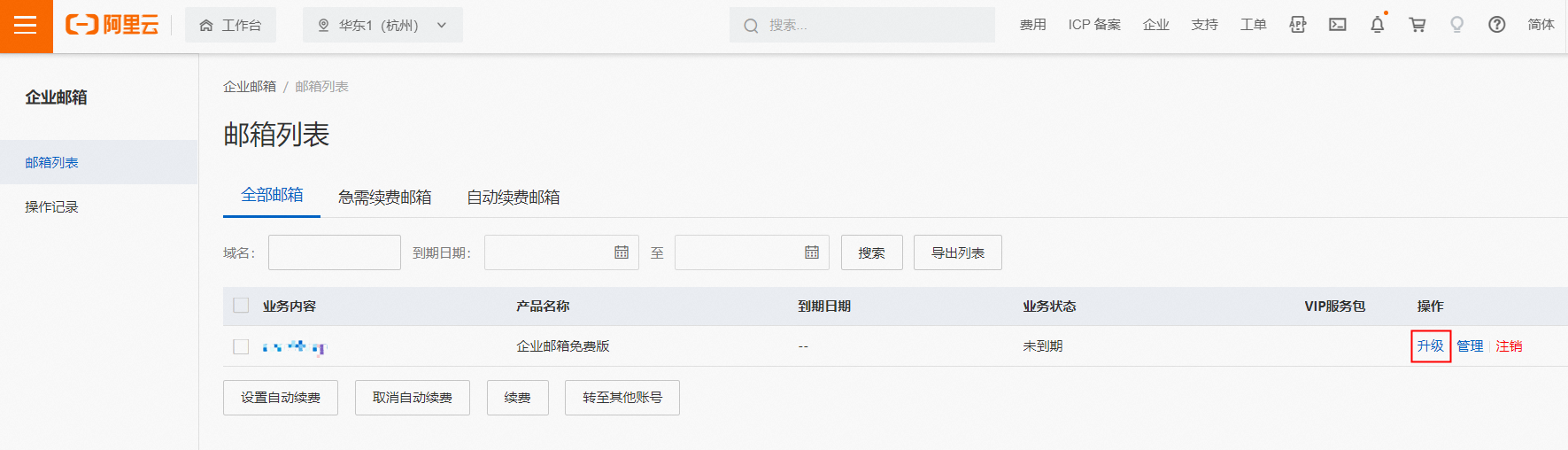
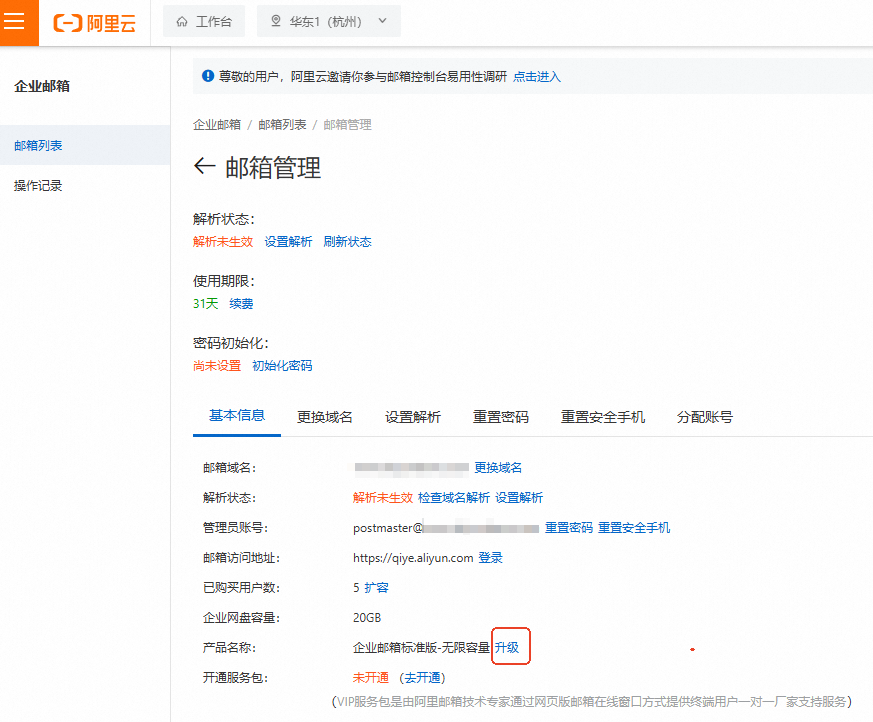
If an Upgrade button is not displayed for your mail edition, such as Enterprise Mail Standard Edition (Unlimited Capacity), go to the Manage page for the mailbox, and then click Upgrade.
-
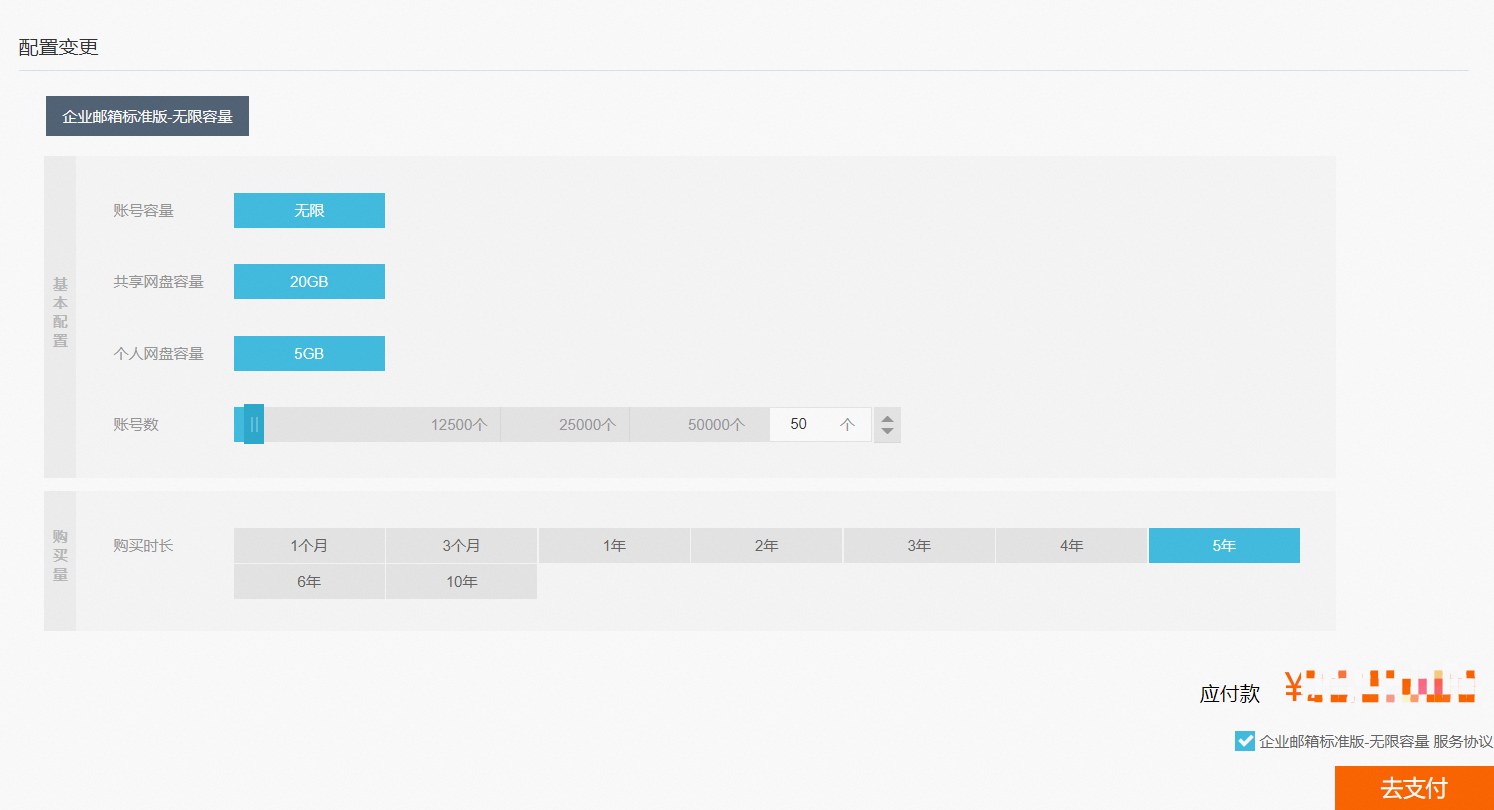
Enter the number of accounts and subscription duration. Select the service agreement checkbox, and then click Pay Now to complete the upgrade.