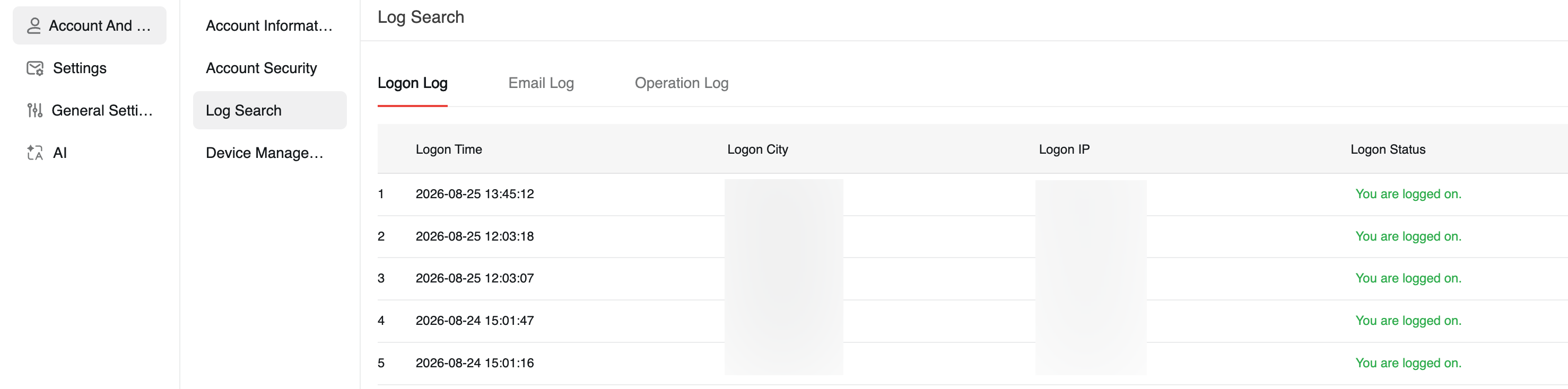
Query logs on the web client
Query the logon logs, email sending and receiving logs, and operation logs of your mailbox on the Alibaba Mail web client. A maximum of 200 log entries from the last 30 days are displayed.
Procedure
Log on to the Alibaba Mail web client and click the Settings icon in the upper-right corner.
On the Settings page, query the following types of logs:
Logon logs: These logs include the logon time, logon city, logon IP address, and logon status. You can determine whether your mailbox has been compromised.
Email sending and receiving logs: These logs include the status of sent and received emails. You can verify the status of the emails that are listed in the log.
Operation logs: These logs include the operation details, operation time, and operation results for your mailbox.