How to view recent logon logs in Alibaba Mail?
View the logon logs of your Alibaba Mail account to monitor account access and detect unauthorized logon attempts. This topic covers how to view the logon records of the past 180 days and what to do when the logs contain a large number of failed logon attempts from multiple IP addresses.
Procedure
Log on to the Alibaba Mail web client and click the Settings icon in the upper-right corner.
On the Settings page, choose .
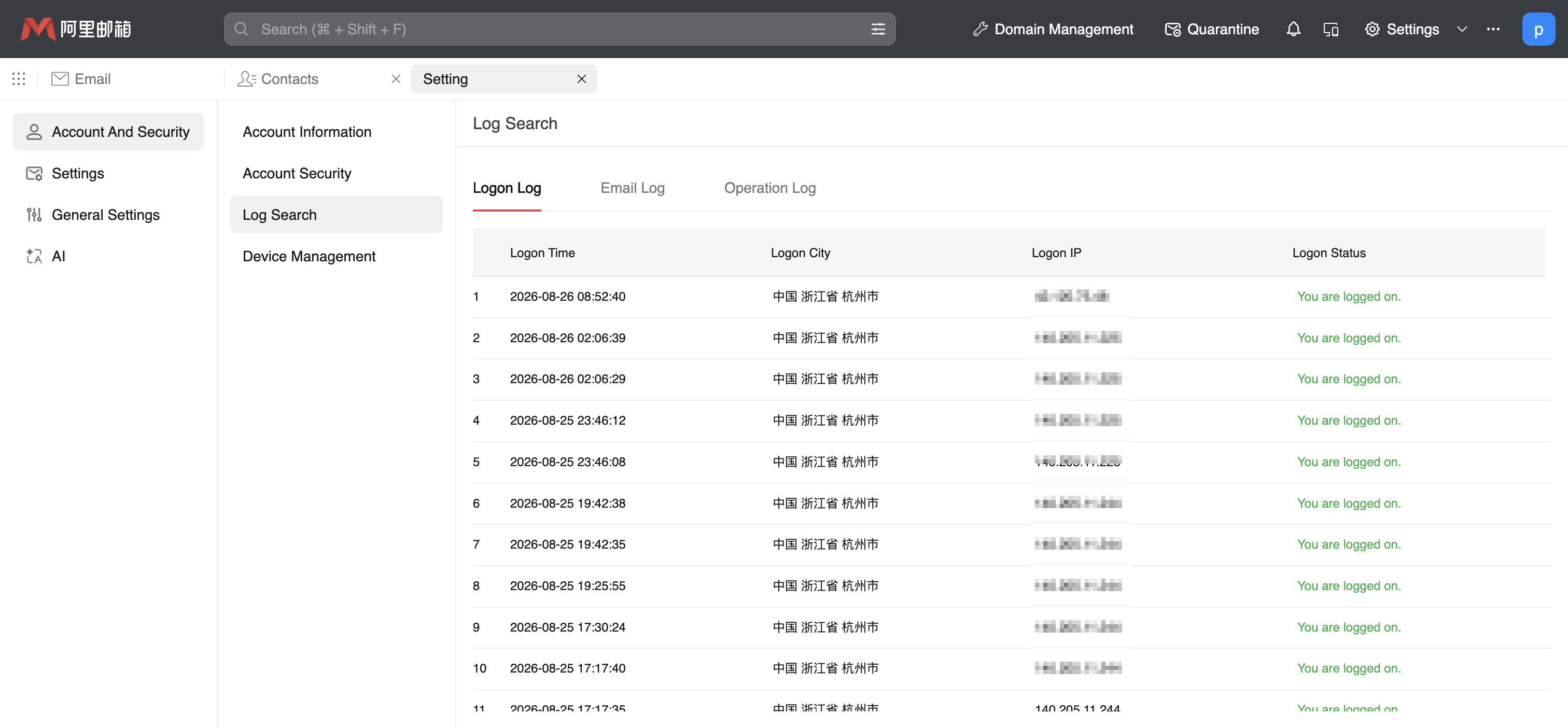
On the Logon Log tab, view the logon logs of the past 180 days.
FAQ
The logs contain a large number of failed logon records from many IP addresses. What do I do?
A large number of failed logon records may have either of the following causes:
A historical password is still in use — The failures may be caused by a historical password on a different device, such as a mobile phone or an iPad, or in a different network environment, such as a VPN or a network proxy.
Unauthorized access attempts — The records may indicate attempts to log on to your mailbox account from unusual IP addresses, such as automated scanning or password guessing. Alibaba Mail automatically records such abnormal logon attempts to protect account security.
If a historical password is the cause, update the password promptly on all devices that still use it.
We recommend that you take the following security hardening measures:
Bind a secure phone and enable two-factor authentication. For more information, see Bind, replace, or unbind a secure phone for Alibaba Mail.
Enable security passwords for third-party clients. For more information, see How to enable and use security passwords for third-party clients?.
If the logon attempts come from one specific IP address, add that IP address to the IP blacklist to block logons from it. The logs continue to record the attempts. For more information, see How to add an IP address to the blacklist in Alibaba Mail?.
Change the password on a regular basis and avoid reusing historical passwords. For more information, see How to change your Alibaba Mail password?.