Analyze the effectiveness of PUSH notification tasks and monitor key metrics and task data trends.
Choose Workspace > User Marketing > Reach Marketing > PUSH > Effect Analysis. You can filter the data by time period and PUSH account or application in the upper-right corner of the page. 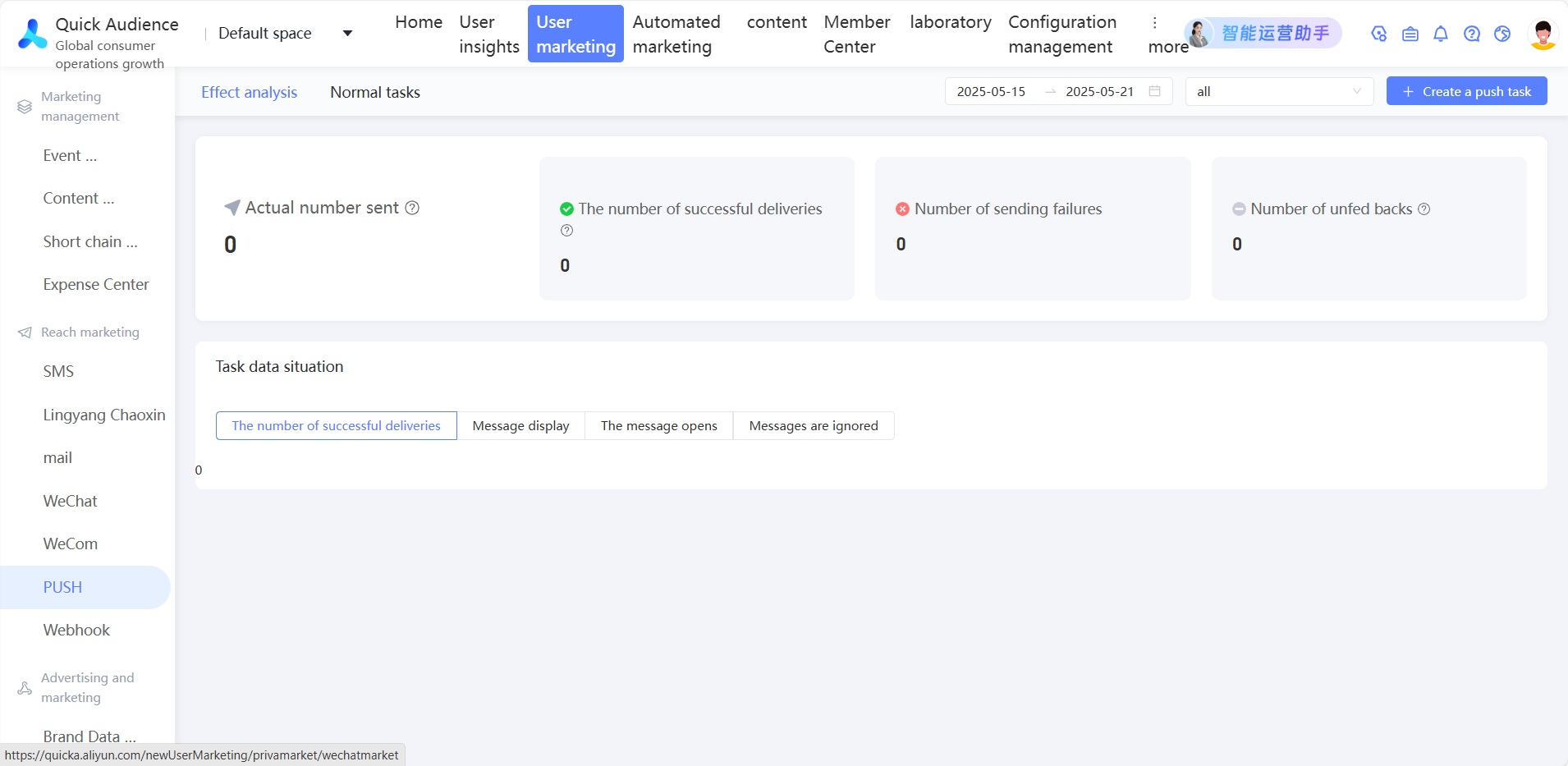
-
PUSH marketing effect analysis depends on the Umeng PUSH receipt function. Activate the Umeng Pro version and contact Umeng to enable this feature before creating a PUSH task.
-
Effect analysis data covers all tasks under the corresponding PUSH account or application created in the new version (V4), without distinguishing between reach marketing and automated marketing.
The page displays the following information:
-
The number of actually sent, successfully sent, failed, and unreturned messages. The number of displayed, opened, and ignored messages.
-
Actual Sent Number: the total number of devices to which messages are actually sent, including the PUSH channel and the vendor channel.
-
Number of displays: the number of successful deliveries minus the number of notifications that have been disabled.
-
Opened: the number of times a user tapped a notification to open a message.
-
Ignored Count: the number of messages that are dismissed, excluding notifications that are batch-cleared.
-
-
Task data: trend charts for the number of successfully sent, displayed, opened, and ignored messages. Android and iOS application data is shown in different colors.