How to manually upgrade a third-party JAR managed by SOFABoot
When using the commercial version of SOFABoot, you may expect to upgrade a third-party JAR due to security, performance, and feature enhancements. If you have a third-party JAR that meets your requirements in a later version of SOFABoot, you can upgrade SOFABoot to solve the problem. However, if there is no SOFABoot version that meets the requirements for the time being, or the version to be upgraded has major updates such as Spring Boot upgrade, you may need to pay the waiting cost and regression test cost for this, which is costly. In this case, you can manually upgrade the third-party JAR managed by SOFABoot.
SOFABoot complies with the package management specifications of SpringBoot, uses the Maven dependencyManagement to manage JAR package versions, and extracts properties for major third-party JARs. Maven allows a child pom to override the Properties of a parent pom. You can use this mode to customize the version of a third-party JAR as needed.
Taking Fastjson as an example, you can specify its version by adding the following configuration in your POM file where SOFABoot is set as the parent.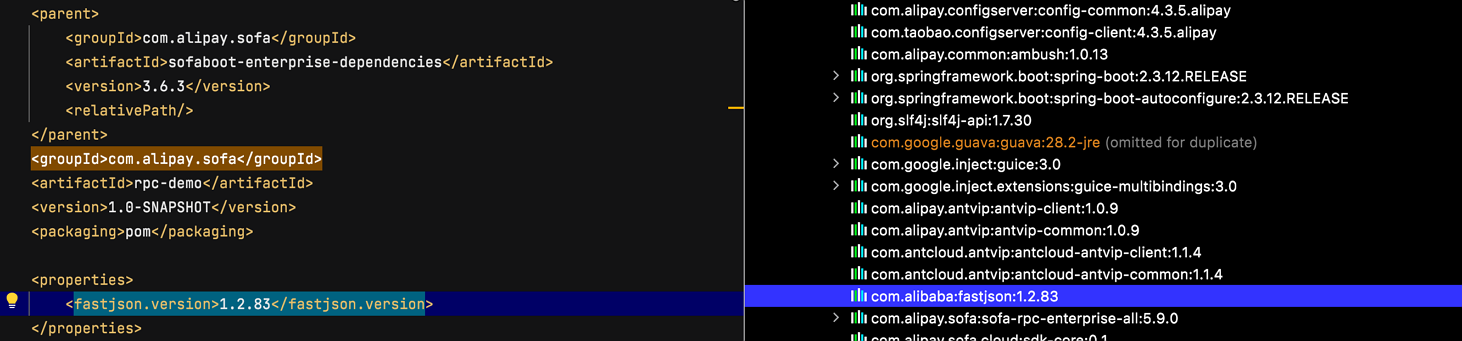
The fastjson.version in Properties is used to override the property of the same name in the commercial version of SOFABoot, so this name must be used.
All third-party JARs controlled by SOFABoot can use this method to modify their versions. You can check all the properties in the sofaboot-enterprise-dependencies pom.xml to confirm the key of the specified third-party JAR version and modify it in your own pom, but note the following two points:
This method is provided by Maven and applies to the modification of all third-party JAR versions controlled by the parent POMs. In addition to the commercial SOFABoot, this method also applies to the modification of third-party JAR versions managed by the open source SOFABoot and Spring Boot.
We recommend that you upgrade only the JAR package version and do not downgrade it. Before the upgrade, you must confirm the compatibility with the JAR package issuer to avoid compatibility issues.
Find the key of a third-party JAR version control (idea is used as an example):
Open the pom file of the SOFABoot commercial version of the project and find the
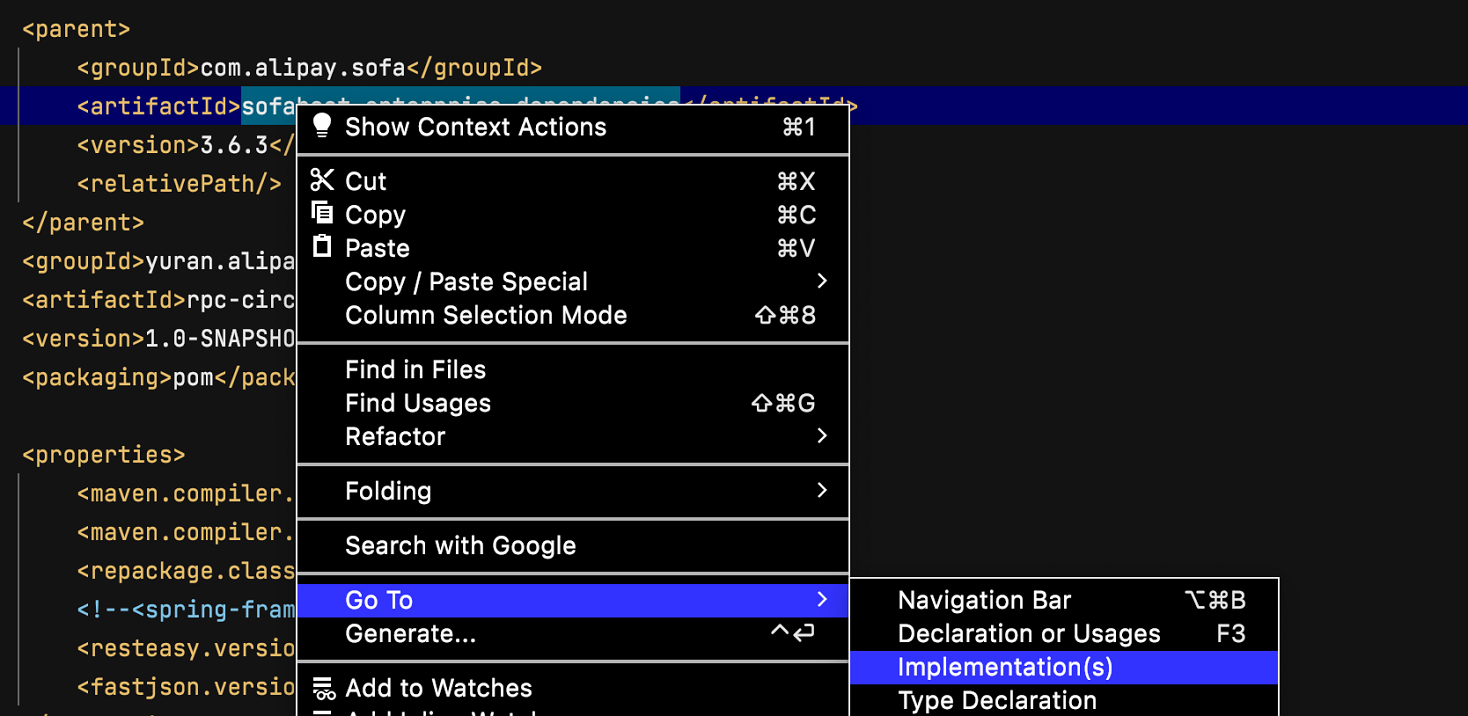
parent/artifactIdnode.Hold down the Ctrl key and click sofaboot-enterprise-dependencies to reach the pom file for the commercial version of SOFABoot.
You can also right-click and select Go To > Implementation(s).
Search for the name of the JAR package that you want to replace, such as fastjson, in the pom file of the sofaboot-enterprise-dependencies.
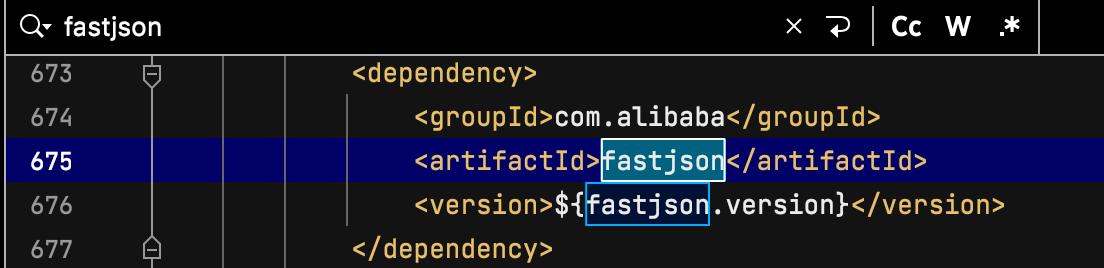
If properties are referenced in the placeholder format in the version, you can modify the version by referring to the method in this article.
If you want to replace the JAR managed by open source SOFABoot or Spring Boot, you can repeat step 1, continue to search for the sofaboot-dependencies pom and spring-boot-dependencies pom, and search for the version control Key corresponding to the JAR to be provided.