Configure sent email settings
Updated at:
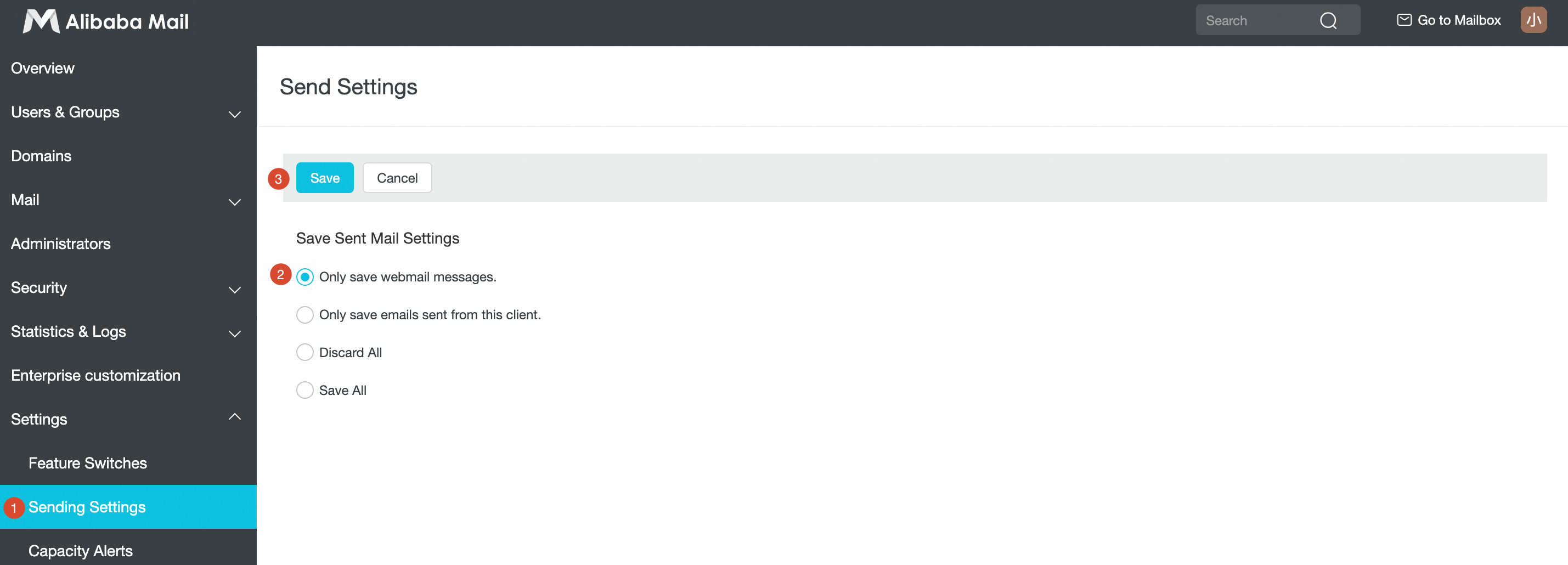
Alibaba Mail supports the following sending settings: save all, save none, save only emails sent from an email client, and save only emails sent from Webmail. By default, all sent emails are saved to the Sent folder on the server. We recommend keeping this default setting.
Procedure
-
Log on to the Alibaba Mail domain admin platform with the administrator account (postmaster).
Standard edition
Domestic edition
Go to Email Tools > sending settings, select the option that meets your requirements, and then click Save.
 Note
This setting applies only to accounts created after you save the change. Users with existing accounts must configure this setting themselves in their email settings. For instructions, see the help topic: Save emails sent from an email client to the Webmail Sent folder
Is this page helpful?