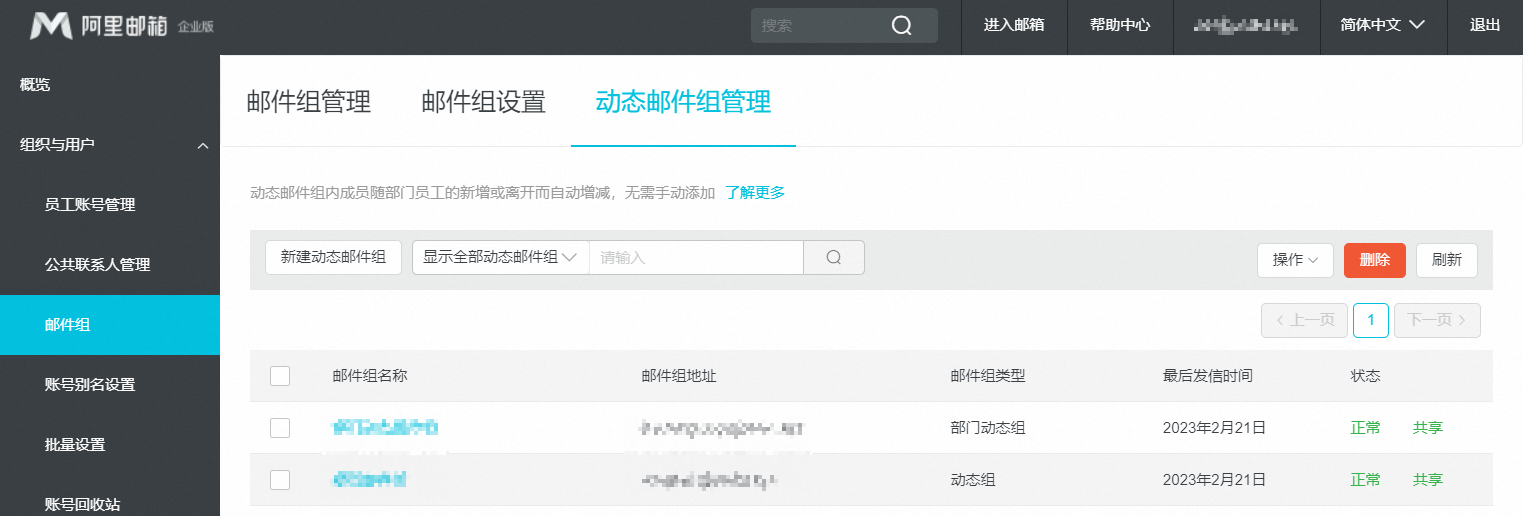
What are dynamic mail groups and how to create them?
A dynamic mail group is a mail group for one or more departments. Its members are automatically updated when employees join or leave a department, eliminating the need for manual updates.
How to create a dynamic mail group
Procedure
Create a dynamic mail group for a single department (department dynamic group)
Method 1: In the admin console, go to Organization and Users. Select the desired department. Hover your mouse over the department name, click the down arrow that appears, and then click New Department Mail Group.
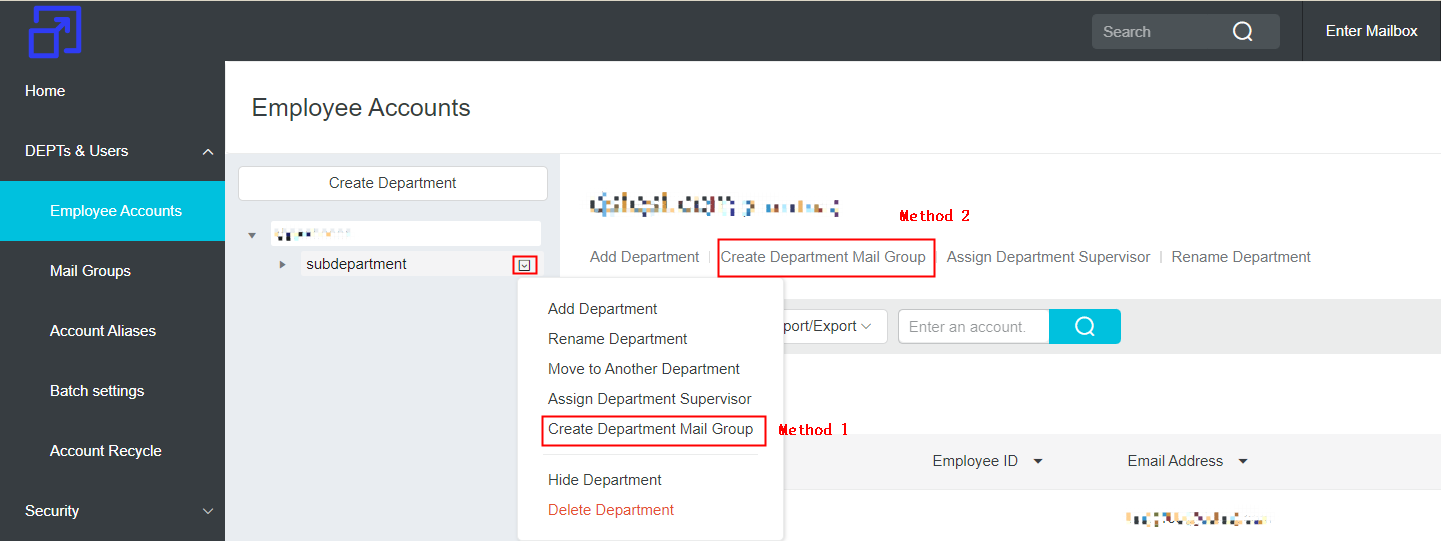
Method 2: In the admin console, go to Organization and Users and click New Department Mail Group.
Create a dynamic mail group for multiple departments (dynamic group)
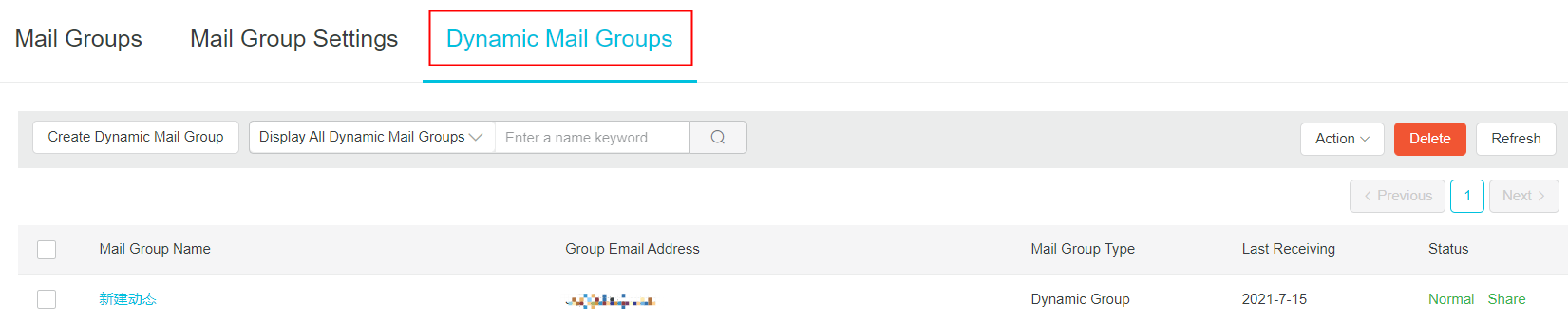
In the admin console, go to Organization and Users > Mail Groups > Dynamic Mail Group Management, and then click New Dynamic Mail Group.
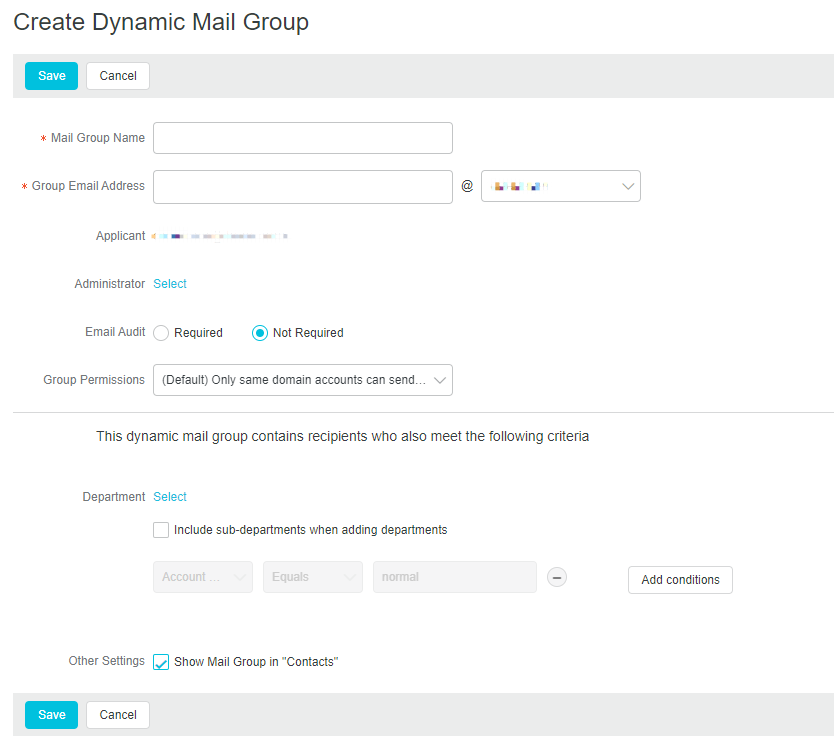
Mail group configuration
Differences between dynamic mail group types | Supports multiple departments | Includes dynamic filters | Members |
Department dynamic group | No | No | Accounts in the selected root department and its sub-departments |
Dynamic group | Yes | Yes | Determined by dynamic conditions |
The following screenshot and table describe the configuration parameters for a dynamic group.
Configuration | Description |
Mail group name | The name of the new mail group. |
Mail group address | The address of the new mail group. |
Requester | The person who requested the mail group. This defaults to the currently logged-on administrator account and cannot be changed. |
Administrator | The administrator of the mail group. The administrator has permission to manage the group's configuration and members in the management platform. |
Mail group moderator | Specify whether to add a moderator for this mail group. Requirement: Add an email approver to the email group so that emails sent to the group must be approved before delivery. No: No moderation is required. Emails are delivered directly. |
Mail group permissions | Set who can send emails to this mail group: Accounts in the same domain only (Default): Only accounts with the same domain suffix can send emails to this group. This is the default setting. Group members only: Only members of this dynamic mail group can send emails to it. All accounts (internal and external): No restrictions on who can send emails to this group. Whitelisted accounts only: Only email accounts on the whitelist can send emails to this dynamic mail group. Group members and whitelisted accounts: Members of this dynamic mail group and email accounts on the whitelist can send emails to this group. |
Condition filter | Department: Specify the department for the mail group. Select whether to include sub-departments. Add dynamic condition: Specify the property conditions that employees in the department must meet. |
Show this mail group in the address book | Specify whether to show this mail group in the address book. If selected, the group appears in the address book and can be selected as a recipient when sending an email. |
After the group is created, you can view and manage all dynamic mail groups in Dynamic Mail Group Management.