Background Logs
Background logs record operations performed by each account in the Quick Tracking console, helping you track operator activity and audit operation details.
This document is an introduction to Quick Tracking and technical integration and is not used as a sales basis. For specific products and technical services purchased by an enterprise, the commercial purchase contract shall prevail.
Overview
Background logs record operations performed by different accounts in the console. You can use these logs to identify the operator and view operation details when needed.
Introduction
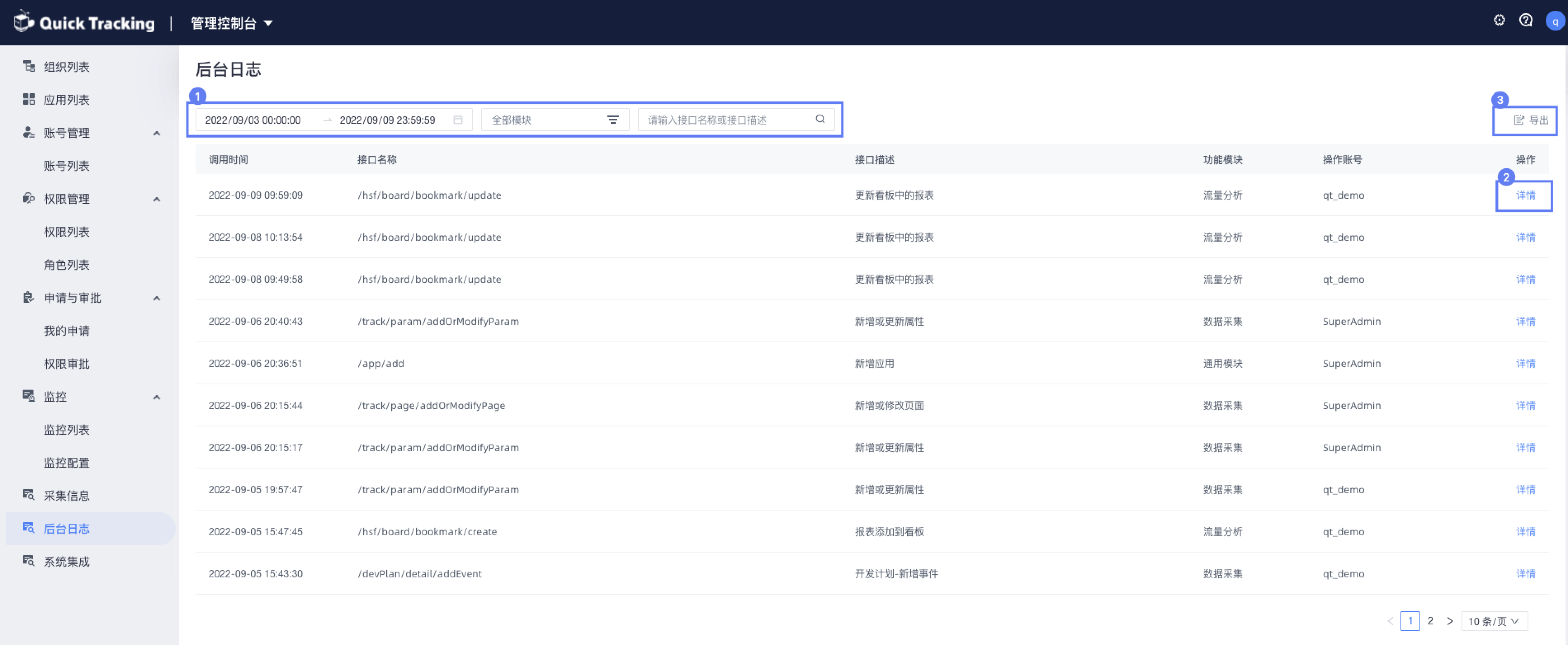
To access background logs, go to Management Console > Background Log.
Figure 1: The log page provides time-based filtering, query filters, and API name search to help you quickly locate specific records.
Figure 2: Click Details to view operation log details, including the call time, request, and return value.
Figure 3: Click Export to export operation logs that match the current filter conditions.