You can upgrade a product over Bluetooth using an over-the-air (OTA) update and customizing the device upgrade guide page in the Tmall Genie app. This feature is available only for products in the Tmall Genie ecosystem.
Prerequisites
You have created a product in the console. For more information, see Create a product.Procedure
- Log on to the IoT Platform console.
- Go to the Human-Computer Interaction page of the product.
- Choose .
- Click Upload Image to upload the image that is displayed on the app interface during an OTA update.
The upgrade guide image must meet certain specifications. For more information, see the Upgrade guide image specifications section in this document.
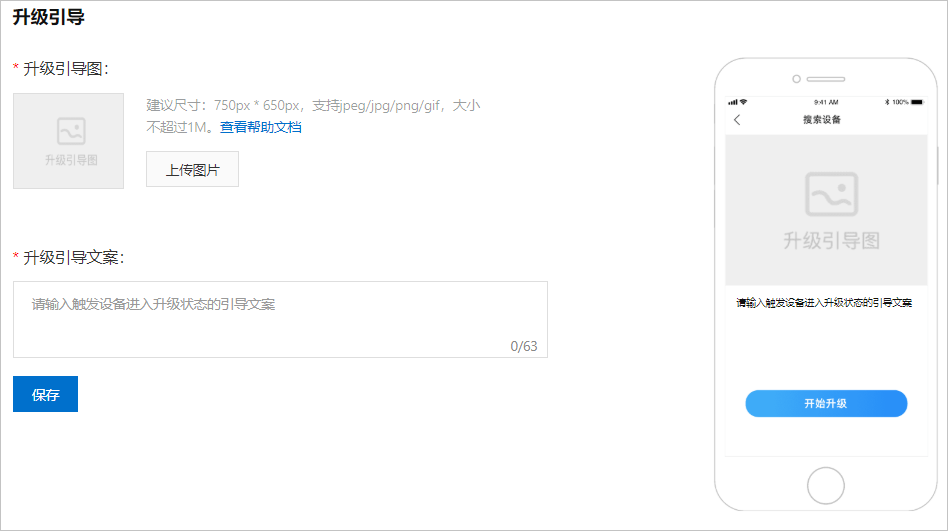
- Configure the upgrade guide text and click Save.
Upgrade guide image specifications
The specifications for the device upgrade guide image are categorized into two types based on the background color.
- The image background is white or transparent
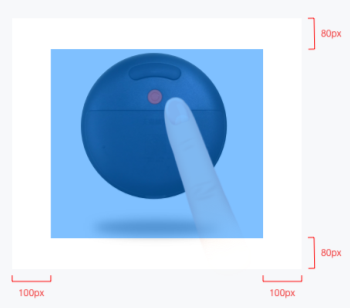
- Image dimensions: 750 × 650 px (2x image)
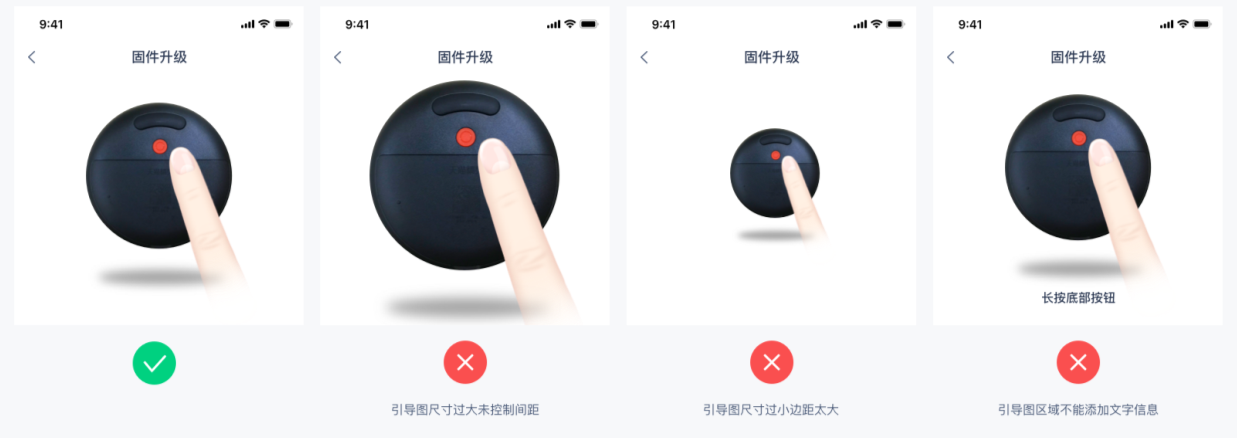
- The image must be centered. The left and right margins must be 100 px each, and the top and bottom margins must be 80 px each.
- The image must not contain unnecessary text.
The following figures show correct and incorrect examples of the device upgrade guide image on the app interface.
- The image background is not white or transparent
- Image dimensions: 750 × 650 px (2x image)
- The image must not contain unnecessary text.
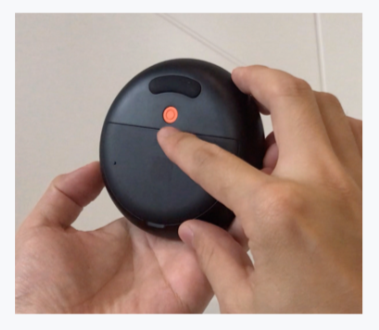
The following figures show correct and incorrect examples of the device upgrade guide image on the app interface.
该文章对您有帮助吗?