Enable or disable unlimited mode
Burstable instances such as t5 and t6 support both standard mode and unlimited mode to meet various business requirements. This topic describes how to view the performance mode of a burstable instance and how to enable or disable unlimited mode.
Background information
-
Standard mode: The performance of a burstable instance is constrained by its CPU credits. After the initial and accrued CPU credits are depleted, the instance's performance cannot exceed its baseline performance.
-
Unlimited mode: A burstable instance can burst beyond its available CPU credit limits. It can maintain CPU utilization above its baseline performance at any time by overdrawing or paying for CPU credits.
In unlimited mode, a burstable instance may incur additional charges. For more information, see Additional charges.
The system automatically selects a performance mode for a burstable instance in the following scenarios:
-
When you create a burstable instance, it uses standard mode by default.
-
If a burstable instance is in the Stopped state and has economical mode enabled, it defaults to standard mode when it starts.
-
If a burstable instance in the Stopped state does not have economical mode enabled, its performance mode remains unchanged.
-
If your account has an overdue payment, unlimited mode is automatically disabled for your burstable instances. It automatically re-enables after you pay the bill.
View performance mode
Go to ECS console - Instances.
In the upper-left corner of the page, select a region and resource group.
-
(Optional) If the Instance page does not show the Unlimited Mode column, customize the instance list.
-
In the upper-right corner of the page, click the
 icon.
icon.
-
In the Instance List Settings dialog box, find Unlimited Mode in the Columns Hidden area. Click the
 icon next to it, and then click Continue.
-
-
In the Unlimited Mode column, view the performance mode of the burstable instance.
-
Disabled: The instance is in standard mode.
-
Enabled: The instance is in unlimited mode.
-
Enable unlimited mode
If your workload occasionally experiences high CPU usage spikes, you can enable unlimited mode for the instance.
The burstable instance must be in the Running state. Otherwise, you cannot switch the performance mode.
Log on to the ECS console.
In the left-side navigation pane, choose .
-
Find a burstable instance in standard mode and choose one of the following methods to enable unlimited mode:
-
For a single instance: In the Operation column, choose
 > Instance Properties > Enable Unlimited Mode.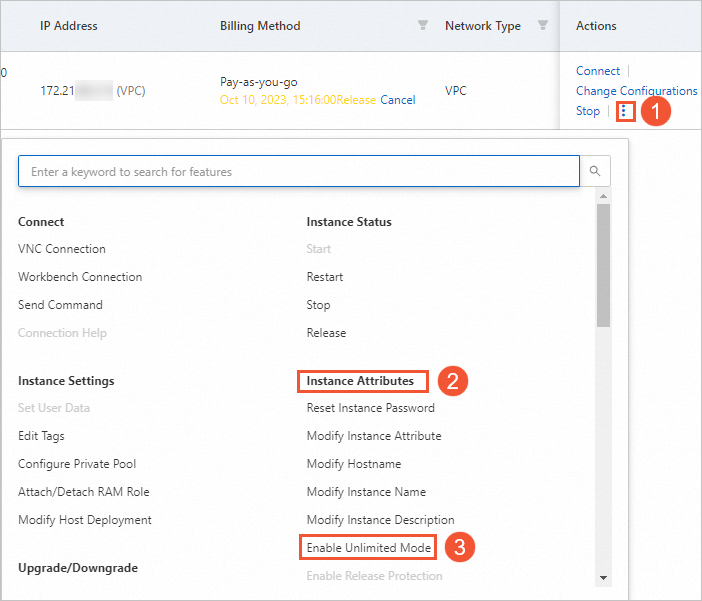
-
For one or more instances: Select the burstable instances. At the bottom of the instance list, choose .
-
-
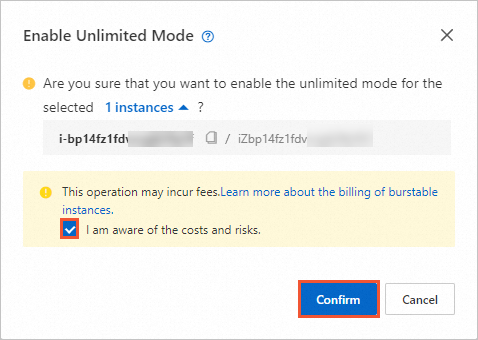
In the Enable Unlimited Mode dialog box, select I understand the potential costs and risks and then click OK.

Disable unlimited mode
If the baseline performance of the instance is sufficient for your workload, you can disable unlimited mode.
The burstable instance must be in the Running state. Otherwise, you cannot switch the performance mode.
Log on to the ECS console.
In the left-side navigation pane, choose .
-
Find a burstable instance in unlimited mode and choose one of the following methods to disable unlimited mode:
-
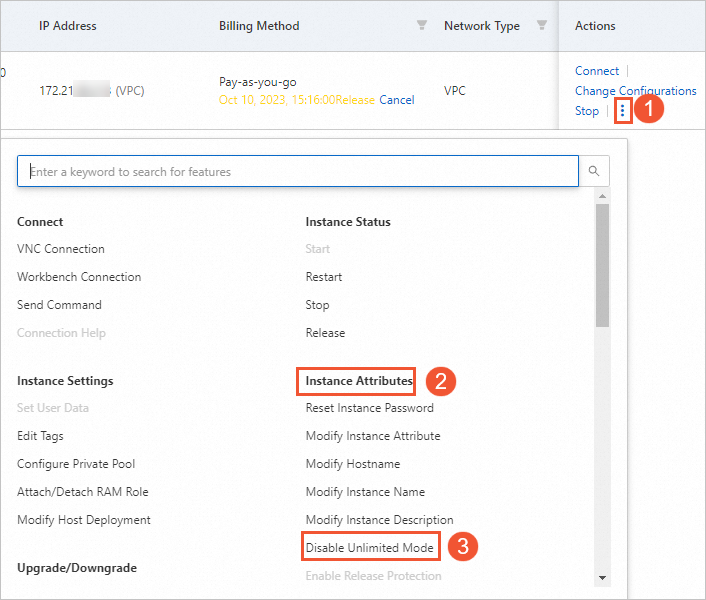
For a single instance: In the Actions column, choose
> Instance Properties > Disable Unlimited Mode. -
For one or more instances: Select the burstable instances. At the bottom of the instance list, choose .
-
-
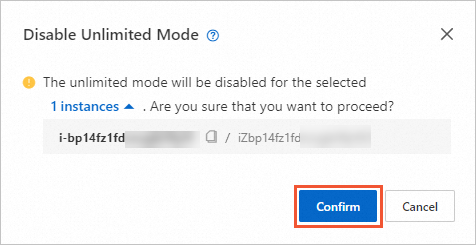
In the Disable Unlimited Mode dialog box, click OK.
FAQ
How do I view CPU credit changes?
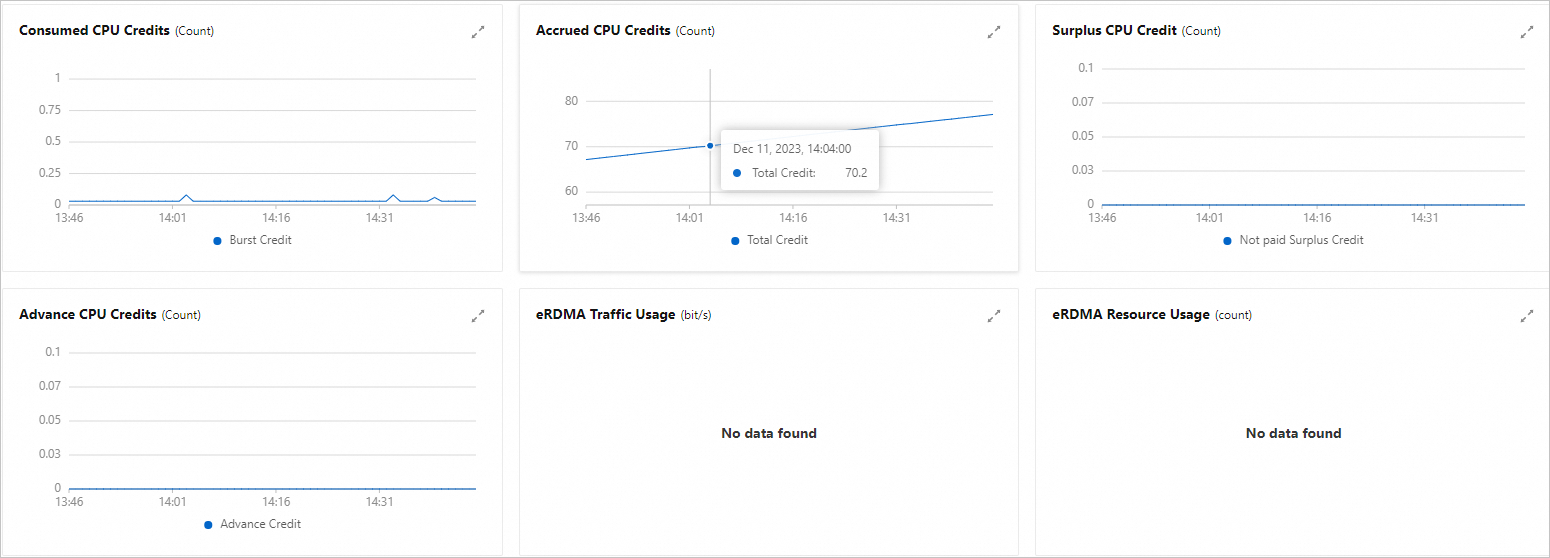
On the details page of a burstable instance (t5 or t6), click the Monitoring tab to view metrics such as CPU Credit Usage, Accrued CPU Credits, Surplus CPU Credit, and Advance CPU Credits.
After you enable unlimited mode, you may incur additional charges in certain situations. The billing rules are as follows:
-
If an instance uses up its Advance CPU Credits and then consumes Surplus CPU Credit, you are billed hourly for the surplus credits.
-
If an instance consumes Advance CPU Credits and you then stop it (with economical mode enabled), change its specifications, release it, or switch it to standard mode before the advance credits are paid back, you are charged a one-time fee for the consumed Advance CPU Credits.
For more information about billing, see Billing for burstable instances.
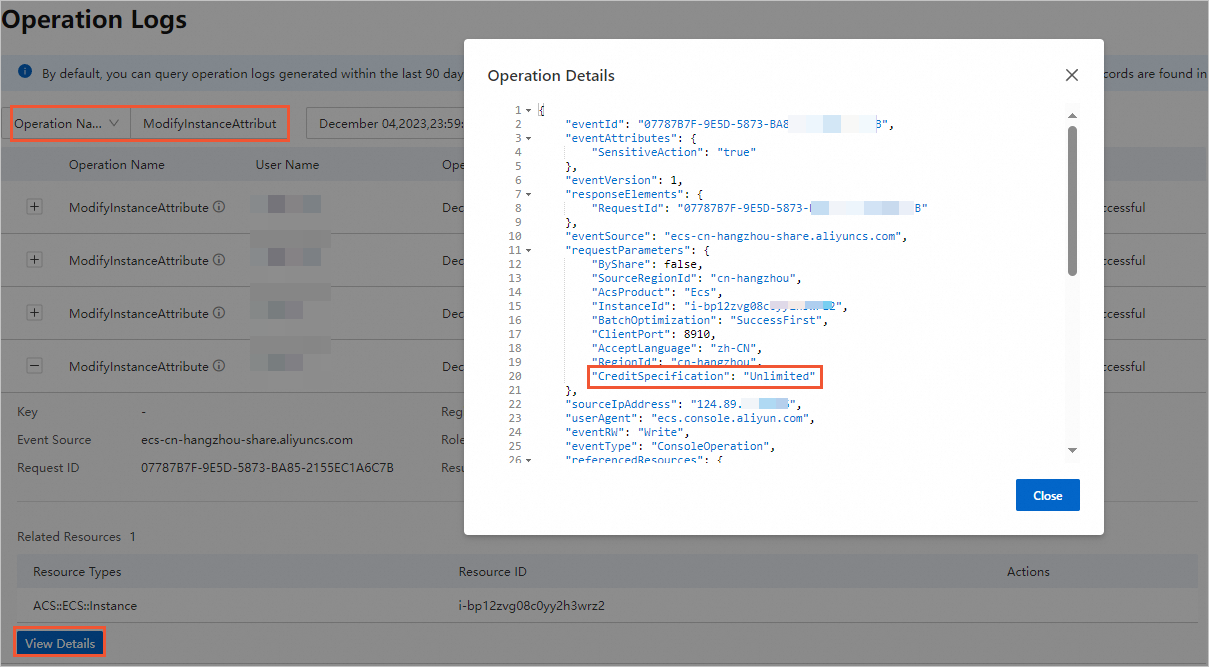
Check when unlimited mode was enabled
On the ECS Operation Logs page, set Operation Name to ModifyInstanceAttribute, and then click View Details for a specific event. In the operation details, if the CreditSpecification parameter is set to Unlimited, this indicates that unlimited mode was enabled.