When you use Ali-Tomcat to start multiple High-speed Service Framework (HSF) applications on the same machine in Enterprise Distributed Application Service (EDAS), the following error may occur:
java.net.BindException: Can't assign requested addressOther symptoms include temporary directory deletion failures and class loading errors during Ali-Tomcat startup.
Cause
The current IP address and port fail to be obtained because the server port is inconsistent with the actual port of the application.
Diagnose the issue
Before you apply a fix, run the following command to check whether the HSF port (12200) is already in use:
netstat -tanp | grep 12200If the output shows an existing process listening on port 12200, another application is occupying the port.
Solution
Set the HSF server IP address and port explicitly through JVM parameters in the EDAS console.
Prerequisites
Before you begin, make sure that you have:
Access to the EDAS console
The NIC IP address of your instance
An available port number confirmed by
netstat -tanp
Procedure
Log on to the EDAS console.
In the left-side navigation pane, choose Application Management > Applications. In the top navigation bar, select the region. In the upper part of the Applications page, select the microservice namespace from the Microservice Namespace drop-down list, and then click the name of the target application.
On the application details page, click the Basic Information tab. In the Application Settings section, click Edit next to Java Parameters.
In the Application Settings dialog box, expand the Custom section. In the Custom Parameters field, add the following parameters:
-Dhsf.server.port=12200 -Dhsf.server.ip=<your-instance-ip>Replace the placeholder with your actual value:
Placeholder Description Example <your-instance-ip>The NIC IP address of the instance 192.168.0.100 Note: If port
12200is already in use, specify a different available port. Runnetstat -tanpto check whether a port is being listened on before you specify it.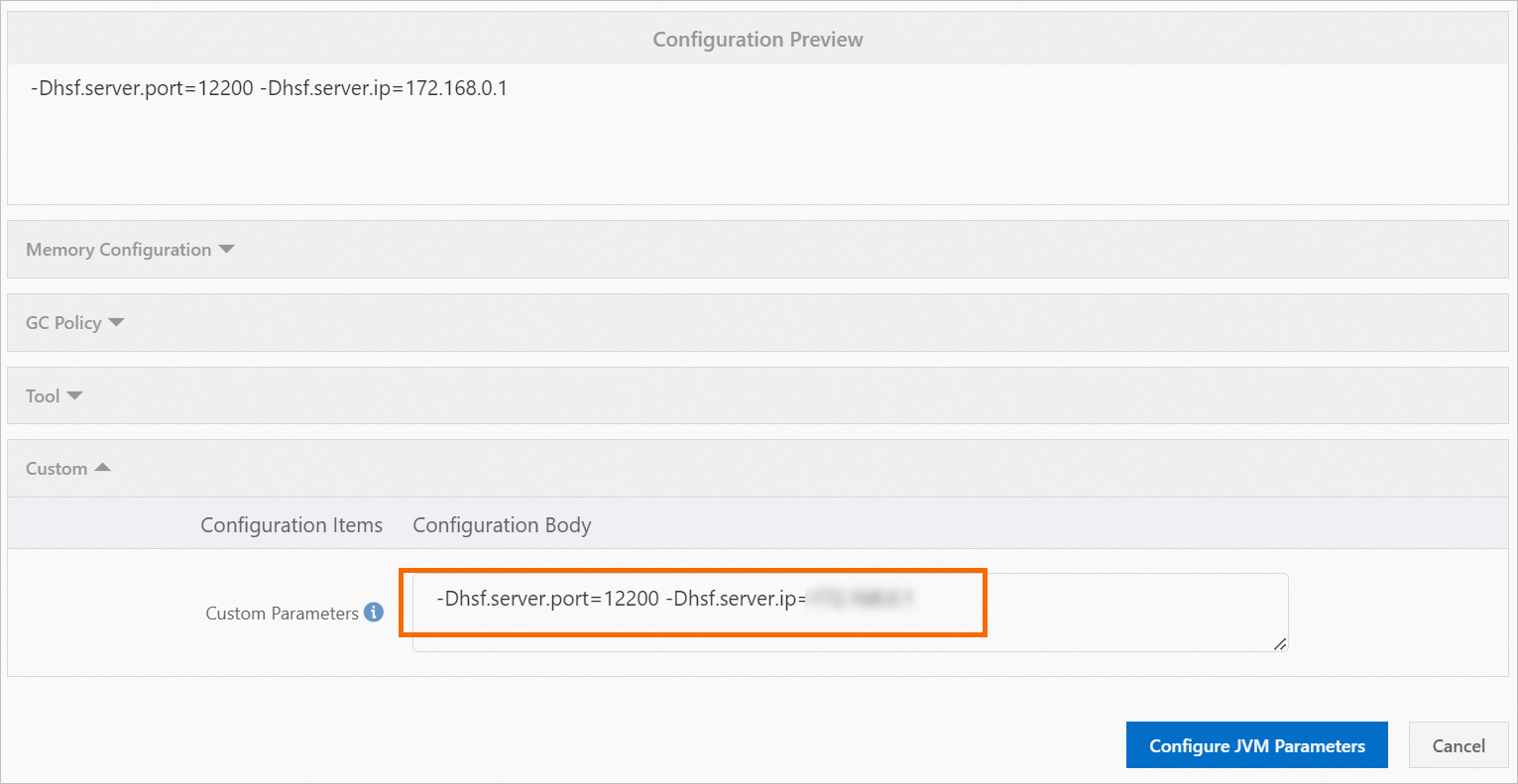
Click Configure JVM Parameters.
Parameter reference
| Parameter | Description |
|---|---|
-Dhsf.server.ip | The local NIC IP address of the instance. Must match an actual NIC address. |
-Dhsf.server.port | The port for the HSF server. Run netstat -tanp to verify that the port is available before you specify it. |