Operations such as restarts and shutdowns are unavoidable for any online application. Graceful shutdown ensures that service consumers are not affected and helps maintain business continuity. This process requires no application configuration or operations in the EDAS console. EDAS supports graceful shutdown for Spring Cloud applications by default.
Why graceful shutdown is needed
Graceful shutdown ensures that business requests from active consumers are not affected while an application is being stopped. In an ideal scenario, updating a service when it receives no requests is safe and reliable. However, in practice, it is impossible to guarantee that no calls are made while a service is being shut down.
The traditional solution involves a three-step manual process: remove traffic, stop the application, and then update and restart it. This manual operation ensures that the update process is transparent to the client.
An automated mechanism at the container or framework level can automatically remove traffic and ensure that all existing requests are processed. This not only protects the business from update disruptions but also greatly improves operations and maintenance (O&M) efficiency during application updates. This mechanism is graceful shutdown.
Advantages of graceful shutdown in EDAS
Open source Spring Cloud can implement graceful shutdown using shutdownHook, Spring Boot Actuator, and Ribbon. This requires some development effort. In addition, some service registries can cause brief traffic loss.
EDAS integrates the graceful shutdown process into the release workflow. Graceful shutdown runs automatically when you stop, deploy, roll back, scale in, or reset an application. Compared with open source solutions, graceful shutdown in EDAS offers the following advantages:
Classification |
Open source Spring Cloud |
EDAS |
Version |
Requires ServiceRegistryEndpoint, which depends on the Actuator component. An upgrade to a compatible version is also required. |
Provides non-intrusive support for Spring Cloud Dalston and later versions. No operations are required. |
Service registry and traffic loss |
Depends on the service registry. Some registries cause traffic loss.
|
Does not depend on any service registry. No traffic loss occurs. |
Scenarios |
|
Covers both ECS and K8s scenarios. It does not affect any application operations or configurations. |
Client-side cache |
You must balance trade-offs to configure a reasonable refresh time for the Ribbon cache. A long interval causes traffic loss during shutdown, while a short interval degrades performance. |
Enhances the Ribbon shutdown refresh mechanism by proactively purging the Ribbon cache. You do not need to manage cache purging. |
How to verify that graceful shutdown is effective
You can directly verify whether graceful shutdown is effective for your application based on your business needs. EDAS also provides two application demos to help you verify graceful shutdown in a Container Service for Kubernetes cluster.
The verification procedure is as follows:
You can download the application demos (Provider and Consumer).
You can deploy the application demos to a Container Service for Kubernetes cluster.
You can set the number of instances to 2 for the Provider and 1 for the Consumer. For detailed deployment steps, see Overview of creating and deploying applications (Kubernetes).
You can check the current status of application calls.
You can log on to the pod where the Consumer is deployed and run the following command to continuously access the server-side service.
#!/usr/bin/env bash
while true
do
    echo `curl -s -XGET http://localhost:18091/user/rest`
done
You can view the response to the call requests.
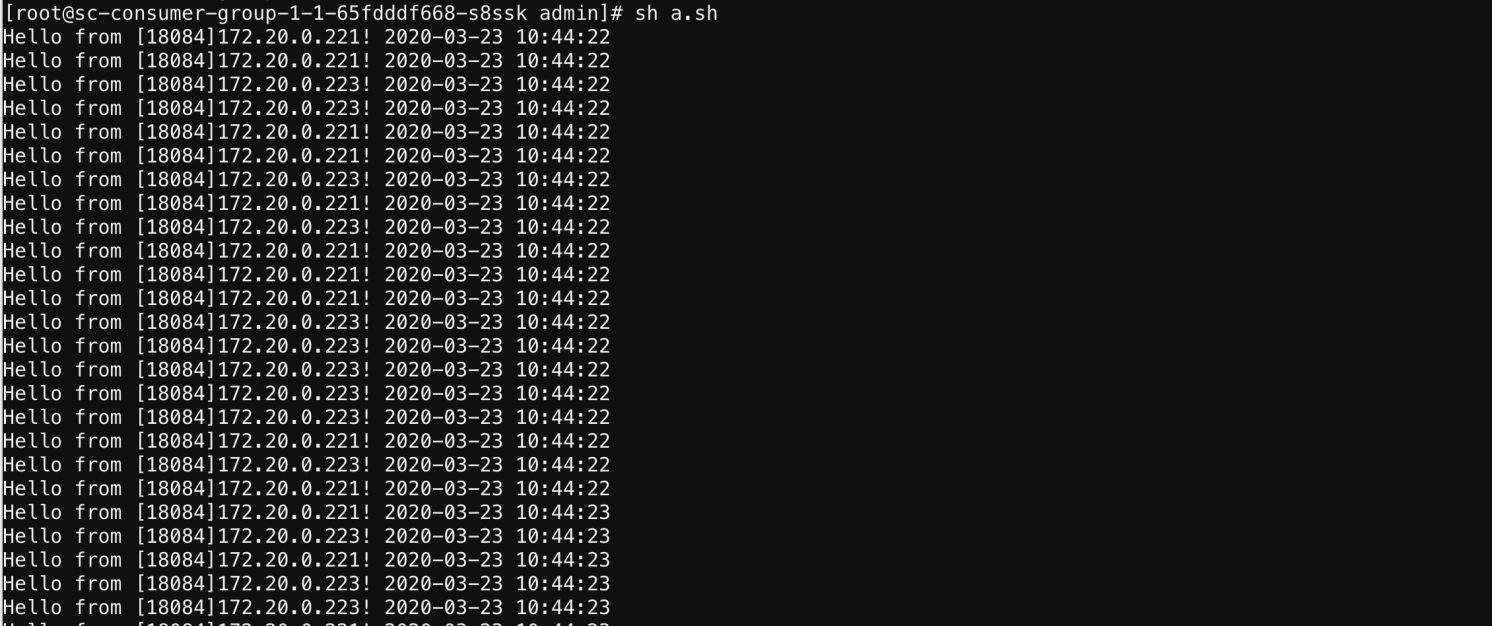
The response shows that the Consumer randomly accesses the two Provider instances (IP addresses 172.20.0.221 and 172.20.0.223).
ImportantDo not close the response window for the call requests. You will use this window later.
You can scale in the number of Provider instances to 1 to simulate an instance restart. For more information, see Application lifecycle management (Kubernetes).
You can check the responses to the call requests again to verify the graceful shutdown.
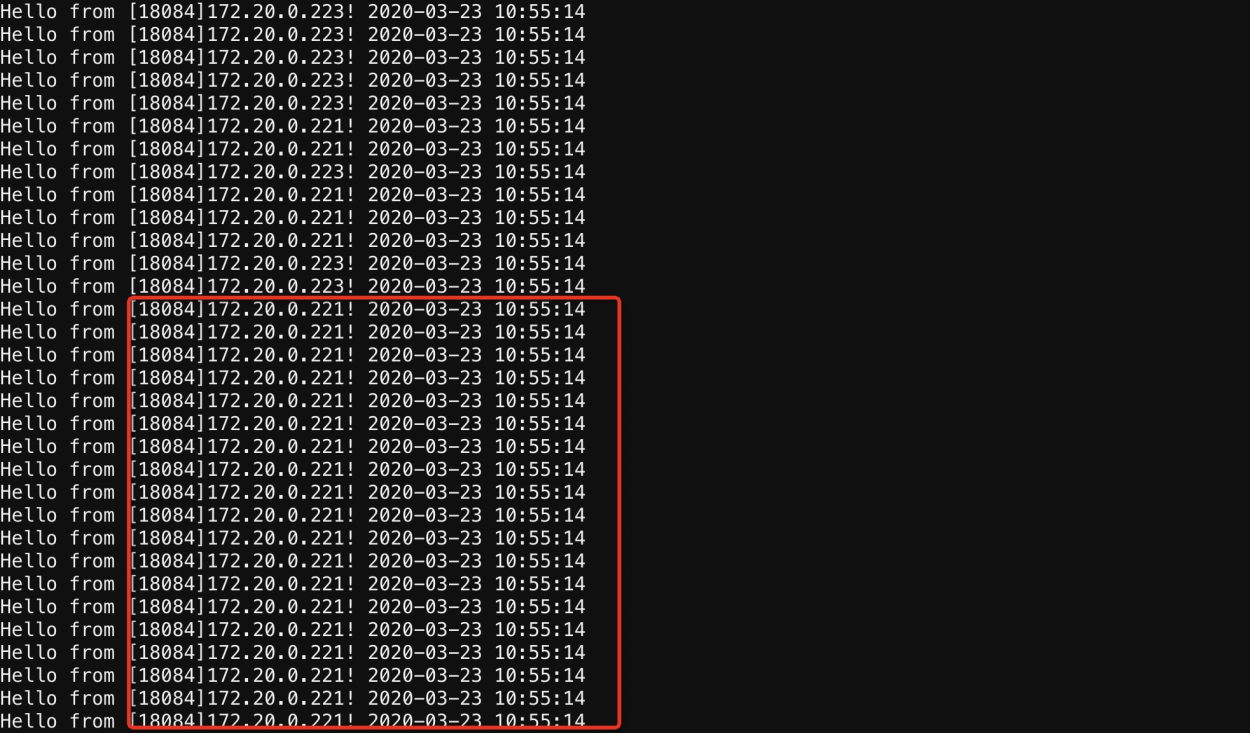
You can continuously monitor the client requests to observe the graceful shutdown. You can also check the client logs. No related issues are found, and the process is completely transparent to the client.
The response shows that the Consumer consistently accesses the one remaining Provider instance (IP address 172.20.0.221). No call exceptions occur, and the Consumer is not affected.