Upgrade or downgrade the runtime environment
After you deploy an application in an ECS cluster, you can upgrade or downgrade its runtime environment (EDAS-Container) to meet different functional requirements. This topic describes how to upgrade or downgrade the runtime environment for an application in EDAS.
Application runtime environment
You can deploy Spring Cloud, Dubbo, and HSF applications in ECS clusters using WAR or JAR packages. The required runtime environment depends on the application type.
Native applications deployed using WAR packages: These are Spring Cloud, Dubbo, standard Java Web, or Spring MVC applications that do not use Pandora or Pandora Boot. When you deploy an application using a WAR package, you must select a version of the Apache Tomcat runtime environment.
Native applications deployed using JAR packages: These are Spring Cloud, Dubbo, standard Java Web, or Spring MVC applications that do not use Pandora or Pandora Boot. When you deploy an application using a JAR package, you must select the standard Java application runtime environment.
HSF applications: These are Spring Cloud applications developed using Pandora Boot and Dubbo applications that are converted to HSF. When you deploy an application using a WAR or JAR package, you must select a version of the EDAS-Container runtime environment.
Upgrade or downgrade the runtime environment
-
Log on to the EDAS consoleEDAS console.
-
In the left-side navigation pane, choose . In the top navigation bar, select a region. In the upper part of the Applications page, select a microservices namespace from the Microservices Namespace drop-down list. Then, click the name of the application that you want to manage.
On the application Basic Information page, click Upgrade/Downgrade Runtime Environment in the upper-right corner.
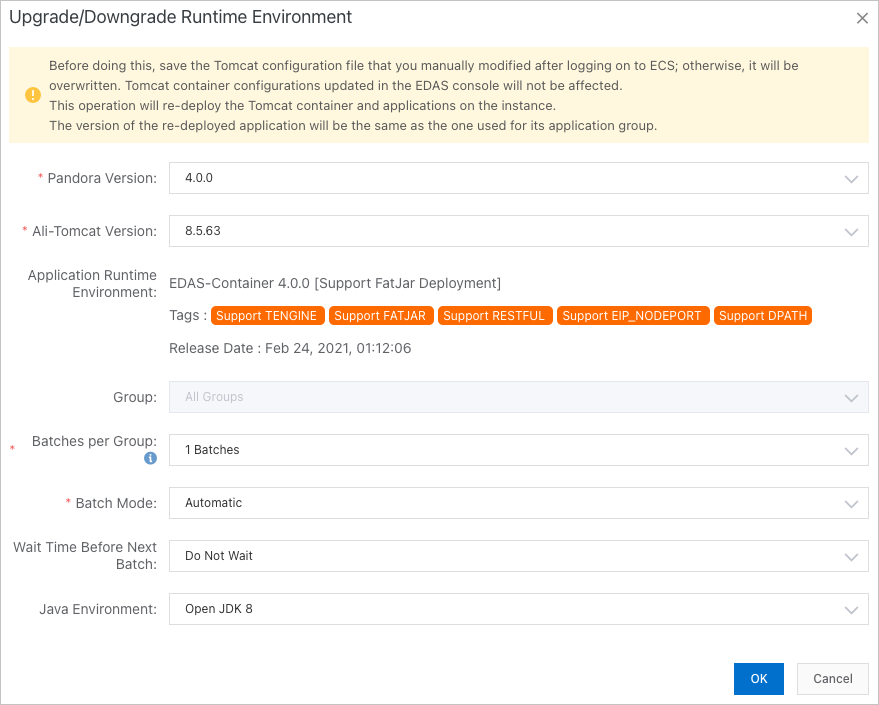
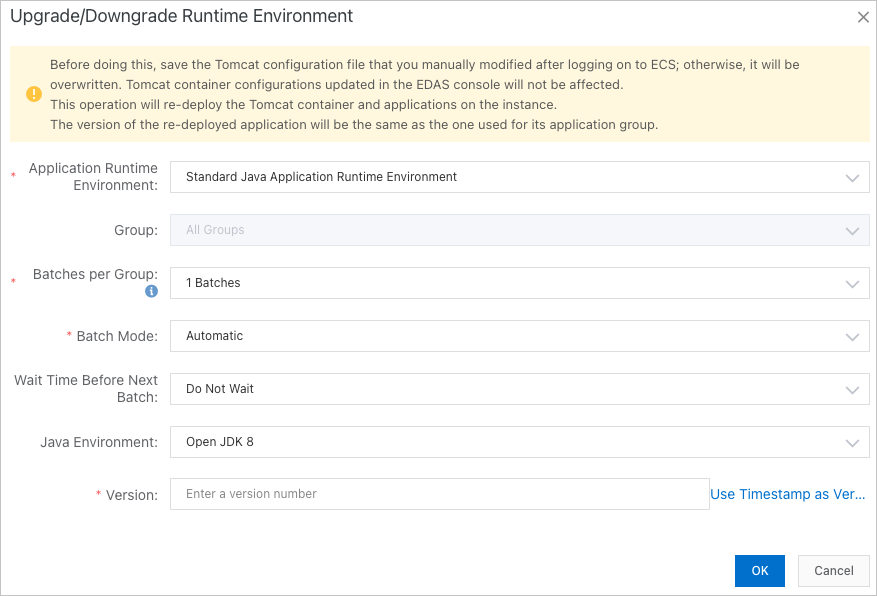
In the Upgrade/Downgrade Runtime Environment dialog box, select the target runtime environment version, select a Java Environment, and then click OK.
Upgrade or downgrade the runtime environment for HSF applications.
Upgrade or downgrade the runtime environment for Spring Cloud and Dubbo applications (this example shows an application that is deployed using a JAR package).
NoteYou do not need to restart the application after you upgrade or downgrade the runtime environment.
Upgrading or downgrading the runtime environment may affect application availability due to compatibility issues. Therefore, we recommend that you perform this operation during off-peak hours.
Return to the Basic Information page and check the version of the application runtime environment in the Application Information section.
After a successful upgrade, the target version is displayed.
If the upgrade or downgrade fails, a change record is created. For more information, see Troubleshooting guide for change processes. If the issue persists, contact EDAS technical support. You can also revert the application runtime environment to its original version.