Create an application from a function template
ESA provides a serverless execution environment at its points of presence (POPs). Write your business logic and configure trigger rules — your code runs securely and scales elastically on POPs close to users without the need to provision servers or manage infrastructure, reducing operational costs and improving response times.
Step 1: Create a function
Log on to the ESA console. In the left-side navigation pane, choose . Click Create Function.
Set Function Templates to Function Templates, select a function template, and click Next.

Enter a Routine Name and Description, preview the code, and click Submit.

After the build completes, a public domain name is generated for preview. To bind a custom domain name, see Domain Name Configuration.

 Note
NoteThis public domain name is for testing purposes only and is valid for 60 minutes.
Step 2: Develop and debug
Modify and debug the function code locally, then deploy the code to the staging environment. Monitor the function's status and performance to ensure it is stable and functions correctly.
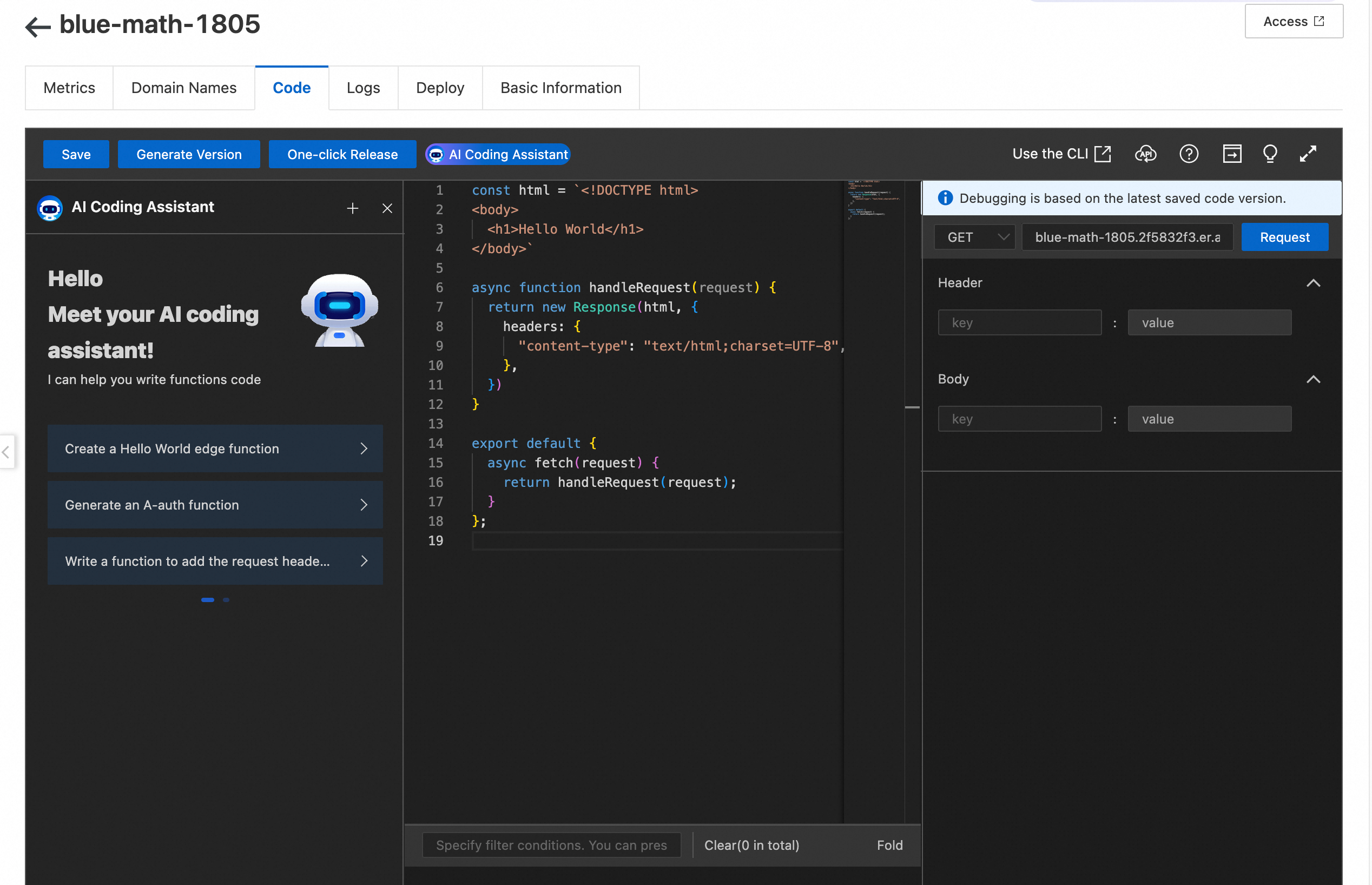
Click Function Settings, select the Code tab, and write your function in
JavaScript ES6.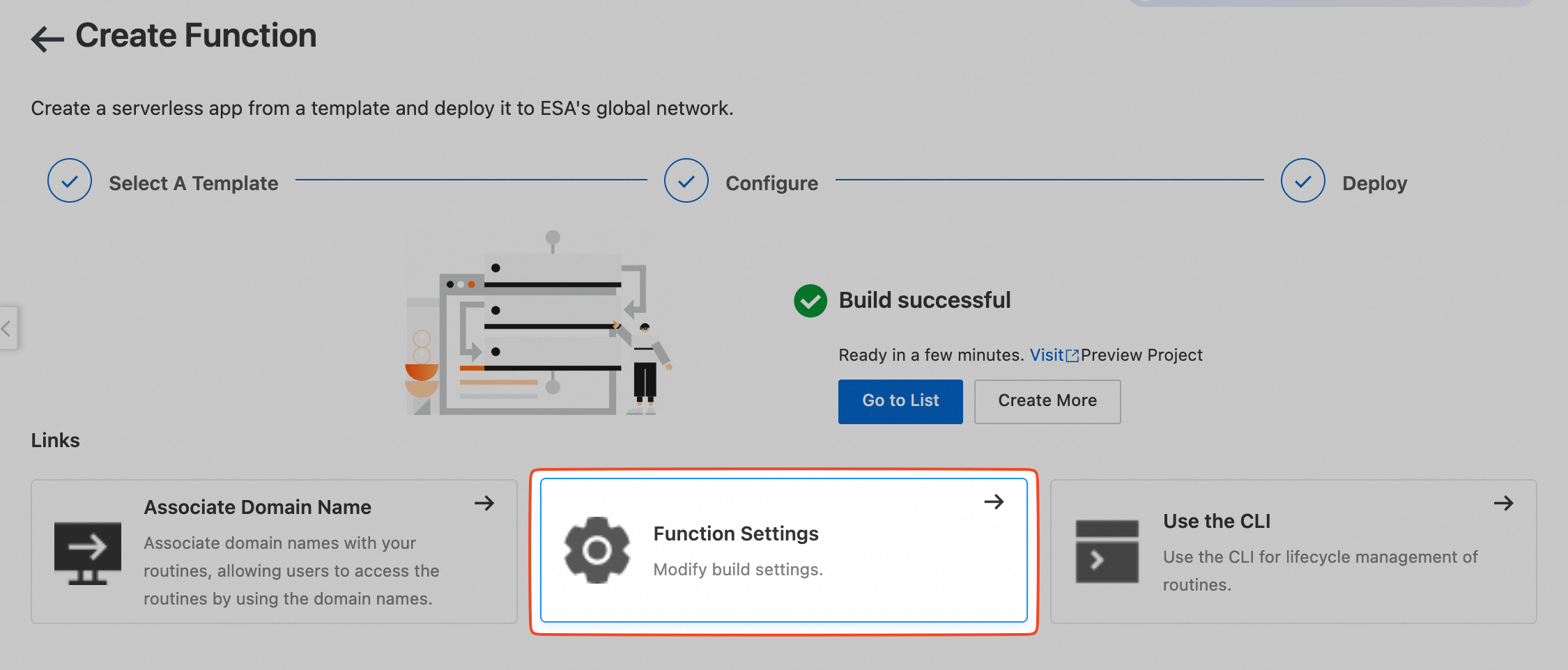

ESA includes a debugging environment to the right of the code editor in the console. After writing your code, click Save. In the right-side toolbar, set the HTTP request method, request header, and request body, then click Request. The console returns the response.
After debugging the code, click Generate Version.
Select the Deploy tab and click Release. In the dialog box, select Staging Environment to release the function. The function becomes active on the staging POPs. Send requests from a real client with a
Hostheader to verify the response.

Step 3: Deploy to production
After the function passes staging environment validation, release the code to the production environment.
Select the Deploy tab and click Release.
Click Production Environment, select the version to release, and click Release. The selected version of the function code deploys to all production environment POPs.

Bind a custom domain name
After deployment, bind a custom domain to your project for easier access. Domain name configuration.