Custom variables
Custom derived variables let you process event fields to quickly generate the data you need. For example, you can extract the first three digits of a phone number, round a float to two decimal places, or calculate the length of a string. This feature lets you flexibly and quickly configure data processing to meet your business needs. This article describes how to use custom derived variables.
Add a custom variable
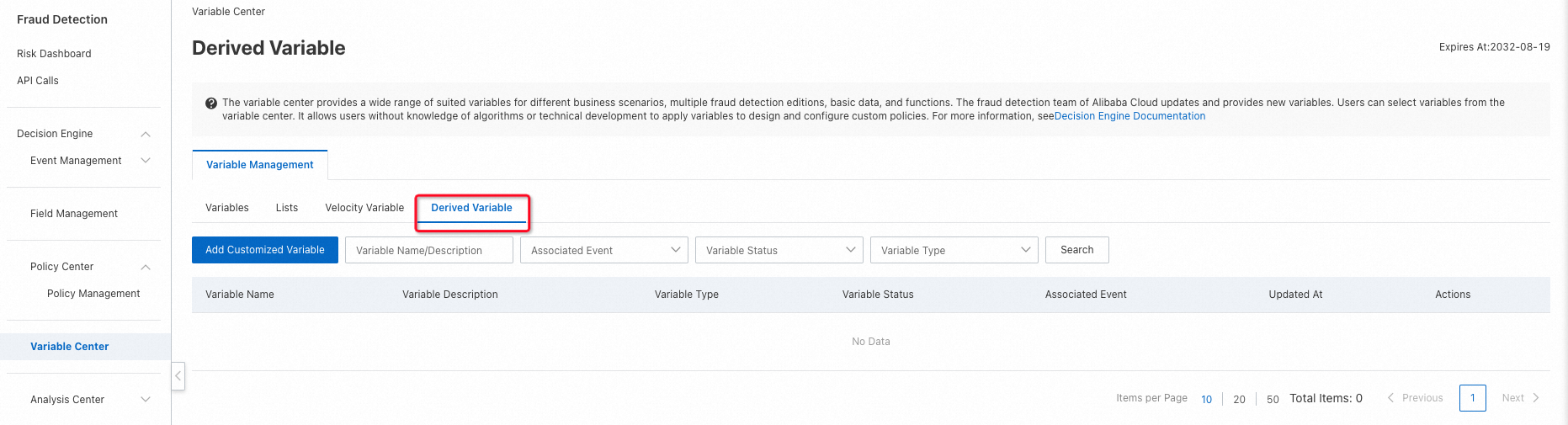
In Variable Center, go to the Variable Management page and click New Custom Derived Variable.
Configure a custom variable
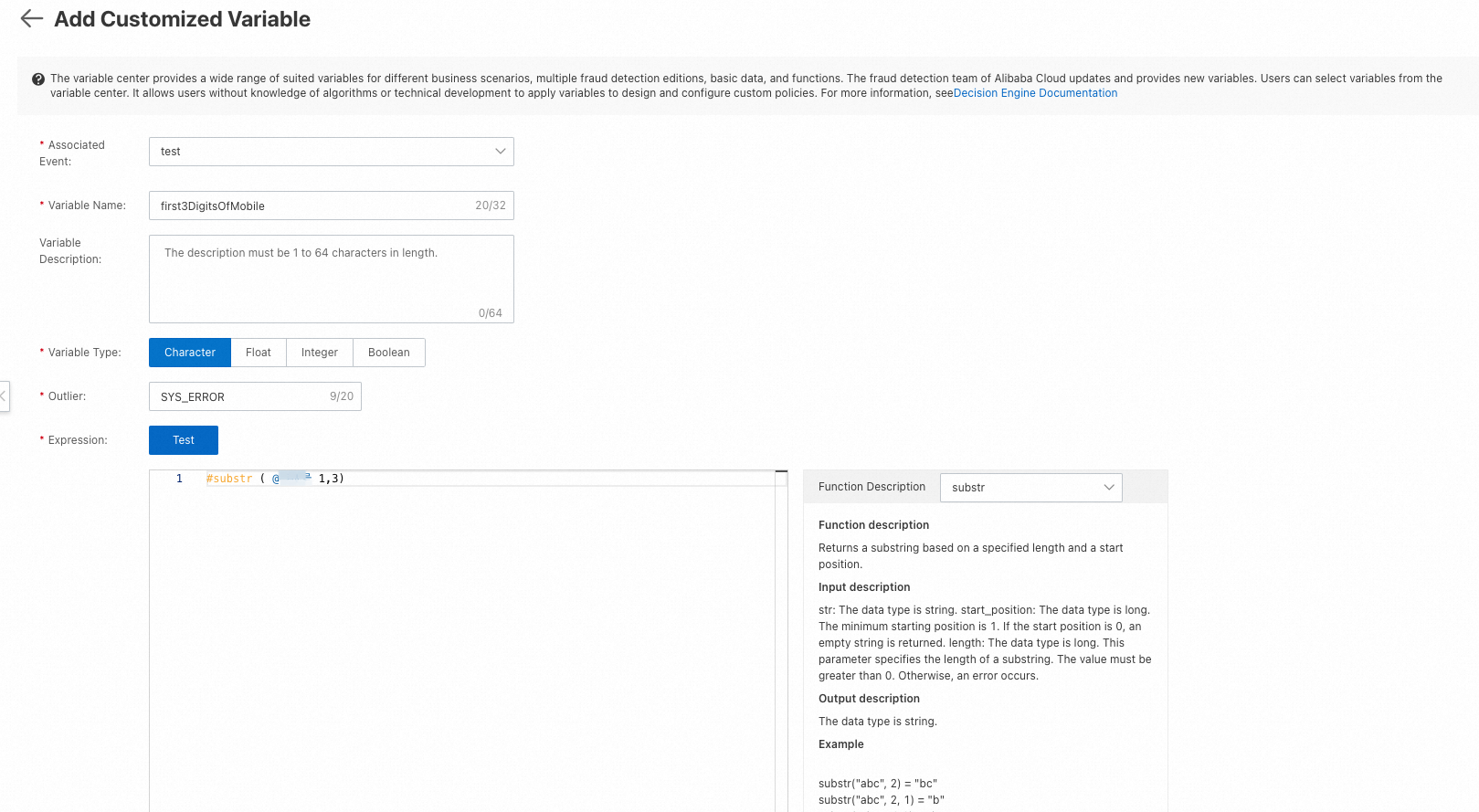
When you create a custom derived variable, configure the following properties:
Associated Event: Required. Select the event to which this variable applies. This selection determines which event fields are available for use. After you create the variable, you can only use it with the selected event.
Variable Name: Required. The name must be unique.
Variable Description: Optional. A detailed description of the variable's content and logic.
Variable Type: The data type of the computed result. Supported types are string, float, integer, and boolean.
Exception value: The default value to return if an error occurs during the calculation. After you select a Variable Type, the system recommends a default exception value.
Expression: The formula for calculating the variable, written using supported functions. You can view all available functions and their descriptions in the Function Description section.
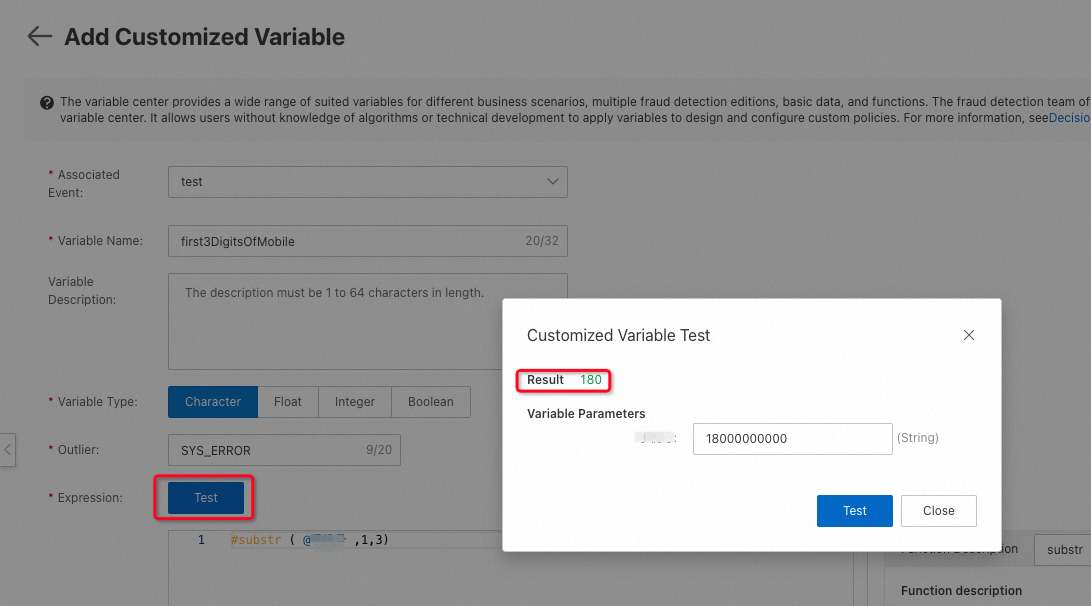
After you configure the expression, you must test it. You can save the variable's configuration only after the test passes.
Use a custom variable
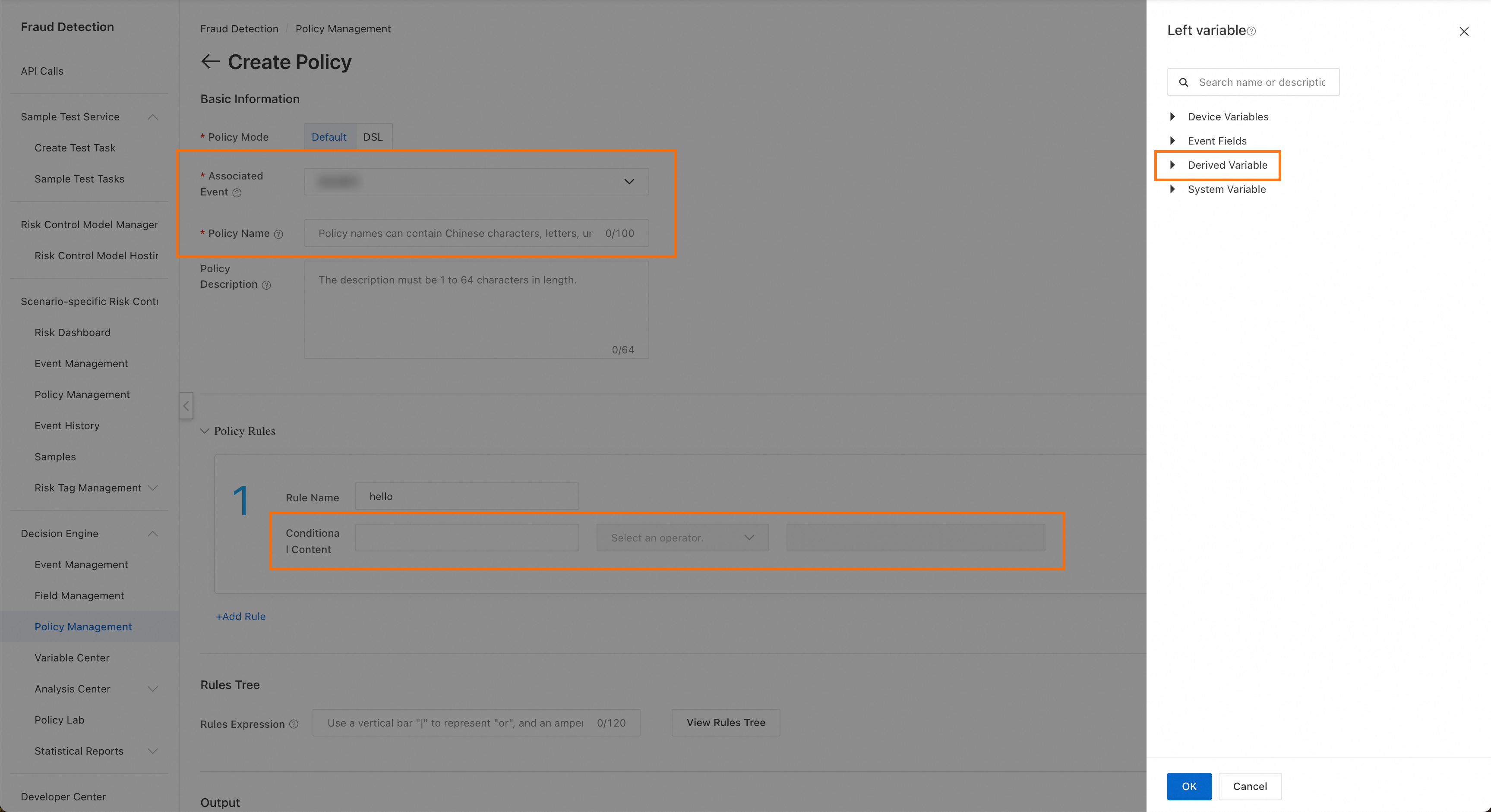
In the policy computation logic configuration, select the custom derived variable module as the left object, then select a configured custom derived variable.
A custom derived variable is only available for its Associated Event. If you cannot find a custom derived variable when selecting a left object, check whether the Associated Event is configured correctly.