A Large Language Model (LLM) is a natural language processing model trained with deep learning technology and numerous parameters. You can quickly build low-cost LLM applications for AI chat using the ModelScope model library and Function Compute's light hibernation (formerly idle) elastic instances.
Procedure
This tutorial uses the ChatGLM3-6B LLM model. For more open-source LLMs, see the ModelScope official website.
Prerequisites
Enable Function Compute. For more information, see Enable Function Compute.
Enable File Storage NAS. For more information, see Welcome to NAS File System.
You have registered a ModelScope account and attached an Alibaba Cloud account. For specific instructions, see the ModelScope official website.
Create Application
Log on to the Function Compute console. In the navigation pane on the left, click .
On the Applications page, click Create Application and select Create Application from Template. Then, in the application list, find the ModelScope template, hover over the card, and click Create Now.
On the Create Application page, configure the following settings. Then, click Create Application.
The following table describes the main configuration items. You can keep the default values for other configuration items.
Configuration Item
Description
Example Value
Basic Project Configuration
Role Name
By default, use AliyunFCServerlessDevsRole. If you are creating an application for the first time, click Go to Authorization as prompted on the interface to go to the quick authorization page, complete the authorization, and create the role.
AliyunFCServerlessDevsRole
Model Platform Configuration
Model ID
The Model ID in ModelScope.
ZhipuAI/chatglm3-6b
Model Version
The Model Version in ModelScope.
v1.0.2
Resource Creation Configuration
Region
Select the region where you want to deploy the application.
ImportantIf deployment is abnormal, such as when pulling the AIGC public image takes too long or fails, switch to another region and retry.
China (Shanghai)
Model Task Type
The Model Task Type in ModelScope.
chat
Access Token
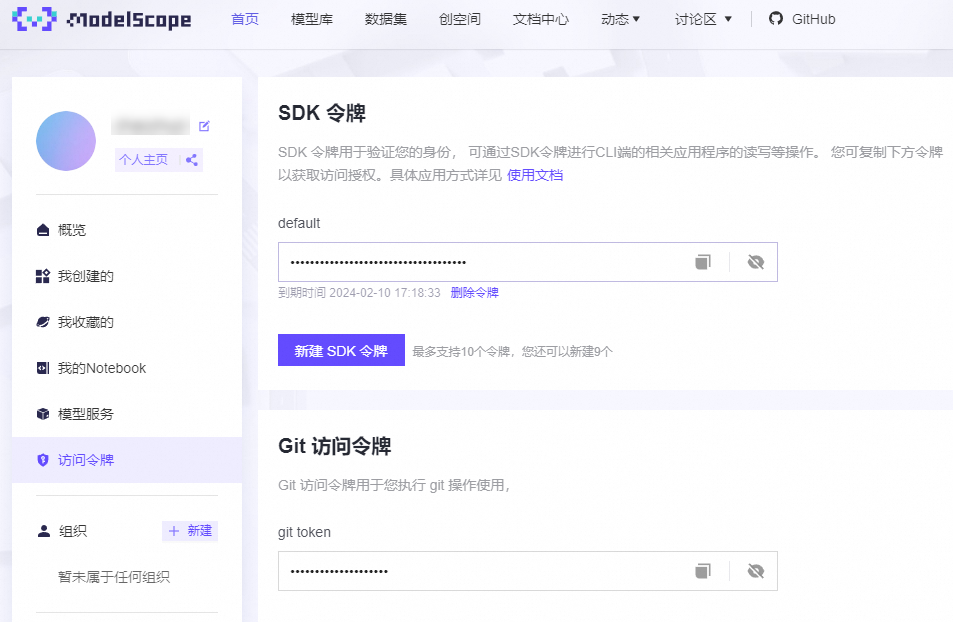
The ModelScope access token. After binding your ModelScope account to your Alibaba Cloud account, get it from the ModelScope official website homepage.
57cc1b0a-08e8-4224-******
Model Running Instance Type
The GPU card type used by the function instance.
fc.gpu.tesla.1
GPU Memory Size
The GPU memory size (MB) of the function instance.
16384
Memory Size
The memory size (MB) of the function instance.
32768
Configure minimum instances for the application.
After the application is deployed, in the Resource Information area, click the function name that ends with model-app-func to view the function details page.
On the function details page, select the Elastic Configuration tab. In the Elastic Policy area below, click Configure in the row for the target policy.
On the Configure Elastic Policy page, set the minimum number of instances to a value greater than or equal to 1, and then click OK.
Use the LLM Application
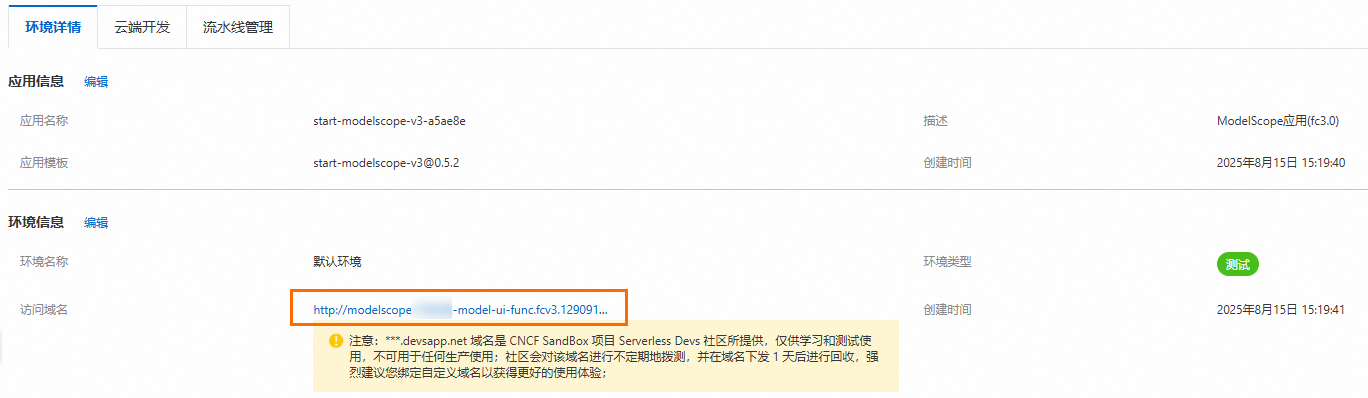
On the Applications page, click the domain name to access the LLM application.
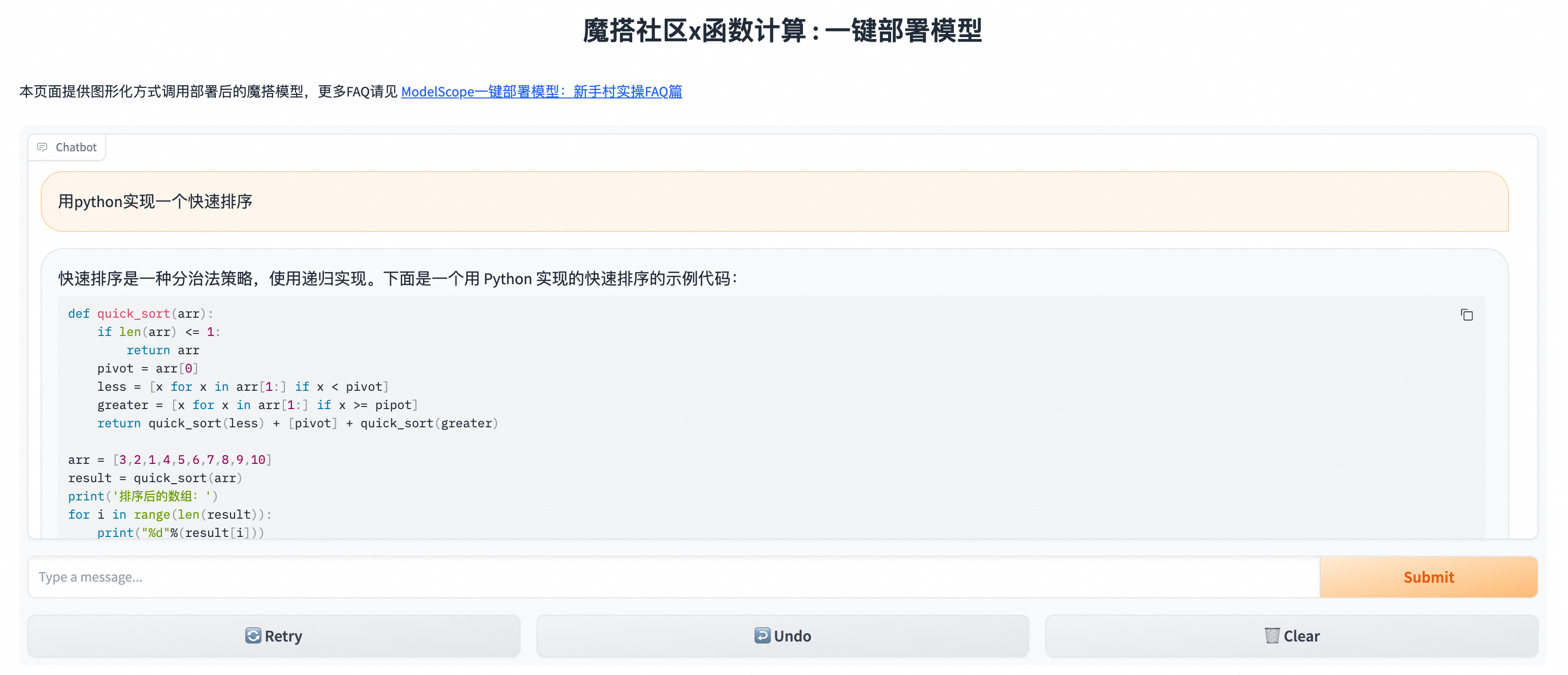
Enter text and click Submit to view the model's response.
Delete Resources
If you do not need to use this application temporarily, delete the corresponding resources promptly. If you plan to use this application long-term, you can ignore this step.
Return to the Function Compute console overview page. In the navigation pane on the left, click .
You can click Delete Application in the Operation column to the right of the target application. In the Delete Application dialog box that appears, check I understand the risks of resource deletion and still want to delete the selected resources. Then, click Delete Application and Selected Resources.
LLM Model List
Because new fine-tuned models are continuously emerging from the community, this table lists only the most popular LLM foundation models. Fine-tuned models built on these foundation models can also be deployed to the Function Compute platform and enable the light hibernation (formerly idle) reserved mode.
If you have any feedback or questions, join the DingTalk user group (DingTalk group ID: 64970014484) to communicate directly with Function Compute engineers.
Family | LLM Models |
| |
| |
| |
| |
| |
| |
| |
| |
| |
For more open-source LLM models, see ModelScope. | |
References
If you encounter errors while using Large Language Model (LLM) applications, see ModelScope One-Click Model Deployment: Newbie Practical FAQ.