Custom Container functions depend on resources that Function Compute reserves on your behalf, including images cached from Alibaba Cloud Container Registry (ACR) to reduce cold start latency. Because image caching happens asynchronously in the background, a function may not be ready to handle invocations immediately after it is created or updated. Function states tell you exactly when a function is ready to invoke.
Function states
Function Compute assigns every Custom Container function one of the following states.
| State | Invocable | Description |
|---|---|---|
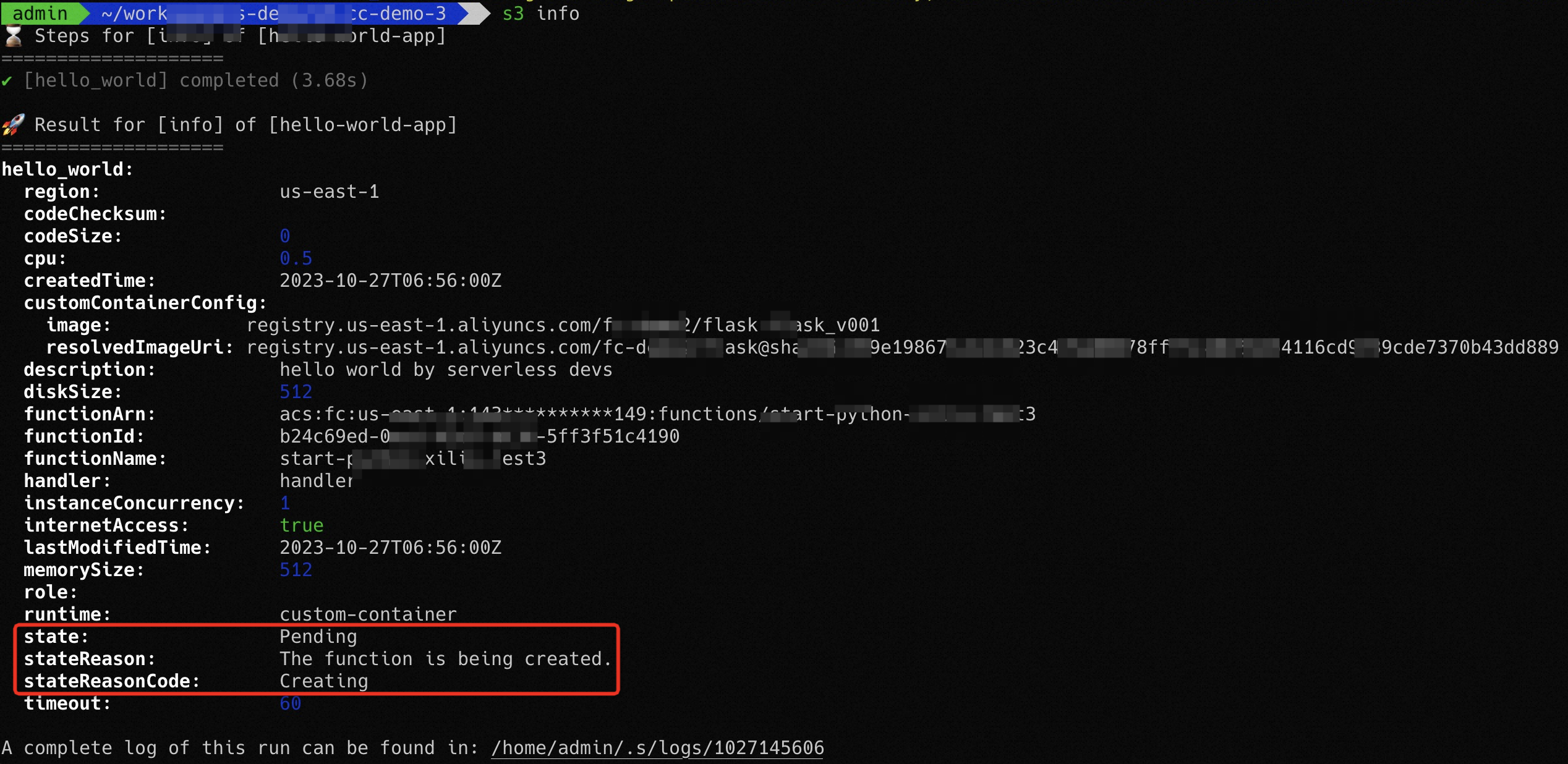
| Pending | No | The initial state after a function is created. Function Compute is reserving resources and caching the image. Transitions to Active when the image is ready. |
| Active | Yes | Resource reservation is complete. The function handles invocations normally. |
| Failed | No | Resource preparation or image access encountered an error. See Failed state for recovery steps. |
| Inactive | No | The function was idle long enough for Function Compute to release its cached resources. Redeploy or trigger the function to return it to Pending. If resource preparation succeeds, the function returns to Active; otherwise, it remains Inactive. |
Failed state
A function enters the Failed state in two situations:
Resource preparation failed during creation or update: The function cannot be invoked because an issue occurred during resource preparation.
Original image is no longer accessible: Function Compute caches images to speed up cold starts, but the original image in ACR must remain accessible during invocations. If the image is deleted or the tag is overwritten with a different digest, the function enters the Failed state. Update the function with valid image information and redeploy.
Function Compute records both the tag and the digest of the image version you select when you create or update a function. If that digest is later overwritten in ACR, the function fails to invoke. Make sure image tags are not overwritten after deployment. If overwritten, redeploy the function using the most recent image information.
Update states
While a function update is in progress, the LastUpdateStatus field tracks the update separately from the function's main state.
LastUpdateStatus | Description | Invocation routing |
|---|---|---|
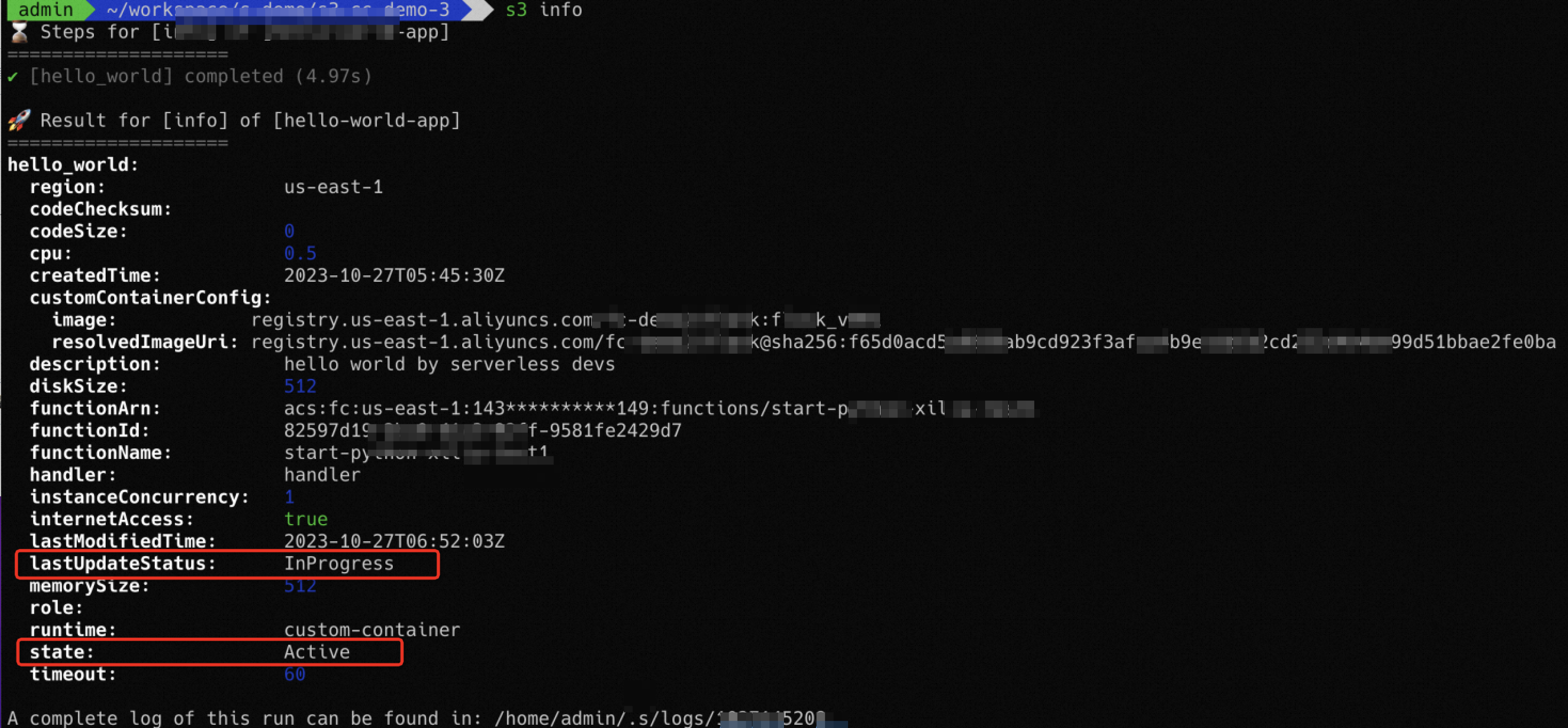
InProgress | Function Compute is preparing resources for the update. | Directed to the pre-update code |
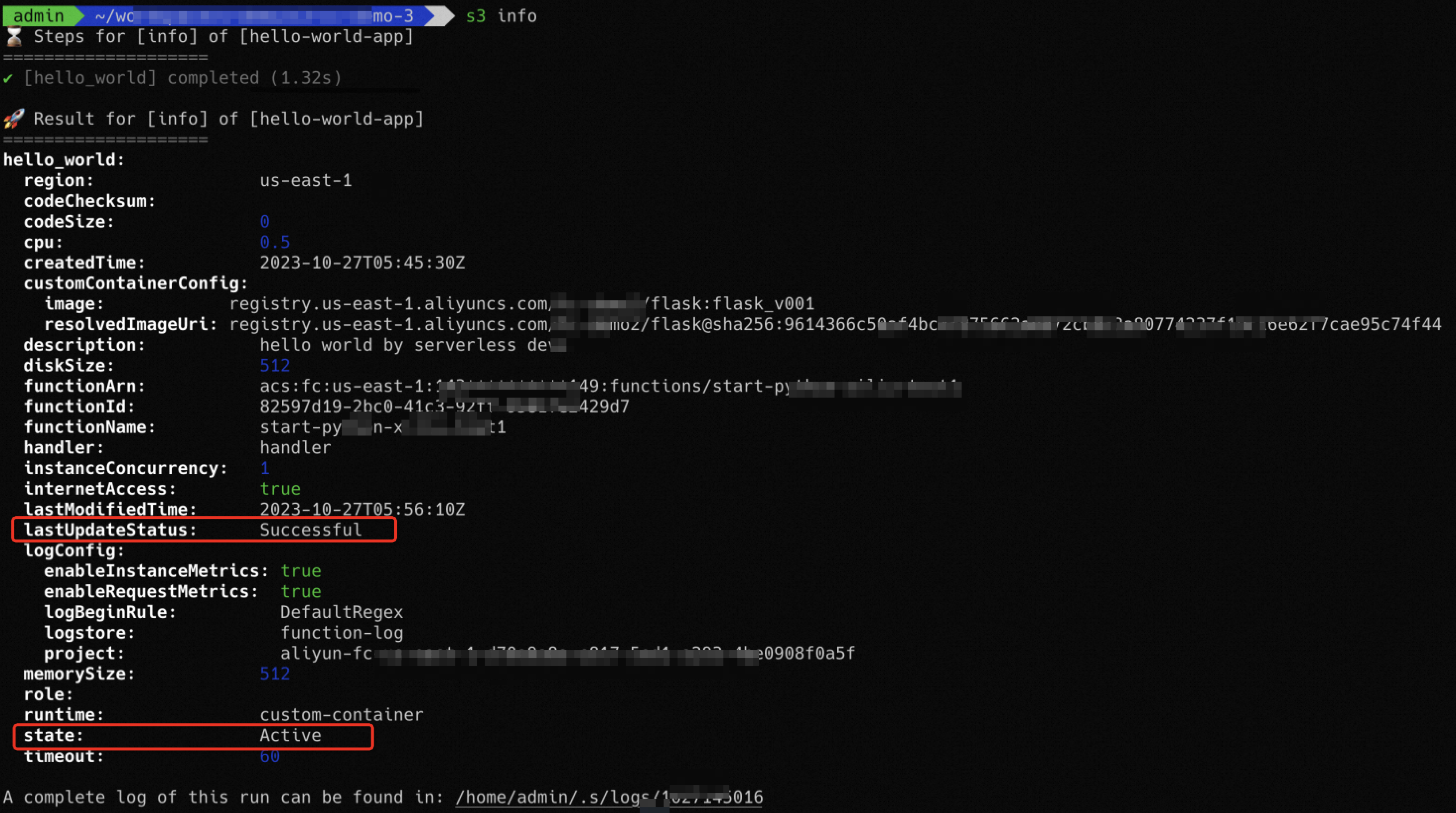
Successful | The update completed. | Directed to the updated code |
Failed | Resource preparation for the update failed. | Directed to the pre-update code |
Check state before invoking
You can call the GetFunction operation to obtain the state and image digest of a function. If you use an SDK or Serverless Devs to create or update a Custom Container function, call the GetFunction operation to verify the function state before invoking.
Newly created functions: confirm the state is
Active. Functions in other states cannot be invoked.Updated functions: confirm
LastUpdateStatusisSuccessful.
State diagrams
The following diagram shows a newly created function in the Active state.
The following diagram shows a function being updated (LastUpdateStatus: InProgress).
The following diagram shows a function after a successful update (LastUpdateStatus: Successful).