Call the DescribeCardVerify operation to query a verification result.
API information
Before you call this operation, make sure that you have read the integration process and activated the service.
API operation: DescribeCardVerify
Global endpoint: cloudauth.aliyuncs.com (IPv4) or cloudauth-dualstack.aliyuncs.com (IPv6)
Request method: POST and GET
Transport protocol: HTTPS
Description: After you receive a callback notification, call this operation on the server-side to retrieve the verification status and verification data.
This operation is subject to a dedicated QPS limit. For details, see QPS limits for information verification APIs.
Request parameters
|
Parameter |
Type |
Required |
Description |
Example |
|
CertifyId |
String |
Yes |
The ID of the verification request. This parameter is returned by the InitCardVerify operation. |
91707dc296d469ad38e4c5ef******** |
Response parameters
|
Parameter |
Type |
Description |
Example |
|
|
RequestId |
String |
The request ID. |
130A2C10-B9EE-4D84-88E3-5384FF03**** |
|
|
Message |
String |
The response message. |
success |
|
|
Code |
String |
The status code. A value of 200 indicates success. Other values indicate failure. Important
|
200 |
|
|
ResultObject |
BizCode |
String |
The identity verification result:
|
1 |
|
CardInfo |
String |
The ID card information submitted for verification. For more information, see ResultObject.CardInfo. |
|
|
|
PictureInfo |
String |
The URLs of the ID card images captured on the client-side. The value is a JSON-formatted string. |
|
|
|
OcrCardInfo |
String |
The ID card information recognized by OCR. |
For more information, see the ResultObject.CardInfo field description. |
|
ResultObject.CardInfo
|
Parameter |
Type |
Description |
Example |
|
address |
String |
The address on the ID card. |
No. 969, XX Road, XX District, XX City, XX Province |
|
birthDate |
String |
The date of birth on the ID card. |
19901xxx |
|
certName |
String |
The name on the ID card. |
Zhang San |
|
certNo |
String |
The ID card number. |
1234561990122***** |
|
nationality |
String |
The ethnicity. |
Han |
|
authority |
String |
The issuing authority. |
XXX Public Security Bureau |
|
startDate |
String |
The validity period start date. |
20201130 |
|
endDate |
String |
The validity period end date. |
20301130 |
SDK call examples
Before you integrate, read the integration process, activate the service, and get an AccessKey and configure the environment variables.
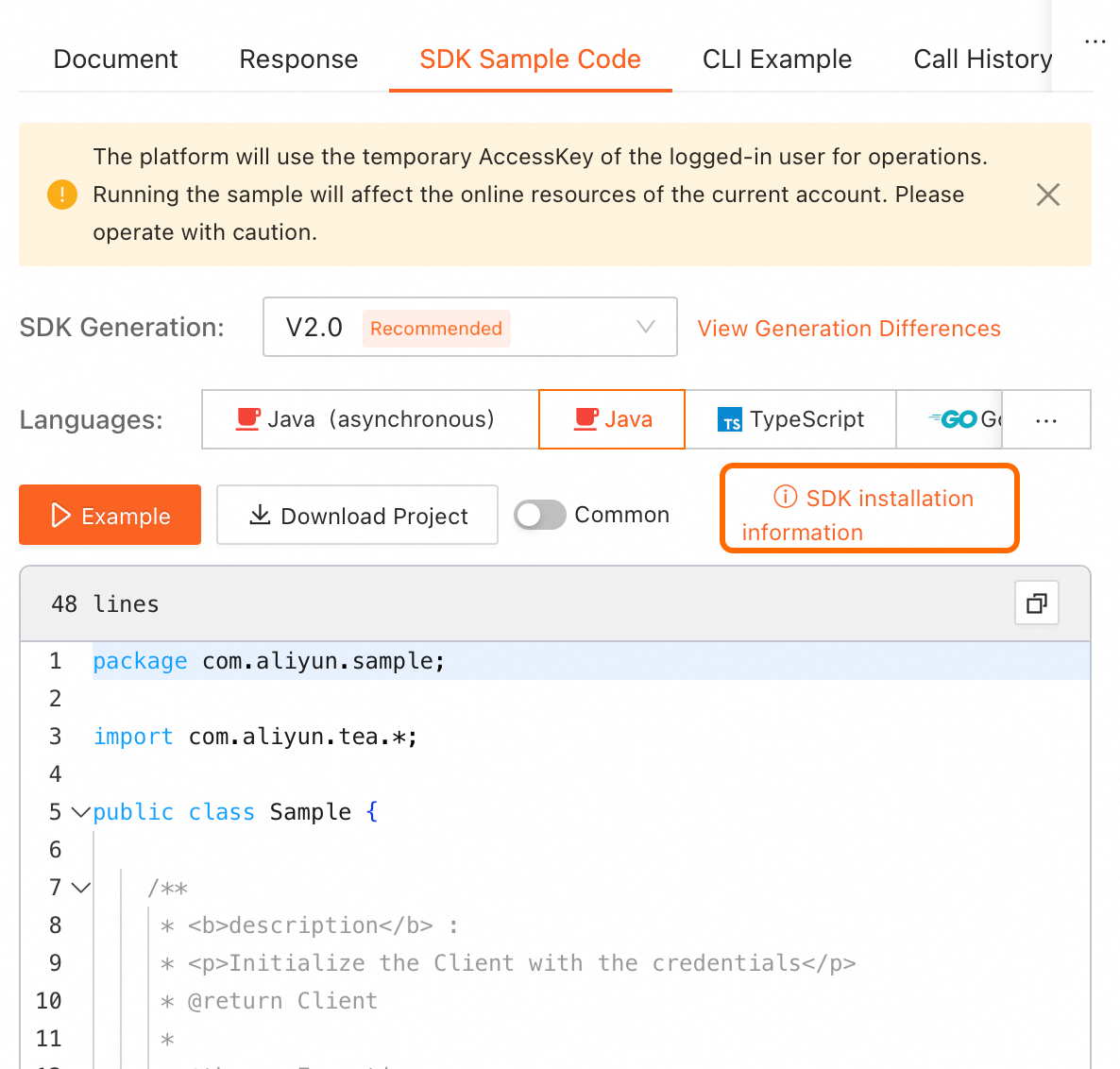
On the online API debugging page in OpenAPI, find the SDK sample code on the right. Click SDK installation information in the upper-right corner of the code sample to view installation details.
NoteSelect the required programming language.
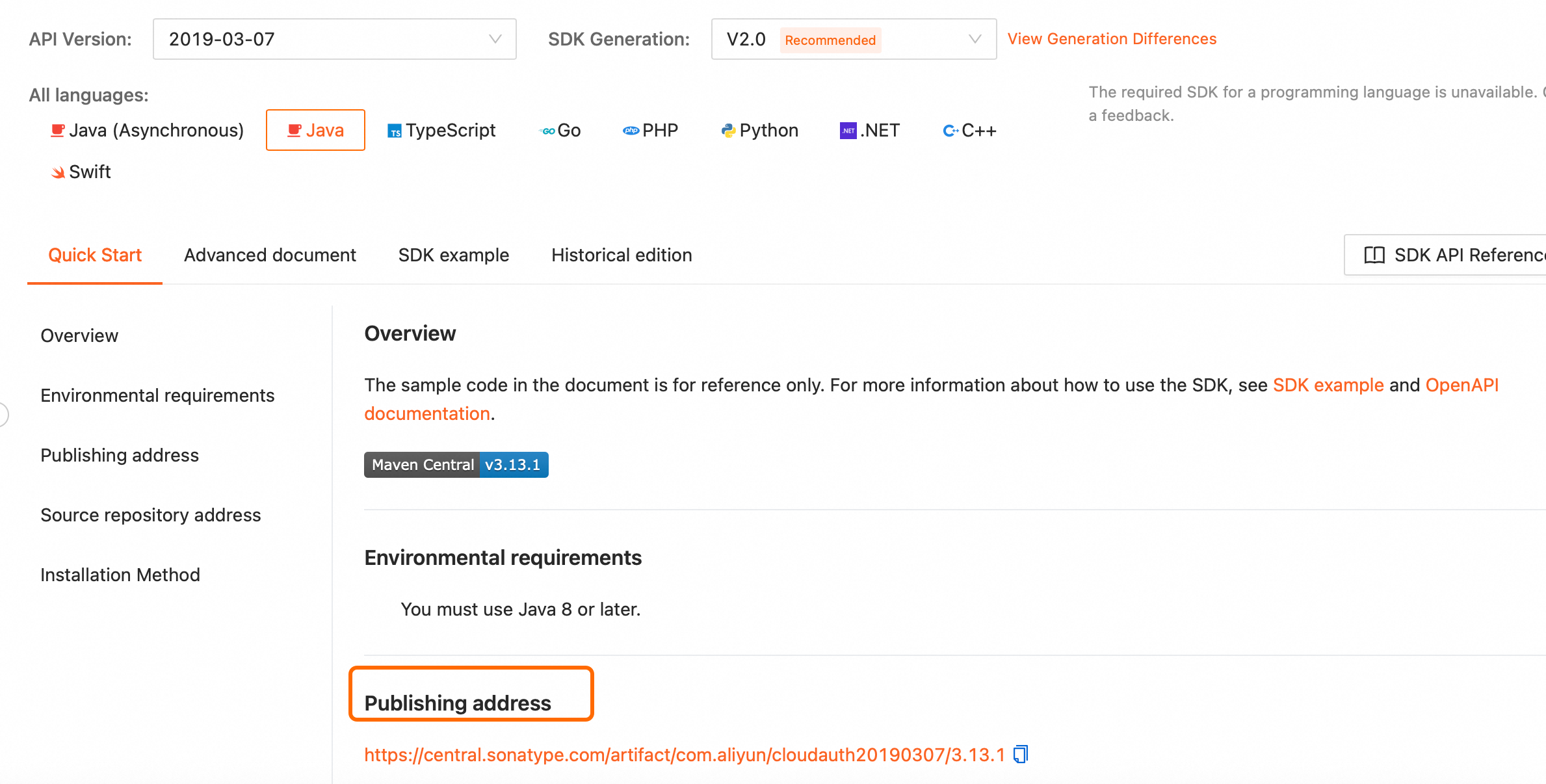
For offline installation, go to the SDK installation page, select the SDK for your programming language, and download it from the publishing address.
-
OpenAPI Explorer: Debug API operations online and get SDK examples.
-
Sample projects: Use sample projects that call the SDK in various programming languages as an integration reference.