This topic describes how to call the InitCardVerify API to initiate an authentication request.
API details
Before calling this API, read the integration process and activate the service.
API name: InitCardVerify
global endpoint: cloudauth.aliyuncs.com (IPv4) or cloudauth-dualstack.aliyuncs.com (IPv6)
request method: POST and GET
transport protocol: HTTPS
Before starting an authentication, call this API to obtain a CertifyId, which associates all API calls within a single authentication request.
QPS limit: This API has a dedicated QPS limit. For more information, see QPS limits for identity verification APIs.
The Information Verification Service does not support a hard cap on call volume or automatic deactivation. To control costs and prevent high bills, configure spending alert rules after you integrate the service:
Configure spending alerts: Set a spending alert rule (Set high-spending alerts) to monitor your bills in real time.
Monitor data transfer plan balance: If you purchased a data transfer plan, also monitor its balance (Configure remaining quota alerts) to add resources or adjust your call policy promptly.
Request parameters
Parameter | Type | Required | Description | Example |
MerchantBizId | String | Yes | A custom, unique business identifier used for troubleshooting. It can be an alphanumeric string of up to 32 characters and must be unique for each request. | e0c34a77f5ac40a5aa5e6ed2******** |
MetaInfo | String | Yes | The environment parameters. Obtain this value from the client SDK. | |
CardType | String | Yes | The document type. Valid value: IDENTITY_CARD. | IDENTITY_CARD |
Model | String | Yes | The verification method. Valid value: OCR_VERIFY: OCR recognition and authentication mode. | OCR_VERIFY |
VerifyMeta | String | Yes | The verification type. Valid value: two-element identity verification (name and ID number): ID_2_META. | ID_2_META |
CardPageNumber | String | Yes | The number of document pages that the client SDK will capture:
| 2 |
PictureSave | String | Yes | Specifies whether to temporarily store the images captured by the app.
Note If you set this parameter to Y, the query API can return the document images. | Y |
CallbackUrl | String | No | The callback URL for the authentication result. Only the The platform calls back to this address after the certification is complete and automatically adds the Warning A callback is triggered only when the authentication process is successfully completed. No notification is sent if the user abandons the process, an exception occurs, or the authentication is not performed. We recommend calling the query API for detailed authentication information after you receive a callback notification. | https://www.aliyun.com |
CallbackToken | String | No | A security token used for anti-replay and anti-tampering checks. If you provide this parameter, the CallbackToken field is included in the callback URL. | NMjvQanQgplBSaEI0sL86Wn**** |
DocScanMode | String | No | The image capture mode. Valid values:
| shoot |
Response parameters
Parameter | Type | Description | Example | |
RequestId | String | The request ID. | 130A2C10-B9EE-4D84-88E3-5384******** | |
Message | String | The response message. | success | |
Code | String | The response code. A value of 200 indicates a successful call. Other values indicate that the call failed. Important
| 200 | |
ResultObject | CertifyId | String | The verification request ID. This is the unique identifier for an authentication request. Provide this ID when you query the authentication result. Warning
| 91707dc296d469ad38e4c5ef******** |
SDK examples
Before you integrate, read the integration process, activate the service, and get an AccessKey and configure the environment variables.
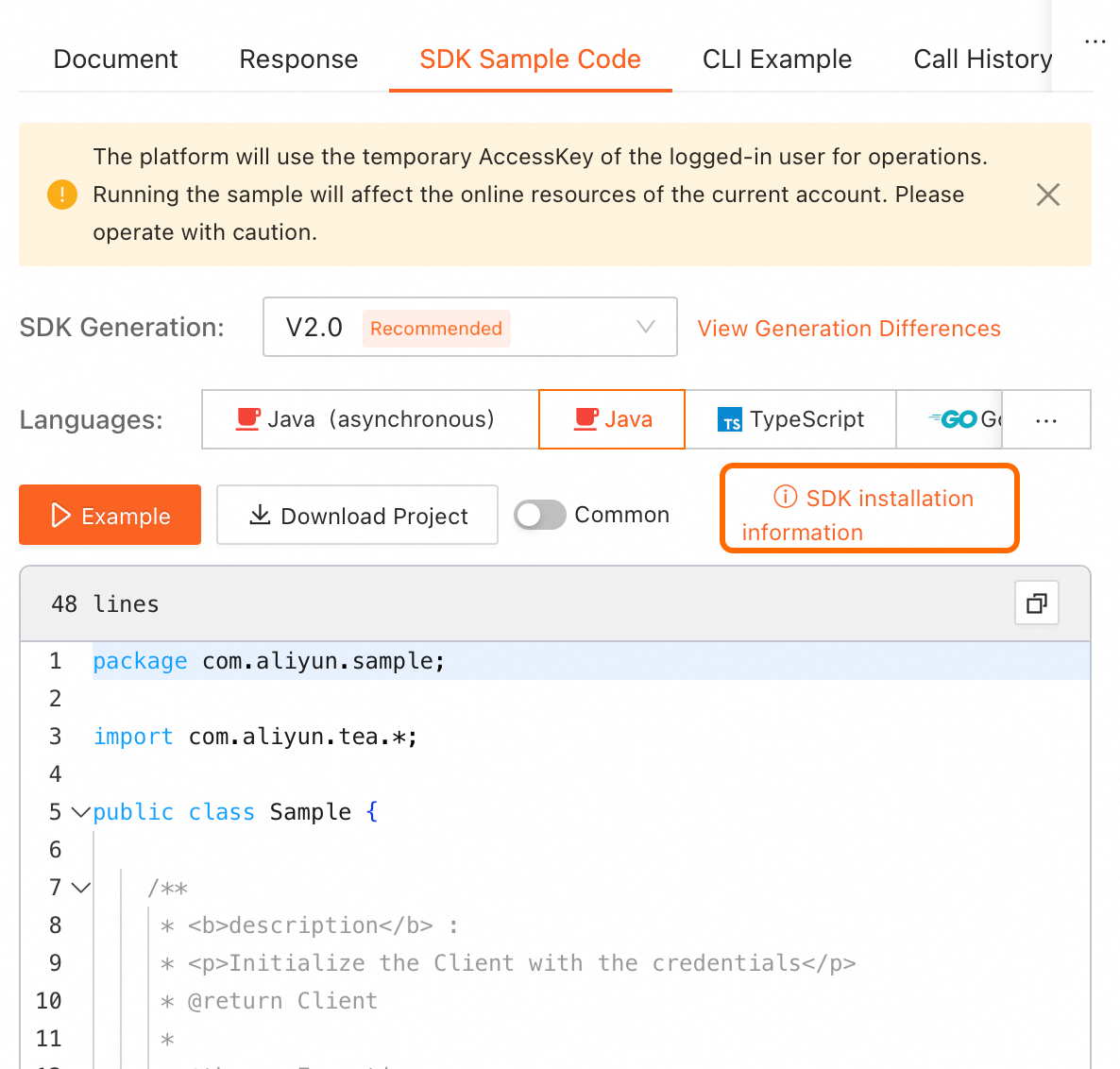
On the online API debugging page in OpenAPI, find the SDK sample code on the right. Click SDK installation information in the upper-right corner of the code sample to view installation details.
NoteSelect the required programming language.
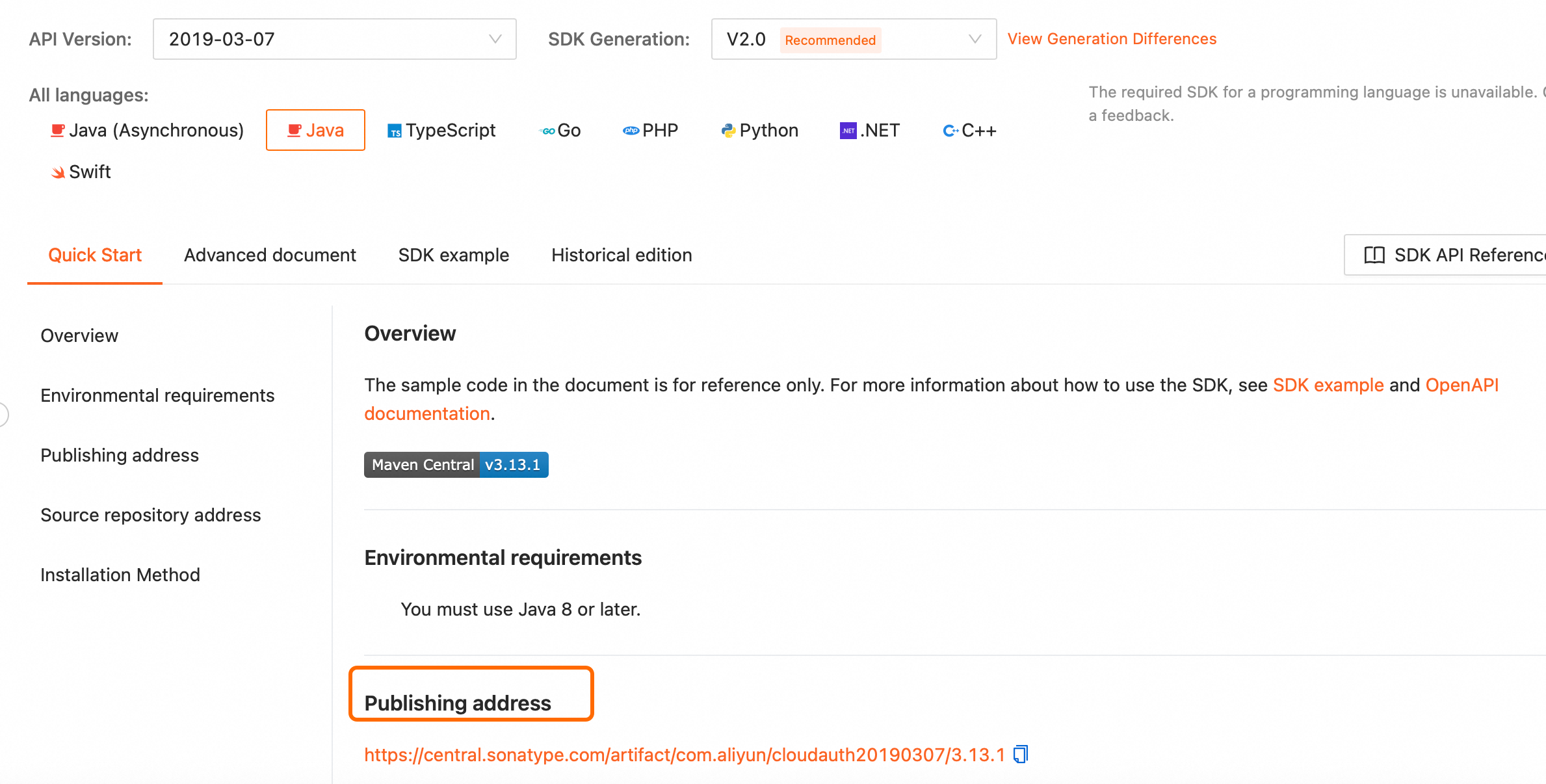
For offline installation, go to the SDK installation page, select the SDK for your programming language, and download it from the publishing address.
OpenAPI Explorer: Debug APIs online and obtain SDK examples.
sample code project: Provides sample projects for calling the SDK in various programming languages. You can use them as a reference for integration.