Authentication statistics
Overview
1. Authentication statistics
-
Query statistics by authentication method.
-
View authentication statistics for Today, Last 7 Days, or Last 30 Days.
-
View the total number of authentications, successful authentications, and failed authentications.
-
Statistics only cover authentication requests made to billable APIs. For more information, see billing method.
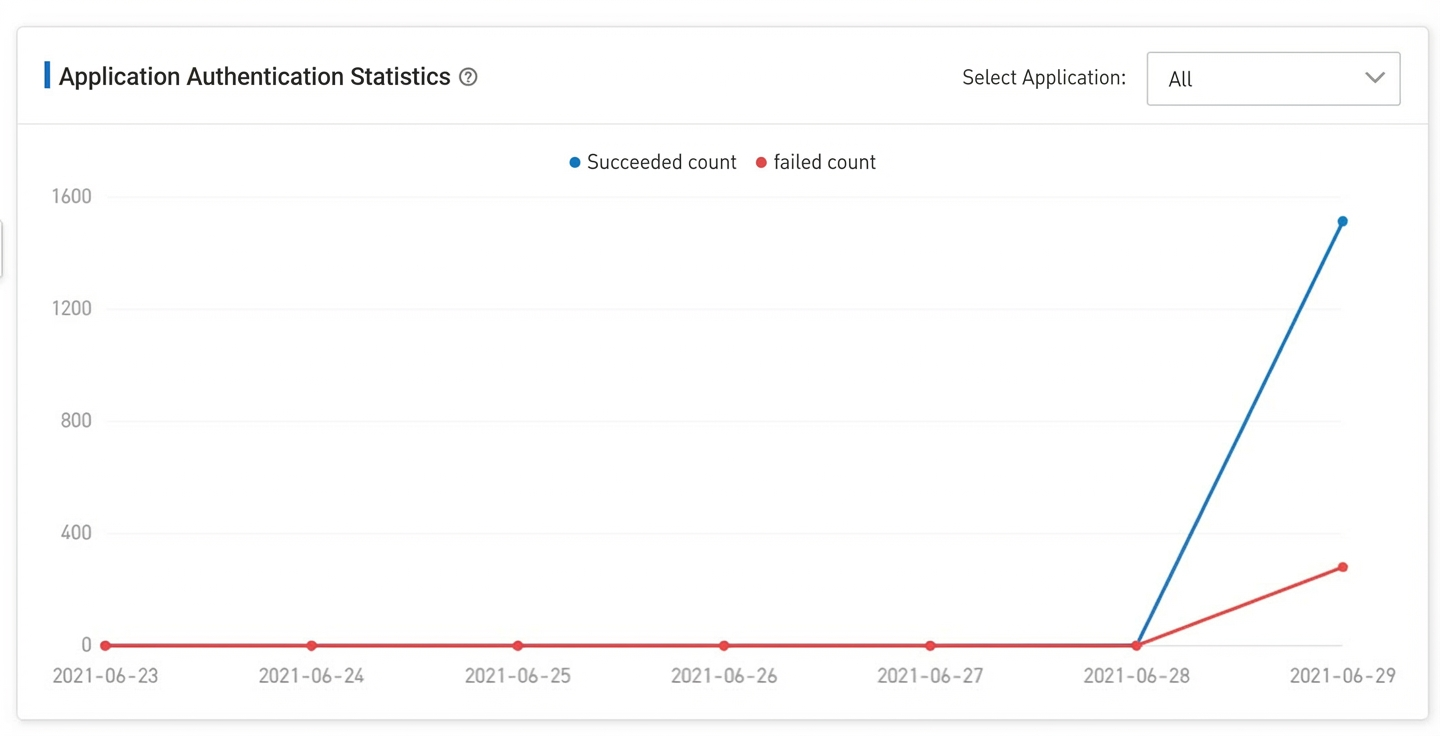
2. Application authentication statistics
-
View a 7-day line chart showing successful and failed authentications.
-
Filter statistics by application.
-
Statistics only cover authentication requests made to billable APIs. For more information, see billing method.
3. Available balance
-
The available balance is displayed in CU (Cost Unit).
-
Your available balance accumulates with each renewal.
-
Authentication requests consume your available balance.
Authentication records
For detailed records of authentication requests, see the Authentication records page.
-
Search by authentication method, authentication type, and date.
-
View details for each authentication request.
Filter criteria also include external application ID, operation result, billing status, and billable API. The results table shows columns for application name, authentication method, operation type, operation result, date, and Actions.
Log details
In the left navigation pane, click Authentication records. Filter records by external application ID, authentication method, operation result, billing status, and date range. Click a record to view its log details in the right pane. The details include fields such as external application ID, application name, authentication method, operation type, caller account, caller type, caller IP, operation result, source IP, billable API, API call date, and billable.