What is scene orchestration
Scene orchestration is a visual programming method in the rules engine for developing automated business logic. You can visually define rules for how devices interact and deploy these rules to the cloud or the edge.
Scene orchestration
A scene orchestration rule consists of three parts: a trigger, a condition, and an action. This rule model is called the TCA model.
When the trigger's specified event occurs, the system checks if the condition is met. If the condition is met, the system executes the action defined in the scene orchestration rule. Otherwise, the action is not executed. Properties of the date, enum, struct, and array types cannot be used in triggers.
You can create scene orchestration rules on the Rules Engine > Scene Orchestration page in the IoT Platform console.
The scene orchestration feature is available only for Enterprise instances and new public instances in the China (Shanghai) region.
Example
For example, you arrive home from work at 18:00 every day. In the summer, you want your home to be cool when you arrive. You can create a rule to automate your air conditioner for this purpose.
The parameter settings are shown in the following figure:
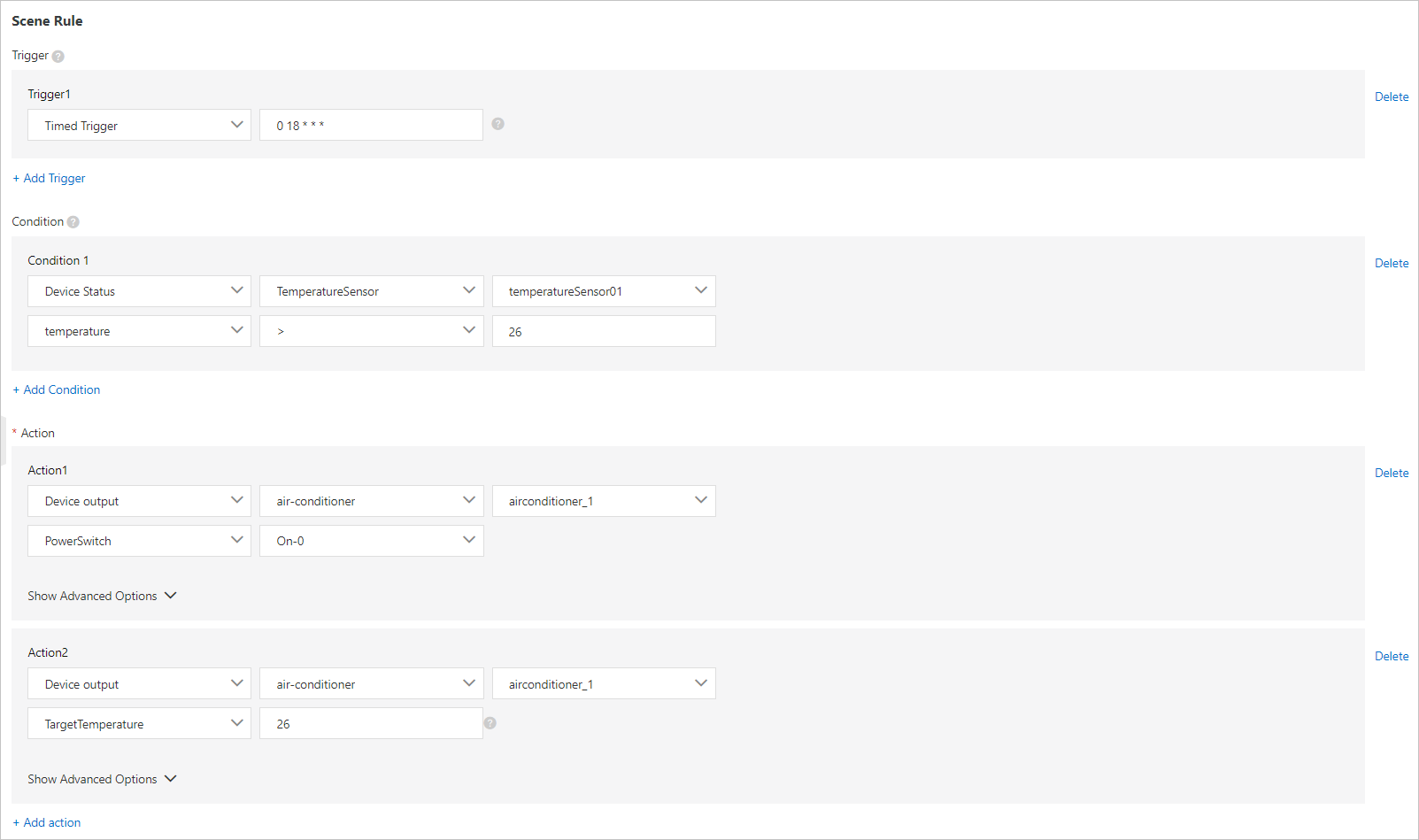
The parameters are described in the following table:
Parameter | Description | Parallel relationship |
Trigger | Triggers the rule at 18:00 every day. For information about how to write a cron expression, see the CRONTAB website. | OR (||) |
Condition | Checks the data reported by the temperature sensor. The action is executed if the indoor temperature is higher than 26 degrees Celsius. | AND (&&) |
Execute an action | Turns on the air conditioner and sets its target temperature to 26 degrees Celsius. | AND (&&) |