Troubleshoot speech recognition issues
This topic describes how to troubleshoot issues that occur during speech recognition and provides solutions for common problems.
Procedure
Use software, such as Cool Edit or Adobe Audition, to check the audio format. Play the audio to check the channel separation, waveform, energy, and spectrogram.
The standard format for Automatic Speech Recognition (ASR) is audio data with an 8 kHz or 16 kHz sample rate, 16-bit audio bit depth, and a single sound channel. The Audio File Transcription service supports dual-channel audio data.
Check if the model used in your project in the console supports the audio sample rate and scenario.
Play the audio and focus on the following two points:
Check for noise, such as human noise (for example, background conversations or far-field non-primary speakers) or non-human noise (for example, tapping on a table, opening a door, or a car horn).
Check the clarity and distinguishability of the pronunciation. For example, check for mumbled speech, fast speech rate, strong accents, or dialects.
View the waveform, energy, and spectrogram. Focus on the waveform amplitude and frequency band information.
Check if the waveform amplitude is too low or too high. The following examples use audio with an 8 kHz sample rate.
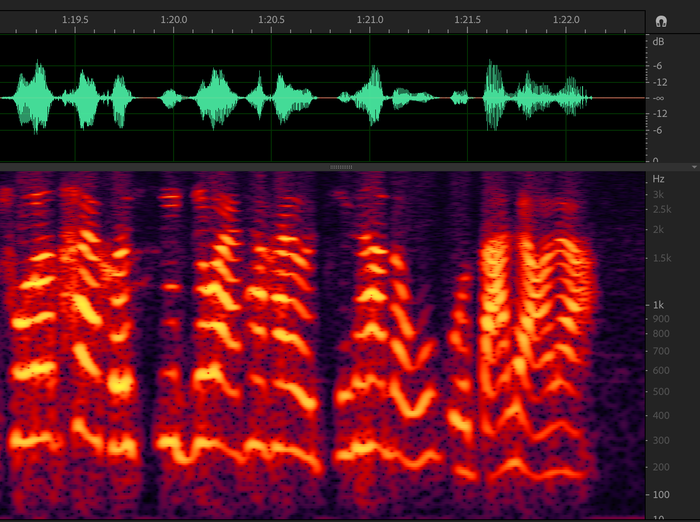
Normal audio waveform.
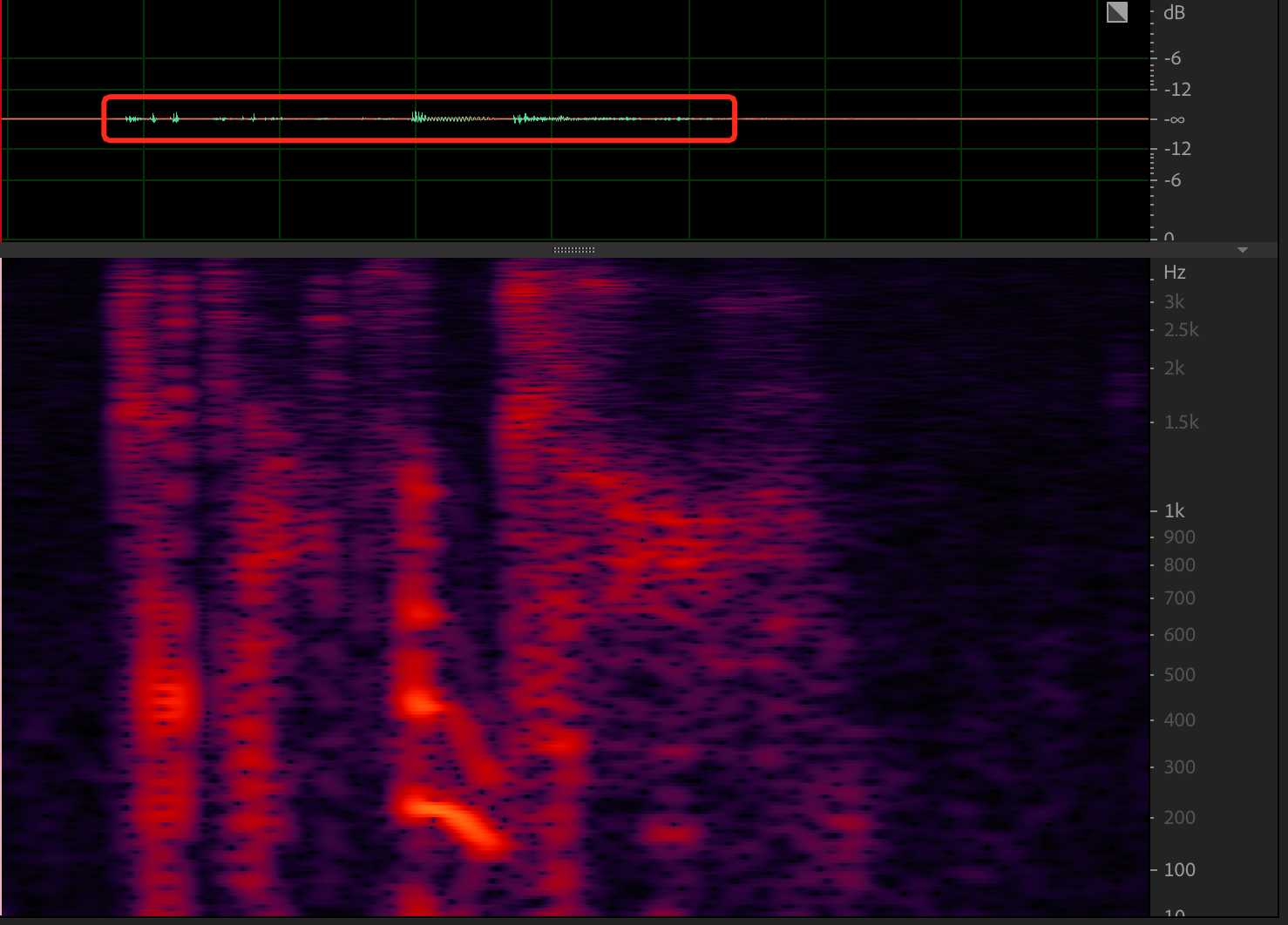
The waveform amplitude is too low, and the voice energy is too low.
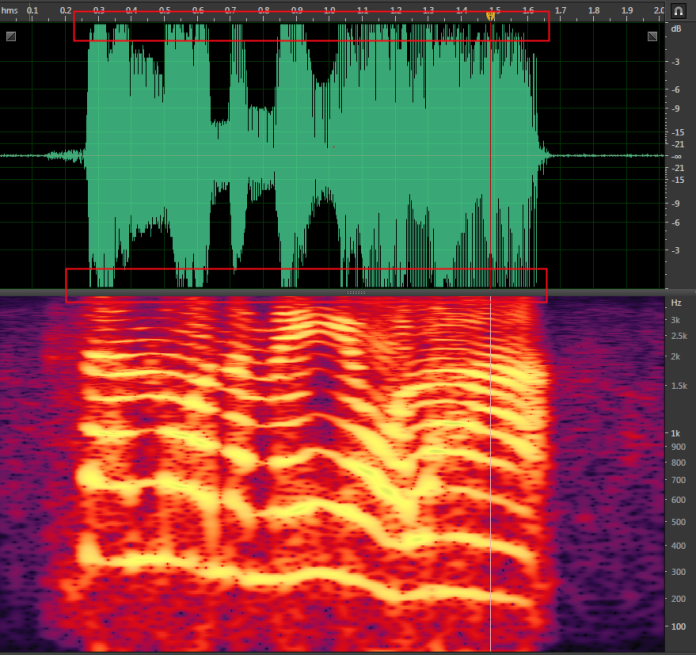
The waveform amplitude is too high. This can cause clipping because the amplitude exceeds the system's supported range.
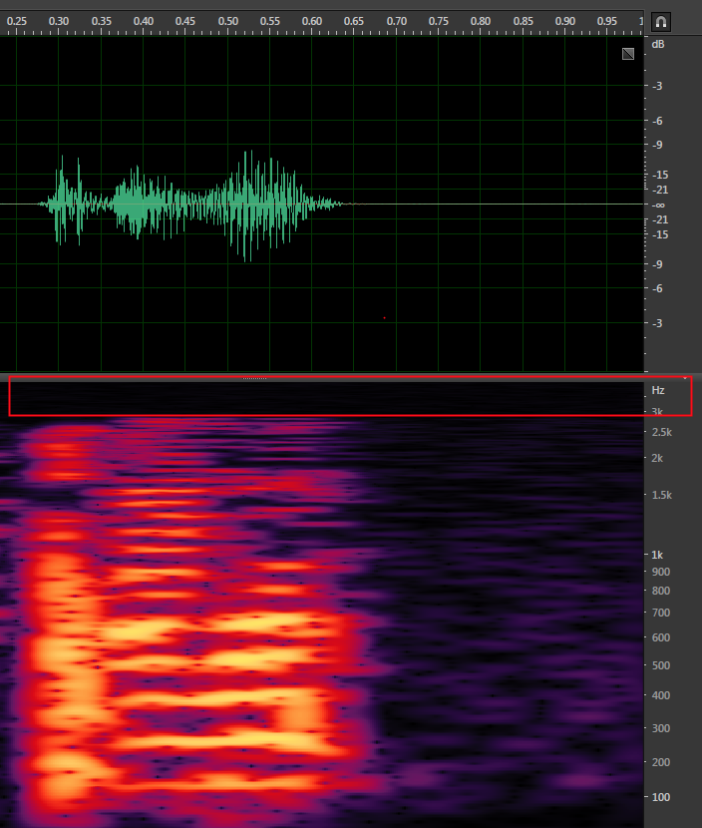
Check if the frequency band information meets the requirements. The following example uses audio with an 8 kHz sample rate.
The actual sample rate is 6 kHz (3 × 2), which is twice the highest frequency.
NoteFor the Audio File Transcription service, check if the data is mixed-channel or separate-channel. For example, in a customer service scenario, mixed-channel means the voices of the customer and the agent are in a single sound channel, which can cause audio overlap. Separate-channel means the voices of the customer and the agent are stored in two separate sound channels.
Check if hotwords or a custom language model are used.
Solutions
Speech recognition cannot achieve 100% accuracy.
In your project, select a model that supports the audio sample rate and scenario.
If you cannot resolve issues such as mumbled speech, poor articulation, or unintelligible audio:
If there are dialects or strong accents, recognition errors may occur because the ASR training data has incomplete coverage. Contact an Intelligent Speech Interaction engineer for further evaluation.
If you require high recognition accuracy for strong accents (not dialects), contact an Intelligent Speech Interaction engineer for further evaluation.
If human noise is incorrectly recognized, this issue is difficult to resolve.
The noise model is designed to send any sound that appears to be human speech to the ASR engine for recognition.
If non-human noise is incorrectly recognized, you can collect more noise data and provide it to Alibaba Cloud to optimize the noise model.
If the waveform amplitude and energy are too low, data loss can occur during recognition. This may happen because the noise model misinterprets the low-volume audio as noise.
Adjust the recording device, or reduce the distance between the speaker and the recording device.
If the waveform amplitude is too high and the energy is excessive, recognition errors can occur. This may happen because the high volume causes clipping and audio distortion.
Adjust the recording device, or increase the distance between the speaker and the recording device.
If the frequency band information is incomplete, recognition may be inaccurate. The standard training data for ASR models requires audio data with a complete frequency band at an 8 kHz or 16 kHz sample rate.
Ensure that the frequency band information is complete. Then, you can use a custom language model to improve the recognition of inaccurately transcribed parts.
If you use hotwords, do not set the weight of business-specific hotwords too high. An excessively high weight can cause statements to be truncated, which prevents the recognition of subsequent audio.
For general recognition errors, you can optimize the language model by adding multiple copies of the incorrectly recognized sentences (not individual words) to the training data.
If you use the Audio File Transcription service and mixed-channel data causes inaccurate recognition:
We recommend using separate tracks for storage.