Manage domain names
You can disable, enable, or delete a domain name on the Domain Management page of the ApsaraVideo Live console.
Disable a domain name
Manual Deactivation
Perform the following steps to disable a domain name that you do not want to use:
After you disable a domain name, the information about the domain name is retained. ApsaraVideo Live automatically reroutes all requests that are destined for the domain name to the origin.
- Log on to the ApsaraVideo Live console.
In the left navigation pane, click Domain Names. The Domain Management page appears.
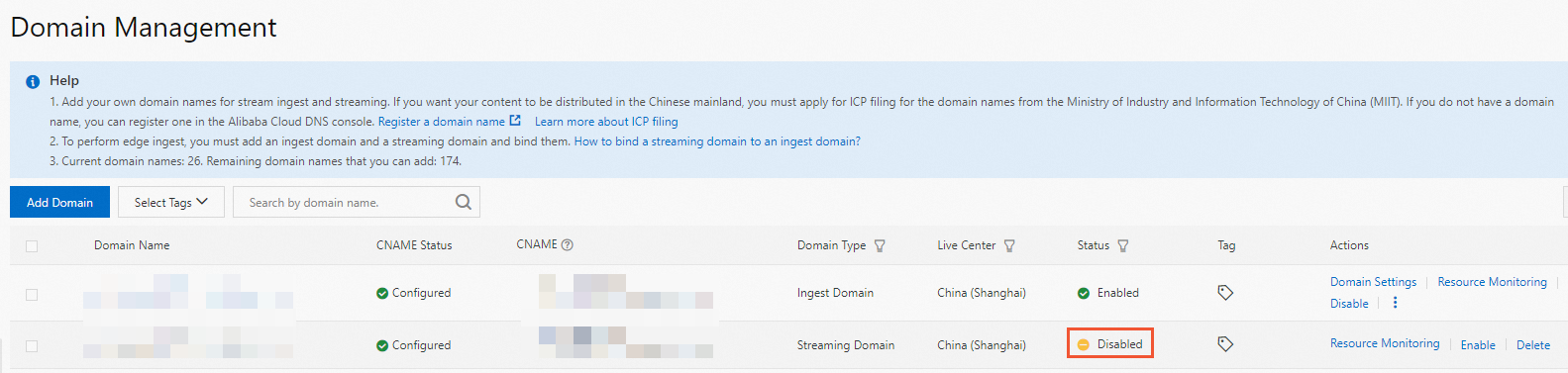
Find the domain name that you want to disable and click Disable in the Actions column.

In the confirmation dialog box that appears, click OK.
In the Status column, the status of the domain name changes to Disabled.
Automatic Suspension Due to Non-payment
After the account is overdue, the domain name will be automatically disabled, and the normal push-pull flow cannot be made during the period. After the renewal is successful, the domain name will be automatically restored to activation without your manual operation.
Enable a domain name
Perform the following steps to enable a domain name that is disabled:
- Log on to the ApsaraVideo Live console.
In the left navigation pane, click Domain Names. The Domain Management page appears.
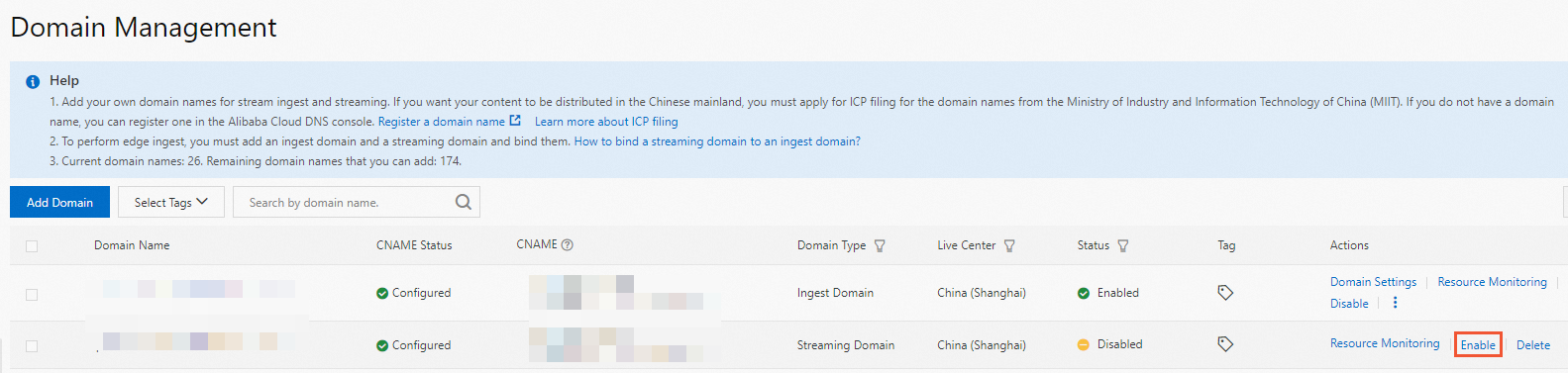
Find the domain name that you want to enable and click Enable in the Actions column.
In the confirmation dialog box that appears, click OK.
In the Status column, the status of the domain name changes to Enabled.
Delete a domain name
Perform the following steps to delete a domain name that you no longer need:
- Log on to the ApsaraVideo Live console.
In the left navigation pane, click Domain Names. The Domain Management page appears.
Find the domain name that you want to delete and click Delete in the Actions column.
In the confirmation dialog box that appears, click OK.