This topic describes what feature routing is and how to use it in Copilot applications.
What is feature routing
Feature routing is an intent-based operation in Copilot applications. It is primarily for scenarios where a Copilot application is integrated with another service. When user input matches an intent bound to a feature route, the system displays a feature routing card. Clicking a button on the card triggers a callback registered by the integrator, such as navigating to a page in a mobile application. If you access the Copilot application directly in a browser, feature routing can also redirect to a user-defined URL.
Create a feature route
In the Copilot application designer, open the Code option to add a feature route.
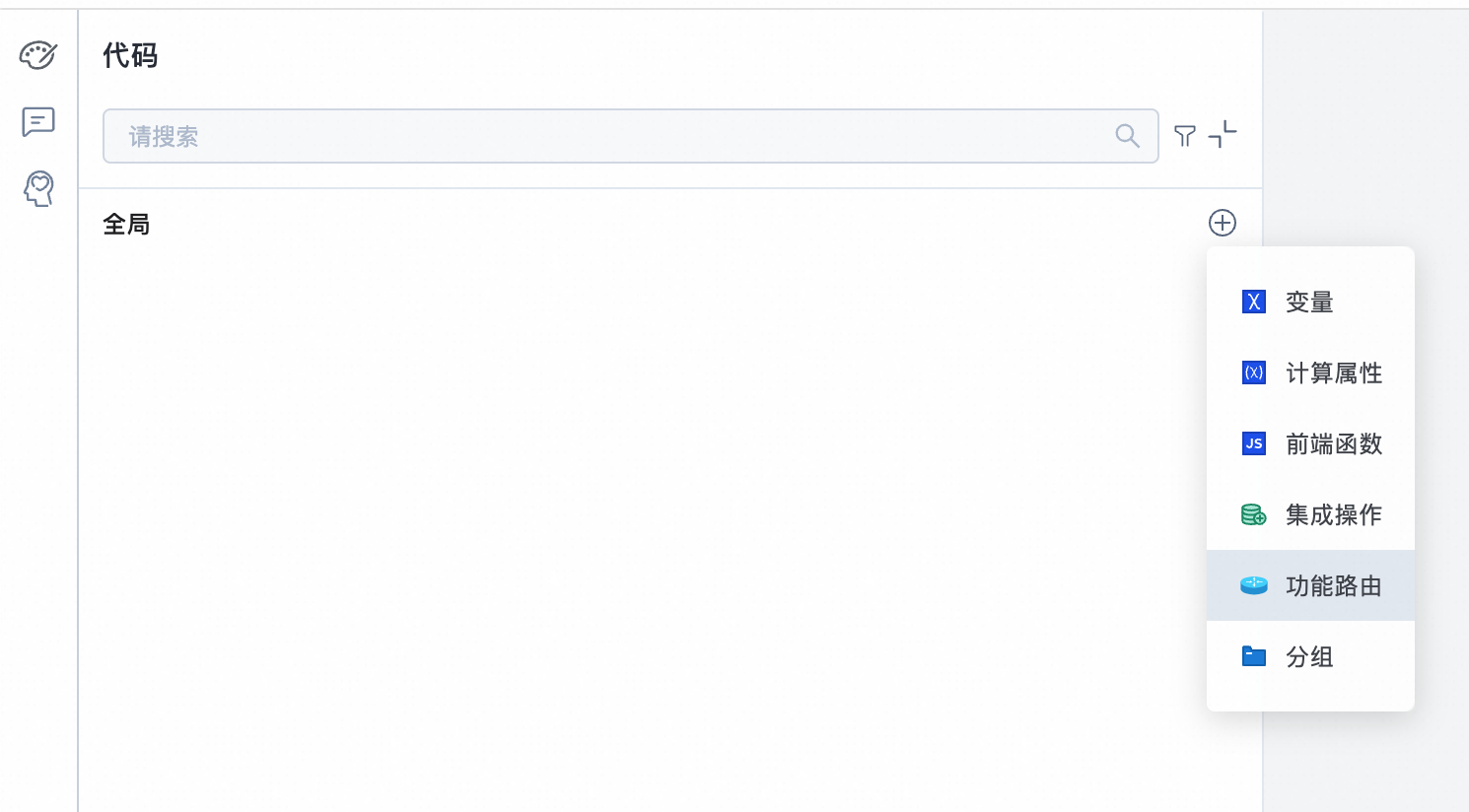
Feature routing configuration
Feature routing includes the following settings: routing identifier, description, required parameters, optional parameters, and session card.
Routing identifier: A unique identifier that the integrator uses to recognize the feature route.
Description: A description of the feature route.
Required parameters: All required parameters must be intent parameters to ensure that the framework extracts them when it invokes a feature route. If the intent framework does not extract all required parameters, it asks follow-up questions instead of immediately triggering the feature route.
Optional parameters: You can configure optional parameters as intent parameters. The intent framework detects these parameters and attempts to extract them from the user's conversation. If you do not want the framework to extract a specific parameter, do not configure it as an intent parameter.
Session card: Includes a title, content, link text, and a default link. The default link is used for URL redirection when you access the Copilot application in a browser.
The following figure shows a sample configuration. Note that the description for an intent parameter is required. The accuracy of the description directly affects how well the intent framework extracts the parameter.
Click the Run button in the feature routing settings panel to preview the feature routing card.
Bind an intent to a feature route
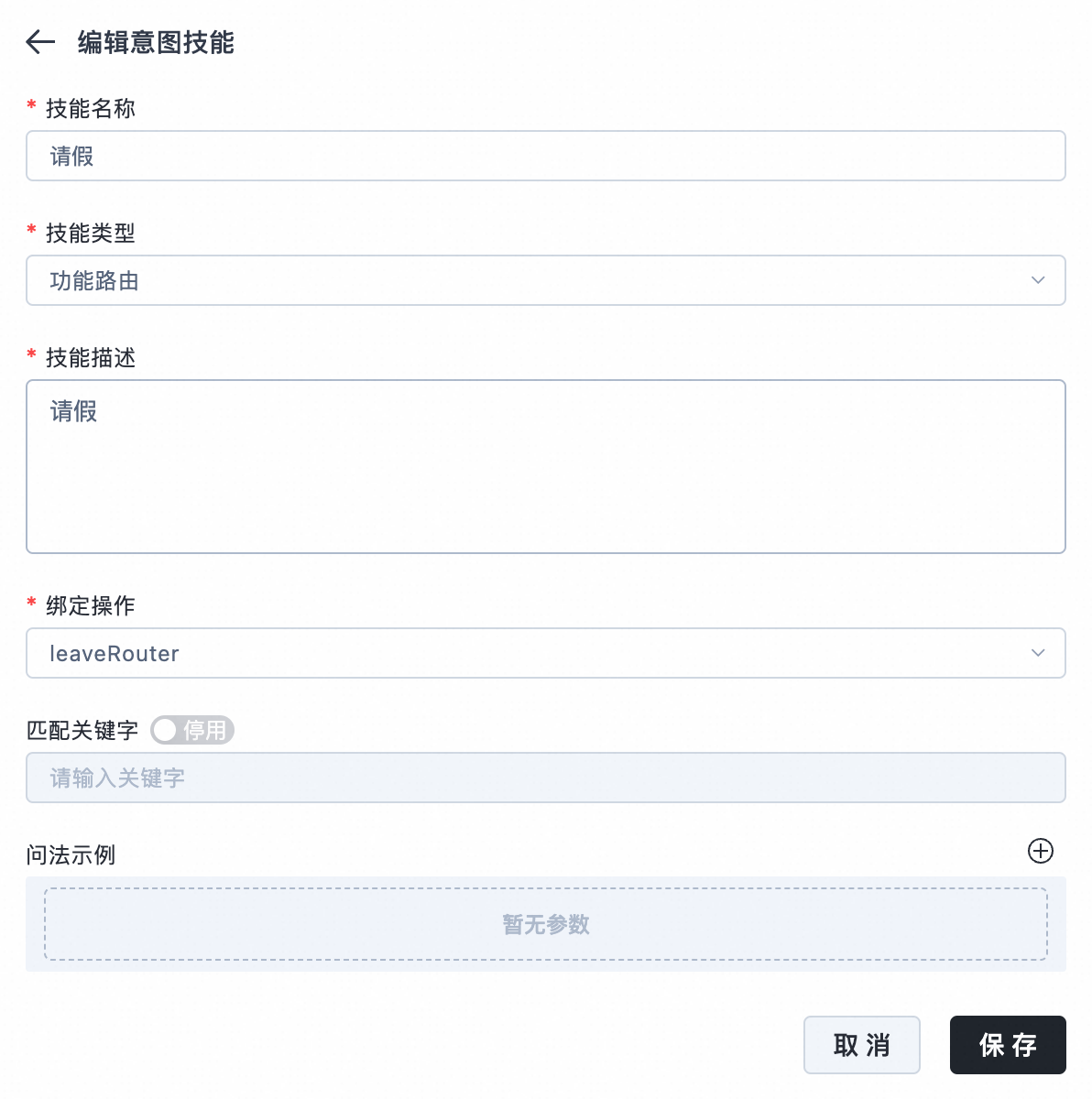
Create a new intent. For the Bind Operation, select the corresponding feature route. When the system recognizes the intent, it triggers the corresponding feature route and generates a card message.
Register a feature routing callback
Use the Android and iOS Copilot SDKs to integrate Copilot applications into mobile applications. When using the Copilot SDK, you can register feature routing callbacks and customize the processing logic based on different routing identifiers and parameters. For more information, see Android SDK Integration and iOS SDK Integration.