Manage permission groups
This topic describes the permission group features in Mobi.
What is a permission group?
In the Mobi platform, a permission group is similar to a role. You can use permission groups to manage user access to applications, integrations, integration streams, and system files in the current space. A permission group can have multiple users, and a user can belong to multiple permission groups, which creates a many-to-many relationship.
Create a permission group
To create a permission group, navigate to the Permission Group section under Users and Permissions in the Mobi platform. When you create a permission group, you must enter an ID and a display name. You can also provide an optional description and set permissions for the group on the same page.
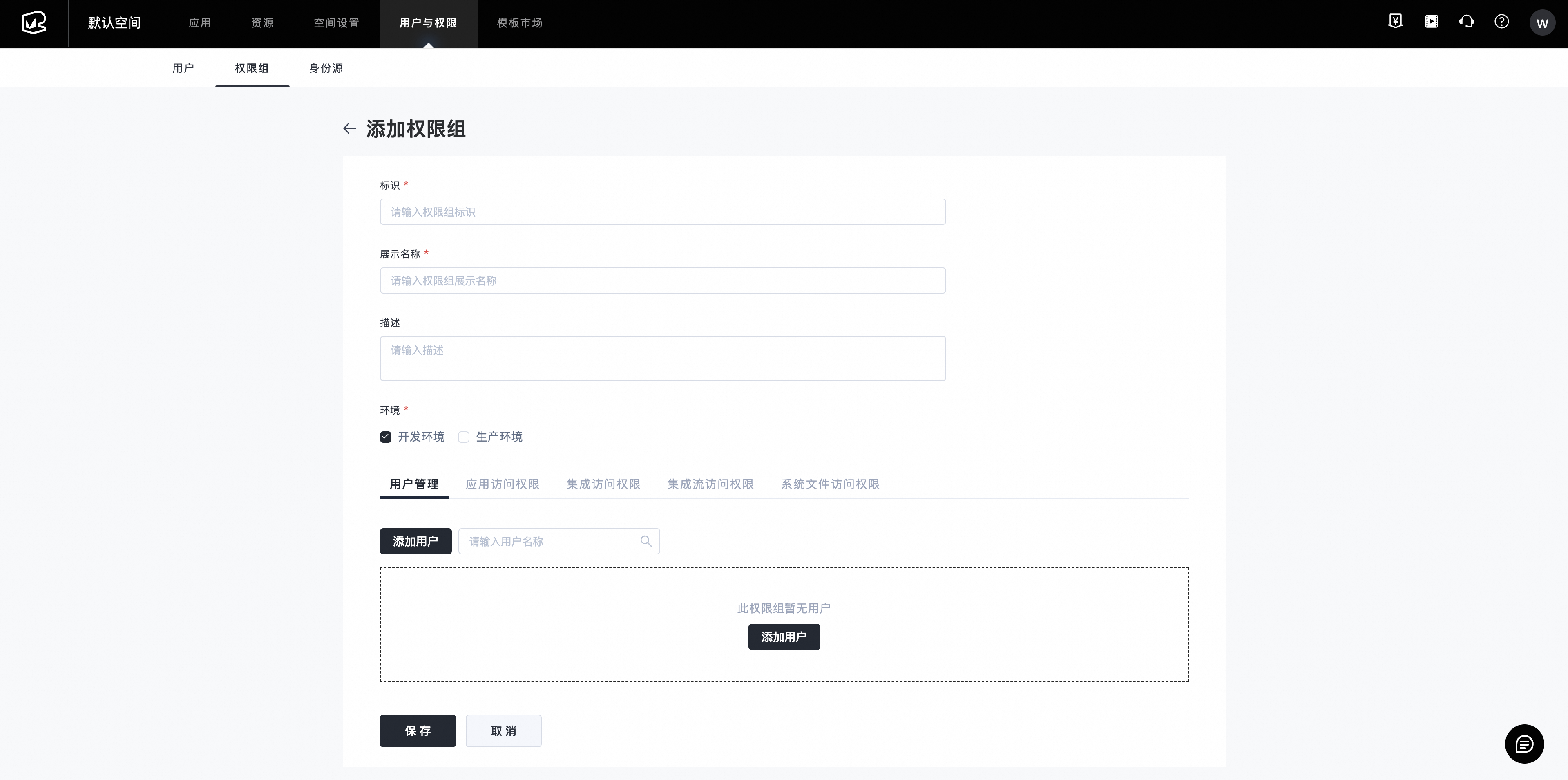
The Mobi platform creates three default permission groups for each space: END_USER, TEST_USER, and ANONYMOUS_USER. These groups correspond to the Alibaba Cloud default, test account, and anonymous user identity sources, respectively. You can edit the settings for these built-in groups, but you cannot delete them.
Default permissions for default permission groups
Permission Group ID |
Permission Group Name |
Default Permissions |
END_USER |
Default permission group for Alibaba Cloud identity source |
All permissions for development and production environments |
TEST_USER |
Default permission group for test user identity source |
No permissions |
ANONYMOUS_USER |
Anonymous user permission group |
All permissions for development and production environments |
Edit a permission group
In the permission group list, click a permission group ID to open the edit page. On this page, you can configure the environments and resources that the group can access.
Edit application access permissions
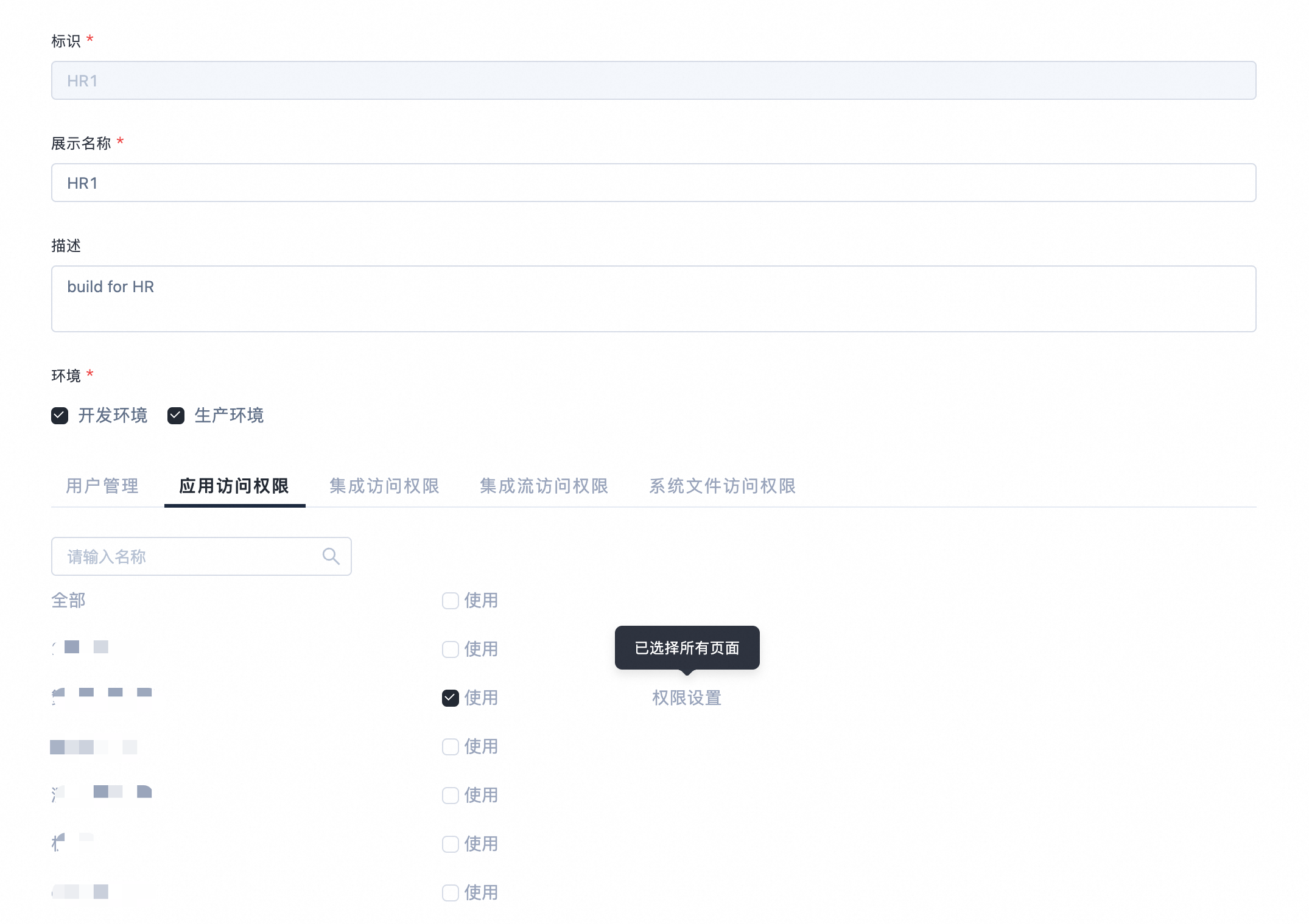
Mobi also supports fine-grained access control for individual pages within an application.
Edit integration access permissions
Edit integration stream access permissions
Edit system file access permissions
Delete a permission group
You can delete a permission group from the permission group list page. If an identity source references the permission group, you must remove that reference before you can delete the group.