Use the Deployment management page to view the cluster topology for an instance and adjust online configurations without interrupting traffic.
Details page
The Deployment management page shows the full cluster topology for an instance. From this page, you can modify configurations, manage index tables, and mount or unmount clusters—all without taking the instance offline.
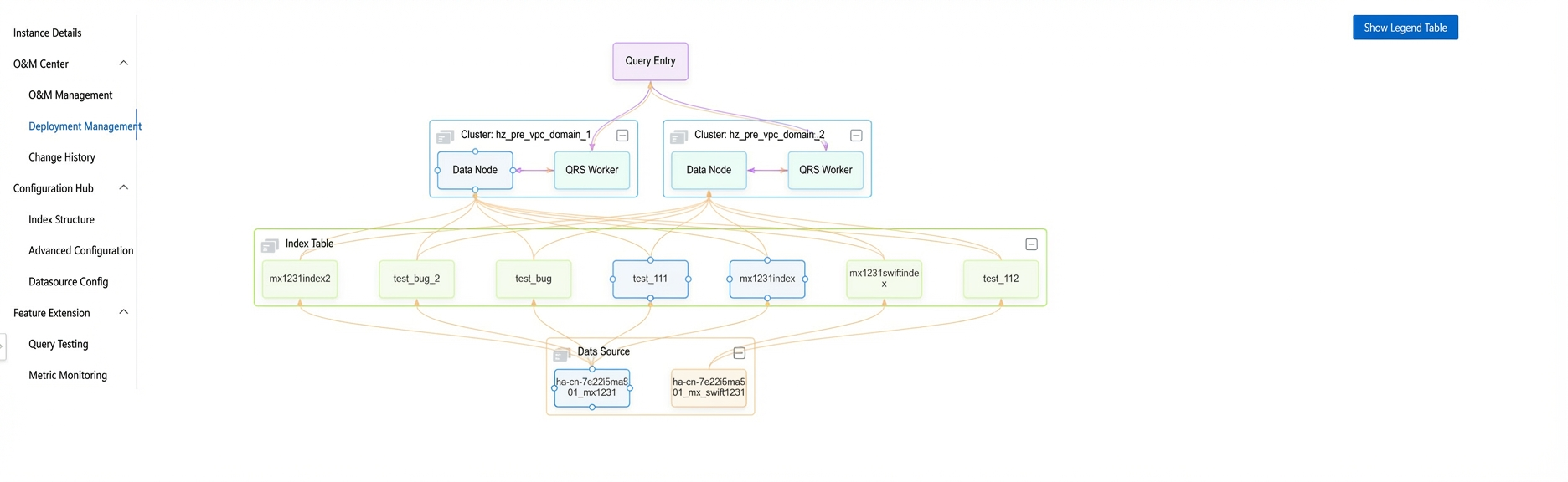
Topology graph
The topology graph has three parts:
Data source: Shows the names of the configured data sources.

Index table: Shows all referenced index tables.

Cluster: Shows all clusters created in an instance, including data nodes and QRS workers.
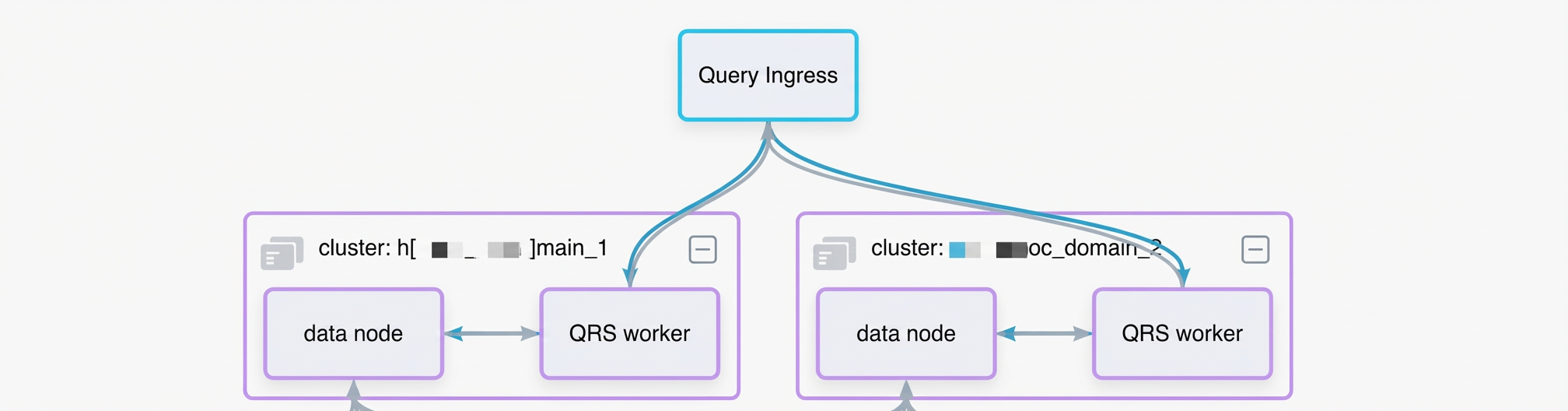
Modify QRS worker configurations
Click the QRS worker box to edit the number of replicas and the minimum service ratio.
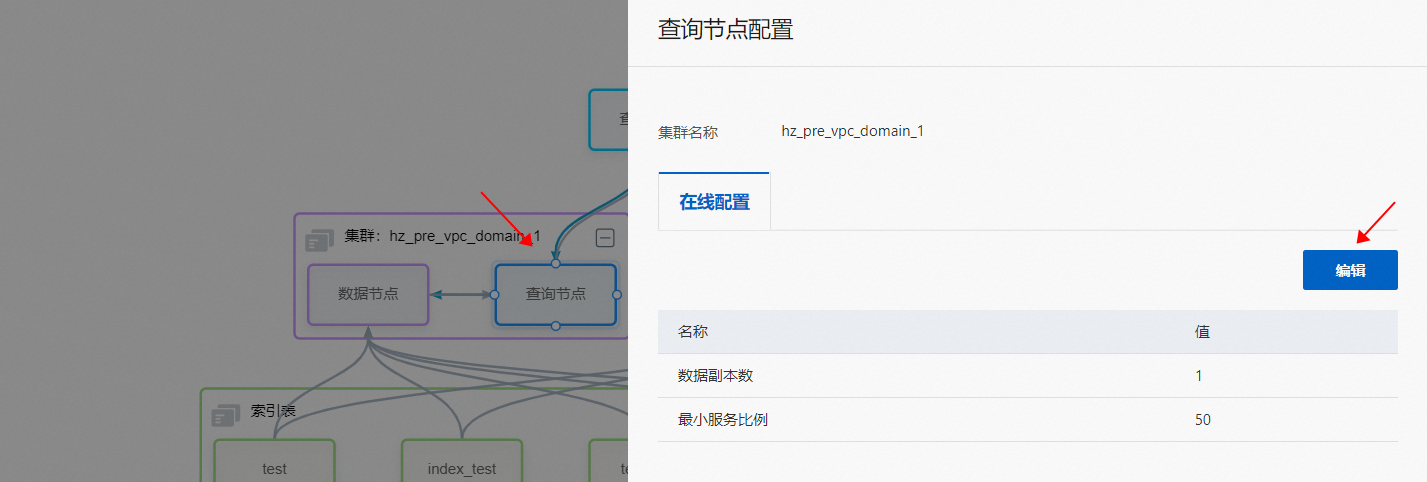
Configuration changes take effect in real time.
Modify data node configurations
Click the data node box to edit its online configurations and online table configurations.
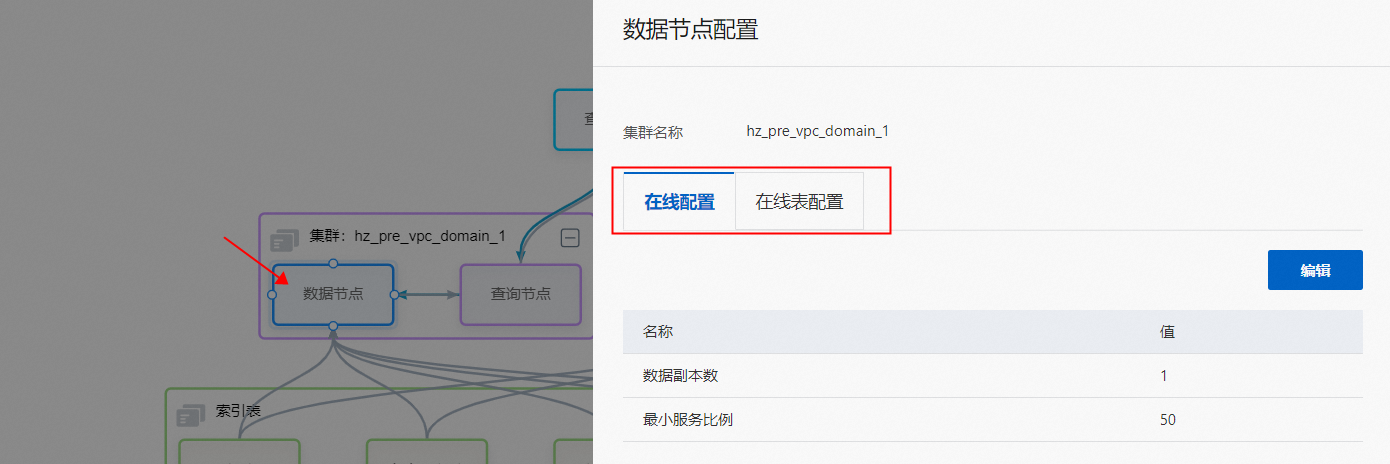
Configuration changes take effect in real time.
Enable or disable index tables
Click the index table box to publish a new index table or unpublish an existing one.
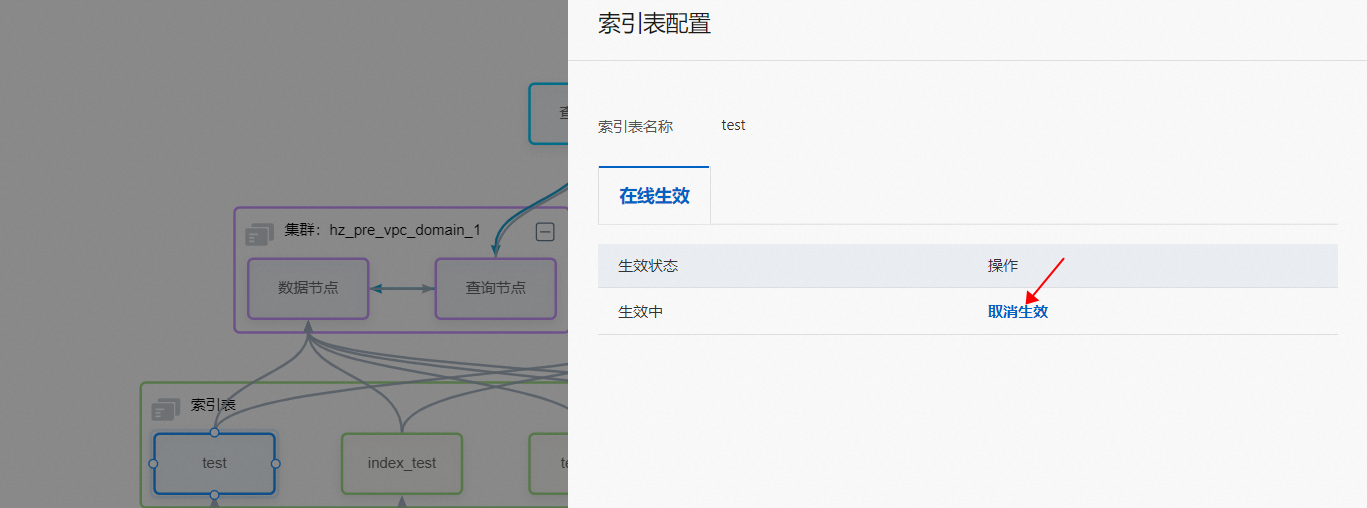
Unpublishing an index table immediately cuts off online engine access to its data. Before you unpublish, verify that no query traffic is routing to that index table. After you unpublish, delete the index table from the index schema right away—leaving it in the schema causes the online cluster to report errors.
Set the index change rate threshold
The index change rate threshold controls full-index switchovers. If the change rate of a full index exceeds this threshold during a switchover, the switchover pauses automatically. To resume, manually force the switchover from the change history.
To set the threshold:
Click the index table box.
In the dialog box, locate the Online configuration section.
Set the index change rate threshold.
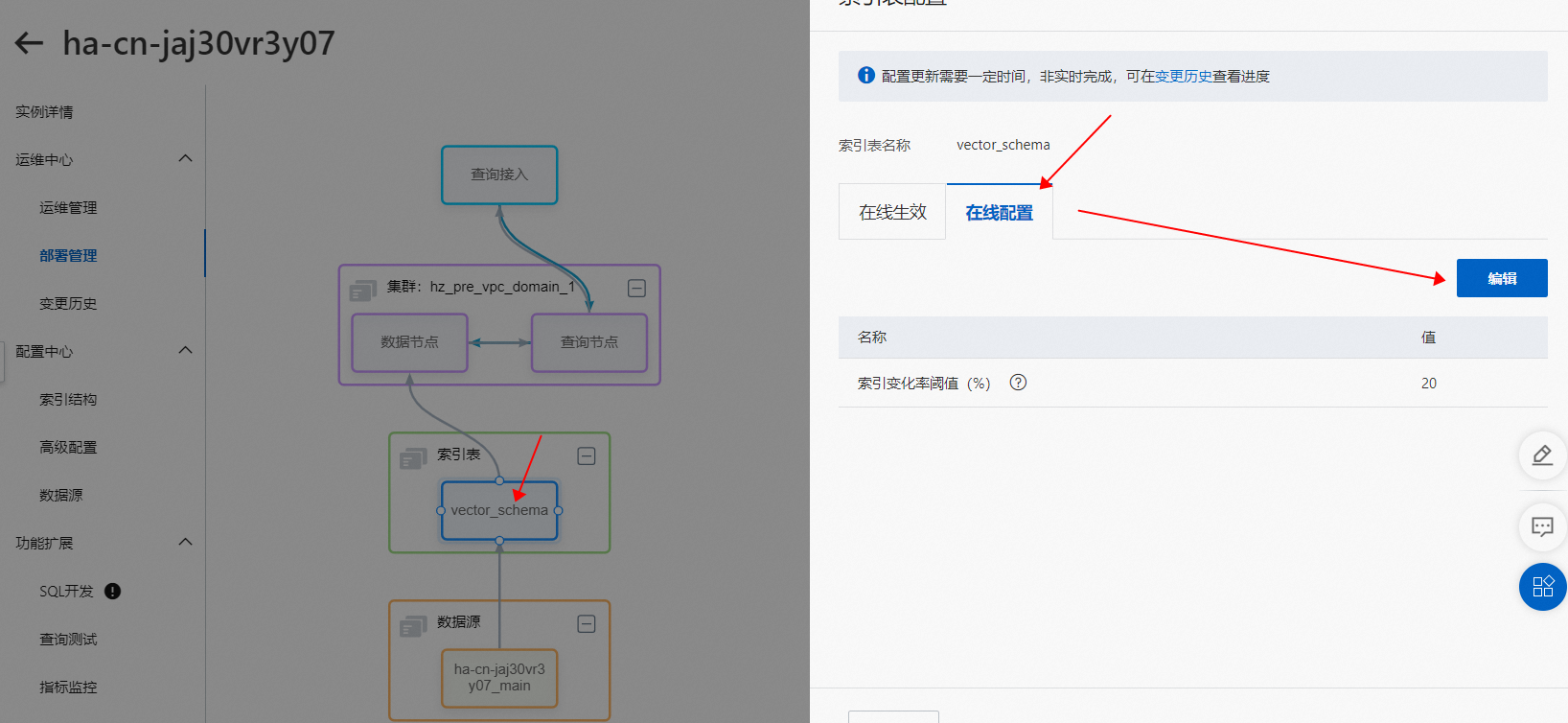
Configuration changes take effect in real time.
Mount or unmount a cluster
Click the cluster box to mount a new cluster or unmount an existing one.
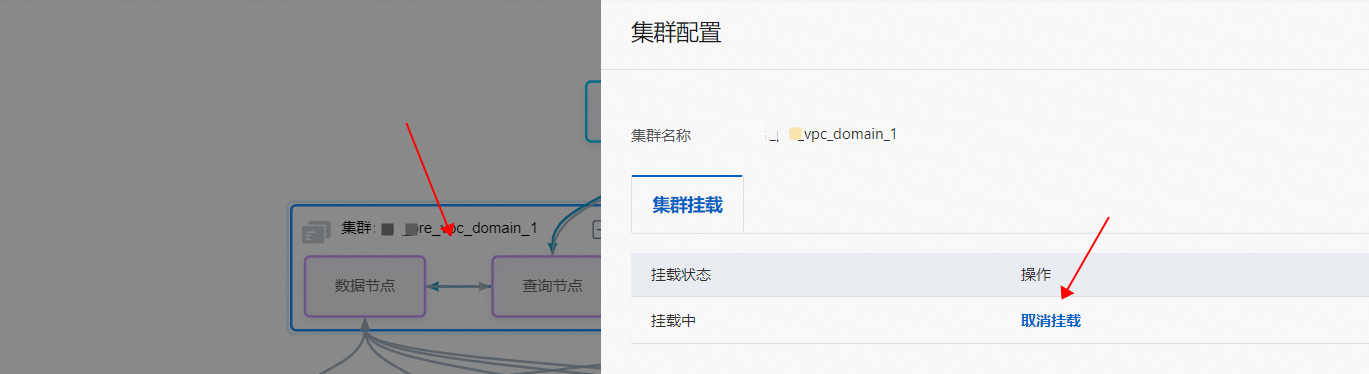
After a cluster is mounted, online traffic is immediately routed to it. Before mounting, confirm that the cluster configuration is correct.
After a cluster is unmounted, online traffic stops routing to it, and it stops serving external search requests. Before unmounting, confirm that the cluster has no production traffic.
Limits
The number of data partitions for QRS workers and data nodes is shown for reference only and cannot be modified.
After you unpublish an index table, delete it from the index schema immediately. Leaving it in the schema causes the online cluster to report errors.
When a cluster is unmounted, it stops serving external search requests. Confirm that the cluster has no traffic before unmounting.
Data sources, index tables, and clusters (including data nodes and QRS workers) are shown on the Deployment management page regardless of whether they are published or mounted.