Guide to configuring text message sending
This topic describes how to configure a node to trigger text messages.
Prerequisite: You must activate Alibaba Cloud Short Message Service. To activate the service, visit: https://www.aliyun.com/product/sms
1. Configure the SMS template
Set your SMS signature and template as described in the Short Message Service documentation. You can use them after they are approved.
2. Configure the API service
In the outbound call product console, find and open your business instance.
In the business instance, select Scenario Management and click API Service.
Set Service Type to Short Message Service. When prompted for authorization, click Authorize and then Confirm.
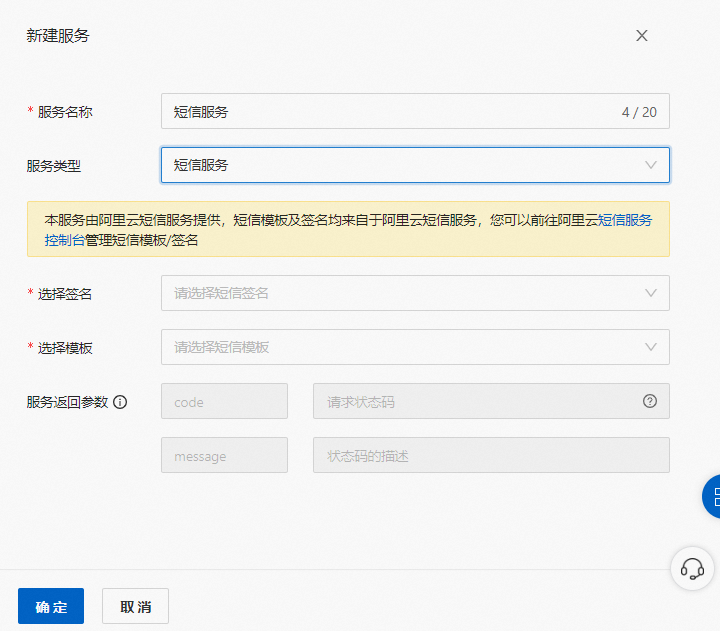
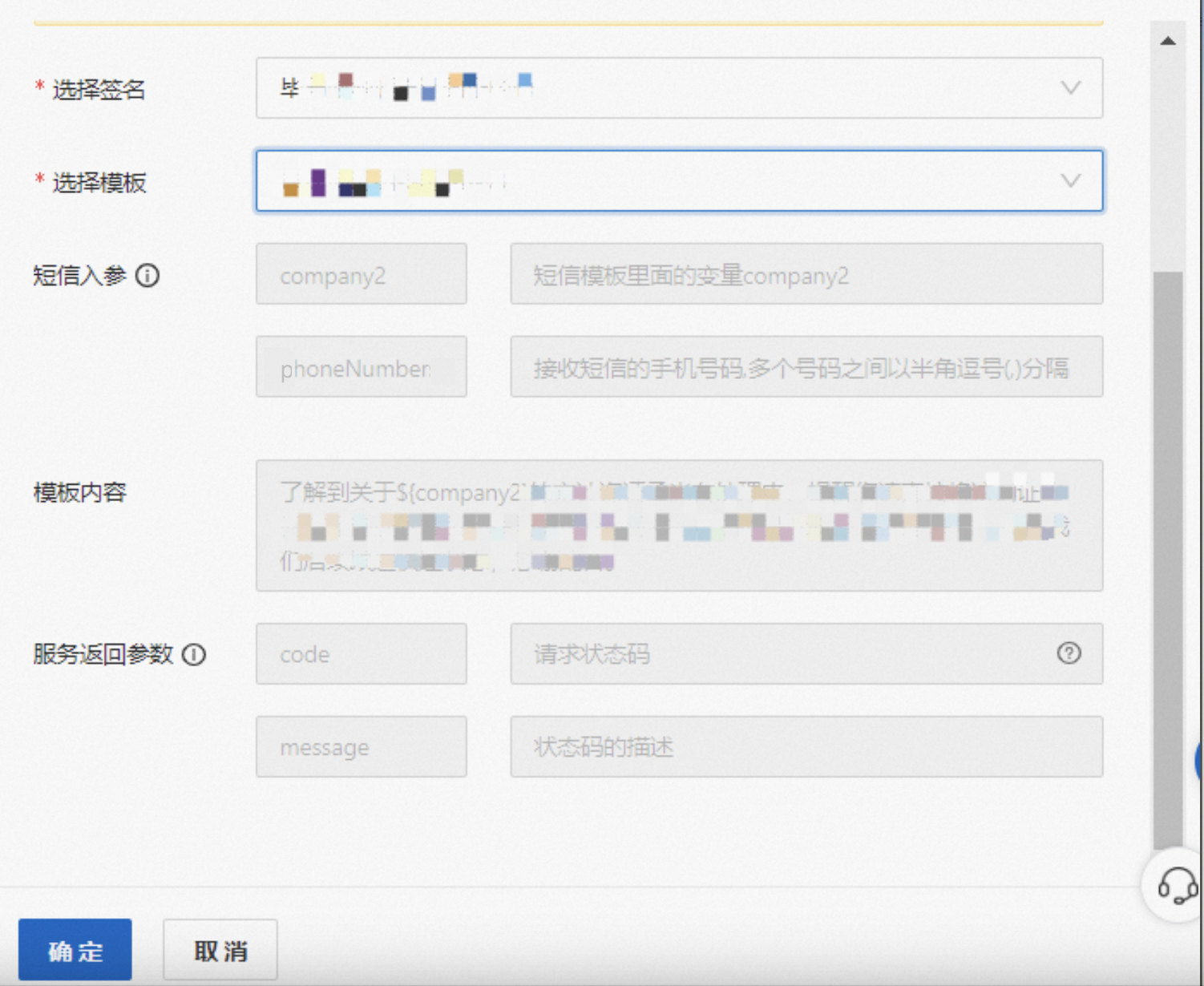
Select the SMS signature and template. If the template contains variables, the input parameter names for these variables are displayed, as shown in the following figure.
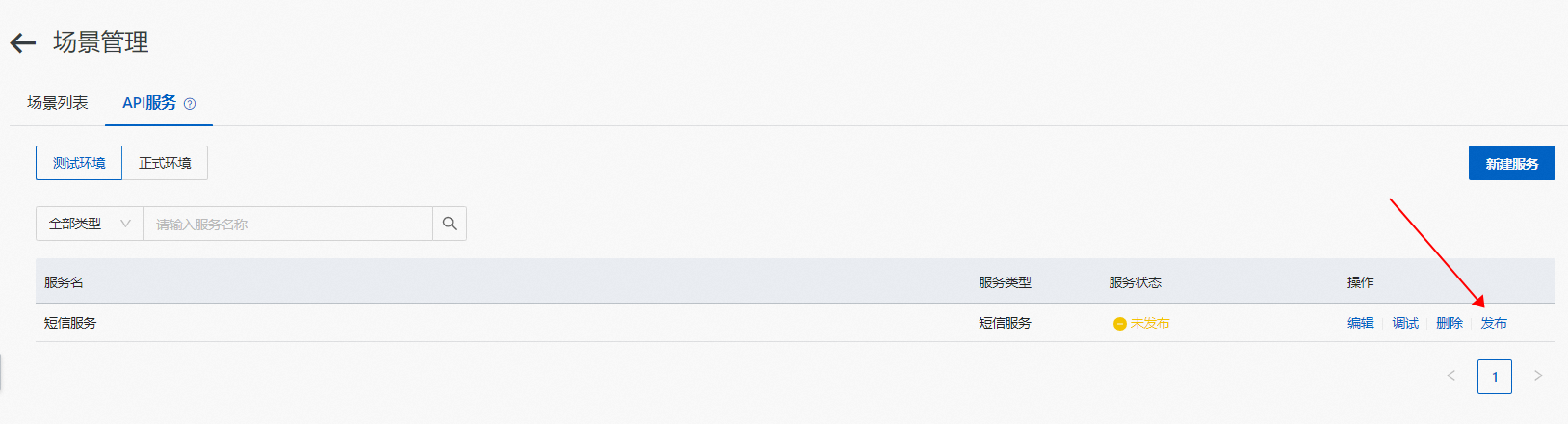
When you are finished, click Confirm and publish the API service. After the service is published, click Debug to test whether the text message is sent successfully.
3. Call the API service in the canvas
Select the node that will send the text message and add a service node.
Select the published global service. Set the receiving number parameter to ${envVars['VENDOR_PARAM']['phoneNumber']}.