FAQ
Accounts and permissions
Sign in with enterprise identity systems
Configure SSO through Alibaba Cloud RAM so employees can sign in with corporate accounts from Okta or Microsoft Entra ID.
Enterprise single sign-on to Alibaba Cloud using your own identity system.
After configuring SSO, grant LangStudio permissions to the RAM user. Cloud service dependencies and authorization: LangStudio.
Model invocation
APIConnectionError: Connection error when calling Alibaba Cloud Model Studio models
APIConnectionError: Connection errorRuntime VPC lacks internet access. Alibaba Cloud Model Studio models require outbound connectivity.
Configure SNAT to enable internet access. Use the SNAT feature of an Internet NAT gateway to access the Internet.
Knowledge base
Choose between Faiss and Milvus
| Criteria | Faiss | Milvus |
|---|---|---|
| Use case | Testing and prototyping | Production workloads |
| Infrastructure | Lightweight, no separate database instance | Requires a separate database instance |
| Scale | Smaller datasets | Larger-scale data processing |
| Performance | Adequate for development | Better performance and scalability |
Start with Faiss for testing. Switch to Milvus when moving to production or working with larger datasets.
The run failed due to reaching the timeout: 300 with Faiss-based knowledge bases
The run failed due to reaching the timeout: 300Insufficient runtime resources. Faiss loads vector data from OSS into memory, which is resource-intensive.
Increase runtime resource specification:
-
Upgrade the existing runtime: In the runtime list, click the runtime name, then click Change Settings in the upper-right corner. Select a larger Instance Type, such as 8-core or 16-core CPU.
-
Replace the runtime: Delete the current runtime, create a new one with a higher specification, and update your application flow to use it.
ToolLoadError... (AccessDenied) with Faiss-based knowledge bases
Tool load failed in 'index_lookup': (ToolLoadError) Failed to load package tool 'Index Lookup': (AccessDenied)
The application flow lacks permissions to save the index file to the specified OSS path.
Recreate the knowledge base index with correct permissions:
-
Recreate the knowledge base index using the default PAI role.
-
Set Output OSS Path to a directory within the OSS Bucket that serves as your workspace's default storage path.
-
Reconfigure the knowledge base index node in the application flow to use the new index.
Knowledge base index management - Create a knowledge base index.
Billing
Unexpected PAI-DSW charges
LangStudio runtimes run on PAI-DSW instances. Starting a runtime launches a DSW instance, and billing begins immediately.
Stop the DSW instance from the DSW instance list when not in use to avoid charges.

Web search
Execution failure in 'iqs_generic_search': (ClientException) Error: Retrieval.NotActivate code: 403, Please activate AI search service
-
Cause: Web search service is not activated.
-
Solution: Activate the service. Web search activation guide.
Execution failure in 'iqs_generic_search': (ClientException) Error: Retrieval.NotAuthorised code: 403, No Permission
-
Cause: Missing permissions for web search service.
-
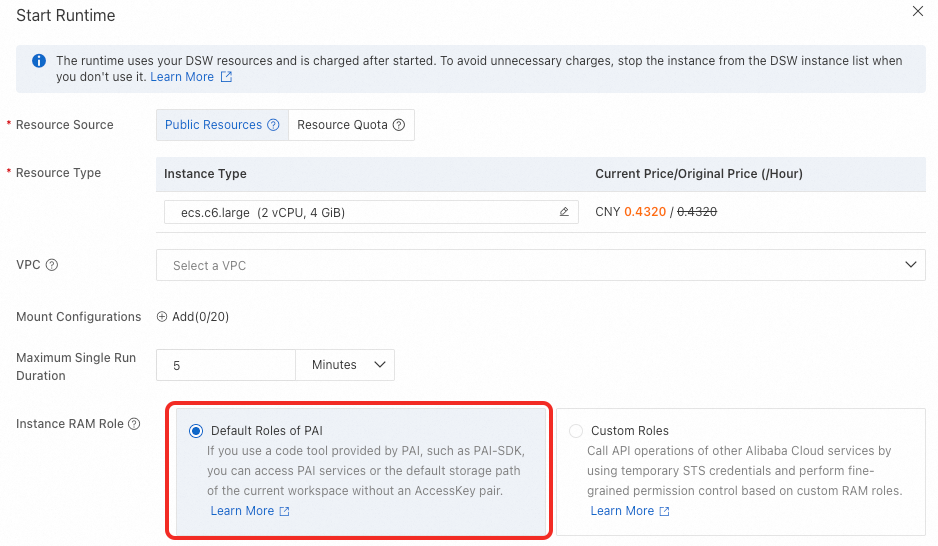
Solution: Application flows support RAM roles (more secure) or api_key for IQS web search. Check the runtime RAM role configuration.
-
If using the PAI default role, use an api_key to access web search.
-
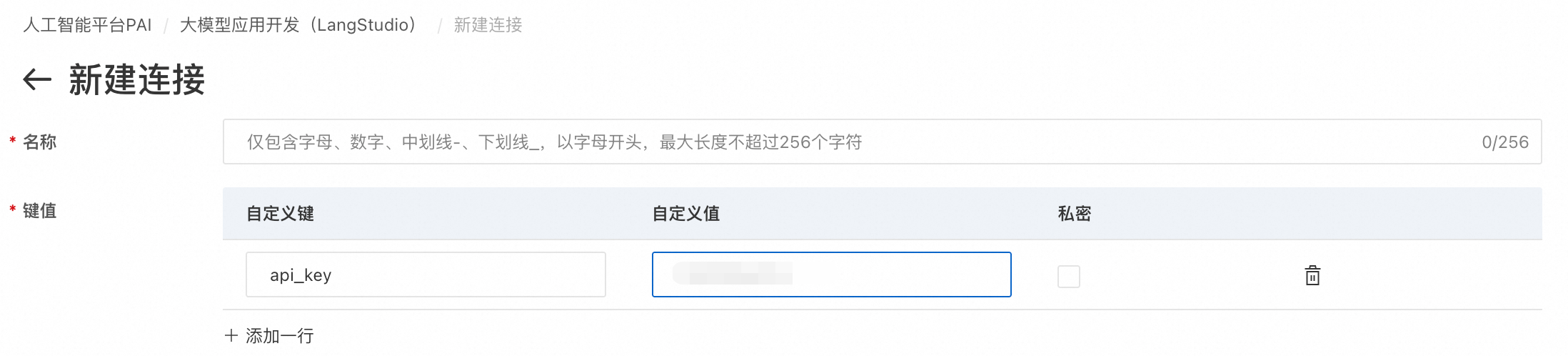
On the Connection tab, choose . Enter
api_keyas the custom key. Get the value from Information Query Service - Credential Management.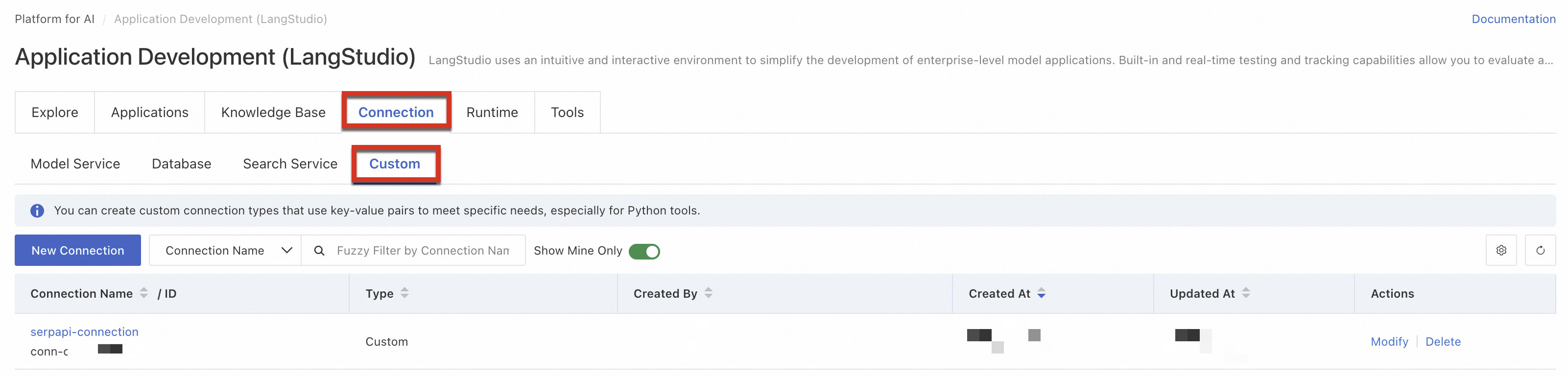
-
Configure this IQS connection in the standard search node.

-
-
If using a custom role, verify it meets these requirements:
-
Required trust policy:
{ "Statement": [ { "Action": "sts:AssumeRole", "Effect": "Allow", "Principal": { "Service": "pai.aliyuncs.com" } }, { "Action": "sts:AssumeRole", "Effect": "Allow", "Principal": { "Service": "eas.pai.aliyuncs.com" } } ], "Version": "1" } -
Attach these three access policies: AliyunIQSFullAccess, AliyunOSSFullAccess, and AliyunPAIFullAccess.
-
-