Manage data sync jobs
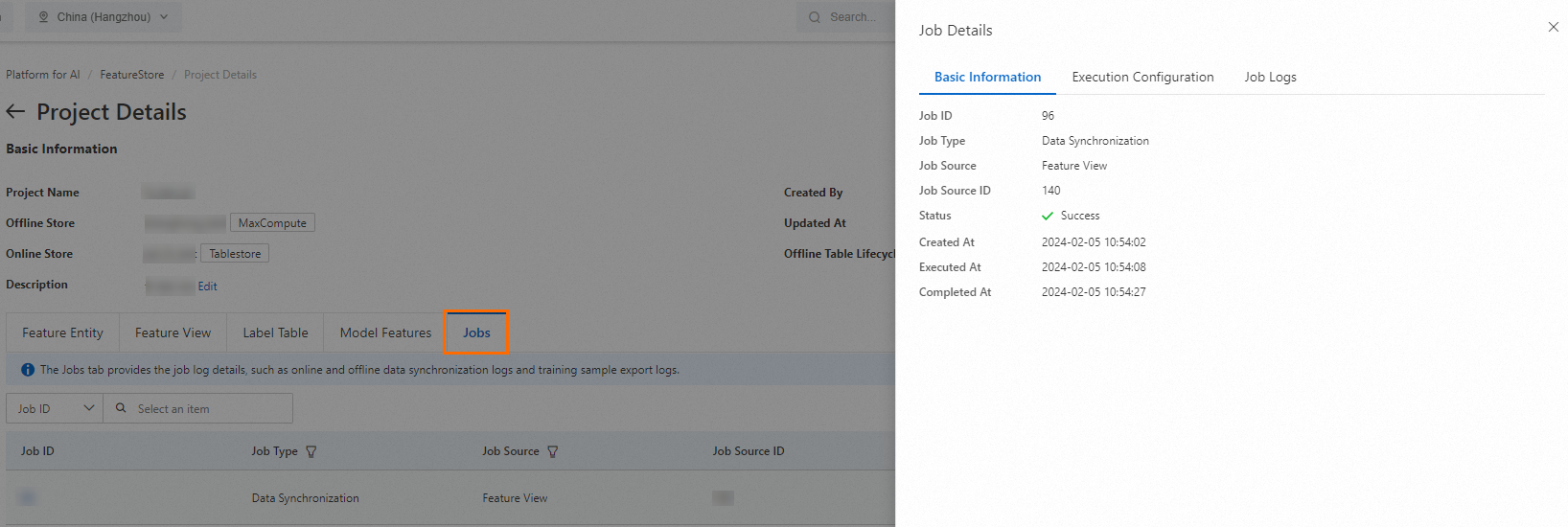
The Jobs tab in FeatureStore displays the log details for all data sync and export activity in a project, including online data synchronization, offline data synchronization, and training sample export jobs. Use it to check job status across the project.
Prerequisites
Before you begin, ensure that you have:
A project created in FeatureStore. For more information, see the "Create a project" section in Manage Feature projects
View data sync jobs
Log on to the PAI console. In the left-side navigation pane, choose Data Preparation > FeatureStore.
On the FeatureStore page, select a workspace from the Select Workspace drop-down list and click Enter FeatureStore.
In the project list, click the name of a project to open the Project Details page.
Click the Jobs tab to view all jobs in the current project and their status.
What's next
To learn how to create and manage projects, see Manage Feature projects.