The LLM-LaTeX Remove Bibliography component preprocesses text data in TEX format for Large Language Models (LLMs). It removes the bibliography section from LaTeX-formatted text.
Supported computing resources
Algorithm
The component identifies the bibliography section in LaTeX-formatted text using the regular expression r'(\\appendix|\\begin\{references\}|\\begin\{REFERENCES\}|\\begin\{thebibliography\}|\\bibliography\{.*\}).*$', where the pipe character (|) separates multiple match patterns.
The component finds all strings that match this regular expression and replaces them with an empty string. For example:
|
Before processing
|
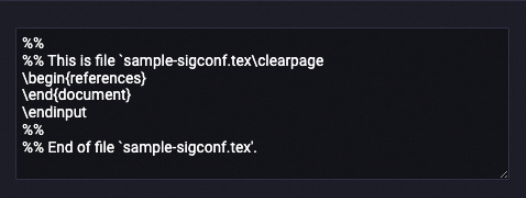
After processing In the Current field value dialog box, the field content is displayed as two lines: |
Configure the component
In Machine Learning Designer, add the LLM-LaTeX Remove Bibliography component to your pipeline and configure its parameters in the pane on the right.
|
Parameter type |
Parameter |
Description |
|
Field settings |
Select target columns to process |
Select one or more columns to process. |
|
Set output table lifecycle |
The retention period in days for the temporary table generated by this component. The value must be a positive integer. After this period, the table is deleted. Default: 28. |
|
|
Execution tuning |
Number of CPUs per instance |
The number of CPU cores for each map task instance. Valid values range from 50 to 800. Default: 100. |
|
Memory size per instance (MB) |
The memory (in MB) to allocate for each map task instance. Valid values range from 256 to 12288. Default: 1024. |
|
|
Data size per instance (MB) |
The maximum data (in MB) that each map task instance can process. Valid values range from 1 to Integer.MAX_VALUE. Default: 256. You can adjust this parameter to control the input volume for the map stage. |