Storage analysis
PolarDB for MySQL provides Quick Diagnostics, which integrates some features of Database Autonomy Service (DAS). With storage analysis, you can view the storage usage overview of the target cluster and the remaining days of available storage. You can also view the storage usage, fragmentation, and anomaly diagnostics of a table in a database.
Considerations
-
Storage analysis analyzes up to 20,000 tables.
-
On the Data Space tab, statistics other than the physical file size, such as the fragmentation percentage, are generated from the
information_schema.tablestable and may not be updated promptly. -
After you run
OPTIMIZE TABLE, the fragmentation percentage of the target table is not updated immediately.The update time is determined by the
information_schema_stats_expiryparameter, in seconds. This parameter specifies the expiration time of cached statistics. The default value is 86400 seconds, which is 24 hours.You can modify this parameter or manually run
ANALYZE TABLEto view the latest fragmentation percentage.
Procedure
- Log on to the PolarDB console.
-
In the upper-left corner, select the region where the cluster is deployed.
On the Clusters page, click the ID of the target cluster.
In the left-side navigation pane, choose .
-
Click the Storage Analysis tab.

-
On the Storage Analysis page, you can view the following information.
-
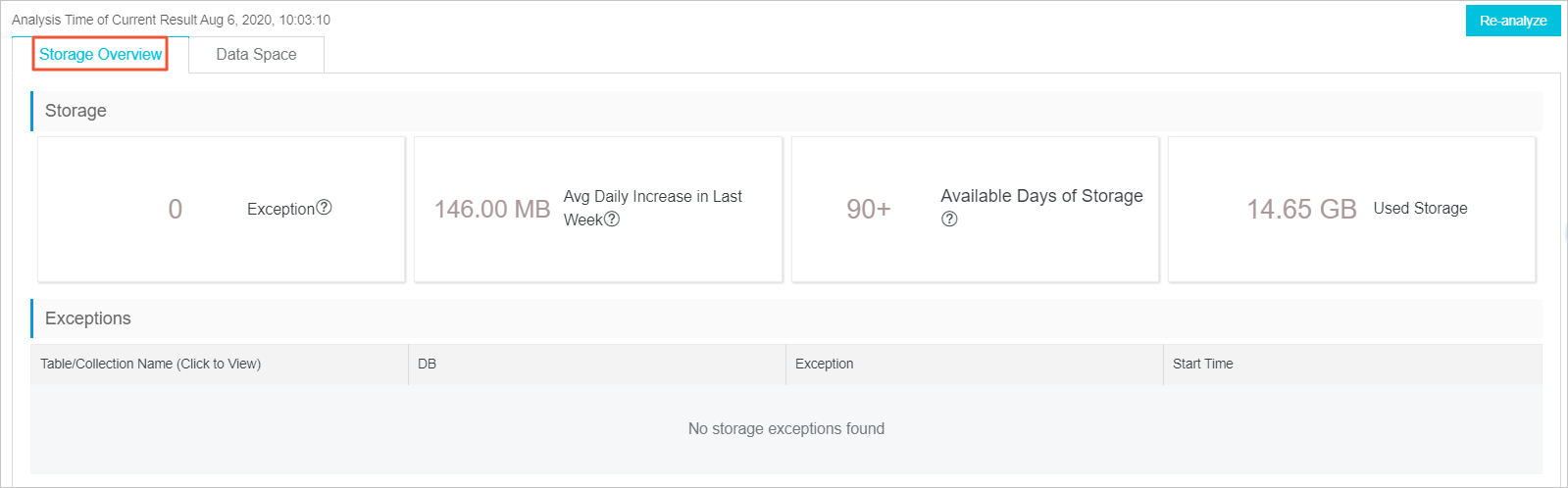
Click the Space Overview tab to view data such as the storage overview and storage trend of databases and tables.
-
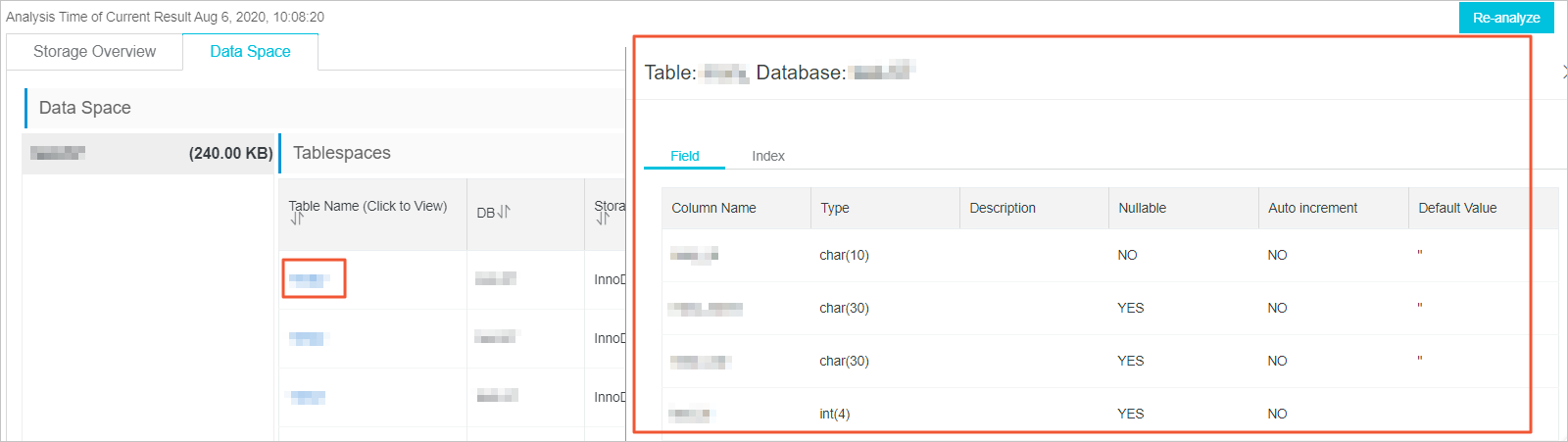
Click the Data Space tab to view the storage usage of each database and table. Click a table name to view the fields and indexes of the table.
-
FAQ
Q: Why is the database storage size that I query by using an SQL statement different from the storage usage displayed in the console?
A: The size that you query by using an SQL statement, such as a query on information_schema.tables, is the logical size of the database. The Storage Analysis page in the console displays the physical storage size obtained from the file system perspective, including all storage occupied by data files, logs, and other objects. The two values may differ. Use the value displayed on the Storage Analysis page in the console as the actual storage usage.