Enable WeChat Work OA approval
Quick BI supports WeChat Work OA approval. When you need to submit a permission request in Quick BI, you can initiate an approval process in WeChat Work. The approval process is then completed entirely within the WeChat Work application.
Prerequisites
You have enabled the Quick BI WeChat Work application and associated it with your Quick BI organization. For more information, see Enable the official WeChat Work application (public cloud).
Due to historical configurations, you cannot use the WeChat Work OA approval feature if you are using a self-built application. Contact the Quick BI team to switch to the third-party application model.
Procedure
Log on to the Quick BI console and navigate to the approval settings page.
Select the WeChat Work channel approval checkbox. In the Associate approval template dialog box, set Template source to Official and click One-click Generation. This action creates a Quick BI approval template in your company's WeChat Work OA approval application. Click Confirm to save.
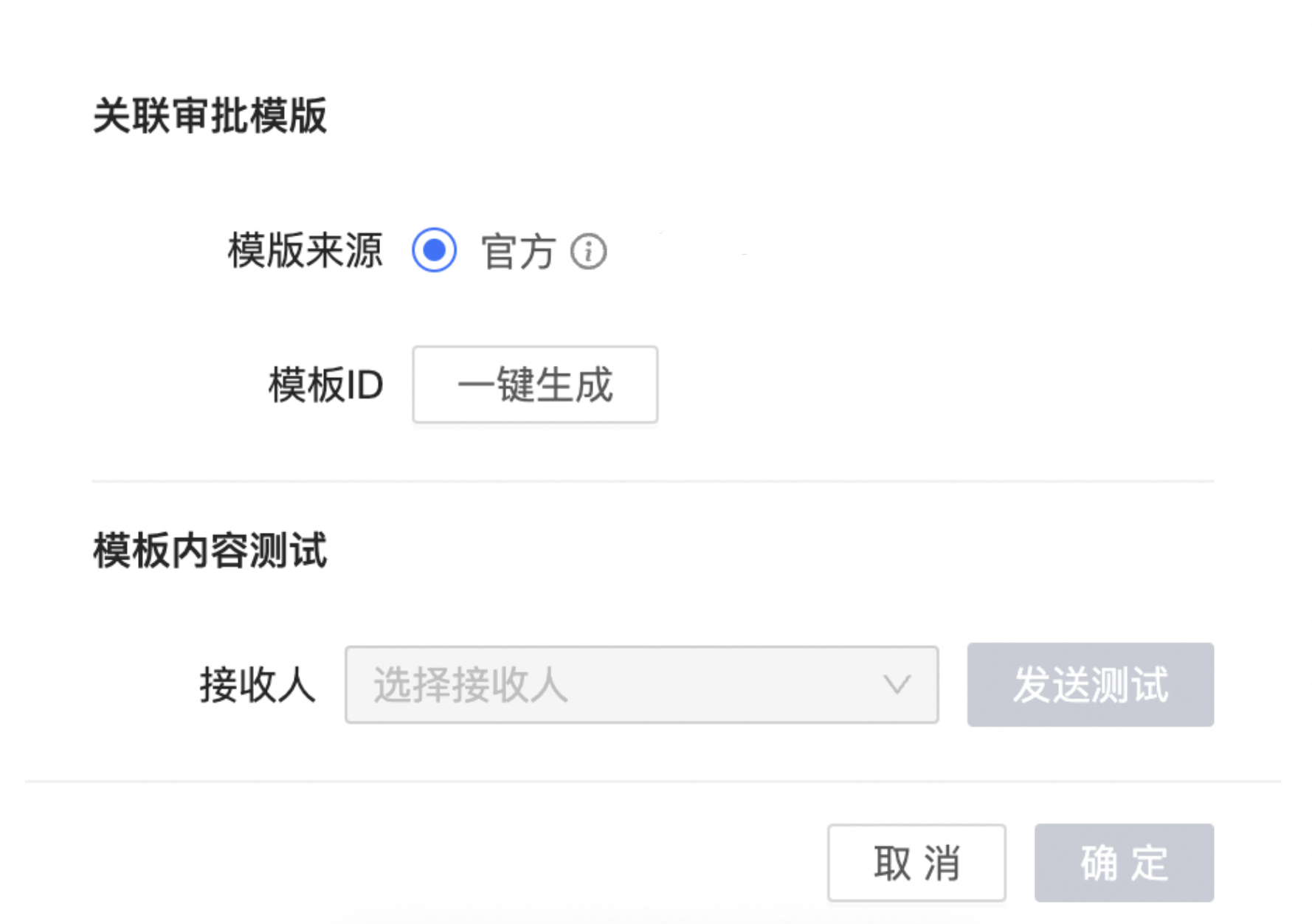
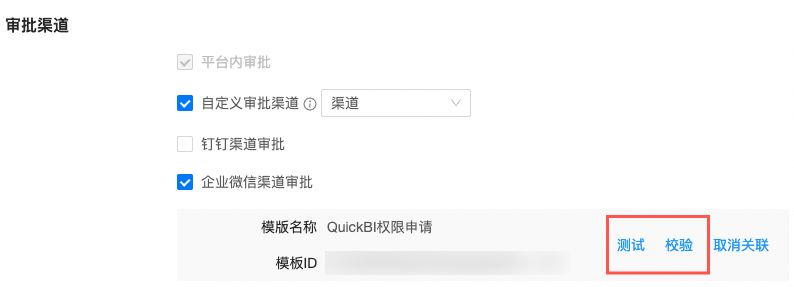
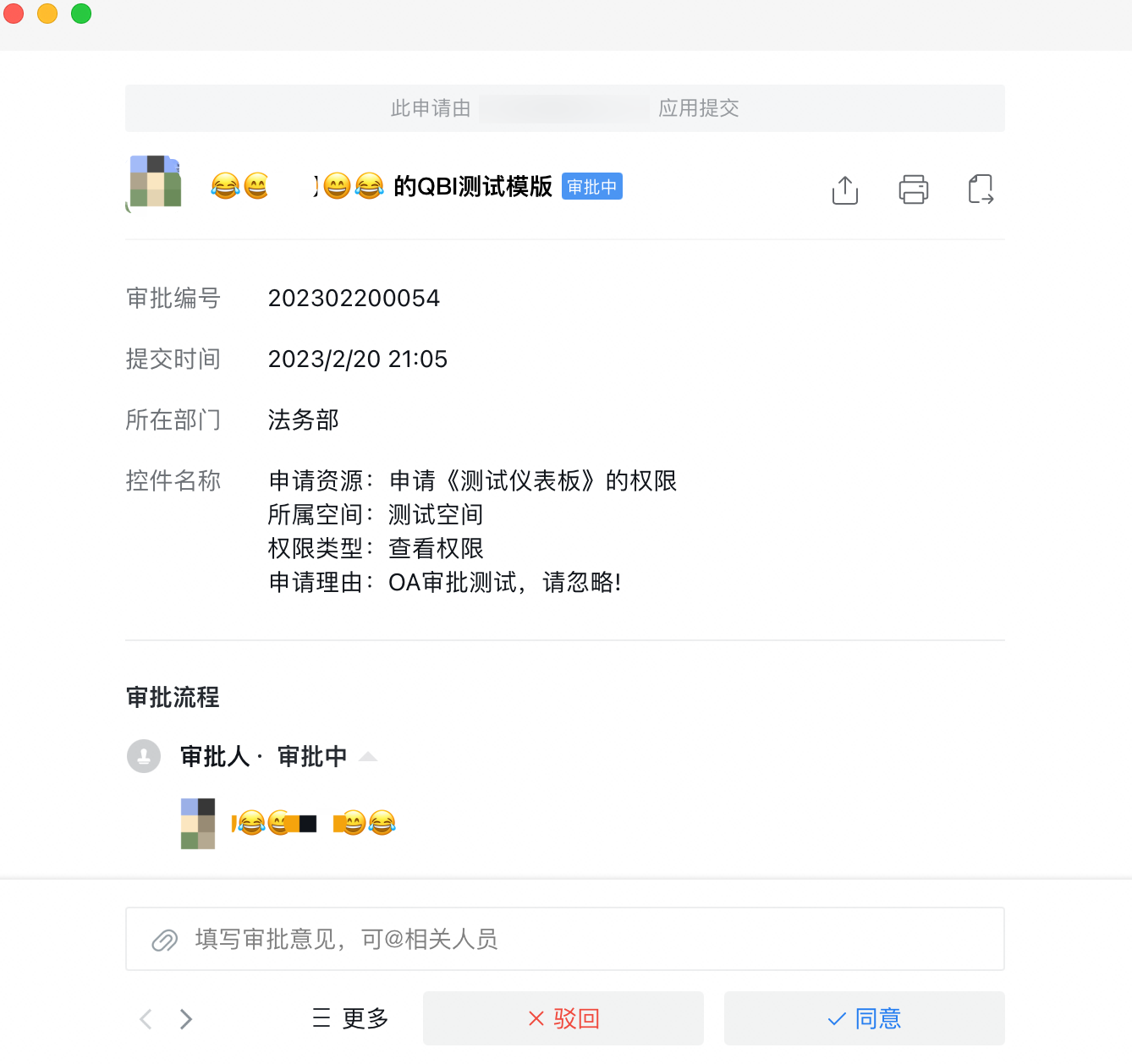
After you save the configuration, you can Test and Verify it. Click Test. If Quick BI successfully initiates a WeChat Work approval instance, the configuration is successful.
FAQ
Issue 1:
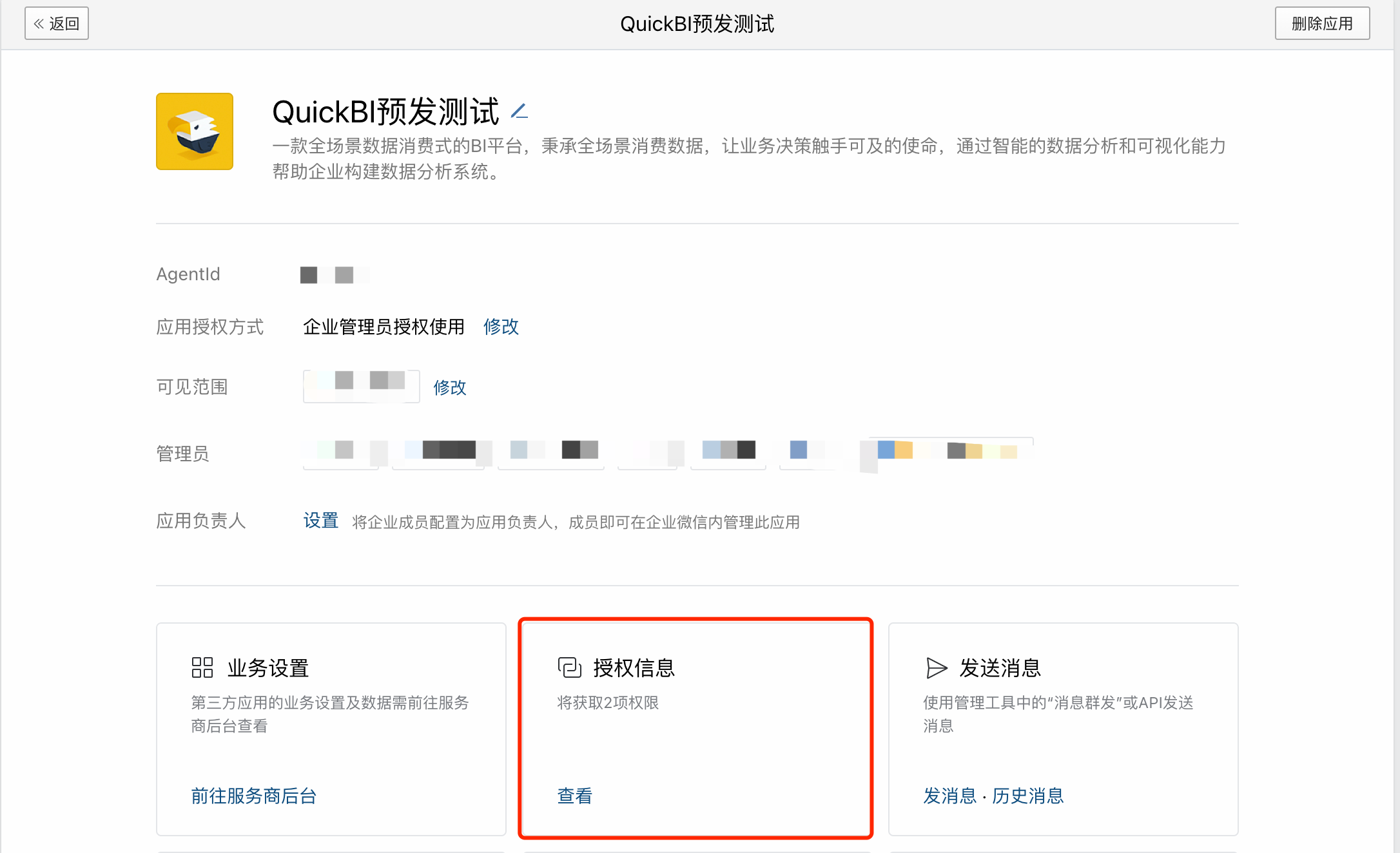
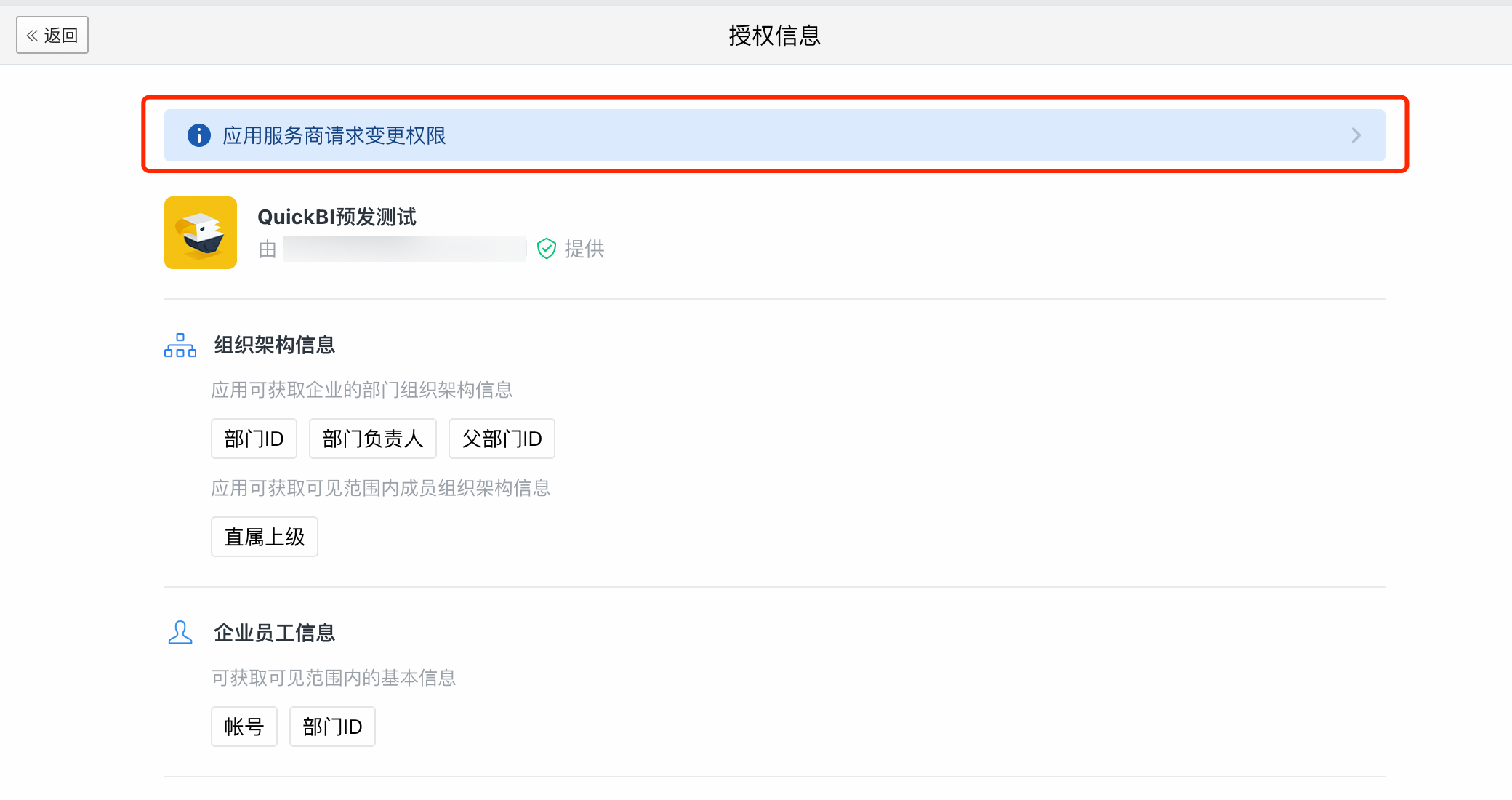
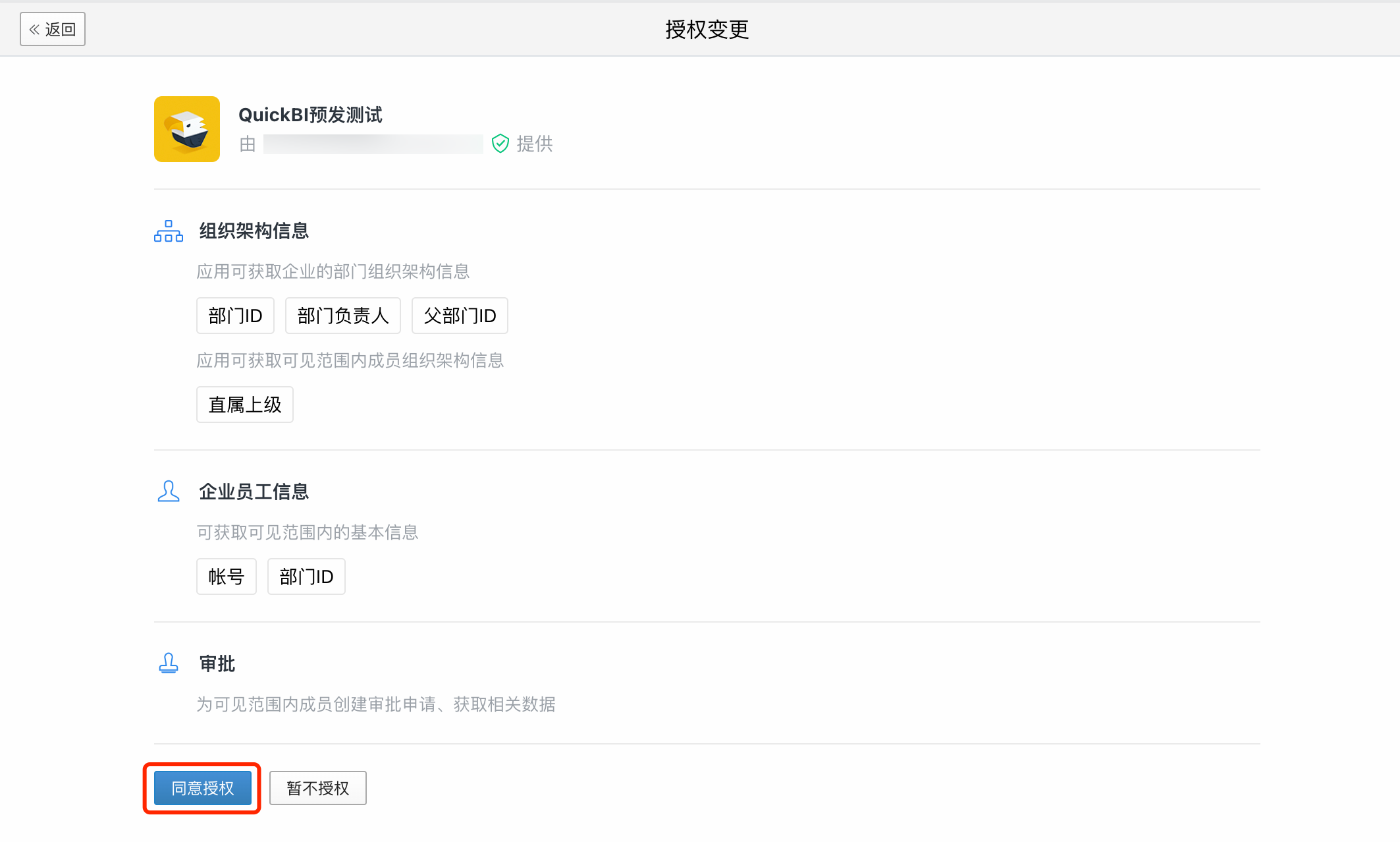
Description: For public cloud customers, the Quick BI WeChat Work application requires approval-related permissions. For new integrations, these permissions are granted automatically. However, customers who enabled the Quick BI WeChat Work application in the past must grant these permissions manually. To do this, go to the WeChat Work developer console and navigate to Application Management > Quick BI application. Under Authorization Information, find Application Service Provider Requests Permission Change and click Agree to Authorize.