Create a Resource Package
You must create a resource package before you can use it.
Procedure
-
Click the
 icon (①) > Resource package management (②).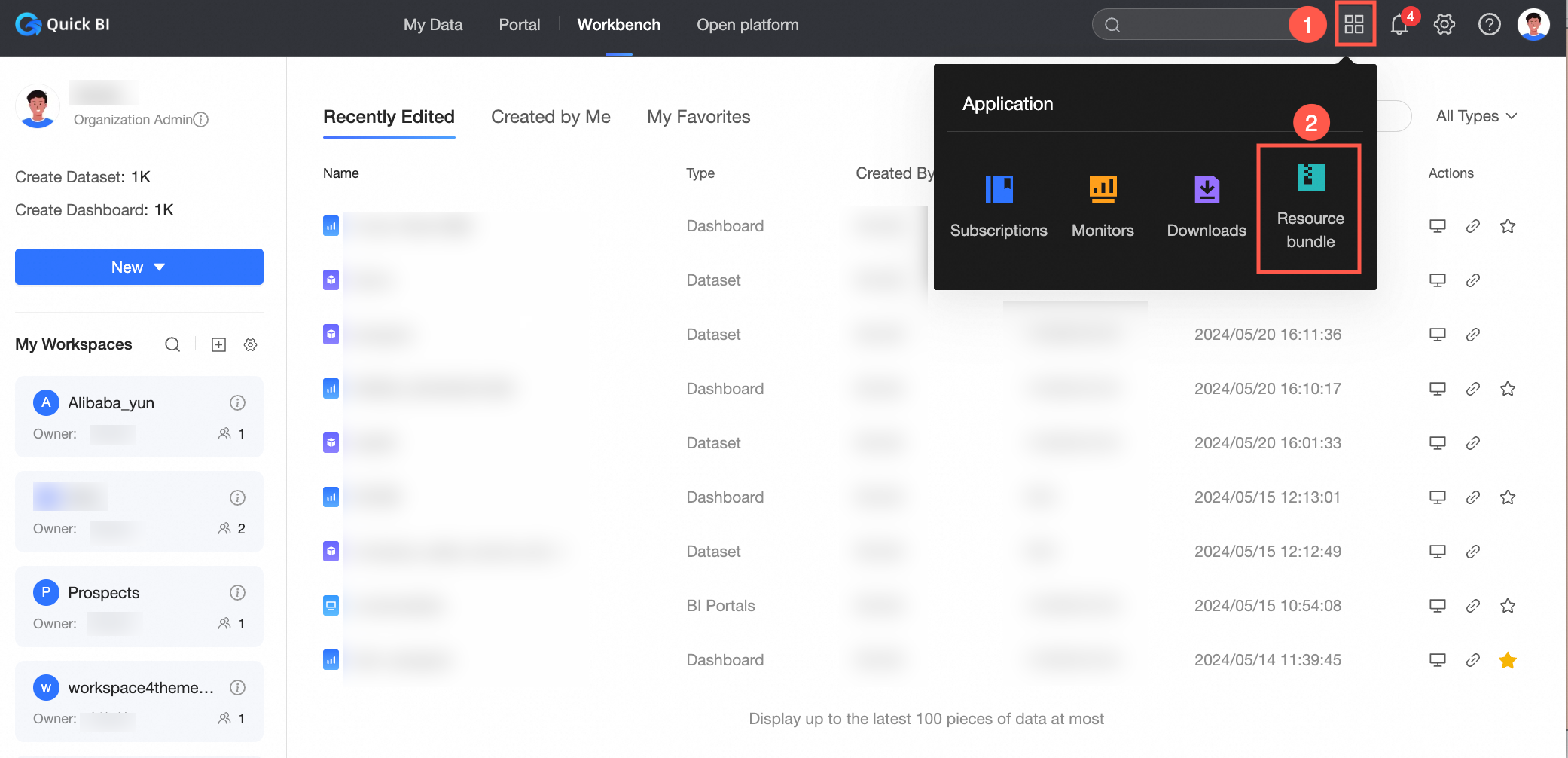
-
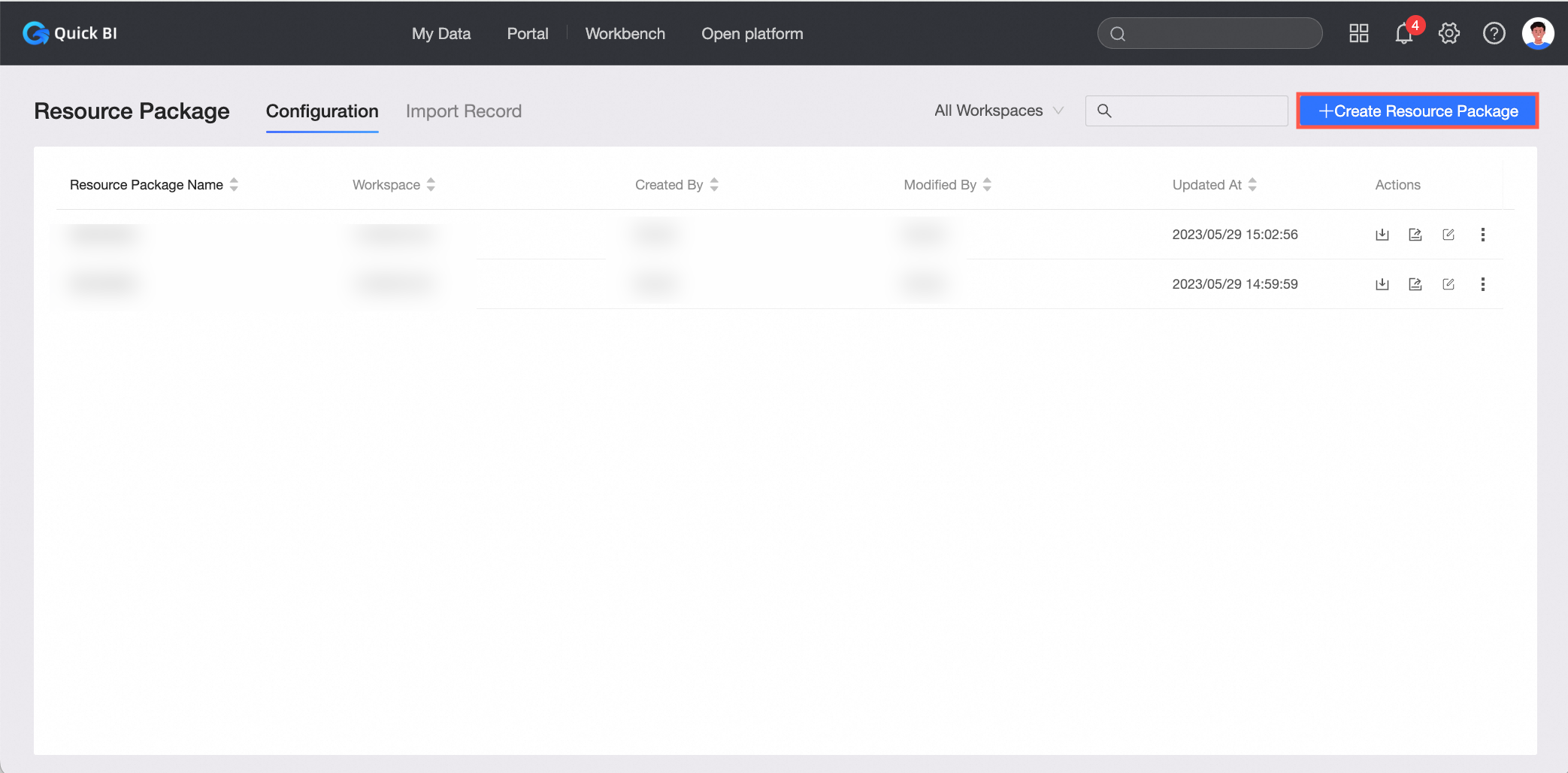
On the Resource package management page, on the Resource package configuration tab, click Create resource package.
-
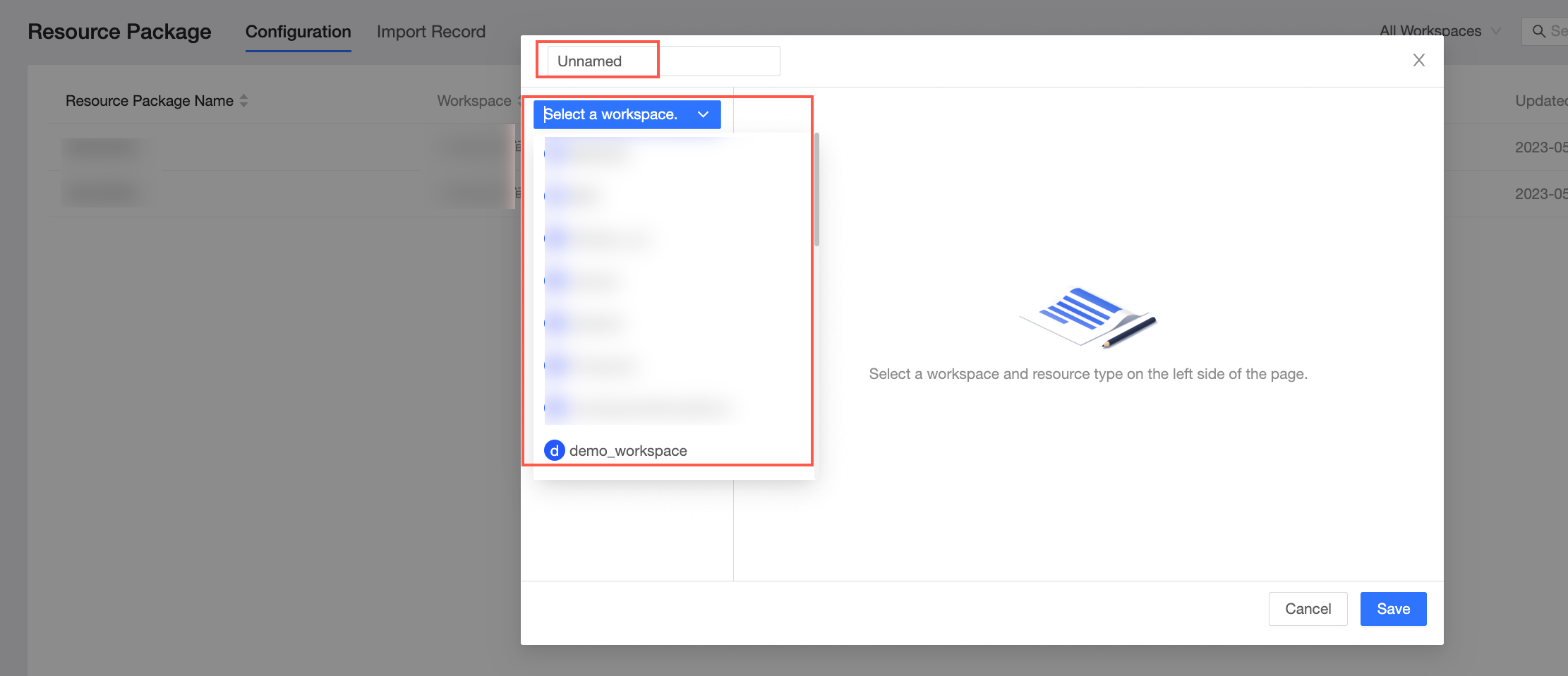
On the Create resource package page, enter a resource package name and select a workspace.
-
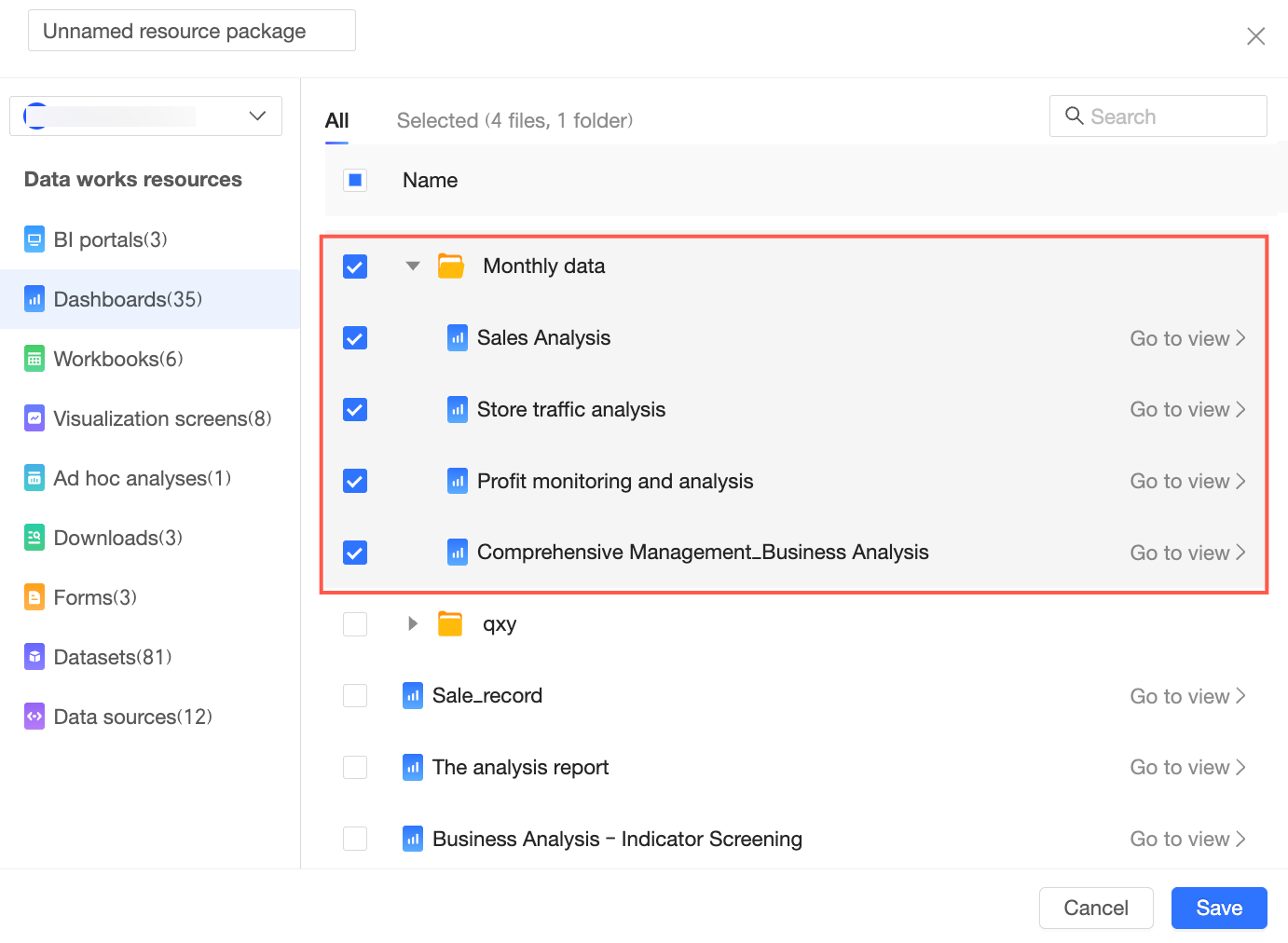
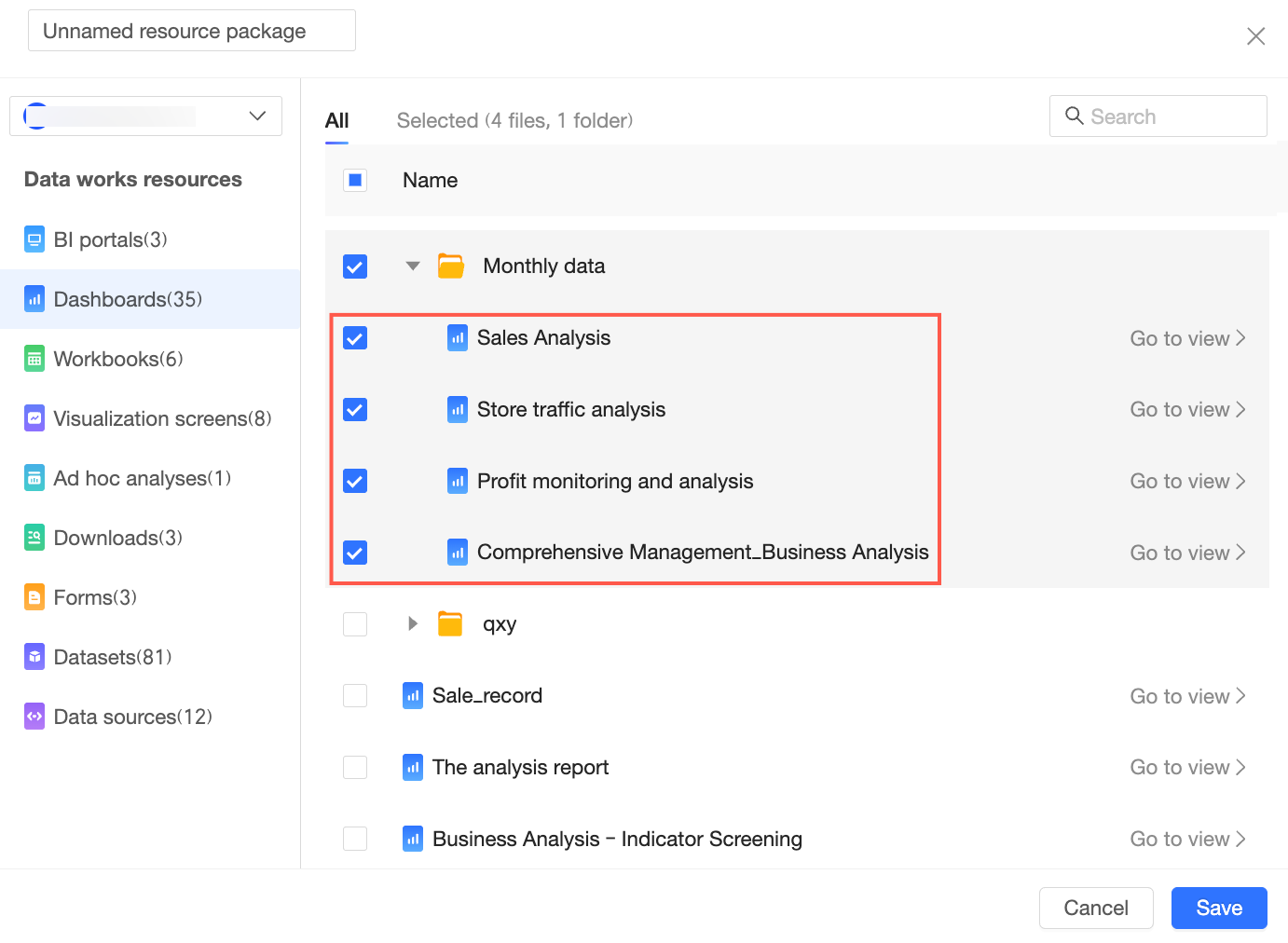
On the Create resource package->Add resource package content page, select the resources to add.
 Note
NoteSelecting a directory exports all its contents.
All resources within a selected directory are included by default.

-
Click Save.
Result
After the resource package is created, you are automatically redirected to the Resource package configuration tab on the Resource package management page, where you can manage it. For more information, see Query, edit, and delete resource packages.